
Table of Contents
- What Are Social Media Logs and Why Do They Matter?
- Safe Social Media Account Transfer Process: Best Practices for Buyers and Sellers
- Social Media Account Ownership Transfer by Platform
- Risks of Social Media Logs Transfer and How to Avoid Them
- Buy, Sell, and Transfer Social Media Accounts With Confidence Today
- Frequently Asked Questions
In today’s digital hustle, owning a social media account isn’t just about posting selfies or brand updates: it’s real estate in the online marketplace. From Instagram pages with thousands of followers to YouTube channels generating steady ad revenue, these accounts carry value. That’s why conversations around how social media logs and legit account transfer work have become so important.
On one side, you have social media logs: the raw login credentials like username, password, linked email, and sometimes two-factor authentication codes. These are often exchanged when buyers and sellers trade accounts. But relying only on logs can be risky, leaving room for scams, recovery attempts, or even platform bans.
On the other side is the legit account transfer process, where ownership is shifted securely and in line with platform rules. This involves steps like updating recovery emails, resetting passwords, handing over admin roles, and enabling fresh two-factor authentication. Done right, it ensures the buyer gets full control without fear of losing the account later.
This guide breaks down the difference between logs and legitimate transfers, explains platform-specific methods, highlights risks, and shows you how to buy, sell, and transfer accounts with confidence using a trusted provider.
What Are Social Media Logs and Why Do They Matter?
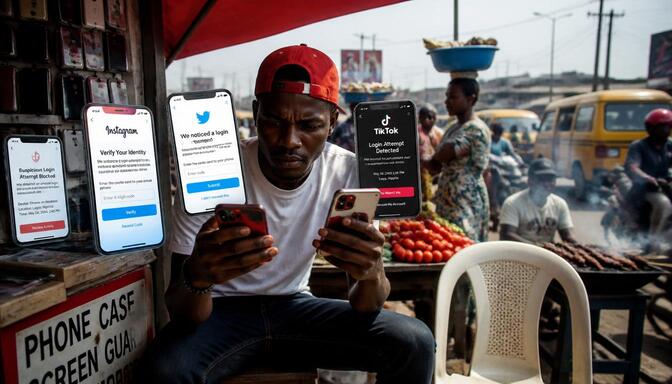
Social media logs are the basic details that let someone get into an account. These include the username, password, and sometimes the linked email or phone number. They are the first step to accessing any social media profile. Without these, you simply can’t log in.
People trade these logs because they want quick access. Buyers want to start using the account right away, and sellers want to close the deal fast. But just having these details doesn’t mean the buyer truly owns the account.
The problem is that social media platforms don’t see ownership as just who has the password. They look at who controls the recovery options, like the email or phone number tied to the account. If those aren’t changed, the original owner can still take back control.
That’s why relying only on logs is risky. The seller might still have ways to reset the password or get back in. This can lead to the buyer losing the account after purchase.
Logs matter because they give access, but they don’t guarantee control. For real ownership, the transfer must include updating all recovery details and security settings. This keeps the account safe and fully in the buyer’s hands.
In short, social media logs are the entry keys, but they are not the full ownership package. Knowing this difference helps buyers avoid scams and sellers protect their accounts until the transfer is complete.
This section breaks down the key parts of social media logs, what they contain, and why they are important in the account transfer process. It also explains common mistakes and risks when relying only on logs, so you can be better prepared.
Understanding the Meaning of Social Media Logs
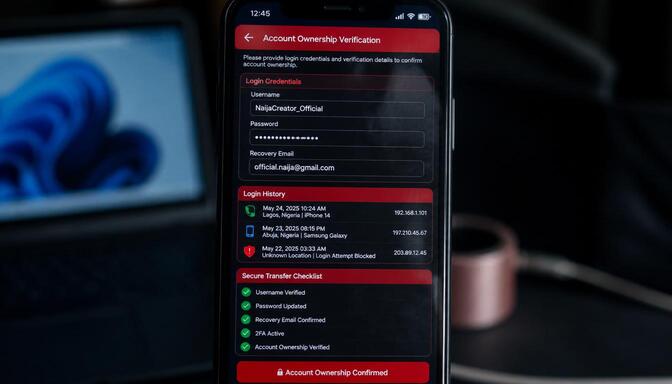
Social media logs are essentially the login credentials: username, password, linked email, and sometimes two-factor authentication codes, that grant access to an account. They are the “keys” to the digital property. These details allow someone to enter the account and start using it immediately. Without them, logging in is impossible. But having these credentials is just the start. They don’t tell the full story of who truly owns the account.
When someone hands over social media logs, they give access, but not always full control. The real ownership depends on who controls the recovery options, like the email or phone number tied to the account. If those aren’t changed, the original owner can still step back in and take control.
This is why many buyers think they own an account after getting logs, only to find out later they can lose it. Sellers might still have ways to reset passwords or recover the account.
Social media logs usually include the username or handle, the password, and sometimes recovery emails or phone numbers. Some accounts also have two-factor authentication codes or backup keys, which add an extra layer of security.
These logs are shared because they provide quick access, making transactions faster. Buyers want to start using the account right away, and sellers want to close the deal quickly. But this speed can come with risks if the transfer isn’t done properly.
Understanding what social media logs are and what they include helps buyers and sellers make smarter choices. It shows why logs alone don’t guarantee full ownership and why extra steps are needed to secure the account. This knowledge is key to avoiding scams and protecting valuable social media profiles, whether you’re growing an Instagram growth service account or a Facebook Growth Service page.
What Is Included in Social Media Account Login Credentials
Typically, logs include:
- Username or handle
- Password
- Recovery email or phone number
- Two-factor authentication (2FA) codes or backup keys
Each of these elements plays a crucial role in accessing and managing a social media account. Here’s why:
The username or handle is the unique identifier that sets the account apart from millions of others. It’s what people search for and recognize.
The password acts as the primary barrier, protecting the account from unauthorized access. Without the correct password, logging in is impossible.
Recovery emails or phone numbers serve as safety nets. They allow users to regain access if they forget their password or if the account is compromised. These details are linked to the account’s security settings and can be used to reset passwords or verify identity.
Two-factor authentication (2FA) adds an extra layer of protection. It requires a second form of verification, often a code sent to a phone or generated by an app. Backup keys are emergency codes that can be used if the primary 2FA method is unavailable. Together, these elements form the core of social media logs, giving access but not always full ownership.
Understanding each part helps buyers and sellers know what they’re exchanging. It highlights why just having these logs isn’t enough for complete control. Proper transfer means updating all these details so the new owner can manage the account securely and without interference from the previous owner, freeing them to focus on growth strategies like a TikTok Growth Service.
Why Buyers and Sellers Exchange Social Media Logs
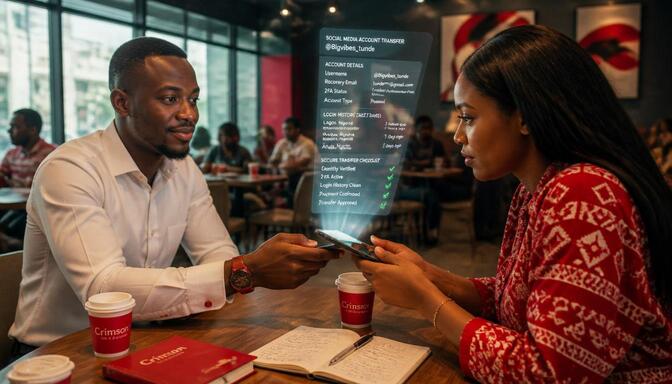
Logs are exchanged because they provide immediate access. Buyers want control, while sellers want quick transactions. However, without proper transfer steps, ownership remains insecure.
Here’s the thing: exchanging logs might seem like a quick win, but it’s a bit like handing over the keys without changing the locks. That’s why understanding what’s really at stake is so important. The rush to swap credentials often overlooks the need for a full transfer process, which can leave buyers vulnerable and sellers exposed.
Here are some key reasons why this happens and what it means for both sides:
- Quick Access Means Quick Use: Buyers want to jump in and start posting, engaging, or monetizing right away. Logs give them that instant entry without waiting for complicated handovers.
- Speedy Deals Keep Sellers Happy: Sellers want to close the deal fast and move on. Sharing logs is the fastest way to prove they’ve handed over control, or so it seems.
- False Sense of Ownership: Many buyers think having the password means they own the account. But without updating recovery info, sellers can still reclaim it.
- Risk of Account Recovery: If recovery emails or phone numbers aren’t changed, the original owner can reset passwords and take back control anytime.
- Platform Rules and Penalties: Social media platforms often flag accounts with suspicious logins or ownership changes done only through logs, risking bans or restrictions.
These points show why logs alone don’t cut it. They’re just the start, not the finish line. Both buyers and sellers need to follow through with proper transfer steps to make sure ownership is real and secure. Otherwise, the deal might come back to bite you.
Common Misconceptions About Social Media Logs
Many assume logs equal ownership. In reality, platforms recognize ownership through recovery details and admin roles, not just passwords. This misunderstanding leads to a lot of trouble for both buyers and sellers. Let’s clear the air and dive into the truth behind these common myths.
Here’s a quick heads-up on what’s really going on when it comes to social media logs and ownership. These points will help you see why just having login details isn’t the full picture:
- Ownership isn’t just about passwords. Platforms look deeper, focusing on who controls recovery emails and phone numbers. Without those, passwords alone don’t guarantee control.
- Admin roles matter. On platforms like Facebook and YouTube, being an admin or primary owner is what counts. Logs don’t automatically grant these roles.
- Recovery options are the real keys. If the recovery email or phone number isn’t updated, the original owner can still reset passwords and take back the account.
- Two-factor authentication adds complexity. Even with logs, if 2FA is active and controlled by the seller, buyers can get locked out.
- Platforms monitor suspicious activity. Sudden logins from new devices or locations can trigger security flags, risking account suspension, which is why checking Instagram SMM Panel Safety guidance matters even after a clean transfer.
Understanding these points helps you avoid the trap of thinking logs equal ownership. It’s a reminder that real control comes from managing all security and recovery settings, not just having the password. Keep this in mind, and you’ll be better prepared for safe account transfers.
When Social Media Logs Alone Are Not Enough
Logs alone don’t guarantee permanent control. Without updating recovery emails, passwords, and 2FA, sellers can reclaim accounts later. This is a critical point that many buyers overlook in the rush to get quick access. Just having the login details is like having a door key without changing the locks. The original owner still holds the power to kick you out if the recovery options remain unchanged.
Here’s why relying solely on logs can backfire:
- Recovery emails and phone numbers are the real control points. If these aren’t updated, the seller can reset the password anytime and regain access.
- Passwords can be reset. Even if you change the password, the original owner can use recovery options to override it.
- Two-factor authentication (2FA) adds another layer. If 2FA is still linked to the seller’s device or app, they can approve login attempts and lock you out.
- Platforms monitor suspicious activity. Sudden changes or logins from new locations can trigger security alerts, sometimes freezing the account.
Shared access creates confusion. If recovery details aren’t updated, both parties can access the account, leading to conflicts and potential lockouts.
The takeaway? Logs are just the starting point. For true ownership, every recovery detail must be updated immediately after the transfer. This means changing the recovery email, phone number, password, and setting up new 2FA. Without these steps, the account remains vulnerable.
Taking shortcuts here can lead to losing the account entirely, wasting money, and a lot of frustration. It’s better to be thorough and secure the account fully. That way, you get peace of mind and real control over your new digital asset.
Safe Social Media Account Transfer Process: Best Practices for Buyers and Sellers
| Step | Action | Purpose/Benefit |
| 1. Seller Preparation | Clean out personal info and unlink payment methods | Prevents buyer from inheriting old baggage and ensures a fresh start. |
| 2. Reset Credentials | Seller resets passwords and updates recovery details | Shows good faith and avoids future disputes or conflicts. |
| 3. Buyer Verification | Buyer checks recovery emails and phone numbers | Ensures ownership details belong to buyer, not seller. |
| 4. Recovery Gatekeepers | Update recovery email and phone immediately | Protects against seller reclaiming account later. |
| 5. Hidden Links Check | Buyer looks for hidden linked accounts or admin roles | Prevents unexpected access issues or disputes after transfer. |
| 6. Security Confirmation | Buyer confirms all credentials updated | Guarantees account safety and reduces risk of lost access. |
| 7. Platform Compliance | Follow platform rules during transfer | Avoids bans, restrictions, or violations that could suspend the account. |
When it comes to transferring social media accounts, safety isn’t just a nice-to-have: it’s the whole point. Both buyers and sellers need to follow clear steps that protect the account and prevent headaches down the line. Skipping important actions can lead to lost access, disputes, or even bans from the platform.
First, sellers should prepare the account by cleaning out personal info and unlinking any payment methods. This clears the way for the buyer to take full control without inheriting old baggage. Sellers also need to reset passwords and update recovery details before handing over. This shows good faith and helps avoid future conflicts.
Buyers, on the other hand, must check that recovery emails and phone numbers are updated and belong to them. This is crucial because these details are the real gatekeepers of the account. If they’re still linked to the seller, the buyer risks losing the account later. Buyers should also look for any hidden linked accounts or admin roles that might cause trouble.
Once the basics are covered, both parties should focus on security. Changing passwords immediately after transfer is a must. Setting up new two-factor authentication (2FA) adds a strong layer of protection. It’s important that 2FA is linked to the buyer’s device or app, not the seller’s. This prevents the seller from approving logins and locking the buyer out.
The transfer process doesn’t end with handing over logs. It’s about updating every security detail so the buyer truly owns the account. This means changing recovery emails, phone numbers, passwords, and 2FA settings. Skipping any of these steps leaves the door open for the seller to reclaim the account.
Taking these steps might sound like a hassle, but it’s worth it. A secure transfer means peace of mind and real control. Both buyers and sellers walk away knowing the deal is done right, without surprises or risks, and can then turn attention to growth tools like a Right Instagram SMM Panel to scale the account.
How to Prepare an Account for Ownership Transfer
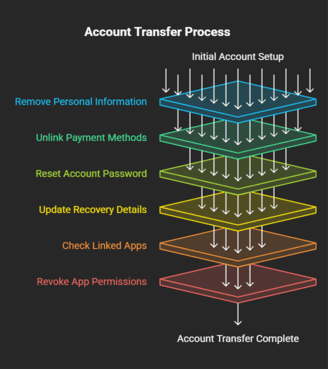
Preparing an account for ownership transfer is a crucial step that sellers should never skip. It’s about clearing out anything that ties the account back to the original owner and making sure the buyer gets a fresh start. Sellers need to remove personal information like saved contacts, messages, or any private data that could cause confusion or privacy issues later. Unlinking payment methods is also essential because you don’t want the buyer accidentally charged for something you forgot to disconnect.
Next, sellers should reset the password and update recovery options before handing over the account. This shows good faith and helps prevent the original owner from reclaiming the account after the sale. It’s important that the recovery email and phone number are changed to the buyer’s details or a neutral one that the buyer controls. This step is often overlooked but makes all the difference in securing true ownership.
Cleaning up the account also means checking for any linked apps or third-party services. These can sometimes keep access open or cause security risks if left connected. Sellers should revoke permissions for any apps they no longer want linked to the account.
Finally, sellers should communicate clearly with buyers about what has been done and what still needs attention. This transparency builds trust and reduces the chance of disputes later. A well-prepared account transfer sets the stage for a smooth handover and protects both parties from headaches down the road.
Taking these steps might seem like extra work, but it’s worth it. It’s the difference between a quick, messy handoff and a clean, secure transfer that leaves everyone happy. Sellers who prepare properly show professionalism and respect for the buyer’s investment, making the whole process easier and safer for both sides.
Security Checks to Complete Before the Transfer
Before finalizing any social media account transfer, buyers need to be extra careful with security checks. This means verifying that the recovery email and phone number linked to the account are updated and belong solely to the buyer. If these details still point to the seller or anyone else, the buyer risks losing control later on. It’s not just about having the password; it’s about owning the full set of recovery options.
Buyers should also dig a little deeper and check for any hidden linked accounts or admin roles that might cause trouble down the line. Sometimes, accounts have third-party apps or services connected that can still grant access to the original owner or others. Overlooking these can lead to unexpected lockouts or security breaches.
Another important step is reviewing the account’s login history if the platform allows it. This can reveal suspicious activity or logins from unknown devices, which might indicate lingering access by the seller or hackers. Spotting these early helps buyers take action before problems arise.
It’s also smart to check if two-factor authentication (2FA) is active and ensure it’s linked to the buyer’s device or app. If 2FA is still controlled by the seller, they can approve login attempts and lock the buyer out at any time.
Finally, buyers should confirm that all previous passwords and backup codes are changed or invalidated. Old credentials left active can be a hidden risk. Taking these security checks seriously protects buyers from surprises and secures true ownership from day one.
How to Prevent Account Recovery by Previous Owners
Changing recovery details immediately is the single most important step in securing your new account. Leaving old emails or phone numbers connected is like leaving a back door wide open for the previous owner to walk right back in. This mistake can cost you full control and lead to endless headaches.
When you take over an account, make sure the recovery email and phone number are updated to ones only you control. This cuts off any chance the previous owner has to reset passwords or regain access. It’s not just about swapping passwords; it’s about owning every way the platform can verify identity.
If the old recovery info stays linked, the seller can trigger password resets or verification codes, locking you out whenever they want. This is a common trap that many buyers fall into because they focus only on the login details and forget the recovery options.
Changing recovery details also helps avoid confusion if the platform sends alerts or notifications about account changes. If those messages go to the old owner, they can react quickly and cause trouble.
In short, updating recovery info is your best defense against losing the account after purchase. It’s a simple step that protects your investment and gives you peace of mind. Don’t skip it, or you might find yourself fighting for control when you thought the deal was done.
Why Two-Factor Authentication Must Be Updated Immediately?
Two-factor authentication (2FA) is the strongest lock you can put on a social media account. It adds an extra step that makes it much harder for anyone to get in without your permission. But here’s the catch: if 2FA isn’t updated after you take over an account, the previous owner can still sneak back in. They can approve login attempts from their device or app, even if you’ve changed the password. That’s like changing the locks but leaving a spare key under the mat.
This is why updating 2FA is not just a good idea, it’s absolutely essential. When you get control of an account, you need to set up 2FA with your own phone or authentication app. This cuts off the old owner’s access and locks the door tight.
If you skip this step, you’re basically handing the seller a master key. They can approve logins remotely and lock you out whenever they want. It’s a trap many buyers fall into because they focus only on passwords and forget about 2FA.
Updating 2FA also helps you keep track of login attempts. You’ll get alerts if someone tries to access your account, giving you a chance to react fast.
In short, 2FA is your best defense against losing control after a transfer. Don’t treat it like an afterthought. Make it your first priority once you have the account. That way, you keep full control and peace of mind, knowing no one else can sneak back in behind you.
A Post-Transfer Security Checklist Every Buyer Should Follow
- Reset the password immediately after the transfer to lock out any previous access. This simple step ensures that only you hold the keys moving forward.
- Update the recovery email and phone number linked to the account. These are the real gatekeepers, so make sure they belong solely to you and no one else.
- Enable new two-factor authentication (2FA) using your own device or authentication app. This adds a strong layer of security that the previous owner can’t bypass.
- Review all linked apps and permissions connected to the account. Revoke access for any third-party services or apps that you don’t recognize or no longer want linked.
- Check for any backup codes or secondary recovery options and invalidate them. Old backup codes can be a hidden way for previous owners to regain access.
- Change any shared passwords or credentials associated with connected services. This prevents indirect access through linked accounts.
- Verify that all admin roles or account permissions are updated to reflect your ownership. Remove any lingering access for previous owners or unknown users.
- Monitor login activity for unusual or suspicious attempts. Early detection helps you act fast and secure your account.
- Keep your contact information updated and secure. This ensures you receive all important alerts and notifications related to your account.
- Regularly review your account’s security settings and update them as needed. Staying proactive keeps your account safe in the long run, especially if you plan to scale with a Best TikTok SMM Panel or similar growth tool.
Social Media Account Ownership Transfer by Platform
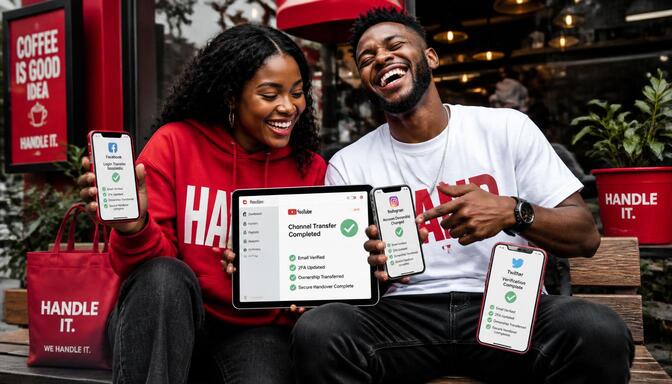
Each social media platform has its own way of handling account ownership transfers. Understanding these differences is key to making sure the transfer is secure and recognized by the platform itself. Here’s a breakdown of how some of the biggest platforms handle ownership handovers, so you know exactly what to expect and what steps to take.
Facebook Page Ownership Transfer and Admin Role Handover: Facebook uses admin roles to manage page ownership. The seller adds the buyer as an admin first, giving them full control. Once the buyer is set up, the seller removes themselves from the admin list. This method ensures the platform officially recognizes the buyer as the new owner, preventing any future disputes. Buyers building their page from here can also strengthen it with a Facebook Engagement Booster once ownership is secure.
YouTube Brand Account Ownership Transfer Process: YouTube handles ownership through Brand Account permissions. The seller assigns the buyer as the primary owner, which grants full control over the channel. After the buyer accepts, the seller can remove their access. This process is straightforward but requires careful attention to permissions to avoid losing control.
Instagram Account Transfer Methods and Security Requirements: Instagram doesn’t have an official ownership transfer system. Instead, the focus is on updating login credentials and security settings. The buyer must update the email, password, and two-factor authentication immediately after the transfer. This approach relies heavily on security updates to protect ownership.
Twitter (X) Account Transfer Process Explained: Twitter, now known as X, follows a similar process to Instagram. Since there’s no formal ownership transfer, the buyer must change all login details and recovery information right away. This prevents the seller from regaining access and secures the account under the buyer’s control. Once secured, buyers can look into a Twitter Audience Growth Blueprint to build the account further.
Understanding these platform-specific processes helps buyers and sellers avoid common pitfalls. Each platform’s method has its quirks, but the goal is the same: secure, recognized ownership that protects both parties. Taking the right steps ensures the transfer is clean, safe, and lasting, whether the account is built for Instagram, Facebook, YouTube, or X.
Facebook Page Ownership Transfer and Admin Role Handover
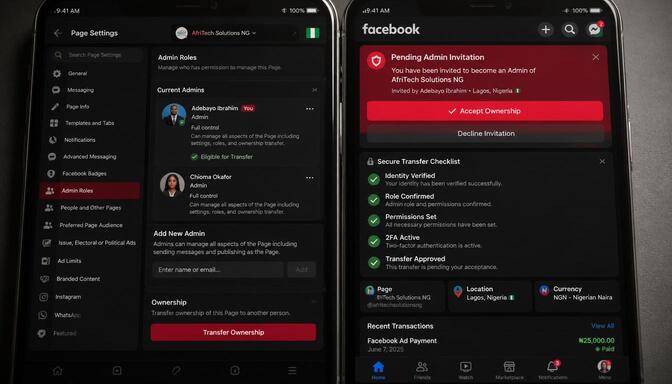
Ownership transfer on Facebook is straightforward but requires careful steps to make sure the buyer truly gains control. The seller starts by adding the buyer as an admin on the page. This gives the buyer full access to manage the page, post content, and adjust settings. Once the buyer is confirmed as an admin, the seller removes themselves from the admin list. This step is crucial because it officially hands over control and prevents the seller from making changes or regaining access later.
This method works well because Facebook recognizes admin roles as the key to ownership. The platform’s system automatically updates who has control based on these roles. It’s important for both parties to communicate clearly during this process to avoid confusion or mistakes.
Adding the buyer as an admin first also allows them to check the page’s settings, review linked accounts, and ensure everything is in order before the seller steps away. This reduces the risk of surprises after the transfer.
Sellers should also make sure to remove any personal information or payment methods linked to the page before the transfer. Buyers should immediately update recovery details and security settings once they have admin access. This keeps the page safe and under their full control.
In short, this admin role handover is the safest and most recognized way to transfer Facebook page ownership. It protects both buyer and seller and ensures the platform acknowledges the new owner, especially once paired with a reliable Facebook Growth Service or insights from a guide on how Facebook booster sites work to keep the page active and growing.
YouTube Brand Account Ownership Transfer Process
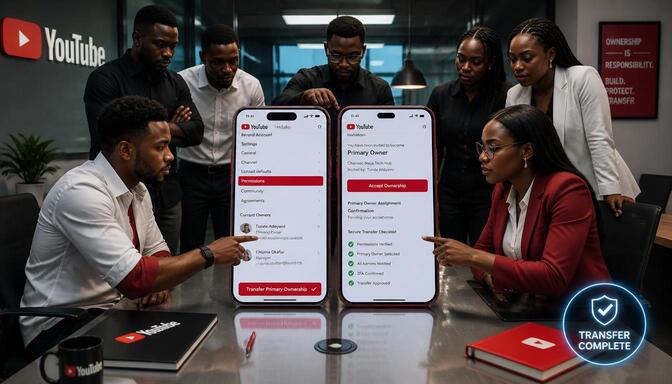
Transferring ownership of a YouTube channel happens through Brand Account permissions, which makes the process clear but requires careful steps. The seller starts by assigning the buyer as the primary owner of the Brand Account. This gives the buyer full control over the channel, including access to videos, analytics, and settings. Once the buyer accepts this role, the seller can safely remove themselves from the account. This step is crucial because it officially hands over control and prevents the seller from interfering or regaining access later.
This process is straightforward but demands attention to detail. The buyer should confirm they have full access and can manage all aspects of the channel before the seller steps away. It’s also important for the buyer to update all recovery information, such as linked emails and phone numbers, immediately after the transfer. This ensures the account is secure and fully under the buyer’s control.
Here’s why this method works well: YouTube recognizes Brand Account roles as the official way to manage ownership. The platform’s system automatically updates permissions based on these roles, so the transfer is recognized and protected.
The key is clear communication between buyer and seller throughout the process. Sellers should also remove any personal information or payment methods linked to the account before the transfer. Buyers should act fast to update security settings once they have control.
In short, this Brand Account ownership transfer method is the safest and most reliable way to take over a YouTube channel. It protects both parties and ensures the platform acknowledges the new owner, giving buyers a solid foundation to pursue a YouTube Likes Growth Strategy afterward.
Instagram Account Transfer Methods and Security Requirements
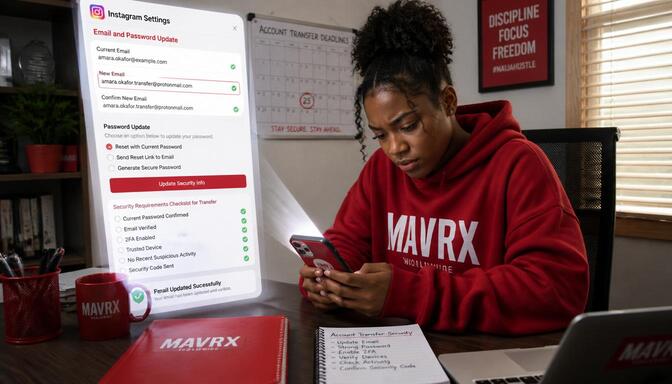
Instagram doesn’t offer an official way to transfer account ownership, which means the process depends heavily on updating security settings right after the handover. When you take control of an Instagram account, the first thing you need to do is change the email address linked to the account. This ensures that all recovery options and notifications go directly to you, cutting off any chance the previous owner can interfere.
Next, reset the password immediately. This locks out anyone who might still have the old login details. It’s a simple step but absolutely necessary to secure your new account. Without changing the password, the seller could still log in and cause trouble.
Two-factor authentication (2FA) is your best friend here. If 2FA is already enabled, make sure to update it so it’s connected to your own phone or authentication app. If it’s not set up yet, turn it on right away. This extra layer of security makes it much harder for anyone else to get in, even if they have the password.
Here’s why these steps matter so much:
- Updating the email means you control all account recovery options and alerts.
- Resetting the password locks out anyone with old access.
- Setting up 2FA adds a strong, nearly unbreakable security layer.
Taking these actions quickly after the transfer is the only way to make sure you truly own the account. Without them, the previous owner could still sneak back in and cause headaches.
In short, Instagram account transfers rely entirely on how well you update and secure the login details. There’s no official handover process, so your security updates are the real ownership transfer, and a trusted Instagram growth service or the Best Instagram SMM Panel can help you grow the account safely once it’s secured.
Twitter (X) Account Transfer Process Explained
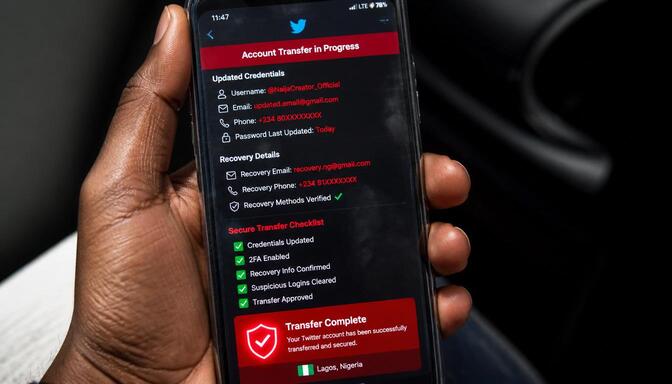
Twitter transfers work much like Instagram’s approach, where the key to true ownership lies in updating all login credentials and recovery details right after the handover. Since Twitter doesn’t offer an official ownership transfer system, the buyer must act fast to secure the account and lock out the previous owner.
Here’s the deal: once you get control, change the password immediately. This simple step cuts off anyone who might still have the old login info. Next, update the recovery email and phone number linked to the account. These are the real gatekeepers: if they still belong to the seller, you’re leaving a back door open.
Two-factor authentication (2FA) is your best friend here. If 2FA is already active, make sure it’s switched over to your own device or authentication app. If it’s not set up yet, turn it on right away. This extra layer of security makes it much harder for anyone else to sneak in, even if they have the password.
Why these steps matter so much:
- Updating the recovery email and phone means you control all account recovery options and alerts.
- Resetting the password locks out anyone with old access.
- Setting up or updating 2FA adds a strong, nearly unbreakable security layer.
Taking these actions quickly after the transfer is the only way to make sure you truly own the account. Without them, the previous owner could still sneak back in and cause headaches.
In short, Twitter account transfers rely entirely on how well you update and secure the login details. There’s no official handover process, so your security updates are the real ownership transfer, after which a Best Twitter Replies SMM Panel can help build engagement on the freshly secured account.
Risks of Social Media Logs Transfer and How to Avoid Them
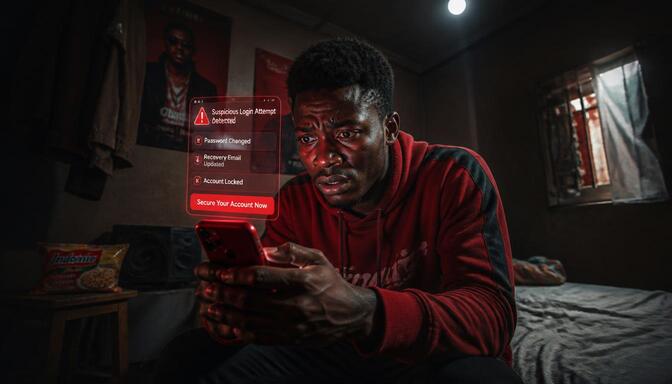
Trading social media logs might seem like a quick shortcut to owning an account, but it’s loaded with hidden dangers that can trip you up fast. When you rely only on login details without a proper transfer, you’re basically holding the keys but not the deed. This means the original owner might still have ways to sneak back in, causing headaches or even losing the account entirely.
Here’s the deal: social media platforms are designed to protect users, and they often flag suspicious activity like sudden logins from new devices or locations. If the seller still controls recovery options, they can reset passwords and lock you out, no questions asked. This is the biggest risk buyers face when accepting just logs.
Let’s break down some common risks and how you can dodge them:
- Seller Account Recovery After Purchase: If recovery emails or phone numbers aren’t updated, sellers can easily reclaim accounts by resetting passwords. This sneaky move leaves buyers frustrated and out of luck.
- Shared Recovery Emails Create Security Risks: When the recovery email is shared or still belongs to the seller, both parties can access the account. This overlap is a security nightmare waiting to happen.
- Common Scams Involving Social Media Logs Transfers: Scammers often sell fake or recycled logs, or they resell the same account multiple times. Buyers end up paying for accounts they never truly own.
- Risk of Suspensions, Restrictions, and Platform Violations: Buying accounts through logs can violate platform policies. This can lead to sudden suspensions, bans, or permanent restrictions, wiping out your investment.
Avoiding these risks means insisting on a legit transfer process. This includes updating all recovery details, resetting passwords, and enabling fresh two-factor authentication. Taking these steps locks down ownership and keeps your account safe from surprises. Choosing a trusted provider like Sizzle Social to grow the account afterward also helps you avoid the shady operators behind many of these scams.
The Danger of Seller Account Recovery After Purchase
If recovery details aren’t updated, sellers can reset passwords and reclaim accounts. This is one of the sneakiest traps buyers fall into. You think you own the account, but the seller still holds the master key. They can trigger password resets, receive verification codes, and lock you out whenever they want. It’s like handing over your car but forgetting to change the keys.
This risk isn’t just theoretical; it happens all the time. Sellers who don’t update or remove their recovery emails and phone numbers leave a backdoor open. Buyers often focus on changing passwords but forget these critical recovery options. That’s a big mistake.
Here’s why updating recovery details is non-negotiable: the recovery email and phone number are the real gatekeepers of the account. They control how the platform verifies identity and resets access. If these still belong to the seller, they can undo everything you’ve done.
This problem can lead to endless headaches. You might wake up one day to find your account locked, with the seller back in control. Trying to get it back can be a nightmare, involving support tickets, proof of purchase, and long waits.
The best defense is simple: update all recovery details immediately after the transfer. Change the email and phone number linked to the account so only you can receive recovery codes. This cuts off the seller’s ability to reclaim the account and gives you true ownership.
Don’t underestimate this step. It’s the difference between owning your account and constantly fighting to keep it. Take control early, and avoid the nightmare of seller account recovery.
How Shared Recovery Emails Create Security Risks
Shared recovery emails are a hidden trap that many buyers overlook. When the recovery email is shared or still belongs to the seller, both parties can access the account. This means the seller can receive password reset links, verification codes, and security alerts, keeping a secret backdoor open. It’s like having two people holding the keys to the same house: one of them can walk in anytime, even if you think you’re the only owner.
This overlap creates a serious security risk. The seller might not always have bad intentions, but the chance for mistakes or misuse is high. Even if the seller doesn’t try to reclaim the account, shared recovery emails make it easier for hackers or scammers to exploit the situation. They only need to target one email to gain access.
The fix is simple but critical: always replace the recovery email with one that only the buyer controls. This ensures that all recovery options, alerts, and security codes go directly to the new owner. Without this step, the buyer’s control over the account is only partial and fragile.
Taking this step early cuts off the seller’s ability to interfere and closes the backdoor for anyone else. It’s a small change that makes a huge difference in securing your new account.
This is why updating recovery emails isn’t just a good idea, it’s an absolute must for anyone serious about owning their social media account safely and fully.
Common Scams Involving Social Media Logs Transfers
Scammers may sell fake logs, resell the same account multiple times, or reclaim accounts after payment. These scams are more common than you think and can leave buyers empty-handed and frustrated. Here’s a closer look at what you might face and how these scams work.
- Fake logs are a classic trick. Sellers provide login details that don’t actually work or belong to inactive or fake accounts. Buyers think they’re getting a deal, but end up with nothing.
- Reselling the same account multiple times is a sneaky move. A scammer sells the same account to several buyers, often changing passwords between sales. This leads to a chaotic mess where no one truly owns the account.
- Reclaiming accounts after payment. Sellers keep recovery emails or phone numbers linked to the account. After selling, they use these to reset passwords and take the account back, leaving buyers locked out.
- Some scammers use stolen logs from hacked accounts, selling access to accounts they don’t own. This puts buyers at risk of losing the account if the real owner reports it.
- Some sellers disappear after payment, providing no access or support. Buyers are left with no recourse and no account.
Understanding these scams helps you stay alert and avoid falling into traps. Always insist on a legit transfer process with updated recovery details and security settings. This is your best defense against scams and ensures you truly own the account, the same way platforms like the Threads engagement platform vet their growth methods for legitimacy.
The Risk of Suspensions, Restrictions, and Platform Violations
Buying accounts through logs can violate platform policies, leading to suspensions or bans. Social media platforms have strict rules against unauthorized account transfers and suspicious login activities. When you use logs instead of following proper transfer methods, you risk triggering these rules. This can result in your account being flagged, restricted, or even permanently banned without warning.
Platforms monitor unusual behavior like sudden changes in IP addresses, multiple logins from different locations, or rapid password resets. These red flags often come with accounts bought through logs. Once flagged, the account may face temporary locks or full suspension, which means losing access and any investment you made.
Another risk is that accounts obtained through logs might already have violations or strikes against them. Sellers sometimes hide these issues, leaving buyers with accounts that could be suspended soon after purchase. This can be a costly surprise and a major headache.
Here’s why avoiding logs matters:
- Platforms want to keep their communities safe and authentic. Using logs bypasses their security checks.
- Suspended accounts lose followers, content, and credibility, which can ruin your online presence.
- Recovering a suspended account is often difficult and time-consuming, with no guarantee of success.
- Legitimate transfers follow platform rules, reducing the risk of sudden bans.
Taking shortcuts with logs might save time initially, but can cost you everything in the end.
In short, buying accounts through logs is a risky gamble. Following proper transfer methods and updating all security details protects your investment and keeps your account safe from unexpected suspensions or bans, leaving room to grow safely through channels like a Telegram Visibility Strategy or a LinkedIn Lead Generation Blueprint.
Buy, Sell, and Transfer Social Media Accounts With Confidence Today
Understanding how social media logs and legit account transfer work is the difference between securing a valuable digital asset and losing it overnight. Logs might give quick access, but only proper transfer processes guarantee lasting ownership and peace of mind. Each platform has its own way of handling transfers, from Facebook’s admin role handover to Instagram and Twitter’s focus on updating security details like email, password, and two-factor authentication. Skipping these steps or relying solely on logs can lead to account recovery by the seller, scams, suspensions, or permanent bans.
Protect your investment by insisting on legit transfers, updating all recovery info, and enabling strong security measures. Ready to take control and grow your social media channels the right way? Check out genuine Sizzle Social Reviews to see how others have grown safely, then open an account with Sizzle Social today and get instant access to a personalized dashboard packed with tools and insights designed to help you own, manage, and expand your online presence with confidence.
Frequently Asked Questions
Social media logs are simply the raw login credentials that grant access to an account, typically including the username, password, linked email address, and sometimes two-factor authentication codes. Think of them as the keys to a house; they allow entry, but they do not represent true ownership or legal title to the property. When someone hands over logs, they are providing temporary or partial access, but without updating the fundamental recovery and ownership details linked to the account, the original owner retains the ability to reclaim control at any time. A legitimate account transfer, on the other hand, is a comprehensive process that goes far beyond sharing a password. It involves systematically updating every security and recovery element associated with the account, including the primary email address, recovery phone number, password, and two-factor authentication settings, to ensure the new owner has sole and permanent control. This process is recognized by the platform itself, often through admin role assignments or official ownership changes, and it significantly reduces the risk of the seller reclaiming the account later. While logs provide quick access, they leave the buyer vulnerable to scams, recovery attempts, and platform penalties. A legitimate transfer, though more involved, offers lasting security, peace of mind, and true digital ownership, making it the only safe way to acquire a social media account.
Buyers and sellers often exchange social media logs because the process is fast, simple, and requires minimal effort compared to a full, secure transfer. Buyers are typically eager to gain immediate access to an account with an established audience, allowing them to start posting, engaging, or monetizing without any delay. Sellers, on the other hand, want to close the deal quickly and move on to the next transaction, and sharing logs is the easiest way to demonstrate that they have handed over access. However, this speed and convenience come with significant hidden risks that many parties overlook in their rush to complete the transaction. A major reason logs are favored is a widespread misconception that having the password equates to full ownership, which is simply not true on any major social media platform. Platforms like Instagram, Facebook, and YouTube base ownership on who controls the recovery email, phone number, and two-factor authentication settings. If these are not updated, the original owner can easily reset the password and reclaim the account, leaving the buyer with nothing. Additionally, sharing logs can trigger platform security alerts, as sudden logins from new devices or locations may be flagged as suspicious activity. While logs offer a shortcut, they create a fragile and insecure ownership situation, making a proper, comprehensive transfer the only reliable path to true control.
Social media account login credentials, commonly referred to as “logs,” consist of several key pieces of information that together enable access to an account. The most basic and essential component is the username or handle, which is the unique identifier for the account and is used to log in and to find the profile on the platform. Equally critical is the password, which serves as the primary security barrier protecting the account from unauthorized entry. Without the correct password, logging in is impossible, making it the most fundamental piece of the credentials. Beyond these two core elements, logs often include the recovery email address and recovery phone number linked to the account. These are not just contact details; they are the official gatekeepers of ownership. They allow the account holder to reset a forgotten password, verify their identity, and receive critical security alerts. If these recovery options are not updated during a transfer, the original owner retains the ability to reclaim the account at any time. Finally, many accounts now feature two-factor authentication, which adds an extra layer of security by requiring a code from a separate device or app during login. This code, along with backup keys, is often part of the logs shared during a sale. Together, these elements form the complete set of credentials needed to access an account, but they do not by themselves guarantee full ownership unless every recovery and security detail is updated to the buyer’s control.
Relying solely on social media logs for account ownership exposes buyers to a wide array of serious risks that can result in financial loss, reputational damage, and the complete loss of the account. The most common and devastating risk is the seller reclaiming the account after the sale. If the recovery email or phone number remains in the seller’s control, they can easily use the “forgot password” feature to reset the login credentials and lock the buyer out, often with no recourse for the buyer. This is a frequent scam tactic where sellers continue to sell the same account to multiple buyers. Another significant risk is the account being flagged or suspended by the platform. Social media companies monitor for suspicious login activity, such as sudden changes in IP address or location, and accounts transferred through logs can trigger these security alerts, leading to temporary locks or permanent bans. Furthermore, buyers may inherit an account with a hidden history of policy violations, strikes, or spammy behavior that they are unaware of until the platform takes action against them. There is also the risk of the logs themselves being fake or stolen, with sellers providing credentials that do not work or belong to an account they do not legally own. These risks are not rare; they are common pitfalls that trap uninformed buyers. A legitimate, comprehensive transfer that updates all ownership and recovery details is the only way to avoid these dangers and ensure true, lasting control.
A legitimate account transfer is a comprehensive, multi-step security process that ensures the buyer gains full and permanent ownership, whereas simply sharing login details is a superficial act that only provides temporary access. When you only share logs, you are essentially handing over the keys to a house without changing the locks or the address where the deeds are sent. The seller retains the ability to reclaim the account through recovery options such as the linked email or phone number, and the platform does not officially recognize the buyer as the new owner. A proper transfer, in contrast, involves systematically updating every element tied to the account’s security and ownership. This includes resetting the password to a new, strong credential known only to the buyer, changing the primary recovery email to an address controlled solely by the buyer, and updating the recovery phone number to the buyer’s personal number. It also involves enabling or resetting two-factor authentication so that the buyer’s device is the only one that can approve logins. On platforms like Facebook and YouTube, a legitimate transfer may also involve assigning admin roles or primary ownership permissions through the platform’s official settings, ensuring the platform itself recognizes the ownership change. This thorough process eliminates backdoors for the seller, protects against scams, and reduces the risk of platform suspensions, giving the buyer true, documented ownership and lasting peace of mind.
One of the most pervasive and dangerous misconceptions in the social media account marketplace is that having the login credentials, or logs, equates to full and permanent ownership of the account. This belief is fundamentally incorrect and is the root cause of countless scams and disputes. Social media platforms like Instagram, Facebook, YouTube, and Twitter do not recognize the person holding the current password as the owner; rather, they base ownership and control on who has access to the recovery details, such as the primary email address, phone number, and two-factor authentication settings. As long as the seller retains these recovery options, they can always reclaim the account, no matter how many times the password is changed. Another common misconception is that updating the password alone is sufficient to secure an account after a transfer. While changing the password is a necessary step, it is not nearly enough; if the recovery email and phone number are not also updated, the seller still holds the master key. Many buyers also incorrectly believe that all accounts are transferred through the same process, but each platform has its own specific methods, from Facebook’s admin role system to YouTube’s Brand Account permissions. Finally, some think that buying accounts through logs is harmless and that platforms do not care, but in reality, these transactions often violate terms of service and can result in permanent account bans, leaving buyers with nothing.
Protecting yourself from a seller reclaiming an account after purchase requires immediate, decisive action immediately upon taking control, focusing on the account’s most critical security and recovery elements. The single most important step is to change the recovery email address linked to the account to one that you control exclusively. This cuts off the seller’s primary path to resetting the password and regaining access. Alongside this, you must also update the recovery phone number to your own personal number, as this serves as a secondary gateway for password resets and verification codes. Changing the account password to a strong, unique credential is a foundational step, but it is insufficient on its own without updating the recovery options. Equally vital is resetting or enabling two-factor authentication using your own device or authenticator app; this ensures that any future login attempts require your explicit approval, effectively blocking the seller even if they somehow obtain the new password. You should also review the account’s settings to remove any linked third-party apps, devices, or admin roles that the seller may have left behind, as these could provide hidden access. Finally, keep a record of all communications and transaction details with the seller, as this documentation can be crucial if you need to report a scam or prove ownership in a dispute. Taking these steps immediately after the transfer locks the seller out permanently and gives you full, secure control of your new digital asset.
Two-factor authentication is arguably the most critical security update you can make after a social media account transfer because it serves as an impenetrable barrier against unauthorized access, even if someone obtains your password. When you take over an account, you change the password, but if the seller still has their device or authentication app linked for 2FA, they can approve a login request and bypass the new password entirely. This means that despite your efforts to secure the account, the seller retains a backdoor that allows them to log in at any time, effectively undermining your ownership. Updating 2FA immediately transfers that control to your own device, ensuring that only you can approve logins and that any attempt by the seller to access the account will be blocked. This is a simple but powerful step that locks the door behind you and prevents the previous owner from sneaking back in. Furthermore, 2FA provides you with real-time alerts whenever someone tries to log into your account, giving you an early warning system against hacking attempts. It adds a layer of security that no password alone can match, protecting your investment from both the seller and external threats. In an environment where account theft and scams are common, updating two-factor authentication is not just a recommended step; it is an absolute necessity for anyone serious about securing their digital assets and maintaining peace of mind.
The Facebook page ownership transfer process is designed to be secure and officially recognized by the platform, relying on the assignment of admin roles rather than the simple exchange of login credentials. To initiate a transfer, the seller must first add the buyer as an admin of the Facebook page. This is done through the page’s settings, where the seller can assign the admin role, granting the buyer full control over all aspects of the page, including content posting, member management, and settings adjustments. This step is crucial because it gives the buyer the ability to inspect the page, review linked accounts, and ensure everything is in order before the seller is removed. Once the buyer has been successfully added and has confirmed they have full admin access, the seller then removes themselves from the admin list. This handover of roles is what Facebook officially recognizes as the transfer of ownership. After the seller is removed, the buyer should immediately update the page’s primary contact information, including the associated email address and any linked phone numbers, to ensure all notifications and recovery options are directed to them. Additionally, the buyer should review and revoke any third-party app permissions or admin roles for other users that may still have access. This method protects both parties by providing a clear, auditable trail of ownership change within Facebook’s system, significantly reducing the risk of disputes or the seller reclaiming the page later. It is the safest and most reliable way to transfer a Facebook page.
Transferring a YouTube channel through a Brand Account is the official and secure method for changing ownership, requiring a specific sequence of permission changes. The process begins with the seller, who must invite the buyer to become a manager or, more securely, a primary owner of the Brand Account. This is done through the Google Accounts settings, where the seller can add the buyer’s email address and assign the appropriate permission level. Once the buyer accepts this invitation, they gain full access to manage the channel, including uploading videos, viewing analytics, and adjusting monetization settings. At this point, the buyer should verify that they have all the necessary controls and that there are no lingering issues. The final and most critical step is for the seller to remove themselves from the Brand Account, which officially transfers the primary ownership to the buyer. This step is irreversible and ensures that the platform recognizes the buyer as the sole owner, preventing the seller from ever reclaiming the channel. After the transfer, the buyer must also update the channel’s linked email address and recovery options to their own, and set up or reset two-factor authentication to secure the account fully. This official method is far superior to sharing logs because it ensures YouTube’s system acknowledges the ownership change, providing lasting security and preventing recovery attempts by the seller, and it also helps protect the channel from being flagged for suspicious activity.
Since Instagram does not have an official, built-in system for transferring account ownership, buyers must rely on a rigorous and immediate security update process to secure their new asset. The moment you obtain the login credentials, your first and most critical action is to change the account’s password to a strong, unique combination that only you know. This immediately locks out the seller from using the old password. However, changing the password alone is not sufficient. You must also navigate to the account’s security settings and update the recovery email address to one that you control entirely, ensuring that any password reset requests go to you and not the seller. Simultaneously, you must update the recovery phone number to your own personal number, as this is another primary gateway for verification and recovery. Two-factor authentication is another essential step; if it is already enabled, you must re-link it to your own authenticator app or phone number, and if it is not enabled, you should turn it on immediately. This prevents the seller from using their device to approve login attempts. Additionally, you should review the account’s settings to check for any connected third-party apps or devices that the seller may have linked, and remove any that you do not recognize. Finally, keep a record of the transaction details and the seller’s contact information, as this can be helpful if you need to report any issues. By executing these steps without delay, you effectively replace the seller’s control with your own, securing the account against recovery attempts and establishing your legitimate ownership.
Transferring a Twitter account, now known as X, requires a proactive and thorough approach to updating security details, as the platform does not offer an official ownership transfer system. The process begins the moment you receive the login credentials; your immediate priority is to change the account password to a strong, new credential that is known only to you. This simple step prevents the seller from logging in with the old password. Next, you must navigate to the account’s security and privacy settings to update the recovery email address and phone number linked to the account. These are the most critical elements, as they are the official channels for password resets and verification codes. If these remain under the seller’s control, they can easily reclaim the account at any time. After updating these details, you should enable or reset two-factor authentication using your own authenticator app or phone number. This ensures that any future login attempts require your explicit approval, effectively blocking the seller even if they somehow obtain your new password. It is also wise to review the account’s settings to check for any connected apps or devices that the seller may have linked, and revoke access to any that you do not recognize. Finally, take a moment to review the account’s privacy and notification settings to ensure they align with your preferences. By executing these steps immediately and methodically, you establish full, permanent control over the account, preventing the seller from reclaiming it and securing your digital asset for long-term use.
The most common scams involving social media logs are designed to exploit buyers who are eager for a quick deal and may not understand the risks of incomplete ownership transfers. One of the most frequent scams is the sale of fake or invalid logs, where a seller provides credentials that simply do not work or belong to an account that has already been disabled. Another prevalent scam is the reselling of the same account to multiple buyers; the seller changes the password and sells it again, leaving each buyer to fight for control while the seller profits repeatedly. Perhaps the most damaging scam is when a seller reclaims an account after the sale by using the recovery email or phone number they never updated, effectively stealing it back from the buyer and often reselling it again. To avoid these traps, you must always insist on a legitimate transfer process that goes beyond just receiving logs. This means verifying that the seller can provide proof of ownership, such as a live screen share of the account’s backend. Crucially, you must ensure that all recovery details are changed immediately upon taking control, including the email, phone number, and two-factor authentication. It is also wise to use a trusted intermediary or platform that facilitates secure transfers and offers buyer protection. Never rush a deal, and be highly suspicious of prices that seem too good to be true or sellers who pressure you to complete the transaction quickly without proper verification. Taking these precautions significantly reduces your risk of falling victim to these common scams.
Verifying that an account is not at risk of being suspended or banned after a transfer requires a careful investigation into the account’s history and compliance with platform policies. The first and most important step is to check the account’s status for any active or past strikes, violations, or warnings from the platform. On YouTube, this means reviewing the channel’s strike history for copyright claims, community guideline violations, or hate speech policies, as multiple strikes can lead to permanent suspension. On Facebook and Instagram, this involves checking the account’s status for any restrictions or shadow bans that limit its reach. You can ask the seller to provide a screenshot of the account’s status page or take a live screen share to prove the account is in good standing. Beyond visible strikes, you must also investigate the quality of the account’s activity. An account with a high number of fake followers, spammy engagement, or sudden follower spikes may be flagged by the platform’s algorithms, leading to restrictions or suspension. Additionally, review the account’s content history for any material that might violate copyright, such as unlicensed music or footage. If the account has been used for spam, fraudulent activities, or any other behavior that violates the platform’s terms of service, it could be banned after you take ownership. To protect yourself, thoroughly review the account’s past posts, comments, and engagement patterns, and ask the seller detailed questions about its history. This due diligence helps you avoid inheriting a problematic account that could be banned shortly after you invest in it.
Following a post-transfer security checklist is essential for every buyer to ensure their new social media account remains secure, fully owned, and free from the risk of being reclaimed or compromised. The very first action after gaining access should be to change the account password to a strong, unique credential that you do not use elsewhere, immediately locking out anyone with the old password. Next, you must update the primary recovery email address to one that is completely under your control, as this is the master key to the account. Simultaneously, you must update the recovery phone number to your own personal number, cutting off another major path the seller could use to regain access. Enabling or resetting two-factor authentication using your own authenticator app is a non-negotiable step, as it provides an unbreachable layer of security against unauthorized logins. You should also review the account’s settings to check for any linked third-party apps or services that the seller may have connected, and revoke access to any that you do not recognize. On platforms that allow it, review the list of active sessions and log out of all devices other than your own to ensure no one else is currently logged in. Finally, keep a copy of the transaction records, including the seller’s contact information and payment details, in case any disputes arise. By following this comprehensive checklist immediately after the transfer, you secure your investment and enjoy lasting peace of mind with your new digital asset.