Table of Contents
- Can You Boost Facebook Followers Without Sharing Your Password?
- Use These Five Steps To Boost Your Facebook Followers Safely
- How to Protect Your Facebook Account From Follower Boosting Scams
- How to Compare Password-Free Follower Boosting With Other Growth Options
- Can You Grow Facebook Followers Without Risking Your Account?
- Frequently Asked Questions
A fashion vendor in Balogun Market sets up a fresh business page that reaches buyers across Lagos and Abuja. A gospel choir in Port Harcourt shares rehearsal clips that attract event bookings. A young tech founder in Yaba launches a brand page that builds trust with investors. Across every corner of our local economy, people rely on Facebook pages for real customer connections and steady income.
Yet many page owners freeze when they decide on audience expansion. They want an answer on how they can boost Facebook followers without sharing their password, because one wrong click hands years of hard work over to a scammer.
Nobody wants an unexpected lockout from a business page built with months of sweat and data bundles. You never need your private keys exposed just for higher visibility on your brand. Safe follower expansion relies entirely on public page links, smart security habits, and trusted local platforms. Once you understand legitimate follower delivery, you keep complete control over your login details while your audience expands steadily.
Can You Boost Facebook Followers Without Sharing Your Password?
Yes, you can boost Facebook Followers Without Sharing Your Password. Any legitimate provider will never ask for your email address, phone number, or Meta login credentials. Reputable platforms operate strictly through public web addresses, which keeps your personal profile and business assets completely locked away from unauthorized access. Across our local digital market, consumer reliance on Meta platforms continues climbing rapidly.
According to DataReportal Digital 2024: Nigeria, Nigeria recorded over 36.75 million active social media user identities, with Facebook standing out as a primary hub for community interaction and digital storefront discovery. Because so much daily commerce runs through Meta properties, knowing how public links interact with external promotion networks protects your entire brand presence.
Many first-time page administrators worry that external follower services require back-end configuration inside Meta Business Suite. That misconception stems from dishonest middlemen on messaging apps who claim they must log in on your behalf before running an audience campaign. In reality, Meta separates public discovery actions from administrative management at the server level.
Anyone on the open internet can view a published Facebook page, watch its videos, share its posts, and tap the follow button without holding administrative permissions. A trustworthy Facebook page follower service without login uses this exact public architecture so your page receives new followers while your private credentials remain completely untouched.
How Does Password-Free Facebook Follower Boosting Work?

Password-free Facebook follower boosting operates through external promotional networks and automated social media marketing (SMM) panels. When you place an order, you submit the public web address of your Facebook page. The provider routes your link through a distribution network, where active profiles or promotional campaigns view your page and click the follow button from the outside.
Think of a radio presenter announcing your shop address on air. Listeners hear the announcement, walk up to your storefront, and step inside on their own. The presenter never needs your shop keys when sending people toward your door. Similarly, a password-free Facebook follower boosting service directs external traffic toward your public page without ever touching your internal account settings. For a deeper look at how these platforms route orders safely, read our detailed breakdown on how Facebook booster sites work in Nigeria.
Once your order enters a trusted delivery system, several automated checks occur in sequence behind the scenes. First, the server validates your submitted URL so it confirms the address resolves on the open web and loads a valid, active Facebook page header rather than an error screen. Second, the system assigns your campaign an initial starting count based on the exact public follower figure displayed on your page at that moment. Third, automated servers distribute your page link across active promotional pools, partner apps, or incentivized discovery feeds.
Fourth, external users load your public Facebook page inside a standard browser or mobile app and tap the public follow button. Fifth, Meta records each new follow action directly on its own servers, updating your public follower counter in real time until the ordered target finishes delivery.
Why Do Facebook Page Follower Services Only Need A Public Link?
A Facebook page is built for public discovery across the open internet. Because the follow button sits right on your public profile header, external users require zero special permission when clicking follow. Services that offer a Facebook page follower service without login simply need the exact URL so their system knows which destination receives the traffic. Just as sharing your business page link inside a WhatsApp broadcast lets friends tap follow immediately, pasting that identical link into an SMM order form directs promotional traffic straight toward your page header.
However, your page must remain fully accessible to general visitors for smooth delivery. Many Nigerian business owners accidentally block their own audience expansion through hidden privacy switches inside Meta Business Suite. When an automated server or external user visits a restricted link, Facebook displays a login wall or an unavailable content notice instead of the follow button, which causes orders to stall or cancel automatically.
Before submitting any order, verify these essential page settings so external visitors can view and follow your brand immediately:
- Remove age restrictions: If your page limits visibility only for users aged 21 or older, logged-out or unverified accounts cannot load your page header.
- Clear country blocks: Restricting your page solely for local IP addresses will block international promotional networks from viewing your follow button.
- Confirm the exact link format: Always copy the direct link from your browser address bar or the Facebook app share menu rather than typing custom handles manually.
- Switch your page from unpublished mode: Draft or unpublished business pages remain invisible on the open web and cannot accept followers until published.
- Verify that the follow button appears publicly: View your page as a visitor so you know the primary action button displays “Follow” or “Like” clearly.
- Check for active page restrictions: Confirm inside your Page Quality tab that Meta has not placed temporary visibility limits on your business profile.
Can A Provider Deliver Facebook Followers Without Account Access?
A trustworthy provider delivers followers without account access every single day. The delivery happens entirely on the front end of Facebook, identical to organic discovery. When a user visits your page URL and taps follow, Facebook registers that action automatically on your follower count. Neither the visitor nor the promotional platform needs insight into your drafts, private messages, ad billing methods, or connected Instagram profiles.
Understanding the distinction between personal profiles and dedicated business pages also clarifies why account access is unnecessary. While personal profiles rely on mutual friend requests and strict privacy locks, modern Facebook pages operate as public broadcast channels.
Even when you switch a personal account into Professional Mode, the public follow button becomes visible on the open web, allowing external visitors to subscribe without sending a friend request. You can explore the structural differences between personal profile expansion and page promotion in our guide comparing Facebook account booster vs. Facebook page booster.
If a vendor claims they must log in so they can “configure your algorithm” or “activate hidden settings,” walk away immediately. Those claims are pure fiction designed around tricking cautious page owners. Real Facebook page follower boosting requires zero internal access to your Meta Business Suite, Creator Studio, or personal profile. You can also explore additional tactics for combining external visibility with organic momentum in our guide on how to increase Facebook followers organically with a paid boost strategy.
What Is The Difference Between Page Access And Login Details?
Many Nigerian business owners confuse Facebook page roles with personal login credentials, and scammers exploit this exact confusion. When you hire a graphic designer, social media manager, or advertising specialist, Meta provides a secure delegation system inside Meta Business Suite.
Through this system, you invite the collaborator using their own separate Facebook profile or business email, granting them specific task permissions such as publishing posts or replying to inbox messages without ever revealing your personal password.
Conversely, a follower delivery service does not manage your content calendar, reply to customer comments, or configure ad campaigns. Because the service only sends public followers toward your page header, it does not even need a minor task role inside Meta Business Suite. Knowing the strict boundary between administrative roles, personal passwords, and public links protects your entire digital property from takeover:
| Security Element | Personal Login Details | Meta Business Suite Page Access | Public Facebook Page URL |
| What It Contains | Email, phone number, and personal password | Role invitation sent to a separate Facebook profile | Public web address (such as facebook.com/yourbrand) |
| Level of Control | Full control over personal profile, chats, and all owned pages | Limited task permissions (posting, messages, or ads) | Zero internal control; allows public viewing and following only |
| Who Should Receive It | Nobody; keep strictly private at all times | Trusted staff, social media managers, or ad agencies | Anyone online, including customers and SMM panels |
| Risk If Compromised | Complete account loss, stolen ad cards, and identity theft | Unauthorized posts or ad spend (removable by page owner) | None; sharing a public URL carries zero security risk |
| Needed For Follower Boost? | Never required | Never required | Always required as the sole destination link |
Use These Five Steps To Boost Your Facebook Followers Safely
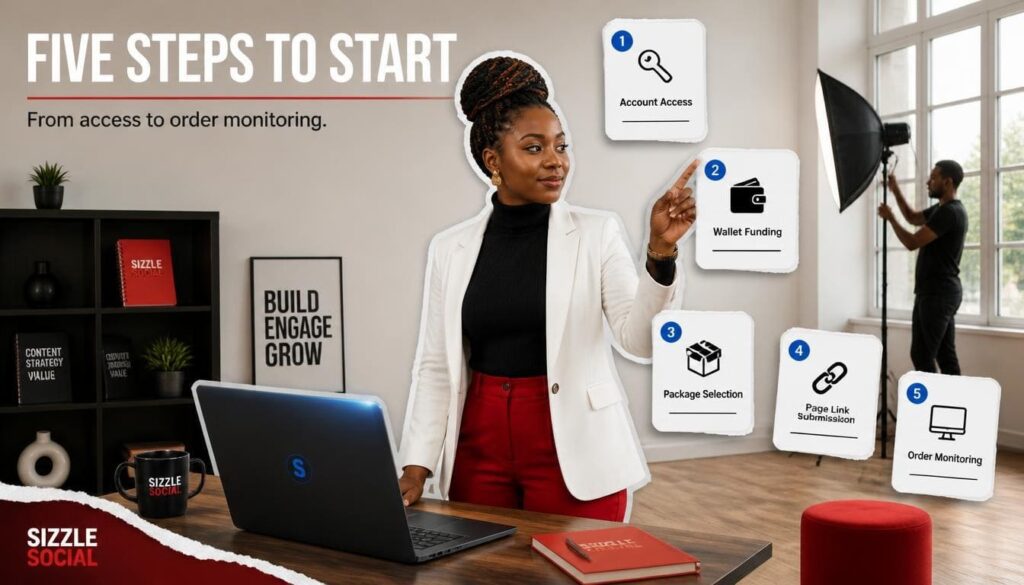
When you want a Facebook follower boost with no password required, a clear, structured workflow removes guesswork and keeps your account secure. Rather than dealing with unverified middlemen on messaging apps who demand manual bank transfers and ask sensitive questions about your profile, an automated self-service dashboard puts every control directly in your hands. Sizzle Social makes this entire process straightforward for creators, online vendors, churches, and corporate brands across Nigeria.
Working through a self-service panel gives you complete transparency over pricing, delivery speed, and order tracking from start to finish. Every transaction stays logged inside your personal account history, and your Facebook credentials remain completely isolated from the ordering system. Following these five sequential steps ensures your campaign runs smoothly from registration through final follower delivery.
Step 1: Create An Account Or Log In To Sizzle Social
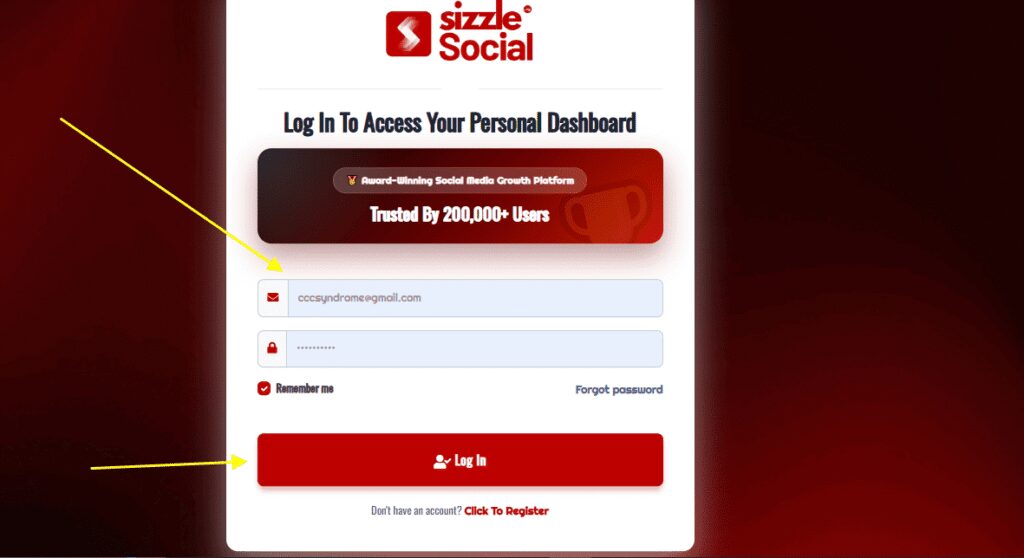
Begin your journey on the official Sizzle Social website and set up your personal dashboard. If you are a first-time visitor, visit the Sizzle Social registration page and create an account using your name, active email address, and a brand-new password unique to your Sizzle Social profile. Using a distinct password for your SMM dashboard is a smart cybersecurity habit because it ensures your marketing portal never shares credentials with your Meta accounts or banking apps.
Registration takes less than sixty seconds and never asks for your Facebook, Instagram, or email passwords. Once you confirm your details and enter the dashboard, you gain immediate access to the full catalog of social promotion services. If you already hold an active profile, simply sign in with your registered email and Sizzle Social password so you reach your main control panel.
Step 2: Add Funds To Your Sizzle Social Wallet
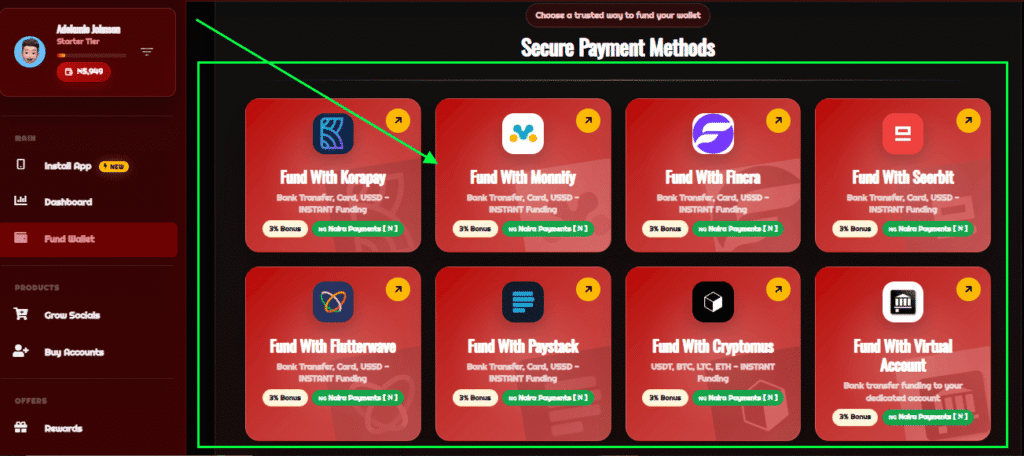
Before selecting a growth package, deposit funds into your Sizzle Social wallet. Operating with a prepaid wallet balance makes ordering fast and predictable, especially if you manage multiple business pages or plan to run staggered campaigns across several weeks. Because the platform serves local creators and businesses, you fund your balance effortlessly using standard Nigerian payment channels without worrying about international card blocks or foreign currency conversion failures.
Inside the wallet funding tab, enter the exact Naira amount you wish to deposit and select your preferred payment gateway. Whether you pay via instant bank transfer, local Naira debit card, or USSD code, the payment processor verifies your transaction securely. Once your payment clears, your Naira balance appears inside your dashboard immediately, ready for single or bulk orders across any supported social network.
Step 3: Select Grow Socials And Choose A Facebook Package
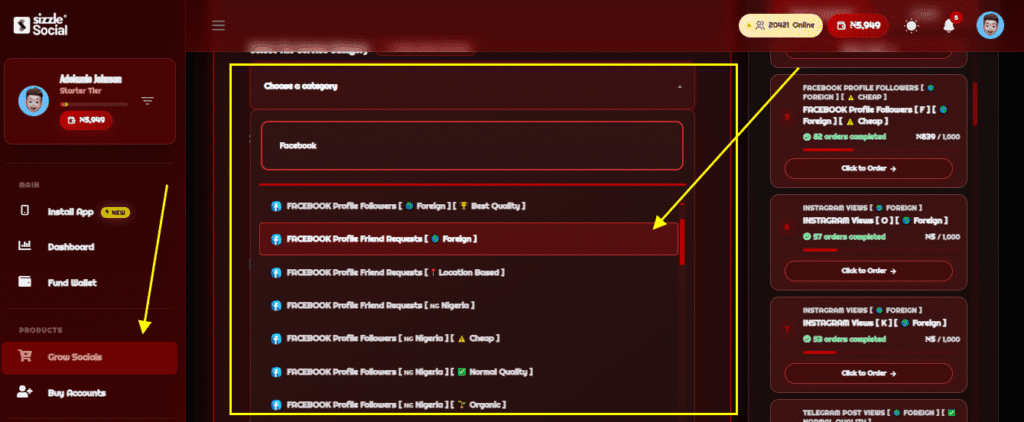
Navigate inside your dashboard toward the Grow Socials section and select Facebook from the list of supported networks. You will see several tailored packages designed around different budgets, retention guarantees, and delivery speeds. Some packages prioritize rapid visibility for time-sensitive product launches, while others emphasize gradual delivery and long-term stability for established brand pages.
If you want a complete overview of available packages and specifications, review our Facebook growth service page before placing an order. Take a moment so you read the service description box carefully for each option. Check the minimum and maximum order limits, estimated start time, daily delivery speed, and the Facebook page follower refill policy before proceeding. Selecting a package with clear refill protection ensures that if natural follower fluctuations occur within the guarantee window, the system restores your count automatically at zero extra cost.
Step 4: Submit Your Public Facebook Page Link And Quantity
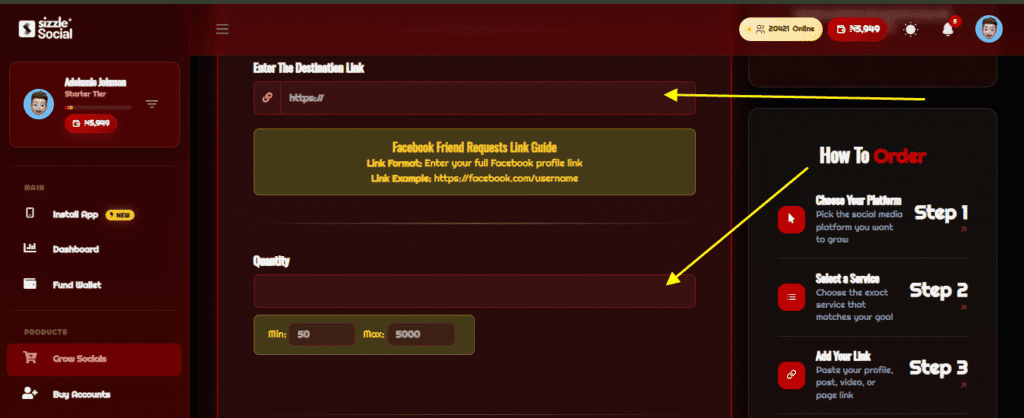
Open your Facebook page in another browser tab or inside your mobile app, tap the share icon, and select “Copy Link.” Paste that public URL directly into the link field on Sizzle Social. Always verify that you pasted a public page link rather than a single photo link, an event link, a private group URL, or a personal profile URL that lacks an active follow button.
Next, enter the exact number of followers you want for your page inside the quantity field. As you type your desired figure, the dashboard calculates the exact Naira cost automatically based on the per-1,000 rate of your chosen package. Double-check that your requested quantity falls within the minimum and maximum boundaries listed in the package notes. For visual guidance on avoiding common input errors, check our step-by-step Facebook followers order tutorial.
Step 5: Place Your Order And Monitor Follower Delivery
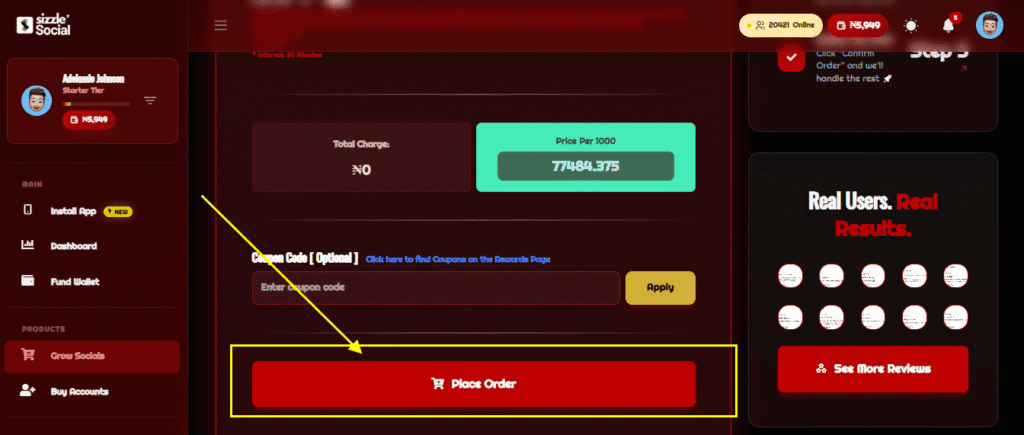
Review your public page link and order quantity one final time, then submit your order. Your request enters the automated processing queue immediately, and the system deducts the exact order cost from your Sizzle Social wallet balance. You can track real-time progress directly from your order history tab without leaving your dashboard, watching your status move from pending to in progress and finally to completed.
Most packages begin delivery within minutes, letting you watch your follower count rise steadily while your Facebook login credentials remain completely untouched. While your order processes, avoid placing a second identical order on the exact same page URL, as overlapping campaigns interfere with automated start-count tracking. Similarly, keep your Facebook page username and public visibility settings unchanged until your order status reads completed, and save your unique order reference number in case you ever wish to consult customer support.
How to Protect Your Facebook Account From Follower Boosting Scams
As demand for online visibility rises across Nigeria, fake vendors and phishing traps have multiplied across WhatsApp, Telegram, and Instagram. Scammers prey on busy entrepreneurs who want quick results without understanding how Meta security works. Learning how these traps operate keeps your brand safe while you Boost Facebook Followers Without Sharing Your Password.
Cybercriminals frequently disguise fraudulent websites as free follower generators or discounted agency tools. They rely on flashy screenshots of viral pages and urgent countdown timers so business owners rush through checkout without inspecting the website domain or permission prompts. Once you recognize the exact mechanics behind credential theft, spotting a fraudulent vendor takes less than five seconds.
Is It Safe To Boost Facebook Followers Without Sharing Your Password?
Yes, ordering Facebook followers without sharing login details is safe when you stick with established, transparent platforms. Because you never surrender your credentials, your account faces zero risk of unauthorized password changes, hijacked business pages, or spam messages sent out under your brand name. Meta cannot penalize a public page simply because external users visit its link and click follow; otherwise, any competitor could harm a rival brand merely by sending traffic toward its public URL.
Boosting your Facebook page followers without ever handing over your login credentials is completely safe when you work with reputable platforms that respect account security. Many page administrators worry that increasing their audience size requires giving third-party services full access to their backend settings. In reality, modern social media growth tools operate externally by utilizing public profile links rather than asking for private passwords.
This means your sensitive login information remains strictly confidential, leaving zero risk of unauthorized password changes, hijacked business pages, or spam messages sent out under your brand name. Meta cannot penalize a public page simply because external users visit its link and click follow; otherwise, any competitor could harm a rival brand merely by sending traffic toward its public URL.
Your primary responsibility involves verifying that your chosen platform uses encrypted payment gateways, clear refill terms, and link-only order forms. Combining external follower boosts with consistent content publishing also keeps your page healthy and authentic. When new visitors land on your page and see helpful posts, clear product photos, and active replies in the comment section, your boosted follower count reinforces genuine brand trust. You can read additional security best practices in our guide on how to spot legit social media boosting sites.
You can read additional security best practices in our guide on how to spot legit social media boosting sites.
Why Should You Avoid Services Requesting Facebook Login Details?
Any website, mobile app, or individual vendor asking for your Facebook password poses an immediate threat to your business. According to the Meta Security Center, scammers routinely use credential harvesting and fake login portals so they gain control over personal profiles and linked business assets within seconds. Once an attacker holds your login credentials, they lock you out immediately by changing your recovery email address, primary phone number, and two-factor authentication settings.
Beyond losing a page you spent months building, compromised accounts suffer severe financial and reputational damage:
- Unauthorized ad spend theft: Scammers frequently use saved Naira or dollar debit cards inside Meta Ads Manager when running fraudulent campaigns for their own schemes.
- Customer fraud via brand impersonation: Fraudsters hijack established Nigerian vendor pages with thousands of followers and trick loyal customers into paying for fake clearance sales.
- Permanent platform disabling: Malicious automated scripts often use stolen accounts when blasting prohibited links across groups, causing Meta to permanently disable your profile.
- Loss of connected Instagram and WhatsApp assets: Because Meta Accounts Center links Facebook, Instagram, and WhatsApp Business profiles together, losing one login exposes your entire ecosystem.
- Extortion and ransom demands: Many cybercriminals contact victims on WhatsApp demanding tens of thousands of Naira before returning stolen business pages, often disappearing even after payment.
- Private message exposure: Attackers read confidential customer negotiations, supplier contacts, and personal conversations stored inside your Messenger inbox.
How Can You Identify Facebook Phishing Links And Fake Providers?

Phishing scams rely on urgency, fake testimonials, and cloned interfaces when tricking busy entrepreneurs. Fraudsters often send direct messages claiming your page qualifies for a free verification badge or an instant 10,000-follower grant, followed by a shortened link that opens a realistic replica of the Facebook login screen. Watch closely for these warning signs before entering any information online:
- Lookalike login screens: Fake booster sites often redirect users toward a page mimicking the official Facebook login screen. Always inspect the browser address bar; if the domain does not read facebook.com, close the tab immediately.
- Requests for two-factor authentication codes: A legitimate growth provider will never ask for the six-digit security code sent via SMS or generated inside your authentication app.
- Unverified WhatsApp or Telegram middlemen: Exercise extreme caution around random DMs promising “10,000 instant followers for ₦1,000” provided you send your email and password so they can “connect your page.”
- Downloadable APK files from unknown links: Never install third-party Android APK apps claiming free Facebook followers, as many contain credential-stealing malware that reads your browser cookies.
- Missing HTTPS security encryption: Never enter payment card details or personal contact information on any website lacking a verified HTTPS padlock icon in the browser bar.
- Requests for browser session cookies or access tokens: Advanced scammers sometimes ask users to copy developer console text or browser cookies; sharing session tokens bypasses your password and hands over full account control.
What Should You Do If You Already Shared Your Facebook Password?
If you accidentally entered your password on a suspicious website or handed it over to an unverified vendor, act within minutes so you reclaim full ownership before an attacker changes your recovery details. Speed matters enormously during an account compromise because automated phishing bots often attempt credential changes within sixty seconds of capturing a login.
Follow this exact recovery sequence immediately on a clean, trusted device:
- Change your Facebook password immediately: Open the official Facebook app, navigate to Settings & Privacy > Settings > Accounts Center > Password and security, and set a strong, unique password never used on any other site.
- Terminate all active login sessions: Inside the exact same security menu, tap Where you’re logged in and select Log out of all sessions so any unauthorized device loses access instantly.
- Activate two-factor authentication (2FA): Enable 2FA using a dedicated authenticator app such as Google Authenticator rather than SMS alone, ensuring nobody enters your account without physical access to your phone.
- Audit your Facebook Page Roles: Open your business page settings inside Meta Business Suite and verify that no unknown personal profiles sit listed as admins, editors, or full-control managers.
- Secure your primary recovery email account: Change the password on the email address linked with your Facebook profile and turn on 2FA there as well, blocking attackers from intercepting password reset codes.
- Review connected apps and business integrations: Visit Settings & Privacy > Settings > Apps and Websites and remove any unfamiliar third-party tools granted permission over your profile.
How to Compare Password-Free Follower Boosting With Other Growth Options
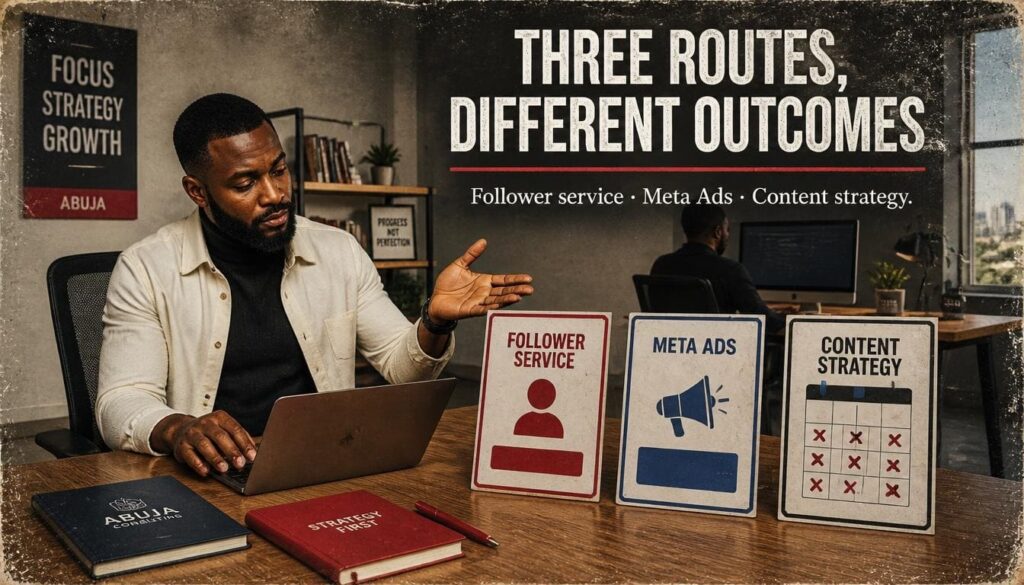
Smart business owners rarely rely on a single channel when building an authoritative online presence. Comparing password-free follower services against official advertising helps you allocate your marketing Naira wisely depending on whether your immediate priority is social proof or direct sales conversion. Each approach solves a distinct business problem, and knowing when to deploy each method saves both time and advertising budget.
When you weigh these methods side by side, you discover that they operate with entirely different mechanics. Password-free follower services focus purely on establishing baseline credibility, while native ad auctions target specific user interests for direct product sales. Understanding this functional difference prevents wasted ad spend and unrealistic growth expectations.
Choosing the right option depends heavily on your current brand stage and marketing objectives. If your page looks completely empty, visitors bounce immediately because human psychology leans toward established crowds. Boosting your follower count provides that initial layer of trust, making organic visitors far more likely to take your business seriously when they arrive from search results or friend recommendations.
Native advertising serves a completely different purpose by pushing specific promotional offers directly into targeted feeds. That route demands deeper pockets and highly refined creative assets to achieve positive returns on investment. Balancing both methodologies gives you the best of both worlds. You secure immediate social proof without sharing sensitive credentials, while keeping your growth funnel flexible enough to scale sustainably over the long run.
Facebook Follower Boosting Versus Meta Ads: What Is The Difference?
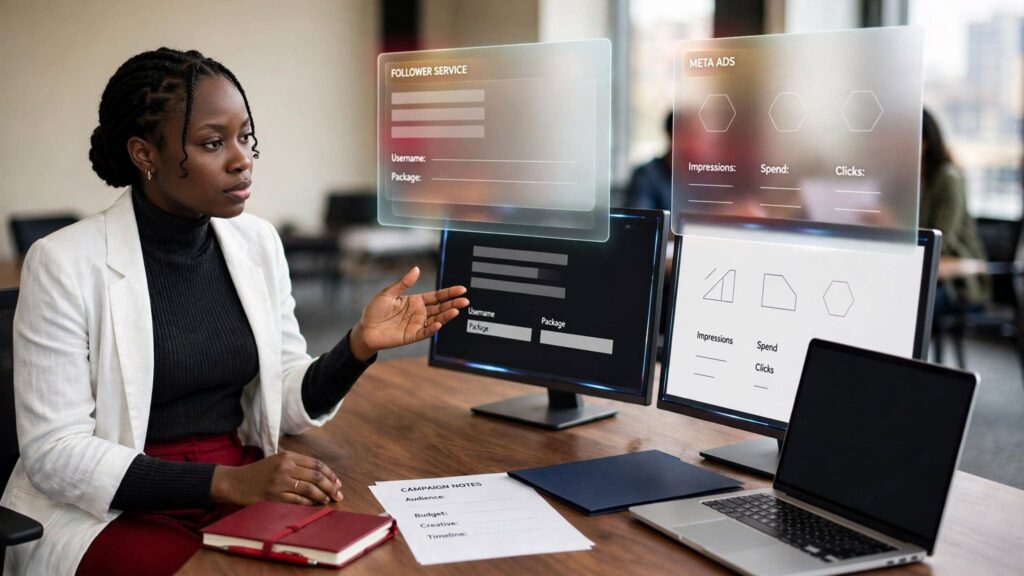
Both methods expand your visibility on Facebook, yet they serve fundamentally different roles inside a complete marketing funnel. Password-free follower boosting focuses on rapid social proof, helping a new or under-recognized page look established so organic visitors take the brand seriously. Meta Ads, on the other hand, operate as a paid media auction designed around putting specific product offers, videos, or lead forms in front of targeted consumer segments.
Understanding their core operational differences prevents wasted ad spend and unrealistic expectations:
| Comparison Factor | Password-Free Follower Boosting (SMM) | Meta Ads (Page Likes & Engagement Campaigns) |
| Primary Marketing Objective | Establish immediate social proof and brand credibility | Reach targeted buyers and generate direct leads or sales |
| Campaign Setup Time | Under two minutes using only a public page URL | Requires ad account setup, creative design, and policy review |
| Cost Predictability | Fixed, transparent Naira rate per 1,000 followers | Variable auction pricing that fluctuates with audience competition |
| Nigerian Payment Experience | Direct Naira deposits via bank transfer, USSD, or local cards | Frequent international card declines or volatile dollar exchange fees |
| Account Access Required | Zero internal access; public page link only | Full access to Meta Ads Manager, billing settings, and pixel setup |
| Audience Behaviour | Rapidly elevates visible follower count and page authority | Attracts niche prospects who may interact with future product posts |
Can Meta Ads Grow Your Facebook Page Without Buying Followers?
Yes, Meta Ads attract followers organically through dedicated “Page Likes” or “Engagement” campaigns inside Meta Ads Manager. When you target specific Nigerian cities such as Lagos, Abuja, Port Harcourt, or Kano alongside relevant buyer interests, Meta places your posts directly in front of potential customers who can tap follow voluntarily. According to Statista Social Media Advertising Outlook, social media ad spending in Nigeria continues expanding steadily as more local enterprises shift budgets toward digital customer acquisition.
However, running Meta Ads from Nigeria presents practical hurdles for everyday entrepreneurs. Many local Naira debit cards face strict limits on international dollar billing, forcing business owners into hunting for virtual dollar cards or absorbing steep conversion charges. Ad accounts also face sudden billing holds or policy reviews that pause campaigns right during peak sales seasons.
Even more importantly, brand-new pages with fewer than 50 followers often suffer poor ad conversion rates because cold shoppers hesitate when buying from an empty-looking storefront. Imagine clicking an ad for a wristwatch or skincare set and landing on a page with only twelve followers and zero social proof; most buyers close the tab immediately out of caution.
Combining an initial Facebook page follower boost for instant credibility with targeted Meta Ads frequently delivers stronger return on ad spend than running paid ads on an unestablished page. You can read more about selecting reliable local growth tools in our review of the best Facebook SMM panel in Nigeria.
How Can Nigerian Users Pay For Facebook Follower Services With Naira?
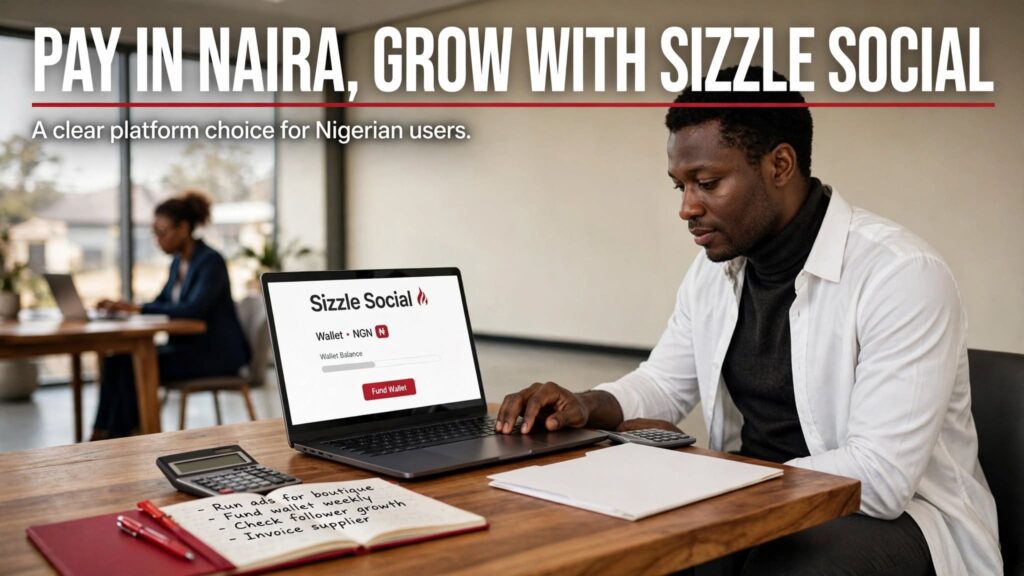
For local entrepreneurs, students, creators, and digital marketers, cross-border currency barriers often ruin promising growth campaigns. International SMM panels typically price their packages in US dollars and accept only foreign credit cards, PayPal, or cryptocurrency, leaving everyday Nigerians stranded at checkout or paying inflated parallel-market exchange rates. Even when a foreign site accepts international cards, failed transactions and cross-border bank charges eat away at small marketing budgets.
Sizzle Social eliminates this exact bottleneck, standing out as the best platform to pay with Naira when growing your Facebook followers. Built specifically around the needs of Nigerian users, Sizzle Social lets you fund your wallet directly in Naira using familiar local payment methods without exchange-rate surprises or failed international transactions.
Whether you fund your wallet from a commercial bank account or a mobile fintech app, the checkout experience mirrors everyday Nigerian online payments. Instant bank transfers clear within moments, local Verve, Mastercard, and Visa debit cards process smoothly without dollar-limit blocks, and USSD options let you top up even when mobile internet speeds dip.
Every Facebook follower package displays transparent Naira pricing upfront so you know your exact spend before placing an order, keeping your entire marketing budget focused on audience expansion rather than bank FX markups. For a broader look at Naira-friendly platforms across social networks, read our comparison of the best SMM panels with Naira payments.
Why Choose Sizzle Social For Password-Free Facebook Growth?
Sizzle Social combines strict account protection with practical features engineered for Nigerian creators, vendors, and agencies. Rather than forcing users through opaque middlemen or risky credential requests, the platform provides an automated, self-service environment built around transparency, local payment convenience, and reliable delivery. If you want a broader look at how local platforms compare, explore our guide on the best site to boost Facebook followers in Nigeria.
Several core advantages explain why thousands of Nigerian page owners rely on Sizzle Social for safe, consistent audience expansion:
- 100% password-free order processing: You submit only your public Facebook page URL, ensuring your personal login details and Meta Business Suite remain completely private.
- Effortless local Naira wallet funding: Deposit Naira through local bank transfers, cards, or USSD without hunting for virtual dollar cards.
- Clear refill policies and transparent descriptions: Every package outlines delivery speeds, retention expectations, and refill support before you spend a single Naira.
- Fast automated delivery queues: Orders enter processing within moments of submission, helping new and established pages build credible social proof on schedule.
- Multi-platform social support: Beyond Facebook page followers, you can manage Instagram, TikTok, YouTube, X, and Telegram visibility from one unified Naira wallet.
- Responsive Nigerian customer support: Whenever you need help verifying a page URL or checking order progress, dedicated local support stands ready via ticket, email, and community channels.
Can You Grow Facebook Followers Without Risking Your Account?
You never have to choose between expanding your online audience and protecting your digital security. Whether you run an online fashion boutique in Lekki, coordinate a community outreach group in Kano, or build a personal consulting brand in Enugu, your Facebook page represents a valuable business asset that deserves strict protection.
Refusing password requests, spotting phishing links before clicking, and sticking with verified link-only platforms removes the biggest threats associated with online promotion.
Ready to Boost Facebook Followers Without Sharing Your Password? Visit the Sizzle Social services hub today, fund your wallet effortlessly in Naira, and place your first secure, password-free order in minutes.
Frequently Asked Questions
Yes, you can boost Facebook followers without sharing your password. Any legitimate provider will never ask for your email address, phone number, or Meta login credentials. Reputable platforms operate strictly through public web addresses, which keeps your personal profile and business assets completely locked away from unauthorized access. Consumer reliance on Meta platforms continues climbing rapidly, and Facebook stands out as a primary hub for community interaction and digital storefront discovery, so knowing how public links interact with external promotion networks protects your entire brand presence.
Many first-time page administrators worry that external follower services require back-end configuration inside Meta Business Suite. That misconception stems from dishonest middlemen on messaging apps who claim they must log in on your behalf before running an audience campaign. In reality, Meta separates public discovery actions from administrative management at the server level. Anyone on the open internet can view a published Facebook page, watch its videos, share its posts and tap the follow button without holding administrative permissions. A trustworthy Facebook page follower service uses this exact public architecture so your page receives new followers while your private credentials remain completely untouched.
Password-free Facebook follower boosting operates through external promotional networks and automated social media marketing panels. When you place an order, you submit the public web address of your Facebook page. The provider routes your link through a distribution network, where active profiles or promotional campaigns view your page and click the follow button from the outside.
Think of a radio presenter announcing your shop address on air. Listeners hear the announcement, walk up to your storefront and step inside on their own. The presenter never needs your shop keys when sending people toward your door. Similarly, a password-free follower boosting service directs external traffic toward your public page without ever touching your internal account settings.
Once your order enters a trusted delivery system, several automated checks occur in sequence behind the scenes. First, the server validates your submitted URL so it confirms the address resolves on the open web and loads a valid, active Facebook page header rather than an error screen. Second, the system assigns your campaign an initial starting count based on the exact public follower figure displayed on your page at that moment. Third, automated servers distribute your page link across active promotional pools, partner apps or incentivized discovery feeds. Fourth, external users load your public Facebook page inside a standard browser or mobile app and tap the public follow button. Fifth, Meta records each new follow action directly on its own servers, updating your public follower counter in real time until the ordered target finishes delivery.
A Facebook page is built for public discovery across the open internet. Because the follow button sits right on your public profile header, external users require zero special permission when clicking follow. Services that offer a Facebook page follower boost simply need the exact URL so their system knows which destination receives the traffic. Just as sharing your business page link inside a WhatsApp broadcast lets friends tap follow immediately, pasting that identical link into an order form directs promotional traffic straight toward your page header.
However, your page must remain fully accessible to general visitors for smooth delivery. Many Nigerian business owners accidentally block their own audience expansion through hidden privacy switches inside Meta Business Suite. When an automated server or external user visits a restricted link, Facebook displays a login wall or an unavailable content notice instead of the follow button, which causes orders to stall or cancel automatically.
Before submitting any order, verify these essential page settings so external visitors can view and follow your brand immediately. Remove age restrictions, because if your page limits visibility only for users aged 21 or older, logged-out or unverified accounts cannot load your page header. Clear country blocks, because restricting your page solely for local IP addresses will block international promotional networks from viewing your follow button. Confirm the exact link format by copying the direct link from your browser address bar or the Facebook app share menu rather than typing custom handles manually. Switch your page from unpublished mode, because draft or unpublished business pages remain invisible on the open web and cannot accept followers until published. Verify that the follow button appears publicly by viewing your page as a visitor. Check for active page restrictions inside your Page Quality tab to confirm Meta has not placed temporary visibility limits on your business profile.
A trustworthy provider delivers followers without account access every single day. The delivery happens entirely on the front end of Facebook, identical to organic discovery. When a user visits your page URL and taps follow, Facebook registers that action automatically on your follower counter. Neither the visitor nor the promotional platform needs insight into your drafts, private messages, ad billing methods or connected Instagram profiles.
Understanding the distinction between personal profiles and dedicated business pages also clarifies why account access is unnecessary. While personal profiles rely on mutual friend requests and strict privacy locks, modern Facebook pages operate as public broadcast channels. Even when you switch a personal account into Professional Mode, the public follow button becomes visible on the open web, allowing external visitors to subscribe without sending a friend request.
If a vendor claims they must log in so they can configure your algorithm or activate hidden settings, walk away immediately. Those claims are pure fiction designed around tricking cautious page owners. Real Facebook page follower boosting requires zero internal access to your Meta Business Suite, creator studio or personal profile.
The safest approach is to treat any password request as an immediate red flag, no matter how convincing the vendor sounds. A provider that understands how Facebook pages work will never need more than your public link to complete an order.
Many Nigerian business owners confuse Facebook page roles with personal login credentials, and scammers exploit this exact confusion. When you hire a graphic designer, social media manager or advertising specialist, Meta provides a secure delegation system inside Meta Business Suite. Through this system, you invite the collaborator using their own separate Facebook profile or business email, granting them specific task permissions such as publishing posts or replying to inbox messages without ever revealing your personal password.
Conversely, a follower delivery service does not manage your content calendar, reply to customer comments or configure ad campaigns. Because the service only sends public followers toward your page header, it does not even need a minor task role inside Meta Business Suite.
Here is the strict boundary that protects your digital property. Personal login details contain your email, phone number and personal password, and they give full control over your personal profile, chats and all owned pages. Nobody should receive them, and you should keep them strictly private at all times. Meta Business Suite page access is a role invitation sent to a separate Facebook profile, and it gives limited task permissions such as posting, messages or ads. Only trusted staff, social media managers or ad agencies should receive it. The public Facebook page URL is a public web address, and it gives zero internal control, allowing public viewing and following only. Anyone online, including customers and SMM panels, can receive it, and sharing it carries no security risk.
When you want a Facebook follower boost with no password required, a clear, structured workflow removes guesswork and keeps your account secure. Rather than dealing with unverified middlemen on messaging apps who demand manual bank transfers and ask sensitive questions about your profile, an automated self-service dashboard puts every control directly in your hands.
Step 1: Create an account or log in. Set up your personal dashboard using your name, active email address and a brand-new password unique to your marketing profile. Using a distinct password for your dashboard is a smart cybersecurity habit because it ensures your marketing portal never shares credentials with your Meta accounts or banking apps. Registration takes less than sixty seconds and never asks for your Facebook, Instagram or email passwords.
Step 2: Add funds to your wallet. Deposit funds into your wallet before selecting a growth package. Operating with a prepaid wallet balance makes ordering fast and predictable, especially if you manage multiple business pages or plan to run staggered campaigns across several weeks. Fund your balance using standard Nigerian payment channels without worrying about international card blocks or foreign currency conversion failures.
Step 3: Select Grow Socials and choose a Facebook package. You will see several tailored packages designed around different budgets, retention guarantees and delivery speeds. Some packages prioritize rapid visibility for time-sensitive product launches, while others emphasize gradual delivery and long-term stability for established brand pages. Read the service description box carefully for each option, checking the minimum and maximum order limits, estimated start time, daily delivery speed and the refill policy before proceeding.
Step 4: Submit your public Facebook page link and quantity. Open your Facebook page in another browser tab or inside your mobile app, tap the share icon and select Copy Link. Paste that public URL directly into the link field. Always verify that you pasted a public page link rather than a single photo link, an event link, a private group URL or a personal profile URL that lacks an active follow button. Next, enter the exact number of followers you want, and the dashboard calculates the exact Naira cost automatically based on the per-1,000 rate of your chosen package.
Step 5: Place your order and monitor follower delivery. Review your public page link and order quantity one final time, then submit your order. Your request enters the automated processing queue immediately, and the system deducts the exact order cost from your wallet balance. You can track real-time progress directly from your order history tab without leaving your dashboard, watching your status move from pending to in progress and finally to completed.
Yes, ordering Facebook followers without sharing login details is safe when you stick with established, transparent platforms. Because you never surrender your credentials, your account faces zero risk of unauthorized password changes, hijacked business pages or spam messages sent out under your brand name. Meta cannot penalize a public page simply because external users visit its link and click follow, otherwise any competitor could harm a rival brand merely by sending traffic toward its public URL.
Your primary responsibility involves verifying that your chosen platform uses encrypted payment gateways, clear refill terms and link-only order forms. Combining external follower boosts with consistent content publishing also keeps your page healthy and authentic. When new visitors land on your page and see helpful posts, clear product photos and active replies in the comment section, your boosted follower count reinforces genuine brand trust.
It also helps to remember what safety really means in this context. Safe does not mean risk-free in every possible sense, because platform rules still apply and follower drops can still happen. Safe means your login credentials and personal data stay private, your payment goes through a traceable channel, and the provider never gains control over your account. Those three protections cover the biggest threats that page owners face.
Any website, mobile app or individual vendor asking for your Facebook password poses an immediate threat to your business. Scammers routinely use credential harvesting and fake login portals so they gain control over personal profiles and linked business assets within seconds. Once an attacker holds your login credentials, they lock you out immediately by changing your recovery email address, primary phone number and two-factor authentication settings.
Beyond losing a page you spent months building, compromised accounts suffer severe financial and reputational damage. Unauthorized ad spend theft happens when scammers use saved Naira or dollar debit cards inside Meta Ads Manager to run fraudulent campaigns for their own schemes. Customer fraud through brand impersonation happens when fraudsters hijack established Nigerian vendor pages with thousands of followers and trick loyal customers into paying for fake clearance sales. Permanent platform disabling can occur when malicious automated scripts use stolen accounts to blast prohibited links across groups, causing Meta to permanently disable your profile. Loss of connected Instagram and WhatsApp assets follows because Meta Accounts Center links Facebook, Instagram and WhatsApp Business profiles together, so losing one login exposes your entire ecosystem. Extortion and ransom demands are common, with many cybercriminals contacting victims on WhatsApp demanding tens of thousands of Naira before returning stolen business pages, often disappearing even after payment. Private message exposure is the last risk, because attackers can read confidential customer negotiations, supplier contacts and personal conversations stored inside your Messenger inbox.
Phishing scams rely on urgency, fake testimonials and cloned interfaces when tricking busy entrepreneurs. Fraudsters often send direct messages claiming your page qualifies for a free verification badge or an instant 10,000-follower grant, followed by a shortened link that opens a realistic replica of the Facebook login screen.
Watch closely for these warning signs before entering any information online. Lookalike login screens appear when fake booster sites redirect users toward a page mimicking the official Facebook login screen, so always inspect the browser address bar and close the tab immediately if the domain does not read facebook.com. Requests for two-factor authentication codes are another warning, because a legitimate growth provider will never ask for the six-digit security code sent via SMS or generated inside your authentication app. Unverified WhatsApp or Telegram middlemen deserve extreme caution, especially random messages promising 10,000 instant followers for a small fee provided you send your email and password so they can connect your page. Downloadable APK files from unknown links are dangerous, because many third-party Android apps claiming free Facebook followers contain credential-stealing malware that reads your browser cookies. Missing HTTPS security encryption is a clear sign, so never enter payment card details or personal contact information on any website lacking a verified HTTPS padlock icon. Requests for browser session cookies or access tokens are the most advanced trap, because sharing session tokens bypasses your password and hands over full account control.
If you accidentally entered your password on a suspicious website or handed it over to an unverified vendor, act within minutes so you reclaim full ownership before an attacker changes your recovery details. Speed matters enormously during an account compromise because automated phishing bots often attempt credential changes within sixty seconds of capturing a login.
Follow this exact recovery sequence immediately on a clean, trusted device. Change your Facebook password immediately by opening the official Facebook app, navigating inside Settings and Privacy, then Settings, then Accounts Center, then Password and security, and setting a strong, unique password never used on any other site. Terminate all active login sessions inside the exact same security menu by tapping Where you are logged in and selecting Log out of all sessions so any unauthorized device loses access instantly. Activate two-factor authentication using a dedicated authenticator app such as Google Authenticator rather than SMS alone, ensuring nobody enters your account without physical access to your phone. Audit your Facebook page roles inside Meta Business Suite and verify that no unknown personal profiles sit listed as admins, editors or full-control managers. Secure your primary recovery email account by changing its password and turning on two-factor authentication there as well, blocking attackers from intercepting password reset codes. Review connected apps and business integrations by visiting Settings and Privacy, then Settings, then Apps and Websites, and remove any unfamiliar third-party tools granted permission over your profile.
Both methods expand your visibility on Facebook, yet they serve fundamentally different roles inside a complete marketing funnel. Password-free follower boosting focuses on rapid social proof, helping a new or under-recognized page look established so organic visitors take the brand seriously. Meta Ads, on the other hand, operate as a paid media auction designed around putting specific product offers, videos or lead forms in front of targeted consumer segments.
Understanding their core operational differences prevents wasted ad spend and unrealistic expectations. For the primary marketing objective, follower boosting establishes immediate social proof and brand credibility, while Meta Ads reach targeted buyers and generate direct leads or sales. For campaign setup time, boosting takes under two minutes using only a public page URL, while ads require ad account setup, creative design and policy review. For cost predictability, boosting offers a fixed, transparent Naira rate per 1,000 followers, while ads use variable auction pricing that fluctuates with audience competition. For the Nigerian payment experience, boosting uses direct Naira deposits via bank transfer, USSD or local cards, while ads often face international card declines or volatile dollar exchange fees. For account access required, boosting needs zero internal access and only a public page link, while ads need full access to Meta Ads Manager, billing settings and pixel setup. For audience behaviour, boosting rapidly elevates visible follower count and page authority, while ads attract niche prospects who may interact with future product posts.
Yes, Meta Ads attract followers organically through dedicated Page Likes or Engagement campaigns inside Meta Ads Manager. When you target specific Nigerian cities such as Lagos, Abuja, Port Harcourt or Kano alongside relevant buyer interests, Meta places your posts directly in front of potential customers who can tap follow voluntarily. Social media ad spending in Nigeria continues expanding steadily as more local enterprises shift budgets toward digital customer acquisition.
However, running Meta Ads from Nigeria presents practical hurdles for everyday entrepreneurs. Many local Naira debit cards face strict limits on international dollar billing, forcing business owners into hunting for virtual dollar cards or absorbing steep conversion charges. Ad accounts also face sudden billing holds or policy reviews that pause campaigns right during peak sales seasons.
Even more importantly, brand-new pages with fewer than 50 followers often suffer poor ad conversion rates because cold shoppers hesitate when buying from an empty-looking storefront. Imagine clicking an ad for a wristwatch or skincare set and landing on a page with only twelve followers and zero social proof. Most buyers close the tab immediately out of caution. Combining an initial Facebook page follower boost for instant credibility with targeted Meta Ads frequently delivers stronger return on ad spend than running paid ads on an unestablished page.
For local entrepreneurs, students, creators and digital marketers, cross-border currency barriers often ruin promising growth campaigns. International SMM panels typically price their packages in US dollars and accept only foreign credit cards, PayPal or cryptocurrency, leaving everyday Nigerians stranded at checkout or paying inflated parallel-market exchange rates. Even when a foreign site accepts international cards, failed transactions and cross-border bank charges eat away at small marketing budgets.
A Naira-friendly platform eliminates this exact bottleneck. Built specifically around the needs of Nigerian users, such a platform lets you fund your wallet directly in Naira using familiar local payment methods without exchange-rate surprises or failed international transactions.
Whether you fund your wallet from a commercial bank account or a mobile fintech app, the checkout experience mirrors everyday Nigerian online payments. Instant bank transfers clear within moments, local Verve, Mastercard and Visa debit cards process smoothly without dollar-limit blocks, and USSD options let you top up even when mobile internet speeds dip. Every Facebook follower package displays transparent Naira pricing upfront so you know your exact spend before placing an order, keeping your entire marketing budget focused on audience expansion rather than bank foreign exchange markups.
Many Nigerian business owners confuse Facebook page roles with personal login credentials, and scammers exploit this exact confusion. Knowing the strict boundary between administrative roles, personal passwords and public links protects your entire digital property from takeover.
Personal login details contain your email, phone number and personal password, and they give full control over your personal profile, chats and all owned pages. Nobody should receive them, and you should keep them strictly private at all times. If compromised, they can lead to complete account loss, stolen ad cards and identity theft. They are never required for a follower boost.
Meta Business Suite page access is a role invitation sent to a separate Facebook profile, and it gives limited task permissions such as posting, messages or ads. Only trusted staff, social media managers or ad agencies should receive it. If compromised, it can lead to unauthorized posts or ad spend that the page owner can remove. It is never required for a follower boost either.
The public Facebook page URL is a public web address, and it gives zero internal control, allowing public viewing and following only. Anyone online, including customers and SMM panels, can receive it, and sharing it carries no security risk. It is always required as the sole destination link for a follower boost.
A password-free platform combines strict account protection with practical features engineered for Nigerian creators, vendors and agencies. Rather than forcing users through opaque middlemen or risky credential requests, the platform provides an automated, self-service environment built around transparency, local payment convenience and reliable delivery.
Several core advantages explain why thousands of Nigerian page owners rely on this approach for safe, consistent audience expansion. Order processing is one hundred percent password-free, because you submit only your public Facebook page URL, ensuring your personal login details and Meta Business Suite remain completely private. Wallet funding is effortless in local Naira, because you deposit through local bank transfers, cards or USSD without hunting for virtual dollar cards. Refill policies and package descriptions are clear, because every package outlines delivery speeds, retention expectations and refill support before you spend a single Naira. Delivery queues are fast and automated, because orders enter processing within moments of submission, helping new and established pages build credible social proof on schedule. Multi-platform support is included, because beyond Facebook page followers, you can manage Instagram, TikTok, YouTube, X and Telegram visibility from one unified Naira wallet. Customer support is responsive and local, because whenever you need help verifying a page URL or checking order progress, dedicated local support stands ready via ticket, email and community channels.
True digital momentum comes from pairing smart security habits with consistent audience engagement. When you use a password-free boost to establish initial social proof, new visitors arrive on your page with higher confidence in your brand. Follow up that visibility with helpful posts, clear product descriptions, prompt replies to customer questions and occasional Meta Ads so casual visitors turn into loyal buyers and community advocates.