Table of Contents
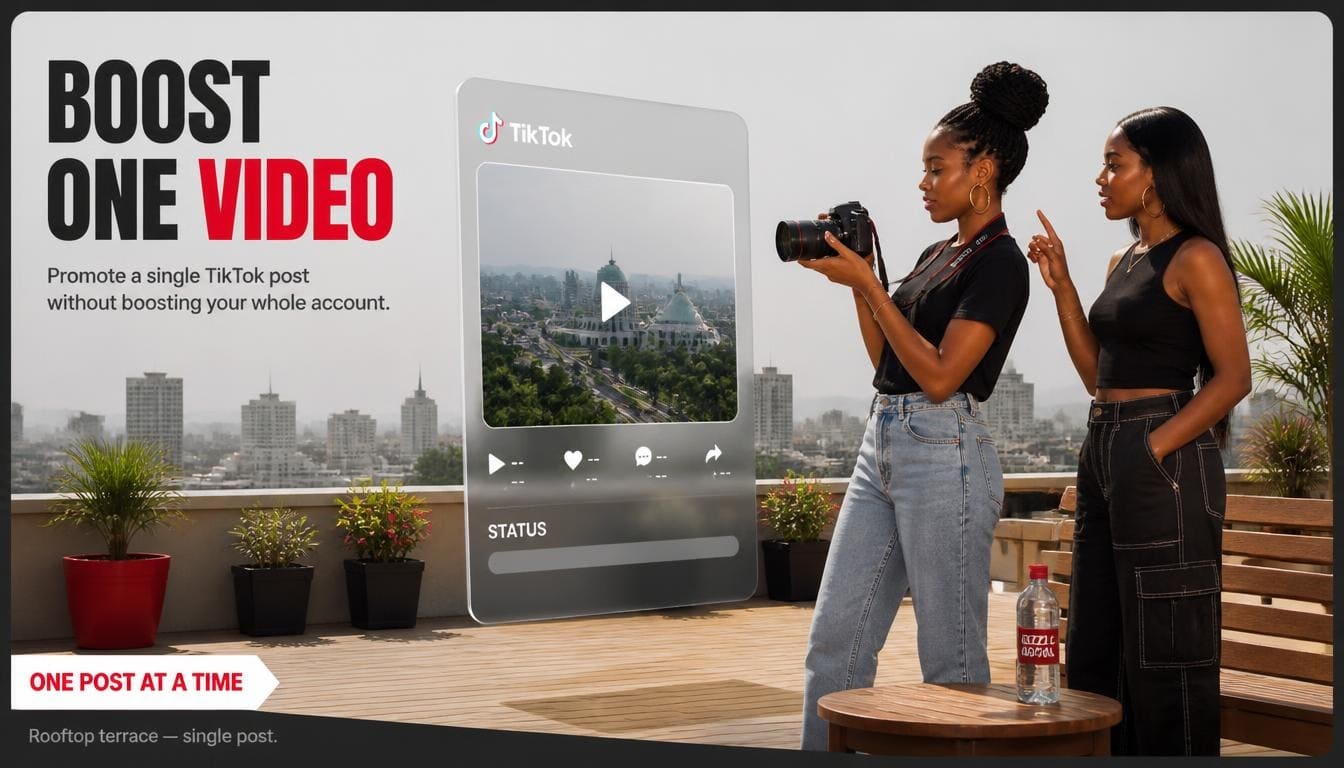
Most creators raise the same objection before they spend a single naira: “I only want one video to travel, not my whole page.” The worry is fair. Nobody wants to pay for attention that lands on a weak clip, or hand over cash for a push that leaves the rest of the page untouched. Others fear that one paid push will mark the whole profile as “bought” in the eyes of the app.
Here is the good news. You can pick one clip, give it extra reach, and leave everything else exactly as it was. This guide shows how to boost one TikTok video in plain steps, from choosing the clip to reading the results. You will learn what the tool does, what it cannot do, and which traps waste money.
Some creators also ask whether a single paid push is worth the price. This guide answers that too, with simple checks you can run before you pay. If you want a wider view first, the single TikTok video booster guide covers the basics. Read on, and you will know which clip deserves your money and which one should stay free.
Can You Boost One TikTok Video Without Boosting Your Account?
Yes. TikTok Promote works at the level of a single video. You open a clip you have already posted, choose what you want from it, set a budget and a number of days, and pay. The paid push applies to that one clip. Your other videos, your bio and your follower list are not touched by the campaign.
That simple fact clears up most of the fear. A promoted video is still your normal post. TikTok shows it to more people for a set period, and when the period ends, the clip goes back to ordinary delivery. Nothing about your account gets a permanent label, and nothing forces the app to treat your other posts differently.
Still, a few details deserve a careful look. Promote offers goals that can include video views, profile views and followers, so the tool can send people toward your page as well as your clip. If you pick a follower goal, you are no longer boosting only the video. You are asking TikTok to help the account too. That is why choosing the goal matters as much as choosing the clip.
Think of a stall in Balogun Market. The owner can pay a loud seller to shout about one dress, or pay the same seller to shout about the whole stall. The shouting is the same tool, but the target changes the result. A shout about one dress sends buyers straight to that dress. A shout about the whole stall sends people to browse many items. Promote works the same way: your goal decides what it pushes.
This section covers four questions. You will see how single video promotion works, whether boosting one clip affects your other posts, how video promotion differs from account promotion, and which videos you can choose. By the end, you will know what a one-video campaign can do for your page and where its limits sit.
One note before we start. TikTok changes Promote from time to time. Goals, labels, payment options, minimum budgets and even availability can differ by region, account type and app version. Treat the steps in this guide as a map, and trust the screen on your own phone when it shows something different. If Promote does not appear for you, check that your app is updated, that your account meets the tool’s requirements, and that the feature is offered in your region.
How Does Single TikTok Video Promotion Work?
Single video promotion turns one of your existing posts into a paid placement. You do not upload anything new. You choose a clip that is already on your profile, and TikTok shows it to more people than it would reach on its own, for the number of days you pick.
Here is the basic flow in plain words.
- You select a public video from your own profile.
- You choose a goal, such as more views of that video.
- You pick an audience, either one TikTok suggests or one you set yourself.
- You set a budget and a duration.
- You submit the campaign, TikTok reviews it, and delivery begins once it is approved.
The system then tries to find people who are likely to act on the goal you chose. If your goal is views, it looks for people likely to watch. If your goal is profile visits, it looks for people likely to tap through to your page. It does not look for buyers unless you choose a goal that points to messages or purchases, and those options may depend on your account type and region.
The promoted clip appears in the For You feed of the people TikTok picks. They see the video much like any other post, usually with a small label that marks it as promoted. They can like, comment, share, and follow, just as they would with a normal post.
An important point is that promotion amplifies what already exists. It cannot repair a weak hook or a dull ending. If a clip loses viewers in the first three seconds, more reach only means more people leaving early. This is why creators who get the best results usually promote clips that already show some life on their own.
Another useful idea is that results are estimates, not promises. TikTok shows a projected range of views as you adjust the budget and days, but real delivery can come out higher or lower. Use the projection to compare options, not as a guarantee.
A small example helps. A baker in Enugu posts a short clip of a cake being decorated. It gets a few hundred views and a handful of comments from people who ask for prices. She chooses that clip for promotion, sets a small budget for a few days and aims at women in her city. The clip reaches many more local viewers, and her inbox gets more enquiries. Her older cake videos stay as they were, and her page does not change except for the extra attention that the one clip brings.
Does Boosting One Video Affect Your Other TikTok Posts?
Boosting one video does not change your other posts directly. They keep their own views, likes and comments. A paid campaign on one clip does not lower or raise the numbers on the rest of your page.
There are indirect effects, though, and they are worth knowing.
- More profile visits. People who like the promoted clip may tap your name and look at your other videos. Your older posts can pick up extra views from those visitors.
- New followers. Some viewers will follow after one good clip. Those followers may see your next posts in their feed, which can lift the early reactions on new videos.
- A shift in your audience. If the promoted clip reached people unlike your usual viewers, your analytics may show a different mix of ages or locations for a while.
- A change in averages. If the promoted clip earns far more views than your normal posts, your average views per video will rise. That can make later organic posts look weak by comparison, even though nothing is wrong with them.
Here is a table that separates the direct and indirect effects.
| Area | Effect of boosting one clip | Type of effect |
| Views on older videos | No direct change | None |
| Profile visits | Often rise | Indirect |
| Follower count | May rise | Indirect |
| Average views per video | May rise, then settle | Indirect |
| Audience mix in analytics | May shift | Indirect |
| Ranking of other posts | No direct change | None |
One more point deserves honesty. TikTok has rules against artificial engagement, and those rules apply to fake followers, fake likes and fake views bought from outside the app. Promote is TikTok’s own paid tool, so it sits inside the platform’s system. That is a different thing from buying numbers from a third party, which carries platform-rule risk. If you want to understand that difference in depth, the guide on whether a TikTok SMM panel is safe explains the trade-offs.
A good habit is to check your numbers before and after a campaign. Write down your followers, your average views and your average likes on the day you start. After the campaign ends, compare. If the clip did well but your other posts stayed flat, you have learned that this clip drew people to the video but not to your page. That insight can guide your next goal.
Finally, keep posting while the campaign runs. Visitors who arrive from a promoted clip will look at your recent posts. A page with fresh videos gives them a reason to stay. A page that went quiet gives them a reason to leave.
What Is The Difference Between Video And Account Promotion?
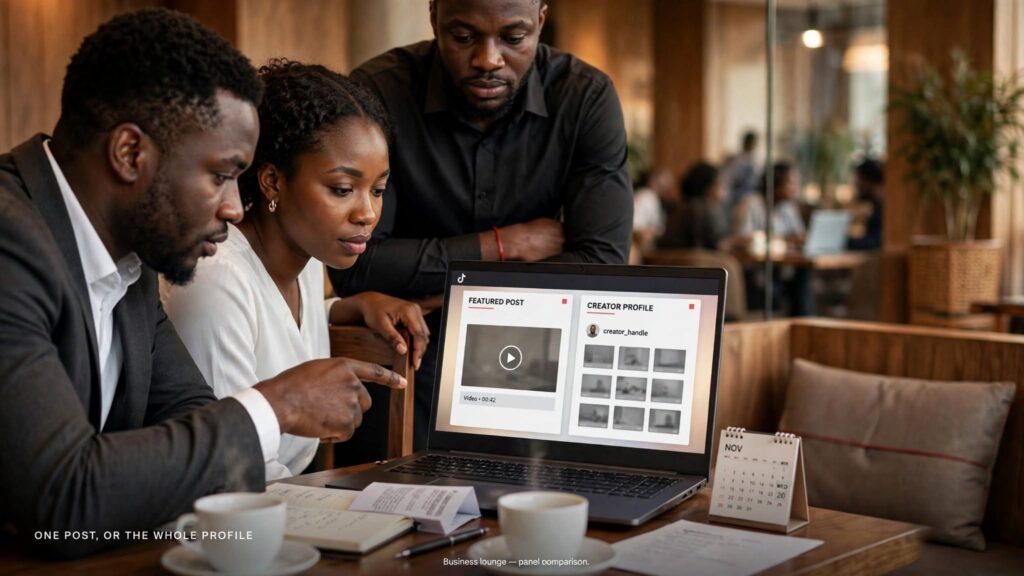
The difference lies in what the push points at. Video promotion points at one clip. Account promotion points at your profile as a whole. Both can run inside TikTok Promote, and the goals you pick decide which one you get.
Here is a simple comparison.
| Feature | Video promotion | Account promotion |
| Main target | One chosen clip | Your profile and follower base |
| Typical goal | More views on that clip | More followers or profile views |
| What viewers see first | The promoted video | The video, then your profile |
| Best for | Launches, offers, strong clips | Building a base of repeat viewers |
| Main risk | The clip is weak and wastes money | Followers arrive who never watch |
| Easy to measure? | Yes, by views and actions on the clip | Harder, since results spread across the page |
Video promotion suits you when you have a clip that deserves attention. A product demo, a tutorial, a music snippet or a behind-the-scenes moment all work well, because each can stand alone.
Account promotion suits you when your main aim is a larger audience over time. It helps when your page already has several good videos, so that new visitors find something to watch after they land.
A third route sits outside Promote. Some creators buy followers, likes or views from outside providers. That is a different method with different rules and risks, and it does not appear inside the app as a TikTok feature. If you want to see how the account side of paid reach works, the guide on promoting a TikTok account compares followers, views, likes, and reach.
Here is a quick way to decide. Ask what you want a stranger to do after seeing your clip.
- If you want them to watch the clip and react, choose video promotion with a views goal.
- If you want them to visit your page and look around, choose a profile views goal.
- If you want them to follow you, choose a follower goal, and make sure your page has good content waiting.
- If you want them to message you or visit a link, check whether those goals are available to your account.
A musician in Lagos might choose video promotion for a new song teaser, because the clip is the product. A fashion vendor in Kano might choose a profile goal, because she wants buyers to scroll through her whole catalogue. Same tool, different aim.
Which TikTok Videos Can You Choose To Promote?
You can usually promote videos that you posted yourself, that are public, and that follow TikTok’s rules for promoted content. The exact eligibility checks can change, so read any message the app shows if a clip does not qualify.
Common requirements and blockers include the following.
- Your own content. You generally cannot promote someone else’s video.
- Public visibility. A private clip or a clip set to friends only will not qualify.
- Active status. A clip that is under review, restricted or removed cannot run as a promotion.
- Rule-compliant content. Misleading claims, restricted products and unsafe content can fail review.
- Music permissions. Some sounds may not be allowed in promoted content, especially for business accounts.
- Account standing. Past warnings or limits on your account can block tools.
Weak candidates include clips with poor sound, blurry footage, long slow openings, or offers that have ended. Promoting these wastes budget, because the extra reach exposes the weakness to more people.
Here is a short checklist you can run before you pick.
| Question | Good sign | Warning sign |
| Does the clip hold viewers? | Many watch to the end | Most leave early |
| Do people react? | Comments and saves appear | Silence after many views |
| Is the message clear? | A stranger understands it fast | Needs long explanation |
| Is the offer still valid? | Yes, for the whole campaign | Ends mid-campaign |
| Does the clip follow the rules? | Yes | Unsure about music or claims |
If several clips pass, pick the one closest to your goal. If none pass, skip the campaign and improve your content first. A small amount of time spent on a better clip will do more for you than a large amount of money spent on a weak one.
How to Boost One TikTok Video With Promote
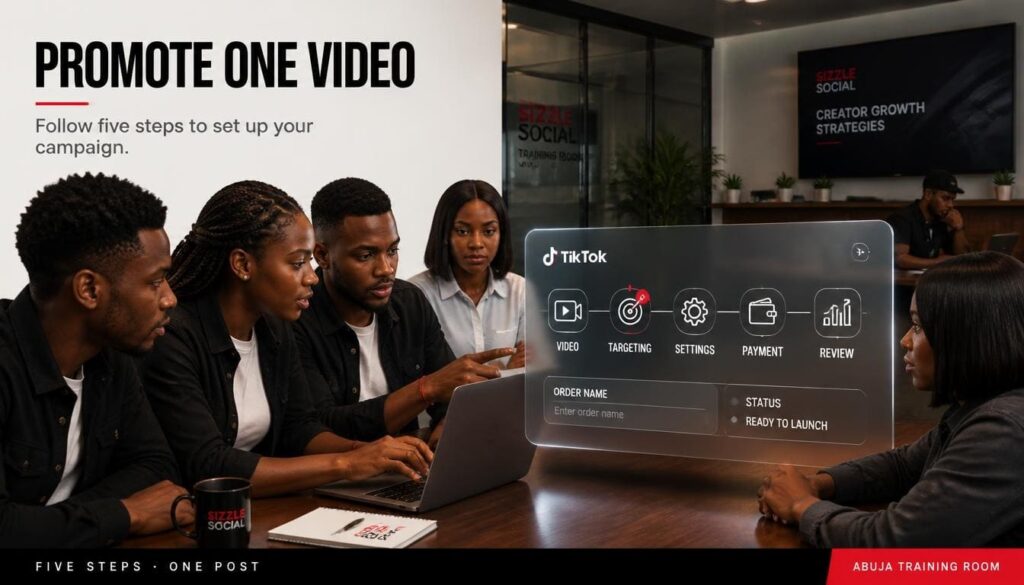
Once you have a clip in mind, the setup itself takes only a few minutes. The steps are simple, but each one carries a choice that changes your cost and your result. Rushing through them is the most common reason creators say that Promote “did not work.”
Think of the process like ordering food at a busy restaurant. You choose a dish, decide how much you want, say how spicy it should be and confirm the order. If you rush and point at a random item, you may get something you did not want. Each screen in Promote asks one question, and a clear answer on each screen leads to a better result.
Before you start, prepare three things. First, know your goal in one sentence, such as “I want more local viewers to watch my product demo.” Second, know your limit, meaning the most you can spend without hurting your other bills. Third, have your payment ready. On some devices, you add card details. On others, you may need to recharge coins first. The payment path depends on your phone and region, so check it before you open the campaign screen.
It also helps to check your clip one last time. Watch it from start to finish, with sound on and off. Many people watch without sound, so captions matter. Check that the opening is clear, that the video is not cut off and that any price or contact detail on screen is correct. A typo in a promoted video reaches many more people than a typo in an ordinary post.
Another useful step is to write down your starting numbers. Note the clip’s current views, likes, comments, shares and saves, along with your follower count. Take a screenshot. After the campaign, these numbers become your proof of what changed.
The steps below follow the order that most versions of the app use. Your screens may use different labels or place buttons in different spots. If a step looks different, look for the closest match. The logic stays the same: choose the video, choose the goal, set budget and days, pick the audience and review before you pay.
Each step below includes what to do, why it matters and a common mistake to avoid. Read all five before you start, so that you know what is coming. Then open the app and work through them one at a time.
Step 1: Open The TikTok Video You Want To Promote
Start from your own profile. Tap the video you chose, so that it opens in full view. Look for the three-dot menu or the share area, then look for an option called Promote. In some versions, you can also reach Promote from creator tools or from a business menu on your profile.
Why this step matters. The campaign attaches to the exact clip you open. If you open the wrong one, you will pay to push the wrong video. Take a second to confirm the caption, the thumbnail and the date.
What to do.
- Open TikTok and go to your profile.
- Tap the video you want to boost.
- Open the menu and tap Promote.
- If Promote does not appear, update the app and check whether the video is public.
If Promote is missing. Several things can hide the option. The clip may be private. It may still be under review. Your account may not meet the tool’s requirements. The feature may not be offered in your region or on your account type. Update the app first, then check your clip’s privacy setting, then check your account settings. If the option still does not show, look at TikTok’s help pages for current availability, or contact support through the app.
Common mistakes.
- Choosing a clip you edited a minute ago. Give it time to settle.
- Picking a clip that mentions a sale that ends before the campaign does.
- Promoting a clip with music that may not be allowed in paid content.
Here is a small example. A caterer in Port Harcourt wants to promote a clip of her jollof rice tray at a party. She opens the clip, sees that it is still set to friends only, and fixes the setting before she tries again. Promote then appears. A tiny setting nearly cost her a day.
Once Promote opens, you will see the setup screens. Do not rush to pay. Read each screen, because the app often shows suggested packages that may not match your goal.
Step 2: Choose A Promotion Goal For Your Video
The goal tells TikTok what result to look for. This is the most important choice in the whole process, because the system will try to deliver exactly what you pick, not what you hope for.
Goals can differ by region and account type, but they commonly include options such as the following.
| Goal | What TikTok tries to find | Best used when |
| More video views | People likely to watch the clip | You want attention on a strong clip |
| More profile views | People likely to open your page | You want people to browse your content |
| More followers | People likely to follow you | Your page already has good videos |
| More messages or link clicks | People likely to take an action | You sell something and the option is available |
Why this step matters. If you pick views, you get viewers, not buyers. If you pick followers, you may get followers who never watch again. Match the goal to what you want a person to do after the clip.
How to choose.
- Write one sentence about what you want, such as “more local viewers for this product clip.”
- Pick the goal that matches the sentence.
- If two goals seem possible, run two small campaigns later and compare.
Many creators choose views, because views are easy to see and measure. That is a sound starting point for a first test. If your clip drives people to ask questions, you can try a goal that points to messages or visits in a later round, provided your account has it.
Common mistakes.
- Choosing followers for a clip that has no good page behind it. New followers arrive, find little, and leave.
- Choosing views and then expecting sales. Views alone do not create orders.
- Changing goals in the middle of a test, which makes results hard to compare.
Keep one more idea in mind. The goal also shapes how you judge the campaign. A views goal succeeds when views rise at a fair cost. A followers goal succeeds when followers rise and stay active. Decide the measure before you pay, and write it down.
A fashion vendor in Abuja uses this approach. She picks a views goal for a clip that shows a new ankara design, because she wants local women to see the design first. Later, she plans a profile goal for a second clip that shows her shop. Each clip gets a goal that fits its job.
Step 3: Set Your TikTok Promote Budget And Duration
Budget is the total you are willing to spend. Duration is the number of days the campaign runs. Together they shape how many people your clip can reach. TikTok usually shows sliders and an estimated range of views as you adjust them.
Why this step matters. A tiny budget over a very short time gives the system little room to find the right people. A large budget over many days can waste money if the clip is not ready. A middle path, with a modest budget over several days, is often the best way to run a first test.
Minimums and maximums are not the same everywhere. TikTok has said that cost can change with factors such as market demand, and amounts may be shown in local currency or in coins. Use the figures you see on your own screen, not the figures in any article.
How to set it.
- Decide the most you can spend without stress.
- Choose a duration that gives the clip time to find an audience, often several days rather than one.
- Check the estimated views and the total price.
- Lower the budget if the price feels high, and run a test first.
Here is a small table to compare approaches.
| Approach | Budget | Duration | Best for |
| Quick test | Low | Short | Checking if a clip reacts |
| Steady test | Low to medium | Several days | A fair first campaign |
| Event push | Medium | Around an event | Launches, sales, releases |
| Scale-up | Higher | Longer | A clip that already proved itself |
Common mistakes.
- Spending the whole month’s budget on one untested clip.
- Setting a very short duration that ends before the system learns.
- Ignoring the total price shown at the bottom of the screen.
- Forgetting that app store or payment fees may apply on some devices.
A good rule is to start small and raise the budget only after the first campaign shows a fair result. Treat your first campaign as a test, not a bet.
Step 4: Select Your Target Audience
Audience settings tell TikTok who should see the clip. You can usually choose between an automatic option, where TikTok picks people it thinks are likely to respond, and a custom option, where you set details such as location, age range, gender and interests.
Why this step matters. The right audience can make a small budget go far. The wrong audience can drain it with little return. A bakery that serves one city gains little from viewers who live far away.
How to choose.
- Start with the people you want as customers, fans or followers.
- Pick the location that matches where you sell or perform.
- Choose an age range and gender that fit your usual viewers.
- Add interests that match your clip, such as food, fashion, music or beauty.
- Avoid an audience so narrow that the system has too little room to work.
If you are unsure, let TikTok choose for the first campaign, then check your results and audience insights. Next time, create your own audience using what you learned. If you already know your customers well, a custom audience may serve you better from the start.
Common mistakes.
- Targeting everyone, then wondering why sales stay low.
- Targeting a tiny group with a tiny budget, which can make results swing wildly.
- Picking a location that does not match your delivery area.
- Ignoring language. A clip in one language will not move viewers who do not speak it.
Here is an example. A tailor in Ibadan wants orders from women in her state. She sets her audience to women in a suitable age range who live in her area and enjoy fashion content. Her clip reaches people who can actually visit or order. A friend with a similar clip leaves the audience wide open and gets many views from far-off places, with few messages. The clips were equal, but the audience was not.
If you want more ideas for making a clip travel on its own as well, the guide on how to make TikTok videos go viral shares content habits that support paid reach.
Step 5: Review And Submit Your Promotion
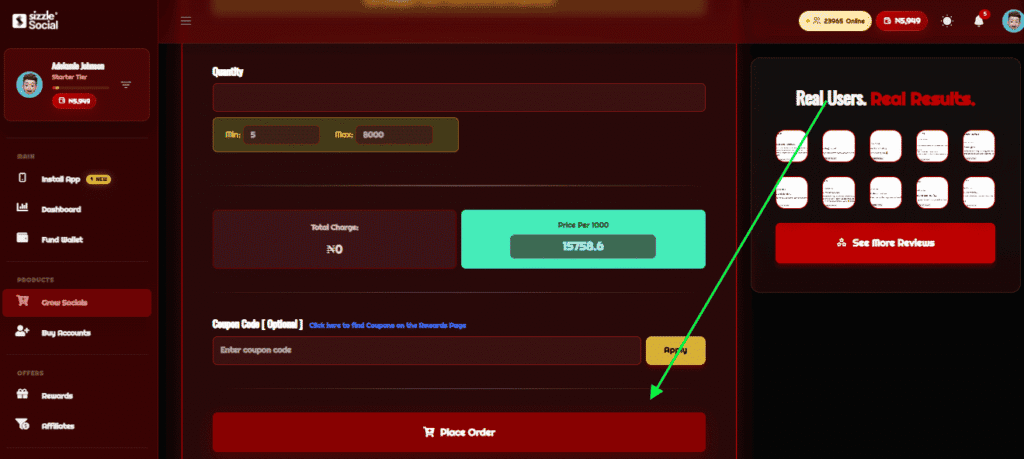
The last screen shows a summary of your choices: the video, the goal, the audience, the budget, the days and the estimated results. Read it carefully before you pay.
Why this step matters. Once you submit, TikTok reviews the campaign, and delivery begins after approval. Mistakes caught now cost nothing. Mistakes caught after payment may cost money or time.
Final checklist.
- Is this the right video?
- Does the goal match what you want?
- Does the audience fit your market?
- Is the total price within your limit?
- Is your payment method ready?
- Have you noted your starting numbers?
Then tap to submit. Your campaign may show as pending while TikTok reviews it. Review usually runs within a short time, but it can vary. During this period, avoid editing or deleting the clip, since changes can cause rejection or delay.
After you submit.
- Watch your notifications for approval or rejection.
- Check the Promote dashboard for status.
- Keep posting new content so your page looks alive.
- Do not start a second campaign on the same clip while the first is active.
If the campaign is rejected, read the stated reason. Common causes include content that breaks ad rules, music problems, misleading claims or payment problems. Fix the cause, then submit again once. Resubmitting the same clip again and again will not help.
If you change your mind, check whether the app lets you cancel. TikTok has described that a cancelled campaign stops delivery and that unused budget is refunded to your TikTok balance, but terms can change, so read the current rules inside the app.
Record the start date, the clip, the goal, the budget and the days in a simple note. That record is the base for every later decision.
How to Choose The Right TikTok Video To Boost
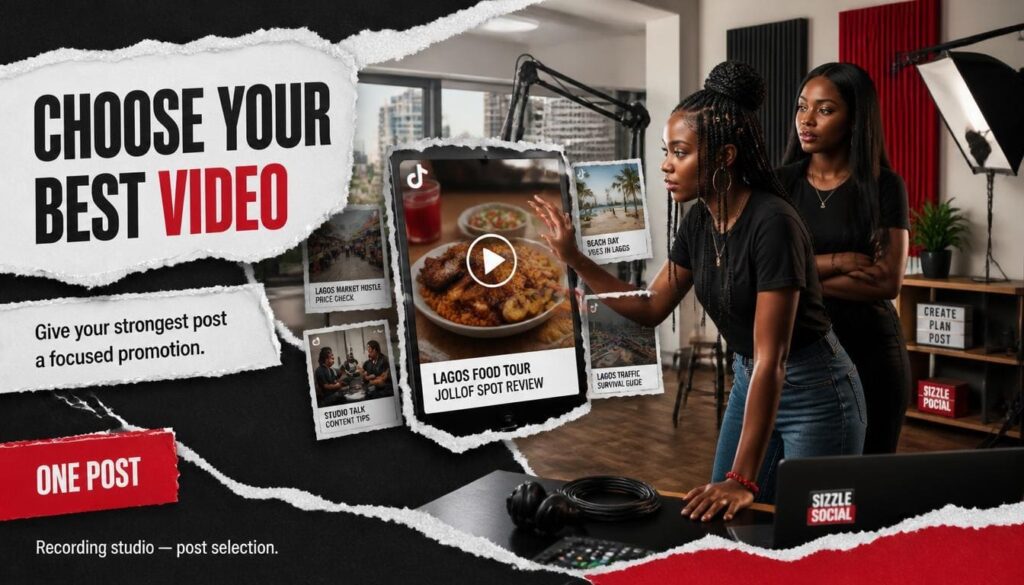
A paid push is like a magnifying glass. It makes what is already there bigger. If the clip is strong, the glass shows its strength to more people. If the clip is weak, the glass shows the weakness just as clearly. That is why choosing the clip is not a small step. It is the step that decides most of the outcome.
Many creators pick the wrong clip for reasons that feel natural. They choose the video they worked hardest on, even if viewers ignored it. They choose the newest post because it is fresh. They choose a clip because a friend liked it. None of these reasons look at the one thing that matters: how real viewers respond.
A better method begins with evidence. Open your analytics and look at your last ten to twenty videos. Find the ones with the best watch time, the most saves, the most shares and the most comments. These signals show which clips already connect with people. A clip with modest views but strong saves and comments may deserve more attention than a clip with many views and no reaction.
You also need to match the clip to the goal. A clip that teaches something suits a profile or follower goal, because viewers who learn from it may want more. A clip that shows a product suits a views or message goal, because viewers who like it may ask about it. A clip that tells a funny story suits a views goal, because the clip itself is the reward.
Should You Promote A Video That Already Gets Views?
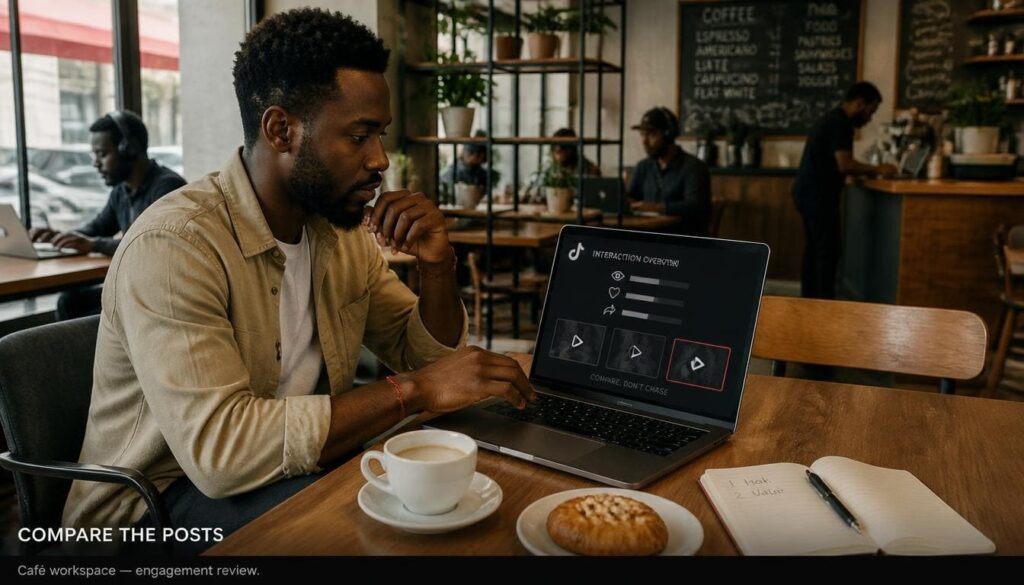
In most cases, yes. A clip that already earns views, comments and saves without help has shown that real people find it interesting. Paid reach then pushes the clip to more people who are likely to react in the same way.
Here is why this works. TikTok tests each new video with a small group first. If that group watches and reacts, the app may show the clip to more people. A clip that passed this early test has proved its basic appeal. Promotion extends its reach beyond the normal test, which gives a strong clip more time and more eyes.
Promoting a clip that gets no views has a weaker case. If the clip failed the early test, something about it did not connect. That could be the hook, the topic, the sound, the pacing or the timing. A paid push does not fix those problems.
Here is a table to guide the choice.
| Clip situation | Promote? | Reason |
| Steady views, good comments | Yes | Proven appeal, ready to scale |
| Modest views, strong saves or shares | Often yes | Quality signals matter |
| High views, no reactions | Think twice | Views may not mean interest |
| Very low views, no reactions | Usually no | Fix the content first |
| New clip with no data | Wait a day or two | Let early data appear |
There are exceptions. A launch clip for an event may need promotion at once, because the date will not wait. In that case, make the clip as clear and strong as you can before you pay, and keep the budget modest.
Also check the type of views. If views come mostly from your followers, the clip may have reached the people who already know you. If views come from strangers, the clip has crossed into new audiences, which is a stronger sign.
Here is a short example. A gospel singer in Kaduna posts two clips in one week: a live performance and a studio snippet. The live clip earns a few thousand views and many comments. The studio clip earns a few hundred. She promotes the live clip, because its comments show real connection. The snippet stays organic. After the campaign, her profile visits and follower count rise, and her booking messages increase.
If your clips rarely get views at all, the problem lies elsewhere. The guide on why TikTok videos are not getting views lists common causes and fixes that are worth checking before you spend on promotion.
What Makes A TikTok Video Worth Promoting?
A video worth promoting passes four tests: attention, clarity, fit and timing.
Attention. The clip holds viewers. Look at average watch time and completion rate in your analytics. If most people leave in the first few seconds, the clip fails this test. If many watch to the end or watch twice, it passes.
Clarity. A stranger can understand the clip fast. Paid reach brings people who do not know you, so the clip must explain itself. It should show what you do, sell or teach without needing a long caption.
Fit. The clip suits your goal and audience. A recipe clip suits food lovers. A styling clip suits fashion fans. A clip with a niche joke may only suit a narrow group. Check that the clip fits the people you plan to target.
Timing. The clip is relevant during the campaign. A clip about a sale is useless after the sale ends. A clip about a trend may lose value if the trend fades before the campaign finishes.
Here are signs that a clip is a strong candidate.
- It earns saves and shares, which show that people find it useful or worth passing on.
- It receives real comments, not only emoji.
- It brings profile visits.
- It features a person, a product or a result that viewers can see clearly.
- It has clean audio, steady lighting and readable text.
- It opens with a hook in the first few seconds.
Use this simple scoring method. Give the clip one point for each of the four tests, then add one bonus point if it earns saves or shares. A clip with four or five points is a strong candidate. A clip with two or fewer points needs work.
| Test | Question | Score 1 if |
| Attention | Do viewers stay? | Watch time is above your usual |
| Clarity | Is it easy to understand? | A stranger gets it in seconds |
| Fit | Does it match the audience? | Yes, clearly |
| Timing | Will it stay relevant? | Yes, for the whole campaign |
| Bonus | Does it earn saves or shares? | Yes |
Authenticity also matters. TikTok rewards content that looks like it belongs in the feed. Clips that feel like adverts often perform worse than clips that feel like real moments. A vendor who shows a customer opening a parcel may do better than one who reads a sales script. Keep the tone natural.
Finally, avoid fake engagement as a shortcut. Buying likes or views from outside providers to make a clip look strong before you promote it can break platform rules and can distort the data you need to judge the clip. Let real reactions guide your choice.
Why Should You Check Video Quality Before Promotion?

Quality checks protect your money. Once a campaign starts, the clip reaches strangers who owe you nothing. They will watch for a moment, decide quickly and move on. A weak clip loses them fast, and you pay for every impression.
Here is a quick quality check that takes about five minutes.
- Watch it fresh. Play the clip on your phone as a stranger would, without your own context.
- Check the first three seconds. Does something interesting happen at once?
- Test the sound. Is the voice clear? Does music cover the speech?
- Test it without sound. Do captions or visuals still carry the message?
- Read every word on screen. Check spelling, prices and contact details.
- Check the framing. Make sure text is not hidden by buttons or captions from the app.
- Check the ending. Does it end cleanly or fade into nothing?
- Check the rules. Review music, claims and content for ad compatibility.
Here is a table that links common quality problems to simple fixes.
| Problem | Effect on a paid push | Fix |
| Weak opening | Viewers leave early | Re-edit with a stronger first line |
| Poor audio | People scroll away | Re-record or add clear captions |
| Tiny text | Message gets lost | Enlarge text and move it up |
| Wrong price or number | Loses trust and orders | Correct it and repost |
| Unclear offer | No action follows | Add a clear next step |
| Unsure music rights | Campaign may be rejected | Use allowed audio |
If a clip fails several checks, improve it and post a new version. Then give the new version a day or two to collect organic data before you decide to promote it. This costs a little time, but it can save you a lot of money.
Also check your page, not only the clip. A viewer who likes the clip may tap your profile. What do they find? A clear photo, a short bio, a link or contact detail and a few recent videos will encourage a follow or a message. An empty or messy page loses them. Spend ten minutes tidying your profile before the campaign starts.
Quality also includes honesty. Do not use clips that make claims you cannot support, such as promises of guaranteed results. Misleading content can fail review and can harm trust.
A short example makes the point. A hair stylist in Warri promotes a clip with a long, slow start and a blurry finish. The campaign delivers views, but few viewers watch past the first few seconds, and nobody messages her. She then re-edits the clip with a sharp opening and a clear price list, posts it as a new video and lets it run for two days before she promotes it. The second campaign earns far more comments and bookings. The audience was the same, but the clip had improved.
How Can You Match A Video To Your Campaign Goal?
A clip and a goal should fit each other like a key and a lock. If they do not match, the campaign may deliver numbers that do not help you.
Use the table below as a starting guide.
| Clip type | Best-fit goal | Reason |
| Product demo | Views or messages | Shows the item and invites questions |
| Tutorial or tip | Profile views or followers | Viewers may want more lessons |
| Behind-the-scenes clip | Followers | Builds a personal bond |
| Event teaser | Views | Spreads the news fast |
| Customer reaction or review | Views or messages | Builds trust in the offer |
| Music or performance clip | Views or followers | Lets people hear and then follow |
| Offer or sale announcement | Messages or link clicks, if available | Pushes toward action |
Here is a simple process.
- Name the job. Write what the clip should do in one sentence.
- Pick the matching goal. Use the table above.
- Check the page. Make sure your profile supports the goal.
- Set a fair budget. Keep it modest for a first test.
- Decide how you will judge it. Write the number you want to see.
Here is how this looks in practice. A phone accessories seller in Onitsha has a clip that compares two phone cases. The job of the clip is to get shoppers to ask about prices. His goal is messages or, if that is unavailable, views from local buyers, followed by a pinned comment with his contact detail. His page has a clear bio and a link to chat. He judges the campaign by the number of new enquiries, not by views alone.
Now look at a mismatch. A comedian posts a funny sketch and chooses a message goal because he wants bookings. Viewers laugh and scroll on, but few feel the urge to message him. A views goal, followed by a profile goal on his next clip, would have fit better.
Keep these tips in mind.
- One clip, one goal. Do not ask a single clip to do three jobs.
- Test two goals on two clips. Compare cost per result to learn what works for you.
- Match the goal to your page. A follower goal works best when your page has several good videos waiting.
- Match the goal to your business. A seller needs enquiries. A musician needs plays and followers. A school needs reach among parents.
Finally, think about the next step after the clip. What should a viewer do after watching? If the answer is unclear, the campaign will struggle. Add a simple, honest next step in the caption or on screen, such as “Message us on WhatsApp for prices.” Then make sure the path works. A viewer who tries to reach you and gets silence is lost.
When the clip, the goal and the page all line up, even a small budget can bring a meaningful result. The next section shows how to read the numbers so you know whether it did.
Ways to Track Your TikTok Video Promotion Results
Paying for a campaign is only half the job. The other half is reading what happened. Creators who skip this step often repeat the same mistakes, because they never learn which choices worked. Those who track their results get cheaper and better at every round.
Think of a farmer who plants a new crop. He does not only plant and hope. He watches the soil, notes the rain and counts the harvest. Next season, he changes what failed and keeps what worked. A campaign works the same way. Each one is a small experiment, and the numbers are the harvest.
Start by setting a clear measure before the campaign begins. If the goal is views, the main number is views and the cost for each thousand. If the goal is profile visits, count the visits. If the goal is followers, count the followers and check whether they stay active. If the goal is messages, count the real conversations. A campaign without a chosen measure cannot be judged.
Timing matters too. Check once during the campaign to catch problems, once when it ends and once a week later. The first check shows early delivery. The second shows the main result. The third shows what lasted after the paid push stopped, which is where the real test sits. A clip that keeps earning views after the campaign has gained momentum. A clip that stops at once has only borrowed attention.
Which Metrics Should You Check After Boosting A Video?
Boosting a video is only half the job; the real value comes from reviewing what happened afterward. Start with reach and impressions to confirm your video was seen by enough people, then check video views, watch time, and average view duration to see whether viewers stayed engaged.
Likes, comments, shares, and saves show how strongly your content resonated, while click-through rate and cost per result reveal whether the budget was well spent. Finally, compare audience demographics against your target group. Tracking these metrics together helps you refine future boosts, improve your creative, and get better returns from every dollar you spend on promotion.
Frequently Asked Questions
Yes, you can. TikTok Promote works on the video you choose, not on your profile as a whole, so every other post stays exactly as it was. Many creators get confused because one goal inside the tool carries the word account, but the underlying mechanic always starts from a single video or a LIVE. When you promote one video, TikTok does not edit, hide, or reorder your other posts, and older videos keep their current counts without any penalty. There is one indirect effect worth knowing. When strangers watch your promoted video, some will tap your profile, so if your older posts look good, a few visitors may watch them too and those extra views are organic. The reverse can also happen, because a promoted video that draws the wrong crowd can shape who lands on your profile next. So choose the video that best represents the audience you actually want to reach.
TikTok Promote is an in-app advertising tool that lets you amplify a video or LIVE with a few taps without opening Ads Manager. You pick a video, choose a goal, set an audience, then fix a budget and duration. After payment, TikTok reviews the order and starts delivery. Delivery is the clever part: your promoted video is shown to people outside your usual followers, mostly on the For You feed, and TikTok’s system looks for viewers likely to care about that kind of content. The video itself does not change, it simply meets a bigger audience for a limited time. An easy way to see it is that your video is a stall at Balogun Market, organic reach is the foot traffic that finds you by chance, and Promote is paying a few helpers to stand at the entrance and point shoppers to that one stall. Because each order is tied to one video, you can run small separate experiments you can measure.
Not directly. Promotion does not edit, hide, or reorder your other videos, your older posts keep their current counts, and TikTok does not punish them because one video is paid. There is, however, an indirect effect worth knowing, often called the doorway effect. When strangers watch your promoted video, some will tap your profile, and if your older posts look good, a few visitors may watch them too, giving you free organic views. The reverse can happen as well. If the promoted video draws the wrong crowd, such as a skincare vendor promoting a funny skit and attracting people who laugh but never buy, the visitors you gain may not be the customers you want. Nobody outside TikTok can say exactly how this feeds the recommendation system, so treat it as a caution rather than a rule. Choose the video that best represents your target audience.
Strictly speaking, TikTok Promote always starts from a video or a LIVE, and the real difference lies in the goal you attach to it. A video views goal asks TikTok to push that post to more viewers, which suits product demos, announcements, and skits, and is judged by views, watch time, and shares. A followers or profile views goal, which TikTok groups under Boost account, uses the same video to send viewers toward your profile, which suits creators with a strong back catalogue and is judged by follower gain and profile visits. The main risk of video-focused promotion is views that do not turn into action, while the main risk of account-focused promotion is followers who never watch again. A plain way to choose is to pick video views if the video itself is the product, such as a launch teaser, and pick followers or profile views if your page already has strong content and you want people to subscribe. When unsure, start with views.
In general, you can promote public videos posted on your own account as long as they follow TikTok’s Community Guidelines and the extra advertising policies for Promote. You must also be at least 18 years old. Creator and business accounts reach Promote through the tools menu on the profile, and some goals such as leads and product purchases are built for business accounts and TikTok Shop sellers. Some videos will be turned away, and content with adult themes, violence, misleading claims, or restricted products is a common cause. Sound choice matters too, because TikTok points advertisers to its Commercial Music Library for cleared music. Availability varies as well, since menus and payment options differ by app version, phone type, and account, so update the app and check your account type if the button is missing. Before tapping Promote, confirm the video is public, you are 18 or older, the app is updated, and the content follows policy.
Start on your own profile, tap the video you picked, then look for the Promote button under it or inside the three-dot menu. Next, choose a promotion goal, and for a single video, video views is the safest first choice. Then set your budget and duration using the two sliders, starting with an amount you can lose without drama and treating it as a test. After that, select your target audience, either letting TikTok pick automatically or setting gender, age range, location, and interests yourself. Finally, review the summary screen carefully, checking that it is the right video, the right goal, the right audience, and the right total price, then submit. TikTok reviews Promote orders against its policies before delivery starts, so a status such as pending or in review is normal at first. Screenshot the summary and payment receipt, and let the promotion run through its first full day before judging results.
TikTok does not use one fixed starting price for everyone, because costs vary by country, goal, and payment method, so the minimum budget shown on your own screen is the only figure that counts. Ignore numbers from old screenshots. Start with an amount you can lose without drama, such as the cost of a week of data bundles, and treat it as a test. Duration matters just as much, because a very short run gives the system little time to learn. Avoid combining a narrow audience, a small budget, and a short duration, since that mix makes results swing so widely you cannot tell whether the video is good. Payment deserves a careful look too. TikTok takes payment when you submit, and guides for Nigerian advertisers report that iPhone payments go through Apple with a possible store fee, while some Android phones accept cards directly. Confirm your card’s online and international limits before funding anything.
Audience is the heart of budget and targeting, and you will usually see two choices: let TikTok pick automatically, or set the audience yourself. A custom setup lets you shape gender, age range, location, and interests. Automatic targeting suits beginners and broad content such as comedy or music, while custom targeting suits sellers. A Lagos hair vendor who delivers only within Lagos should not pay to reach someone in Maiduguri who cannot receive the order, and a fashion brand selling to women aged 18 to 34 can set that range directly. Do not squeeze the audience too tightly, because narrow settings with a low budget leave TikTok very few people to test. Use two layers: choose location and age first, then add one or two interests, not ten. Pick topics your ideal buyer follows rather than topics you personally love. A baker might choose home cooking and party planning, not oven brands. Check your analytics for current viewer demographics before copying anyone else’s settings.
TikTok asks what you want the promotion to achieve, and under Boost account you can ask for more video views, more followers, or more profile views, while business accounts may also see goals for messages, leads, website visits, or sales. For a single video, video views is the safest first choice because it tells TikTok to focus on putting that post in front of more people, which is exactly what most creators want when they ask how to get more views on one video. Choose followers only if the video clearly invites people to follow, such as the opening episode of a series, and choose profile views if the video points viewers to your page. The goal matters because TikTok shapes delivery around whatever you pick, so a followers goal on a video that gives no reason to follow is like a billboard for a shoe shop outside a bakery. Pick one aim per order, and run separate orders if you want views now and followers later.
If the button is missing, work through a short checklist. Update the app first, then confirm you are 18 or older. Next, switch from a personal account to a creator or business account if your menu offers it. After that, close the app fully and reopen it. These four checks are the first things to try when Promote is not showing on your video. Availability also depends on region, phone type, and app version, and several Nigerian creators report running Promote with a local card even though menus and payment options differ. If the button still will not appear, check whether the video is public and posted on your own account, and confirm the content follows TikTok’s advertising policies, because restricted content is turned away. Remember that the 1,000-follower minimum applies to promoting a LIVE, not to a regular video, so a small account can still promote a standard post once the basic requirements are met.
A video views goal asks TikTok to push that specific post to more viewers, and success is measured by views, watch time, and shares. It suits product demos, announcements, skits, and situations where the video itself is the product, such as a launch teaser or a short ad. A followers goal, grouped under Boost account, uses the same video as an entry point to send viewers toward your profile, and success is measured by follower gain and profile visits. It suits creators with a strong back catalogue who want long-term subscribers across many posts. The main risk of a views goal is attention that does not turn into action, while the main risk of a followers goal is followers who never watch again. A plain way to choose is to pick views if the video is the message, and followers if your page already has strong content and you want people to subscribe. When unsure, start with views because it is easiest to read.
No. TikTok requires you to be at least 18 years old to use Promote, and videos that do not follow TikTok’s Community Guidelines or its extra advertising policies will be turned away. Content with adult themes, violence, misleading claims, or restricted products is a common cause of rejection. Sound choice matters too, because TikTok points advertisers to its Commercial Music Library for cleared music, and using uncleared audio can block your order. Business accounts and TikTok Shop sellers may also see additional goals such as leads and product purchases, but the age and policy requirements still apply. If your order is rejected, the Promote Terms explain how payment and rejected orders work, so skim that page once before your first order. To avoid wasted effort, confirm the video is public, posted on your own account, and compliant with advertising policy before you tap Promote, and keep a screenshot of the summary in case you need to contact support.
The final screen is a summary listing your video, goal, audience, budget, duration, and estimated views, so read every line carefully because one minute of checking can save far more than a wrong setting costs. Check four things: is it the right video, is the goal the one you chose, does the audience match your customers, and is the total price what you planned. Then submit. TikTok reviews orders against its policies before delivery starts, so a status such as pending or in review is normal at first. Keep a record by screenshotting the summary and the payment receipt, because if a charge appears but the promotion does not start, those images help when you contact support. After submission, resist the urge to refresh every five minutes, and let the promotion run through its first full day before judging results, since early numbers move around while the system learns. Note the order date, video link, and settings in a notes app for future comparison.
Before you promote, scroll through your profile the way a stranger would, because paid attention is wasted on a messy page. Check whether your bio is clear, whether there is a link or contact method, and whether your top three videos make sense together. Fix those first. Think of Ada, a skincare vendor in Lagos whose shea butter video crossed 4,000 views while her other 60 videos sat at a few hundred each. When she promoted that single winner and 300 strangers opened her profile, her pinned video showing prices and delivery areas kept many of them there, and her other videos got a small organic lift without a single naira spent on them. A little planning turned one paid video into a front door for the whole shop. That is the doorway effect in practice, so make sure the doorway leads somewhere worth entering.
Judge the spend against the goal you set, and give the order at least a full day before evaluating, because early numbers swing while the system learns. If you chose video views, compare views, watch time, and shares against your organic baseline for similar posts. If you chose followers or profile views, track follower gain and profile visits instead. Keep a simple record of the order date, video link, settings, budget, and results in a notes app so your next promotion is compared with facts rather than memory. Run one promotion for a few days on a video that already performs well, then run a second with a slightly different audience, because comparing the two teaches you more than one large spend ever will. Avoid panic edits after payment, and instead read the rules on stopping an order before acting. Treat promotion as an amplifier for content that already earns saves, shares, and comments.