Table of Contents
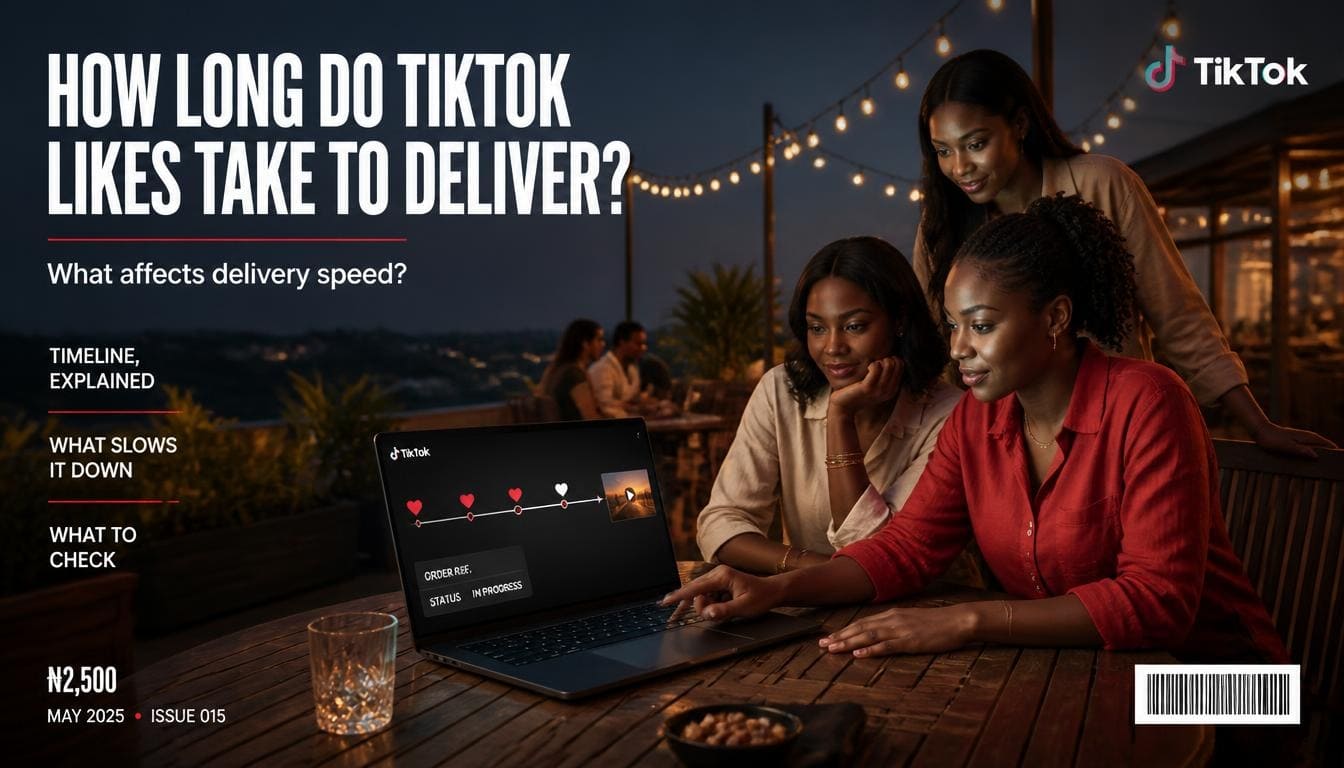
You post a sharp skit from your apartment in Lekki, or you upload a fresh product showcase for your thrift store in Yaba. You check your phone after ten minutes, and the heart icon sits stubbornly at zero. Many creators and vendors across Lagos, Abuja, and Port Harcourt face this exact silence every single week. Good content often struggles to catch early attention without a little push. When you decide to buy engagement to spark that initial momentum, one practical question immediately comes to mind: How Long Do TikTok Likes Take to Deliver?
Nobody wants to pay hard-earned Naira and stare at a frozen screen in confusion. Whether you run a busy fashion brand in Surulere, promote Afrobeats tracks in Enugu, or build a personal comedy page in Ibadan, timing shapes how well your videos perform. Fast visibility helps your post look active when new viewers scroll past.
Yet, delivery speeds differ based on package size, system queues, and the specific service you select. Clear answers save you from unnecessary panic after checkout. Let us break down exact delivery timelines, compare instant versus gradual options, and show you how to track every single order smoothly.
How Long Do TikTok Likes Take To Deliver?
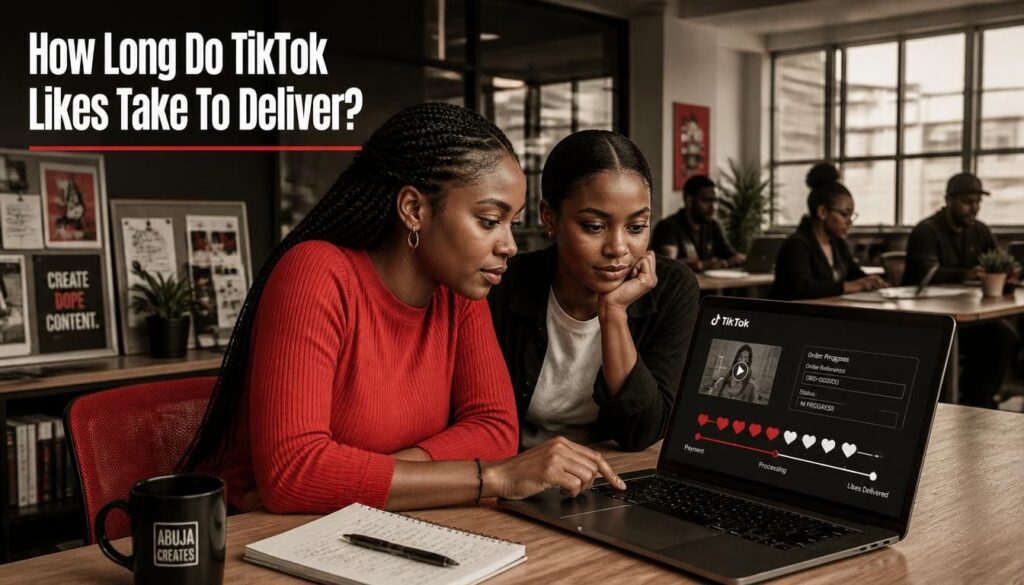
Waiting for your video engagement metrics to update after checkout can feel suspenseful, especially when you want those hearts rolling in right away. Most standard orders kick off almost instantly, but understanding what happens behind the scenes helps you set realistic expectations for your campaign timeline. Knowing how delivery speeds operate keeps you from worrying unnecessarily while your video goes through the queue.
When you submit a link, the system checks your video details and routes the request into an active processing queue. Smaller quantities of hearts usually finish rolling in within a few minutes, while massive bulk packages use gradual distribution waves to keep your video metrics looking completely natural.
- Initial server response time typically takes between one to fifteen minutes after checkout before the first wave of engagement hits your video.
- Small package delivery speed usually wraps up within an hour for standard orders under one thousand hearts.
- Large bulk order pacing spreads out deliveries over several hours or days to maintain organic growth patterns and protect your account safety.
- Network queue congestion during peak evening hours can occasionally slow down processing speeds across external provider networks.
- Video privacy settings must remain completely public during the entire delivery window, because restricted or private links will automatically pause your order.
Keeping your video accessible ensures that automated delivery nodes can distribute hearts without interruption. Rushing a campaign with incorrect link formatting or switching your video to private halfway through will only stall your progress and require a quick support ticket to clear up.
Patience pays off when letting engagement campaigns run their course naturally. Most orders complete smoothly within the estimated delivery window, giving your content the immediate social proof boost it needs to catch the algorithm’s attention. If your delivery seems stuck long past the expected timeframe, your dashboard tracking tools make it easy to inspect your order status and request assistance right away.
How Does TikTok Likes Delivery Work After Payment?
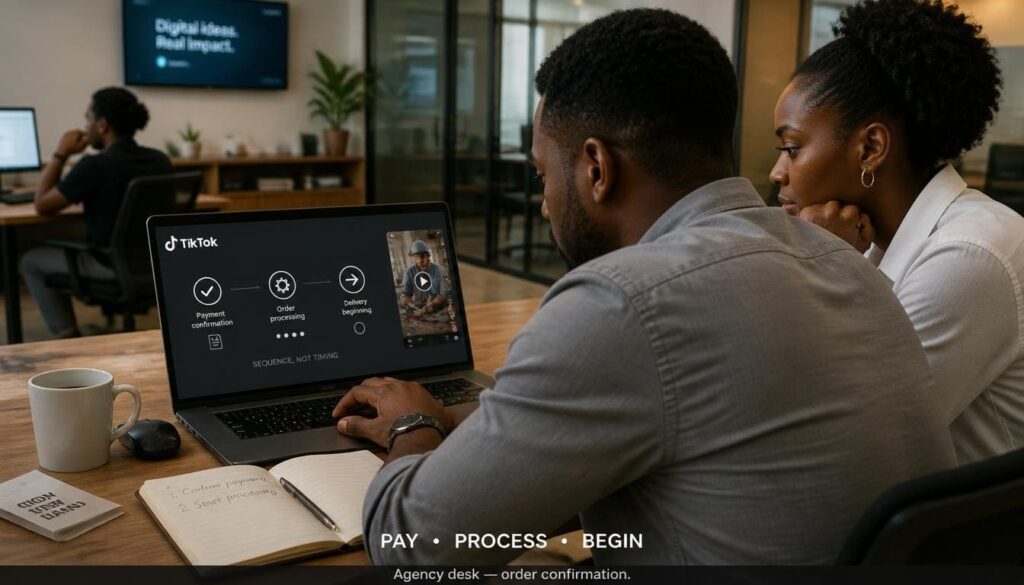
When you place an order for TikTok likes, an automated system immediately checks your submission details before sending your video link into the active delivery queue.
Here is the exact sequence that happens after your payment clears:
- Order Verification: The platform checks that your video link is valid, properly formatted, and set to public visibility. Private accounts or broken URLs automatically pause the system.
- Queue Assignment: Your request enters a priority queue matched to the specific service tier you selected, whether standard speed, high-speed, or drip-feed.
- Initial Engagement Trigger: Active accounts begin interacting with your video link. This is when you notice the first jump in your heart count.
- Completion & Status Update: Once the system delivers your exact ordered quantity, your dashboard status switches from In Progress to Completed.
For beginners, TikTok likes order processing time is largely hands-off. You never need to share your password or approve login prompts, because the system only interacts with your public video URL. When scaling your overall reach, exploring tools like the TikTok Growth Service in Nigeria helps streamline your content strategy across multiple channels.
How Long Does It Take To Deliver 1,000 TikTok Likes?
A standard order of 1,000 TikTok likes typically takes between 15 minutes and 2 hours to complete.
If you select an instant-start package, the first 100 to 200 likes often appear within five to ten minutes. The remaining hearts follow steadily until the full 1,000 count reflects on your video. On the other hand, if you choose a high-retention or gradual service designed to mimic organic discovery, that same 1,000-like order might spread evenly across 4 to 6 hours.
For a Lagos skincare vendor launching a weekend promo video, a 30-to-60-minute turnaround hits the sweet spot. It gives the post enough early social proof to encourage real shoppers to stop scrolling and check the price list in the comments. According to recent digital marketing insights reported by Statista on social media usage, short-form video engagement peaks significantly within the first hour of publication, making prompt initial delivery vital for algorithm traction.
When scaling your overall reach, exploring tools like the TikTok Growth Service in Nigeria helps streamline your content strategy across multiple channels. You never need to share your password or approve login prompts, because the system only interacts with your public video URL. Maintaining a consistent balance between organic community building and strategic boosts ensures your account remains healthy, active, and fully optimized for steady long-term growth.
How Long Can Large TikTok Likes Orders Take?
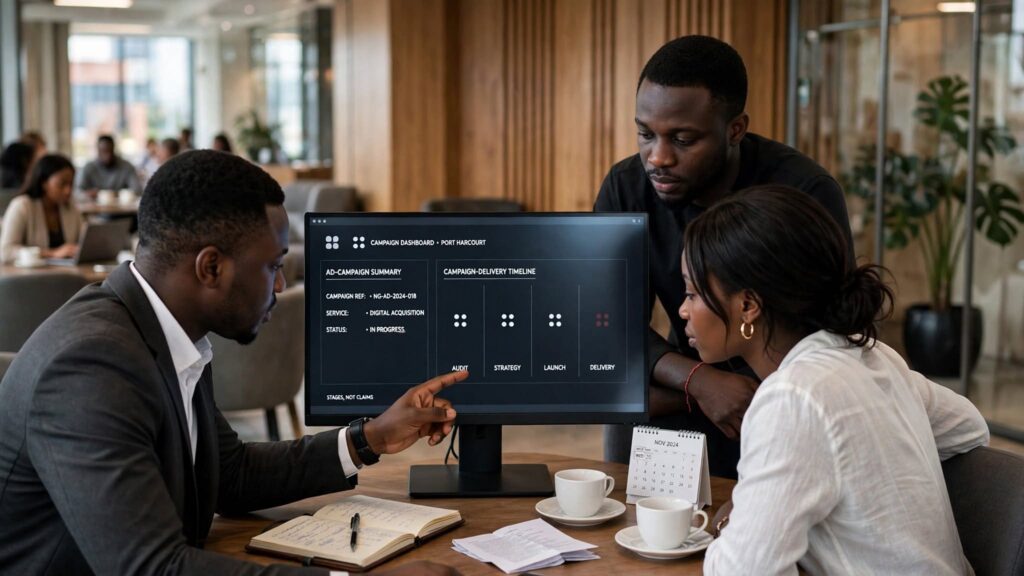
Orders ranging from 5,000 to 50,000+ TikTok likes usually take anywhere between 12 hours and 5 days to finish completely.
Providers intentionally avoid dumping 20,000 likes onto a single video within three minutes. Sudden, unnatural spikes look suspicious to TikTok’s automated spam filters and can trigger temporary engagement freezes or count removals. Instead, large orders run on controlled daily limits, such as 2,000 to 5,000 likes per 24-hour cycle, until the entire package finishes.
If you are an upcoming artist in Benin City pushing a new sound challenge and order 10,000 likes, expect consistent upward movement over one to two full days rather than an overnight explosion. Reviewing structured resources on how to promote a TikTok video in Nigeria ensures you handle bulk engagement safely without triggering platform restrictions.
Planning ahead makes all the difference when you run multi-city music campaigns or major online store sales. If your brand drops a major announcement video on Friday afternoon, scheduling your bulk boost ahead of time guarantees that your engagement curve ramps up smoothly alongside your organic traffic.
Keeping your video link public and monitoring your dashboard status indicators helps you stay fully informed while the delivery network handles the heavy lifting behind the scenes. Reviewing structured resources on how to promote a TikTok video in Nigeria ensures you handle bulk engagement safely without triggering platform restrictions.
What Factors Affect TikTok Likes Delivery Speed?
Waiting for your video engagement metrics to update after checkout can test your patience, especially when you want those hearts rolling in right away. Understanding the core mechanics behind delivery queues helps you set realistic expectations for your campaign timeline without any unnecessary worry. Several technical and platform-level variables determine how TikTok likes arrive on your post every single time you launch a campaign.
- Order Volume: Larger quantities naturally take longer to distribute safely than small test batches of 100 or 500 likes.
- Service Tier Selection: Budget packages often move at standard queue speeds, while premium or priority services route through faster servers.
- TikTok App Updates: Whenever TikTok rolls out major algorithm patches or server maintenance, third-party delivery networks temporarily slow down to adapt safely.
- Peak Traffic Hours: Orders placed during high-traffic evenings or major viral trends may experience slightly longer queue times before starting.
- Account Privacy & Link Accuracy: Any restriction on your video, such as age gates, region locks, or switching your profile to private mid-order, halts delivery immediately.
As highlighted in digital industry findings from DataReportal on internet adoption, platform traffic surges during peak evening hours across West Africa can introduce minor queue delays, making patience an asset when running large promotional campaigns.
Running a successful promotion requires balancing your delivery speeds with natural account activity patterns. When you place an order, the system processes your link and slots it into an active network queue designed to protect your account safety. If you submit a massive bulk package, the system spaces out the delivery over several hours or days to prevent automated spam filters from flagging your content. Small batches of hearts, on the other hand, finish rolling in almost instantly because they require minimal network bandwidth.
Keeping your video link accessible and avoiding sudden privacy setting changes ensures that automated delivery nodes can distribute hearts without interruption. If your delivery seems to stall past the expected timeframe, checking your dashboard tracking tools provides instant clarity on your order status. Understanding these operational factors allows you to plan your content schedules effectively, giving your videos the strong social proof boost they need to capture organic traction.
What to Compare Between Instant And Gradual TikTok Likes Delivery
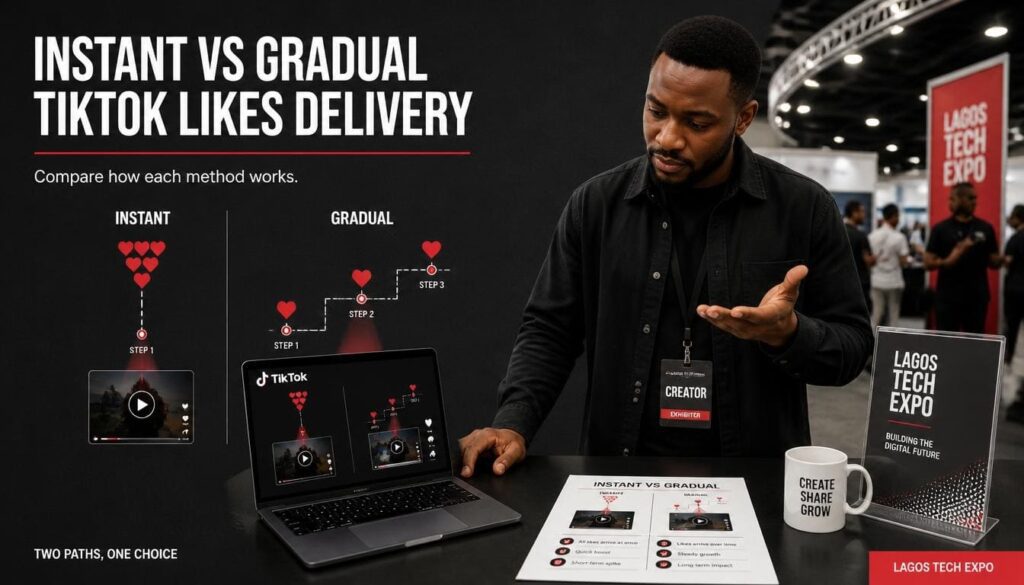
Choosing between instant and gradual delivery comes down to balancing immediate visibility with natural-looking account growth. Both options have clear advantages depending on the age of your video and your overall marketing goal.
| Feature | Instant TikTok Likes Delivery | Gradual (Drip-Feed) Delivery |
| Start Time | 1 to 10 minutes after payment | Scheduled intervals, such as every 30 to 60 minutes |
| Best For | Time-sensitive promos, live trends, flash sales | Brand-new videos, large orders, long-term safety |
| Engagement Pattern | Rapid surge of hearts in a short window | Steady, organic-looking climb over hours or days |
| Risk of Algorithm Flag | Moderate if ordered in huge quantities on new posts | Very low due to natural pacing |
What Is Instant TikTok Likes Delivery?
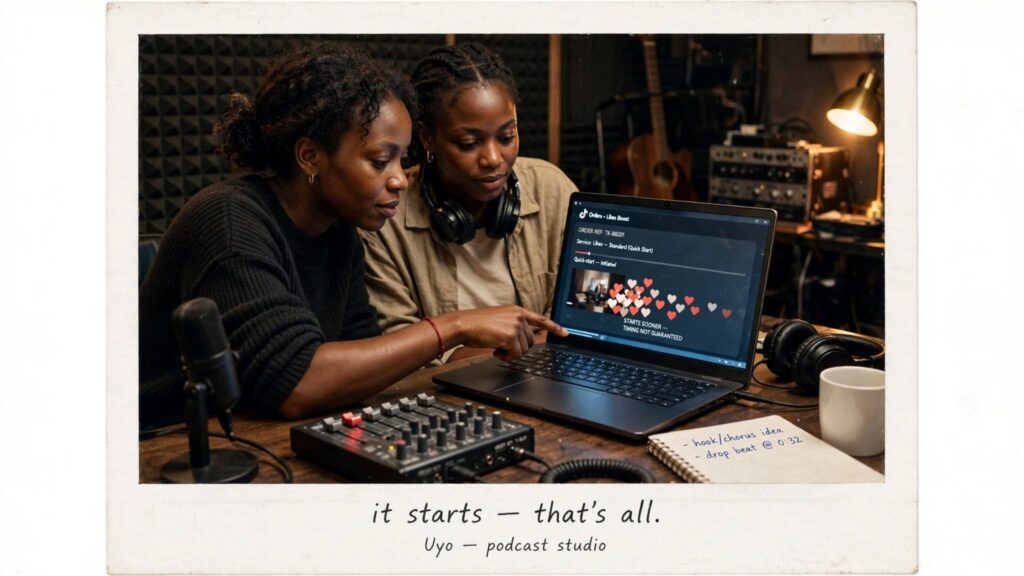
Instant TikTok likes delivery is a high-speed service where the system begins sending likes to your video almost immediately after your order is confirmed. Instead of spacing out interactions, the network pushes your requested likes through as quickly as the servers allow.
If you order 500 instant likes, you might watch your counter climb in real time while sitting in traffic on Third Mainland Bridge. This option works best when you need rapid social proof, such as right after posting a time-limited discount code or jumping on a fast-moving sound trend.
When you choose a rapid fulfillment package, understanding the core characteristics and operational features helps you decide if it matches your promotional strategy.
- Immediate queue entry ensures your order starts processing within seconds of successful payment confirmation without any manual delays.
- High-velocity distribution routes interactions rapidly to your target video URL to maximize early algorithm momentum.
- Real-time counter movement lets you watch your engagement numbers climb almost instantly right inside your app dashboard.
- Time-sensitive campaign support provides the quick social proof needed for flash sales, live broadcasts, or trending audio challenges.
- Password-free processing relies exclusively on your public video link, keeping your account secure and protected against unauthorized access.
- Instant verification tracking allows you to confirm delivery progress immediately through your active dashboard logs.
While rapid fulfillment provides an incredible surge for viral moments, weighing your options carefully ensures you choose the right pacing for your specific content goals. Fast delivery works wonders for promotional announcements where immediate audience validation drives conversions, whereas slower drip campaigns suit creators building long-term account authority.
Balancing your growth strategy keeps your metrics looking natural and maintains steady community trust. Whether you run a quick test batch or power up a major product drop, knowing how rapid fulfillment operates gives you complete control over your social media presence.
How Does Drip-Feed TikTok Likes Delivery Work?
Drip-feed TikTok likes allow you to break a single order into smaller, scheduled batches delivered over a set period.
Rather than receiving 2,000 likes at once, you can configure your order to deliver 200 likes every hour for 10 hours. This mirrors how real people discover a good video on their For You Page, as a few viewers double-tap at first, share it with friends, and waves of new viewers like it throughout the afternoon and evening. For creators focused on TikTok, likes, quality, and retention, drip-feed delivery is widely considered the cleanest approach.
Understanding how fractional distribution operates helps you protect your engagement metrics from looking artificial. When a brand-new post receives thousands of interactions in a single minute, automated spam filters often flag the spike and pause distribution until manual reviews clear the account. Pacing your likes across hours or even days ensures your analytics match organic growth patterns, signaling to the algorithm that your content deserves wider organic promotion.
Using scheduled delivery offers several distinct advantages for growing creators and online businesses:
- Natural growth simulation spreads your incoming likes across realistic intervals that mimic genuine audience discovery.
- Algorithm protection prevents sudden traffic spikes that might trigger automated security holds or temporary visibility restrictions.
- Sustained momentum keeps your video active in recommendation queues longer as engagement trickles in consistently throughout the day.
- Custom pacing control lets you tailor delivery speed to match your unique content schedule and promotional targets.
- Stress-free scaling allows you to launch large multi-thousand like campaigns without worrying about sudden drops or penalties.
Balancing your promotion strategy with controlled delivery intervals gives your content the best possible chance of going viral sustainably. Whether you run a lifestyle channel or manage an e-commerce storefront, pacing your engagement ensures steady, reliable visibility.
Which Delivery Method Is Better For New Videos?
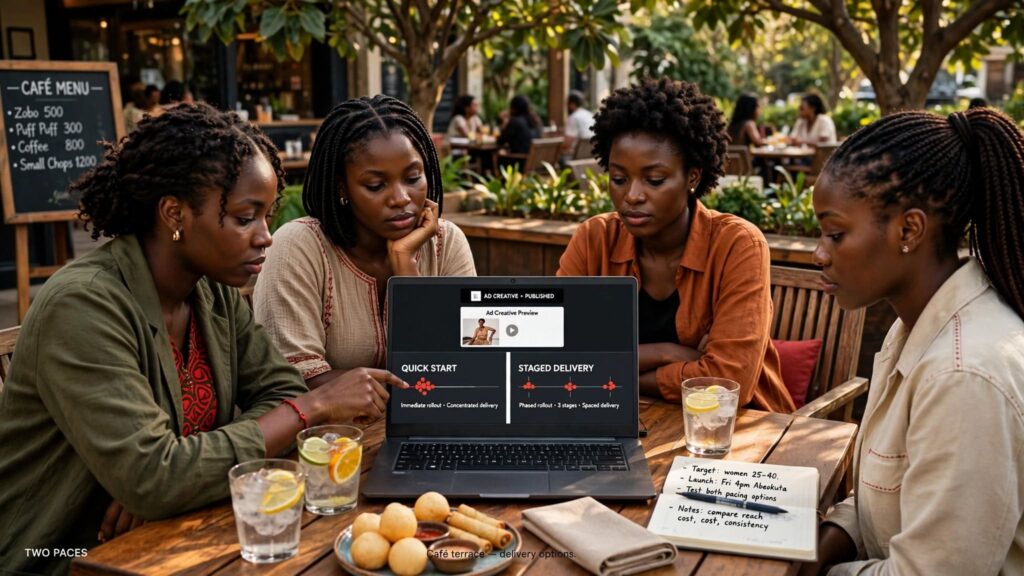
For a video uploaded less than 30 minutes ago, gradual or drip-feed delivery is almost always the smarter choice. When a brand-new post has only 12 views and suddenly receives 3,000 likes in four minutes, the numbers do not match up. Both human viewers and TikTok’s system notice when likes heavily outnumber video views. Pairing gradual likes with a natural view boost ensures your engagement ratio stays balanced while the video gains traction.
Choosing the right delivery speed protects your content from automated spam flags and builds genuine momentum. When you upload fresh content, the algorithm tests your video on a small batch of users. Dumping an immediate mountain of interactions onto an untested post signals abnormal activity, which can trigger an algorithmic pause. Staggering your likes allows the algorithm to evaluate viewer retention naturally while your engagement metrics climb step by step.
- Natural ratio alignment keeps your like-to-view proportions realistic, preventing suspicious spikes that attract unwanted scrutiny from automated platform filters.
- Algorithm trust building signals to the recommendation system that your content receives steady, organic appreciation from active platform users.
- Extended discovery windows keep your video active in recommendation queues longer as interactions trickle in consistently throughout the day.
- Reduced drop-off risks prevent sudden engagement freezes that often happen when massive interactive volume hits a brand-new upload too quickly.
- Stress-free campaign scaling lets you support your promotional goals safely without worrying about unexpected visibility restrictions or penalties.
Balancing your engagement strategy gives your creative work the best possible foundation for sustainable growth. Whether you share funny skits, music clips, or product showcases, matching your delivery method to your video age ensures smooth, reliable performance. Taking a measured approach protects your account health and keeps your audience engagement looking completely authentic from day one.
Why Do Some TikTok Likes Arrive In Batches?
Watching your video engagement numbers trickle in through distinct waves rather than all at once can feel puzzling when you expect an immediate, massive surge. Understanding the mechanics behind delivery patterns helps you appreciate why structured pacing protects your content and mimics organic audience behavior.
The primary reason interactions arrive in scheduled waves is to safeguard your account against automated security flags. When a platform’s algorithm detects an unnatural mountain of engagement hitting a freshly posted video within seconds, it often triggers temporary visibility restrictions or pauses distribution entirely. Spacing out your interactions into manageable groups prevents sudden algorithmic shocks.
- Algorithm protection ensures your video metrics grow safely without triggering automated spam filters or sudden engagement freezes.
- Natural traffic simulation mimics how real users discover content organically throughout the day as shares and recommendations pick up steam.
- Server load management prevents network congestion on delivery nodes by distributing heavy workloads across stable, timed intervals.
- Gradual momentum building keeps your video active in recommendation queues longer as likes trickle in consistently rather than vanishing all at once.
- Quality control checks allow the delivery system to verify each interaction batch, ensuring your order maintains a high retention rate from start to finish.
Structuring delivery this way gives creators absolute peace of mind while running campaigns. Whether you manage a small brand page or promote viral music challenges, timed batches ensure your engagement metrics look completely authentic to outside viewers and platform systems alike.
Maintaining a steady, controlled growth pattern builds long-term account authority and keeps your content performing smoothly. Knowing that your likes arrive through carefully monitored intervals allows you to focus on creating great videos while your dashboard handles the heavy lifting safely behind the scenes.
Should You Choose Instant Or Gradual Delivery?
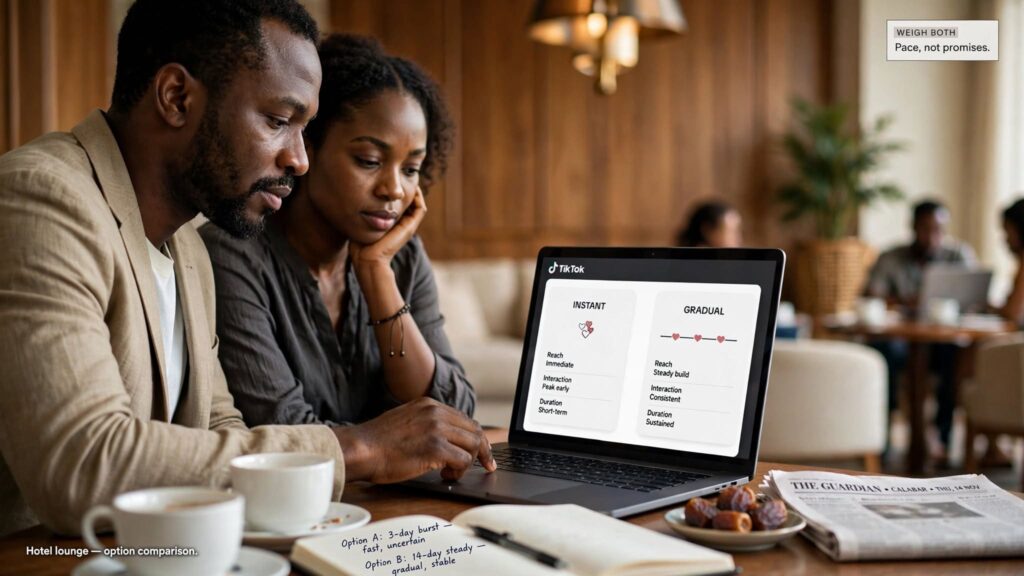
Choosing between instant fulfillment and staggered pacing depends entirely on the age of your content and your immediate marketing goals. Picking the wrong speed can make your numbers look out of balance, whereas aligning your choice with your upload timeline keeps your engagement metrics looking completely natural. Evaluating the strengths of both approaches helps you decide which method fits your next campaign.
Instant delivery works best when you need rapid social proof right away, such as launching a limited-time discount code or participating in a fast-moving trend. When a post needs immediate validation so prospective buyers trust your storefront, dumping likes quickly pushes your numbers up on the spot. On the other hand, gradual pacing spreads your order across hours or days, mimicking how real people discover content organically over time.
Understanding the key differences between these two options ensures you protect your account health while boosting your reach:
- Instant delivery speed pushes interactions through immediately, giving your content rapid social proof for flash sales and urgent promotions.
- Gradual distribution pacing spreads your likes across steady intervals, keeping your growth curves looking natural and balanced.
- Algorithm safety measures benefit heavily from staggered pacing because slow delivery prevents suspicious spikes that trigger automated spam flags.
- Content age considerations dictate your choice since brand-new uploads require gentle pacing while established posts handle fast boosts easily.
- Long-term account authority improves when you match your delivery method to your actual video view counts and organic traction.
Weighing these factors carefully allows you to build a reliable promotion routine that supports your creative work without risking visibility restrictions. Whether you run a busy online shop or share lifestyle clips, selecting the correct speed gives your videos the best possible foundation for sustainable growth.
How To Track TikTok Likes Delivery With Sizzle Social
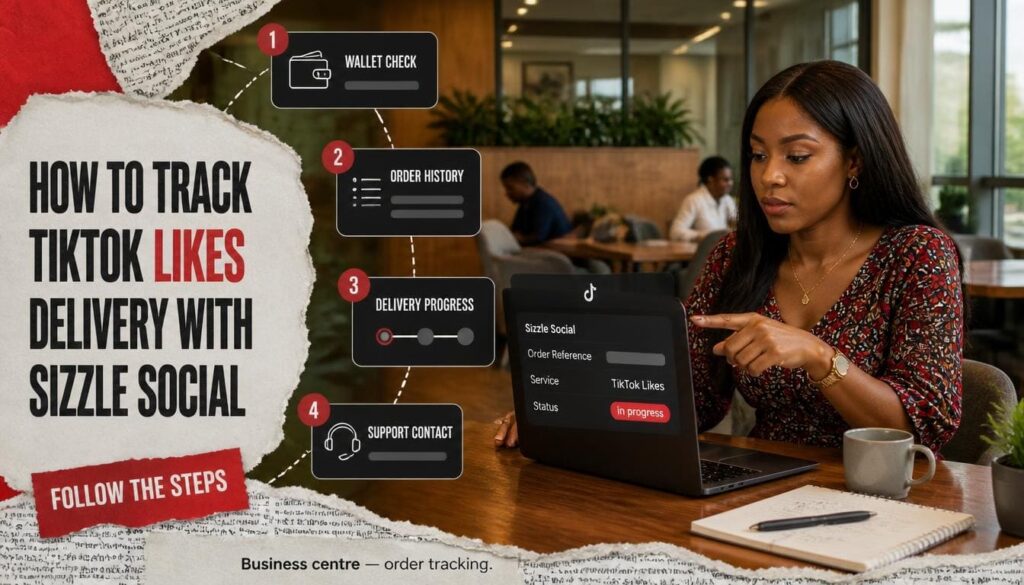
Keeping a close eye on your promotional campaigns removes all the guesswork and gives you absolute peace of mind when boosting your content. When you use Sizzle Social to grow your online presence, tracking the exact progress of your engagement is straightforward, transparent, and built directly into your user dashboard. Knowing how to monitor your numbers ensures you always stay completely informed from the moment you submit a link until the final heart lands on your video.
Every order you place generates a dedicated tracking log that records essential metrics right from the start. The moment our system accepts your video URL, it captures your initial engagement baseline, allowing you to measure incoming growth accurately against your target quantity. Instead of wondering if your campaign started moving, you can open your dashboard history to view real-time status updates, remaining quantities, and completion markers at a glance.
Having these transparent tracking features right at your fingertips means you never have to guess about campaign performance. Whether you manage a busy brand page or promote viral music clips, automated tracking gives you total clarity. If a network delay or minor platform glitch ever causes a partial delivery, our system calculates the exact difference and credits your wallet automatically, keeping your promotional journey smooth, reliable, and completely stress-free.
Step 1: Log In And Check Your Sizzle Social Wallet
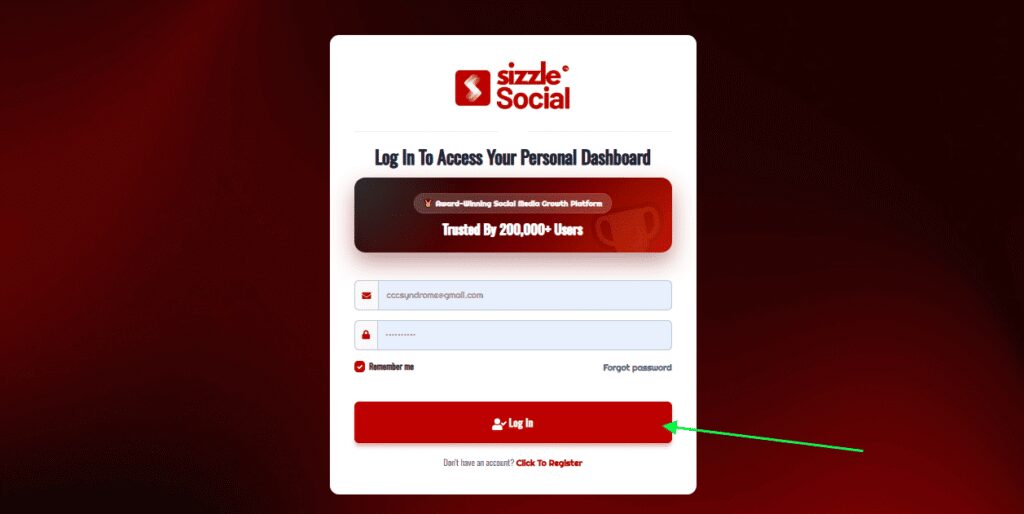
Start by logging into your dashboard at Sizzle Social Login. Before or after placing an order, verify your wallet balance to confirm that your Naira payment, whether funded via local bank transfer, card, USSD, or crypto, cleared properly and deducted the exact service cost. Confirming your wallet transaction ensures your order was officially submitted rather than left in draft mode.
Step 2: Open Your Order History And Find The TikTok Likes Order
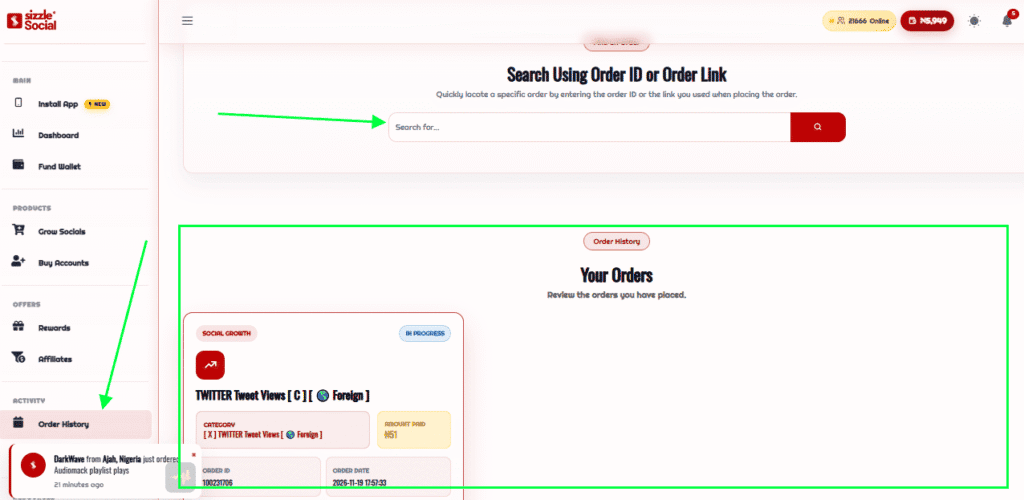
Navigate to the Orders or Order History tab on your dashboard menu. Every campaign you submit receives a unique Order ID, along with the timestamp, service name, submitted TikTok video URL, and ordered quantity. If you run multiple promotions across different pages, use the search bar or filter by service category to locate your specific TikTok likes order in seconds.
Step 3: Review Your Order Status And Delivery Progress
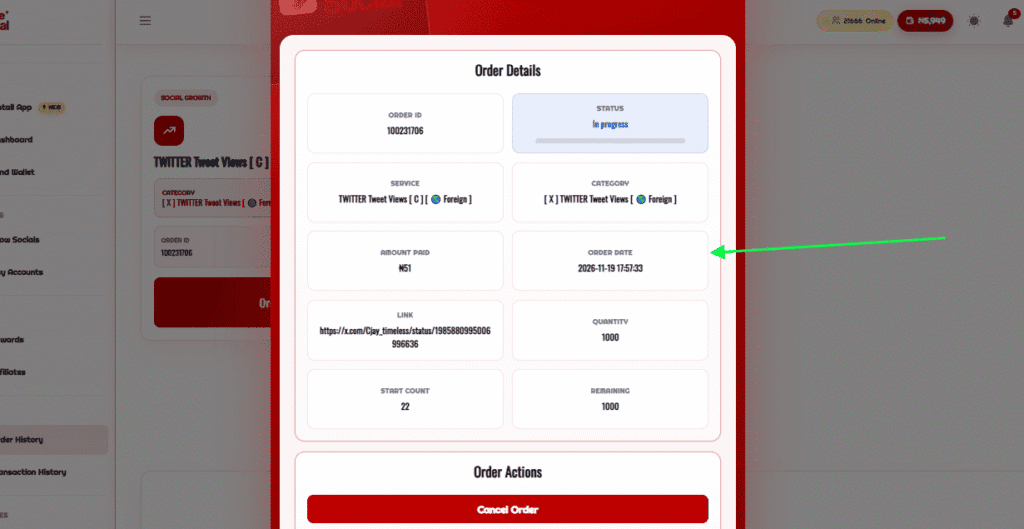
Next to your Order ID, check the live status badge to understand exactly where your delivery stands:
- Pending: Your order is in the system queue and preparing to launch.
- In Progress: Likes are actively being delivered to your TikTok video. You can also check the Start Count and Remains columns to see how many hearts have landed so far.
- Completed: All ordered likes have been successfully delivered to your post.
- Partial: The system delivered part of your order and automatically refunded the undelivered balance back to your Sizzle Social wallet.
- Canceled: The order could not run, often due to a private account or invalid link, and your full payment has been returned to your wallet balance.
Step 4: Contact Support If Delivery Is Delayed Or Incomplete
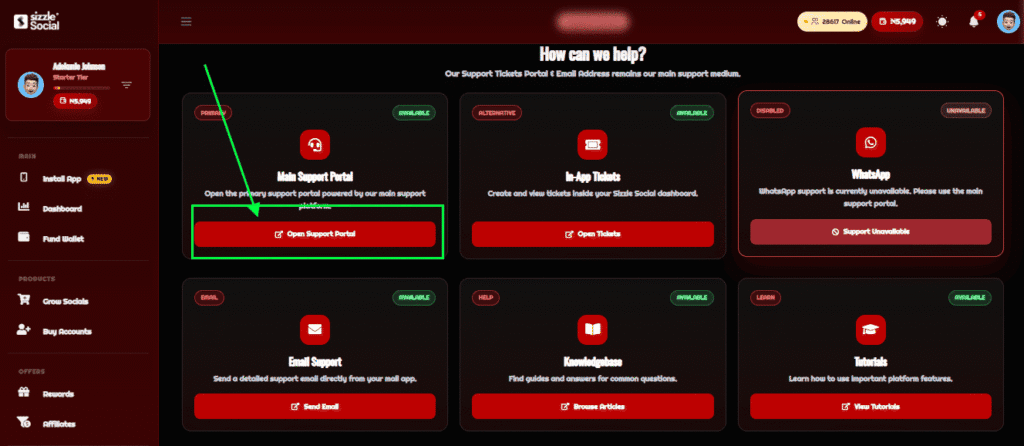
If your order remains Pending well beyond the estimated start window listed in the service description, or if it stalls halfway without switching to Partial, reach out to Sizzle Social’s 24/7 Nigerian support team via live chat, ticket portal, or WhatsApp. Because our support team understands local payment networks and creator timelines, you get fast human assistance rather than automated dead ends.
What Details Should You Provide When Reporting A Delivery Problem?
Submitting a support request when an engagement order runs into trouble goes much faster if you provide the exact details customer care agents need to inspect your backend logs. Because this specific heading contains the word what, a structured breakdown of essential information helps you communicate clearly, eliminate guesswork, and get your campaign sorted out without unnecessary back-and-forth messaging.
When you open a support ticket through your dashboard, sharing the right identifiers allows the technical team to pull up your transaction records instantly. Support agents manage hundreds of requests daily, so giving them precise data ensures they can trace your link, verify server routing performance, and fix any delivery hiccups on the spot.
- Your unique Order ID serves as the primary reference key that links directly to your transaction history and backend processing logs.
- The exact video or profile URL submitted during checkout allows support agents to test link accessibility and check for typos or private settings.
- Your recorded start count provides the necessary baseline figures needed to calculate any delivery shortfalls accurately.
- A clear description of the current issue explains whether your order shows as completed, stuck on processing, or partially delivered.
- Screenshots of your dashboard or mobile app view offer visual proof of your current follower or like count if a client-side display lag occurs.
- Your account username helps the team cross-reference your profile quickly if any manual queue adjustments become necessary.
Providing these key pieces of information saves valuable time and prevents agents from having to ask follow-up questions before investigating your case. Clear communication helps support staff verify whether your order experienced a network queue delay, a partial delivery shortfall, or an automated platform security pause.
Knowing what details to include transforms a frustrating support experience into a quick, straightforward fix. Whether you manage a growing business page or promote personal content, having your order credentials ready keeps your campaigns running smoothly and ensures your social media growth stays completely under control.
Why Your TikTok Likes May Be Delayed
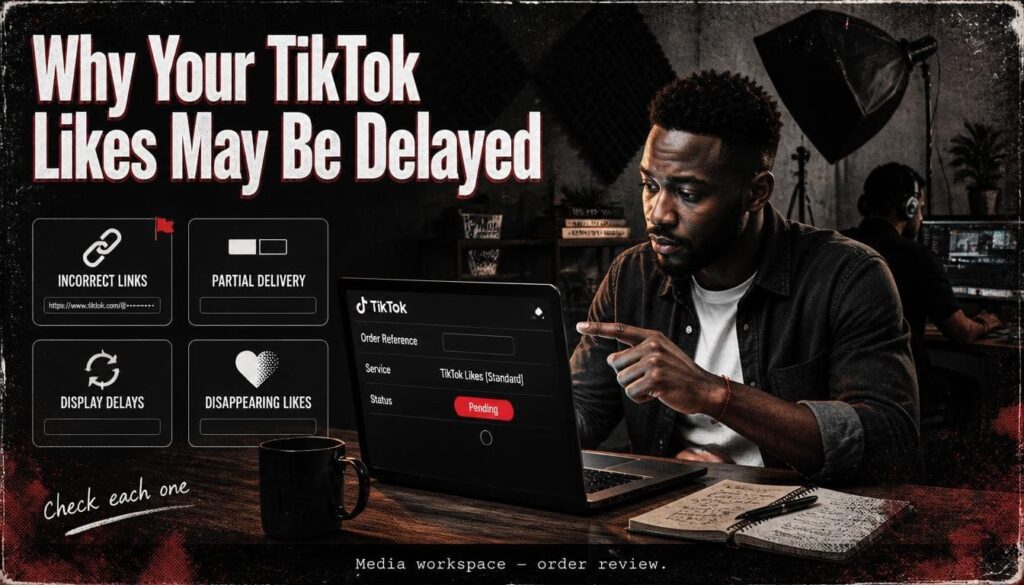
Watching your engagement numbers sit stagnant after checkout can test your patience, especially when you want your content to gain momentum right away. Knowing the underlying mechanics behind queue processing helps you understand why minor delays happen and how delivery networks handle your promotional requests. Several technical and platform-level variables explain why your engagement metrics might take a little longer to appear on your screen.
Understanding the reasons behind slow processing ensures you can manage your campaign schedules without unnecessary worry. When you submit a video link, the system routes your request through an automated queue designed to protect your account safety and distribute interactions smoothly.
Knowing these contributing factors allows you to monitor your campaigns effectively and take corrective action if something stalls. Keeping your video link public and giving your delivery network adequate time to process larger packages ensures your content receives the steady support it needs.
If a delivery runs past the expected timeframe, your dashboard tracking tools make it simple to inspect order statuses or submit a quick support ticket for assistance. Maintaining realistic expectations about queue pacing helps you run successful promotions and keeps your social media growth completely under control.
Why Is Your TikTok Likes Order Still Pending?
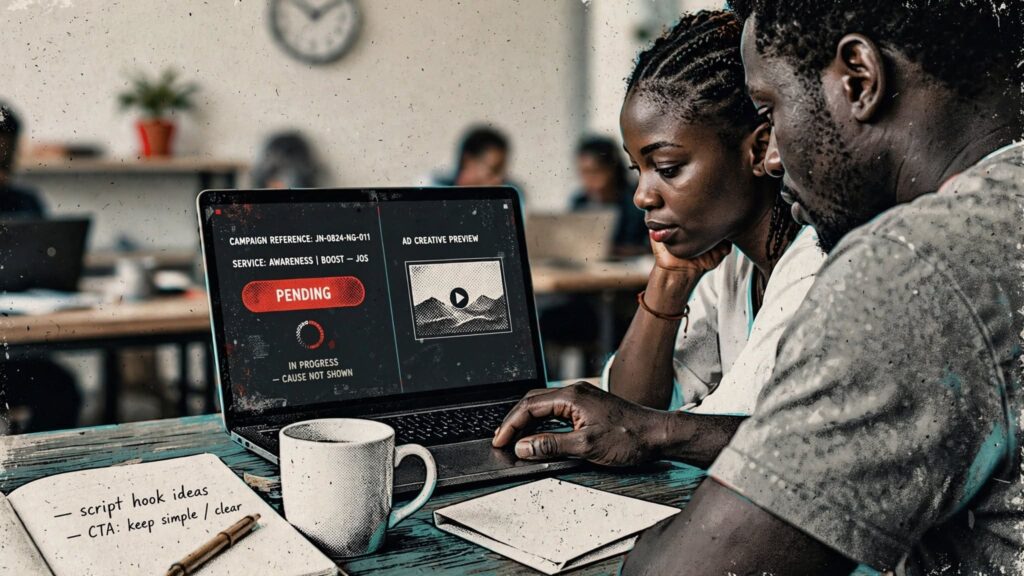
Watching your engagement dashboard display a pending status on an active purchase can test your patience, especially when you want your content to gain momentum right away. Understanding why your transaction sits in a processing queue helps you manage your publishing schedule without unnecessary stress or confusion. Several practical factors explain why orders remain unfulfilled before the system begins distributing interactions.
Knowing the reasons behind pending transaction statuses ensures you can monitor your campaigns effectively. When you submit a video link, the automated infrastructure routes your request through an active network queue designed to protect your account safety and distribute interactions smoothly.
Knowing these contributing factors allows you to evaluate your dashboard activity accurately and take corrective action if something stalls. Keeping your video link public and giving your delivery network adequate time to process larger packages ensures your content receives the steady support it needs.
If a delivery runs past the expected timeframe, your dashboard tracking tools make it simple to inspect order statuses or submit a quick support ticket for assistance. Maintaining realistic expectations about queue pacing helps you run successful promotions and keeps your social media growth completely under control.
Can A Wrong Video Link Stop Likes Delivery?
Yes, submitting an incorrect or incomplete URL is the number one reason orders fail or cancel automatically.
If you accidentally paste your general profile link (tiktok.com/@username) instead of the direct video link (tiktok.com/@username/video/123456789), the system cannot detect which post should receive the hearts. Always tap the Share button directly on the specific TikTok video and select Copy Link before pasting it into the order form.
Submitting an incorrect profile link during checkout can completely halt your engagement campaign before it even starts. Automated distribution systems rely entirely on exact URLs to locate your content and route interactions properly. When a single character is missing or pointing to the wrong video, the delivery node fails to find a valid target, leaving your order stuck in a pending state indefinitely.
Checking your submission carefully prevents unnecessary delays and ensures your promotional boost lands on the correct post every single time. Automated fulfillment networks cannot guess which video you intended to promote if the copied address leads to a dead page, a different creator’s account, or a deleted post. This mismatch forces the system to pause execution until human support intervenes or the order times out.
- Broken URL routing errors occur when a copied share link contains extra tracking parameters or missing characters that prevent automated servers from loading the target video.
- Wrong account targeting happens if you accidentally paste a profile link instead of a specific video link, causing engagement to route incorrectly.
- Deleted or private content restrictions mean that even if the link format looks correct, restricted viewing permissions block delivery nodes from accessing the post.
- System queue stalls take effect immediately when a validation check fails, holding your transaction status as pending until support updates the destination.
- Wasted promotional timing results from link errors because your campaign sits idle instead of building momentum during peak audience hours.
Verifying your video address before clicking checkout protects your campaign schedule and ensures your investment delivers results right away. If you notice your order status refusing to budge past processing, double-checking the submitted link against your live app post is always the best first troubleshooting step. Keeping your URLs accurate gives your delivery network a clear path forward, keeping your social media growth smooth and entirely frustration-free.
Why Do TikTok Likes Stop After Partial Delivery?
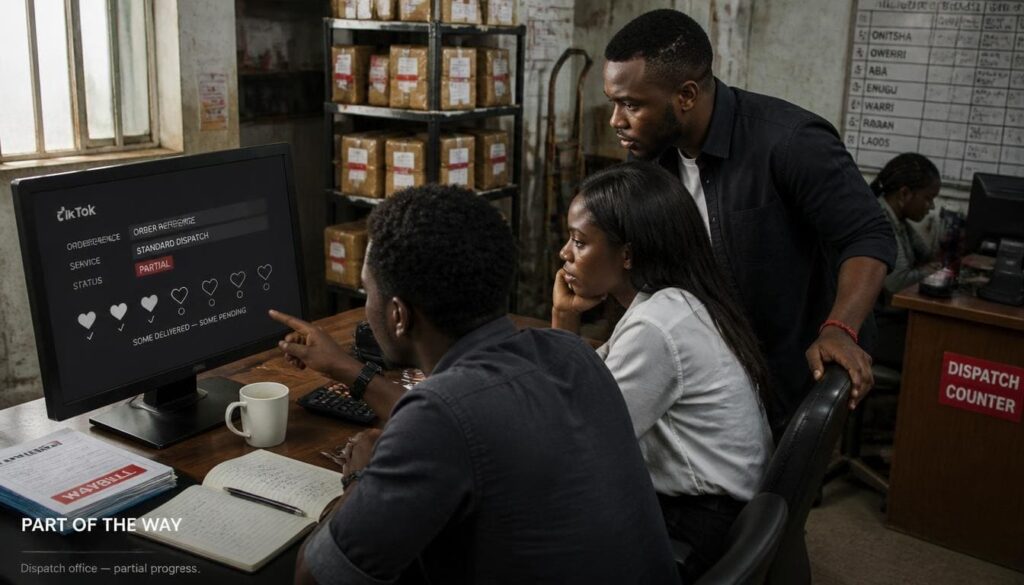
Watching your engagement metrics stall out after receiving only a portion of your purchased order can test your patience, especially when you expect a smooth, complete delivery. Understanding the mechanics behind incomplete transactions helps you solve fulfillment issues quickly and keep your promotional campaigns running smoothly.
There are several practical reasons why an active order might stop mid-delivery before hitting your target number. When delivery nodes experience sudden connectivity drops or platform security updates kick in, the automated system temporarily pauses distribution to protect your account health.
- Account privacy changes, such as switching your video from public to private mid-campaign, instantly cut off external server access and halt delivery.
- Platform algorithm updates or sudden security patches can force delivery networks to pause distribution temporarily until safe routing protocols resume.
- Target video deletion or archiving removes the destination page entirely, making it impossible for automated systems to send the remaining interactions.
- Server synchronization errors between provider databases can cause tracking dashboards to display a partial status prematurely before background queues finish syncing.
- Sudden metric fluctuations or natural drops on the platform can trigger automated safety limits, pausing bulk fulfillment until engagement stabilizes.
- Incorrect initial link parameters or broken URL redirects can cause delivery nodes to lose the correct target destination halfway through a run.
Knowing these contributing factors allows you to check your dashboard logs effectively and verify whether your video settings require an adjustment. Keeping your content accessible and monitoring your campaign status helps you avoid unexpected delivery interruptions.
If your order remains stuck on a partial status past the expected timeframe, your dashboard tracking tools make it simple to inspect transaction records or open a support ticket for assistance. Resolving these minor hiccups quickly ensures your social media growth stays completely under control and delivers the exact results you paid for.
What Should You Do If Your TikTok Likes Disappear?
Watching your video engagement numbers drop suddenly can feel alarming, especially after investing time and effort into your content strategy. When hearts vanish from your active post, understanding the core characteristics of platform adjustments helps you figure out the best course of action. Because this heading focuses on identifying key steps, reviewing the main components of a sudden drop gives you a clear roadmap to handle the situation effectively.
- Temporary display synchronization issues often happen when mobile app caches fail to update properly, making your counters look lower than they actually are.
- Platform spam audits and routine filtering remove unverified interactions automatically, which sometimes causes a sudden dip in total counts.
- Video privacy status changes or restricted viewing settings can temporarily hide engagement metrics from public view until permissions are restored.
- Server-side database updates across external networks occasionally trigger brief reporting delays that resolve themselves once synchronization finishes.
- Automatic refill policy protections allow you to request automated top-ups or check warranty logs directly through your support dashboard if counts drop unexpectedly.
- Direct customer support ticket submissions enable technical teams to inspect your backend transaction records and restore missing engagement quickly.
Recognizing these factors prevents unnecessary panic and gives you practical ways to address missing engagement. When numbers fluctuate, checking your dashboard logs and verifying your video settings helps you determine whether the issue is a simple client-side glitch or a platform adjustment.
Taking a calm, structured approach ensures your social media growth stays protected and steady. Whether you manage a small brand account or run large promotional campaigns, knowing how to respond when numbers dip keeps your online presence secure and fully under control.
What Should You Expect From TikTok Likes Delivery?
Realistic expectations separate smart creators from frustrated buyers. Purchased TikTok likes are a visibility tool designed to strengthen your social proof, improve first impressions, and encourage real viewers to stop scrolling and watch your content. When you understand how long do TikTok likes take to deliver, you can plan your content drops, product launches, and music promotions with confidence instead of guesswork.
Ready to give your next TikTok video the early momentum it deserves? Explore reliable, Naira-friendly TikTok Growth Services on Sizzle Social, choose the delivery speed that fits your goal, and track your results live from start to finish.
Frequently Asked Questions
Most TikTok likes orders begin delivery within 1 to 15 minutes after payment confirmation, while full completion takes anywhere from 10 minutes to 48 hours depending on your order volume and selected speed. Small packages under 1,000 likes usually finish within an hour, whereas larger bulk orders roll out in steady waves to keep your account safe. Once you submit an order, an automated system verifies your video link, assigns it to a priority queue matched to your service tier, begins triggering interactions from active accounts, and updates your dashboard from In Progress to Completed when the exact quantity lands. Delivery speeds also depend on factors such as TikTok app updates, peak traffic hours, link accuracy, and account privacy settings. For beginners, the process is largely hands-off, because you never share a password or approve login prompts. The system interacts only with your public video URL.
A standard order of 1,000 TikTok likes typically takes between 15 minutes and 2 hours to complete. If you select an instant-start package, the first 100 to 200 likes often appear within five to ten minutes, and the remaining hearts follow steadily until the full count reflects on your video. If you choose a high-retention or gradual service designed to mimic organic discovery, that same 1,000-like order might spread evenly across 4 to 6 hours. For a Lagos skincare vendor launching a weekend promo, a 30-to-60-minute turnaround hits the sweet spot, because it gives the post enough early social proof to encourage real shoppers to stop scrolling and check the price list. Short-form video engagement peaks significantly within the first hour of publication, which makes prompt initial delivery important for algorithm traction and for converting casual viewers into paying customers.
Orders ranging from 5,000 to 50,000 or more TikTok likes usually take between 12 hours and 5 days to finish completely. Providers intentionally avoid dumping 20,000 likes onto a single video within three minutes, because sudden unnatural spikes look suspicious to TikTok’s automated spam filters and can trigger temporary engagement freezes or count removals. Instead, large orders run on controlled daily limits, such as 2,000 to 5,000 likes per 24-hour cycle, until the full package finishes. If you are an upcoming artist in Benin City pushing a new sound challenge and order 10,000 likes, expect consistent upward movement over one to two full days rather than an overnight explosion. This pacing protects your account and keeps your engagement ratio believable. Planning your campaign around this timeline lets you align bulk orders with music drops, product launches, and challenge windows without triggering platform restrictions.
Several variables determine how fast likes arrive. Order volume matters most, since larger quantities take longer to distribute safely than small test batches of 100 or 500. Service tier selection also matters, because budget packages move at standard queue speeds while premium or priority services route through faster servers. TikTok app updates and algorithm patches force third-party delivery networks to slow down temporarily so they can adapt safely. Peak traffic hours, such as high-traffic evenings or major viral trends, can add queue delays before your order starts. Account privacy and link accuracy are critical too, because age gates, region locks, a private profile, or switching to private mid-order halts delivery immediately. Finally, an invalid or incomplete video URL causes the system to pause or cancel. Understanding these factors helps you plan around busy periods and set realistic expectations before checkout.
Choosing between the two depends on your video’s age and your marketing goal. Instant delivery starts within 1 to 10 minutes and produces a rapid surge of hearts, which suits time-sensitive promos, live trends, flash sales, and small boosts of 100 to 500 likes on posts that already have solid organic views. Gradual or drip-feed delivery runs on scheduled intervals, such as every 30 to 60 minutes, and produces a steady, organic-looking climb, which suits brand-new videos, large orders of 2,000 or more likes, and long-term account safety. Drip-feed carries a very low risk of algorithm flags due to natural pacing, while instant delivery carries moderate risk if ordered in huge quantities on new posts. For a video uploaded less than 30 minutes ago, gradual delivery is almost always the smarter choice, because a brand-new post with 12 views and 3,000 sudden likes creates a mismatch that both viewers and TikTok’s system notice.
Instant TikTok likes delivery is a high-speed service mode where the system begins sending likes to your video almost immediately after your order is confirmed. Instead of spacing interactions out, the network pushes your requested likes through as quickly as the servers allow. If you order 500 instant likes, you might watch your counter climb in real time while sitting in traffic on Third Mainland Bridge. This option works best when you need rapid social proof, such as right after posting a time-limited discount code or jumping on a fast-moving sound trend. Choose instant delivery if your video already has solid organic views, you are running a 24-hour flash sale, or you ordered a small boost of 100 to 500 likes to kickstart a post. For larger orders or brand-new uploads, gradual delivery is usually safer and more natural-looking.
Drip-feed TikTok likes break a single order into smaller, scheduled batches delivered over a set period. Rather than receiving 2,000 likes at once, you can configure your order to deliver 200 likes every hour for 10 hours. This mirrors how real people discover a good video on their For You Page, as a few viewers double-tap at first, share it with friends, and waves of new viewers like it throughout the afternoon and evening. For creators focused on like quality and retention, drip-feed delivery is widely considered the cleanest approach. It also pairs well with a natural view boost so your engagement ratio stays balanced while the video gains traction. Even when you do not manually select drip-feed, likes often arrive in distinct waves, jumping by 150, pausing, then jumping by another 200, because delivery networks distribute tasks across multiple active user pools to prevent server overload and maintain high account quality.
Even without manually selecting drip-feed, you will often notice your likes arrive in distinct waves, jumping by 150, pausing for ten minutes, then jumping by another 200. This happens for two reasons. First, delivery networks distribute tasks across multiple active user pools to prevent server overload and maintain high account quality, so each pool delivers its share on its own schedule. Second, TikTok’s own app cache updates engagement counters in intervals rather than refreshing on every single tap. Batch delivery is completely normal and actually signals that the system is pacing your order safely. If your dashboard shows steady movement in the Remains column, your order is healthy and needs no intervention. Refreshing your profile repeatedly will not speed it up, and force-closing the app or checking in an incognito browser often gives you a clearer picture of your true live count.
Yes, submitting an incorrect or incomplete URL is the number one reason orders fail or cancel automatically. If you accidentally paste your general profile link instead of the direct video link, the system cannot detect which post should receive the hearts. Always tap the Share button directly on the specific TikTok video, select Copy Link, and paste that exact URL into the order form before checkout. A profile URL points to your whole account, while a video URL contains the unique post identifier the delivery system needs. Also check that no extra caption text or emojis got attached during copying, since TikTok sometimes appends caption text in front of the web address. Trimming everything except the clean URL takes seconds and prevents validation errors. If you notice a mistake after ordering, contact support right away so the stuck order can be canceled and your wallet credited for a fresh, accurate order.
If your dashboard shows Completed but your TikTok app still displays the old number, it is almost always a local app cache delay. TikTok stores temporary display numbers on your phone to save mobile data, so your screen can lag behind what the platform’s servers actually recorded. Force-close the TikTok app completely, clear your app cache in your profile settings under the cache and cellular section, or view your video from a web browser without logging in. In most cases, the updated like count appears immediately once the cache refreshes. You can also compare your dashboard’s Start Count plus Quantity against your live count to confirm the delivery mathematically. If the discrepancy persists after clearing cache and checking from a second device or incognito browser, take a screenshot and contact support with your Order ID so an agent can audit the logs and verify the shortfall.
When an order stops after delivering 60 or 70 percent of your likes, it is usually triggered by a sudden shift in service capacity or a change made to your post mid-campaign. For instance, deleting and re-uploading the video, switching the account to private, or placing duplicate orders for the exact same link across multiple websites at the same time can confuse the start-count tracker. On Sizzle Social, if a server hits capacity mid-way, the system marks the order as Partial and automatically credits your wallet for the undelivered portion so you never lose your funds. To avoid partial deliveries, keep your profile public, avoid editing or deleting the video while the order runs, and never stack identical orders on the same link. Once an order reaches Completed, wait before launching a second campaign on that URL.
An order stuck in Pending usually means one of two things: the specific server is experiencing high order volume following a major TikTok update, or your account settings are blocking incoming engagement. First, check that your TikTok profile is set to Public and that your video has not been placed under review by TikTok for community guideline checks. If your video is live and public, give the queue up to one to two hours during peak periods before opening a support ticket. Read the estimated start window in the service description so you know whether your wait is normal. You can also check the Remains column, because once it starts counting down, delivery is active even if the label still reads Pending. If the maximum start window has fully passed with zero progress, contact support with your Order ID, submitted link, and current like count.
Log into your dashboard and verify your wallet balance to confirm your Naira payment cleared and deducted the exact service cost, which proves your order was officially submitted rather than left in draft mode. Then open the Orders or Order History tab, where every campaign gets a unique Order ID alongside the timestamp, service name, submitted video URL, and ordered quantity. Next to each Order ID, read the live status badge: Pending means queued and preparing to launch, In Progress means likes are actively arriving with Start Count and Remains showing progress, Completed means all likes were delivered, Partial means part was delivered with the balance refunded to your wallet, and Canceled means the order could not run and your full payment was returned. Use the search bar or service filter to find a specific order quickly if you run multiple promotions.
Include four details in your first message so support can resolve the issue on the first reply. First, your Order ID from the Order History table. Second, the exact TikTok video link you submitted. Third, a brief description of the issue, such as an order pending for four hours or stopped at 600 out of 1,000 likes. Fourth, a screenshot of your current video like count if there is a discrepancy between the dashboard status and your TikTok screen. Vague messages without an Order ID force agents to ask follow-up questions before they can even open your file, which adds hours to your wait. With these four items upfront, support can inspect the server queue, verify the submitted URL, compare your start count and current count, and either push the order through, reroute it, or credit your wallet for any undelivered portion.
Realistic expectations separate smart creators from frustrated buyers. Purchased likes are a visibility tool designed to strengthen social proof, improve first impressions, and encourage real viewers to stop scrolling and watch your content. Keep three rules in mind for every campaign. First, match delivery speed to video age, using gradual or drip-feed delivery for brand-new uploads and large orders, while saving instant delivery for smaller boosts on active posts. Second, double-check your link and privacy settings by copying the direct public video URL and avoiding overlapping orders on the same post simultaneously. Third, support great content rather than replacing it, because likes attract initial eyeballs while clear visuals, relatable Nigerian storytelling, and strong hooks turn casual viewers into loyal followers and paying customers. If likes disappear within your refill window, avoid changing your username or making the video private, and use the dashboard refill button or contact support with your Order ID