Table of Contents
Tobi runs a small cake business in Lagos. She posted a new video at 8 p.m., paid for views at 8:05, and refreshed her screen forty times before 8:10. The counter sat still! Her phone grew warm, her patience grew thin, and one question stayed on repeat in her head: how long do TikTok views take to deliver?
Thousands of creators ask the same thing each week. The wait can feel longer than a NEPA outage, though the answer is far kinder. It also matters more than ever. DataReportal’s Digital 2026 report shows 47.8 million adults reachable on TikTok in the country, up 43.4 percent in one year. More creators mean more rivals for every view, and less patience for slow results.
Here is the good news. TikTok views delivery time follows clear rules. Order size, delivery type, and video link all play a part. Some orders finish in minutes, while others take days by design. A clear TikTok views service tells you this up front, so you never refresh a screen until midnight.
So let us clear the air. This guide shows what normal looks like, how to track your order, and what to do when purchased TikTok views refuse to appear.
How Long Do TikTok Views Take to Deliver?
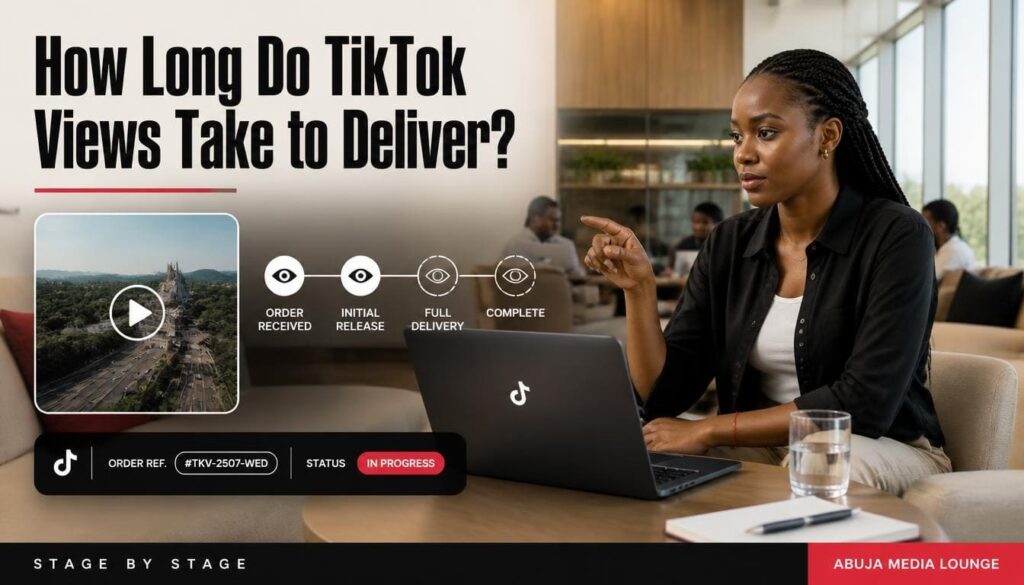
Waiting for views feels odd because TikTok moves fast. A video can gain thousands of plays in an hour, so a delay of ten minutes feels like a crime. Yet delivery is not one fixed number. It depends on the service, the order size, and the delivery setting you choose. Think of a Lagos road trip: the same distance can take twenty minutes on a quiet Sunday or two hours on a Friday evening. This section explains what happens after payment, how small and large orders differ, and which factors speed up or slow down TikTok views delivery time.
How Does TikTok Views Delivery Work After Payment?
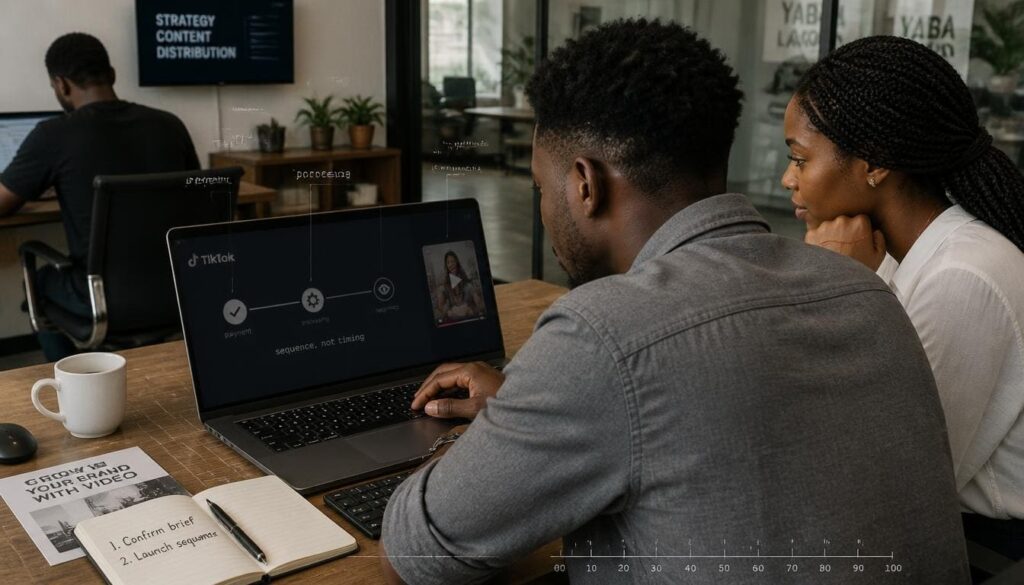
The process is simpler than most beginners expect. Once payment clears, the order joins a queue. The system then checks the video link, confirms the service type, and passes the order to the delivery network. Only after that does the view counter begin to move.
This is why the first few minutes can look quiet. Nothing is broken! The order is simply being handled, and TikTok views order processing time is part of the total wait. For Naira payments made by bank transfer, confirmation can take a few minutes longer than a card payment, so the clock really begins when the payment clears.
Here is the usual order of events:
- Payment is confirmed. Your wallet or card payment must clear first.
- The order is queued. Busy hours can lengthen this stage.
- Delivery begins. Views arrive at the pace set for that service.
- The count updates. The number on TikTok can lag behind the number on your order page.
That last step surprises many people. A view may be delivered, yet the public counter can take a while to catch up. So a frozen screen does not always mean a failed order.
A short, honest note belongs here. TikTok says it does not allow fake engagement, including services that artificially lift engagement. Speed is one question; account safety is another. Weigh both before you order, and read Is Using a TikTok SMM Panel Safe in Nigeria? for the full picture.
How Long Does It Take to Deliver 1,000 TikTok Views?
Small orders usually move fastest. For 1,000 TikTok views, many services report delivery from a few minutes to a few hours. That range is a general pattern, not a promise from any one provider. Always read the estimate on the service page at the time of ordering.
Why so quick? A small order needs little work. There are fewer views to spread, and fewer chances to hit a limit. Even so, speed depends on the delivery type. An instant setting may finish within the first hour, while a gradual setting may stretch the same 1,000 views across a full day.
Take Emeka, a skit maker in Port Harcourt. He posts a comedy clip and orders 1,000 views on an instant setting. Within the first hour, the count climbs steadily. Had he picked a gradual option, the same views would have trickled in over many hours, and he might have panicked for no reason!
Here is a simple way to judge a small order:
- First 30 minutes: the status should move from pending to in progress.
- First few hours: the count should show clear movement.
- Same day: many small orders are complete by now, unless the service states a longer window.
If nothing changes after the time stated on the service page, check the video link first. Then contact support. Later in this guide, you will see exactly how to do that. For now, the honest answer to how long does it take to get TikTok views on a small order is this: quick, but never identical for every order.
How Long Can 10,000 TikTok Views Take to Arrive?
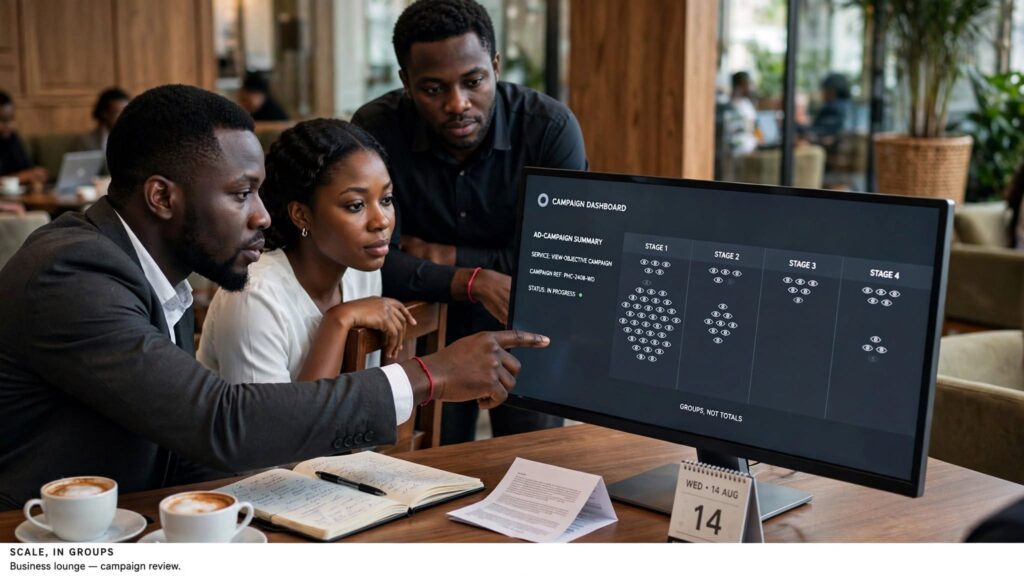
Larger orders need more time. A package of 10,000 TikTok views can take from several hours to a few days on many services, especially when the provider spreads delivery on purpose. Again, treat this as a general range and check the stated estimate before you pay.
The reason is plain. Ten times the views means ten times the work, and large orders are often released in steps. Splitting delivery also looks more natural on a public counter. A video that jumps from 200 to 10,200 in five minutes draws attention, and not always the kind you want.
Think of jollof rice for a wedding party. A small pot cooks quickly, but a party-size pot needs patience, and lifting the lid every five minutes only slows things down. Views behave the same way. Refreshing every minute changes nothing except your stress level.
For large orders, plan like this:
- Order early. Place the order before you need the numbers, such as before a product launch.
- Read the estimate. Note the stated start time and finish window.
- Check once or twice a day. Constant checking helps nobody.
- Escalate when needed. If progress stops well beyond the stated window, contact support.
Creators who plan for TikTok views delivery time for large orders avoid most disappointment. Our guide on buying 10K TikTok followers uses the same thinking for a big package: set expectations first, then order.
What Factors Affect TikTok Views Delivery Speed?
Several things decide how fast views arrive. Some sit with the provider, and others sit with you. Knowing both sides helps you set fair expectations and spot real problems early. Here is a quick summary of what affects TikTok views delivery:
| Factor | Effect on speed | What you can do |
| Order size | Bigger orders take longer | Allow extra time for large packages |
| Delivery type | Instant is faster; gradual is slower by design | Pick the type that fits your video |
| Service tier | Some tiers run faster than others | Read the service description first |
| Server load | Busy periods can add delays | Order at calmer hours when possible |
| Video link | A wrong or private link can halt delivery | Use a correct, public link |
| Account settings | A private account can block delivery | Switch the account to public |
| Platform changes | TikTok updates can pause or slow delivery | Wait, then contact support if it persists |
Three of these deserve extra attention. The video link is the most common culprit, because a private account, a deleted video, or a single typo can stop an order cold. Delivery type matters next, since gradual delivery is slow on purpose. Server load comes third. Like traffic on Third Mainland Bridge, the same trip takes longer at peak hours.
Price and speed rarely arrive together by accident. If speed is your main concern, this guide on cheap TikTok boosters that are also fast and reliable shows what to compare. Once you know these factors, the next question is which delivery style suits your video, instant or gradual.
What to Compare Between Instant And Gradual TikTok Views Delivery
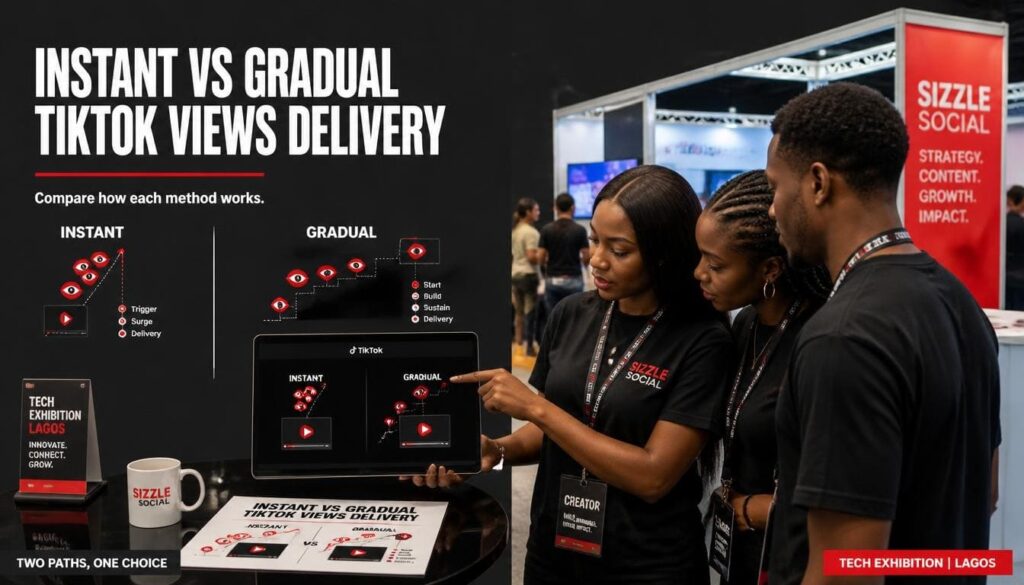
Two orders for the same number of views can behave very differently. One races to the finish line in an hour, while the other walks calmly across a whole day. The difference lies in the delivery style, and it shapes both your waiting time and how natural the numbers look. Before you pay, you should know what each style does, where each one fits, and which risks come with each choice. This section lays out the comparison in plain terms, so instant TikTok views versus gradual delivery becomes a decision you can make with confidence instead of a coin toss.
What Is Instant TikTok Views Delivery?
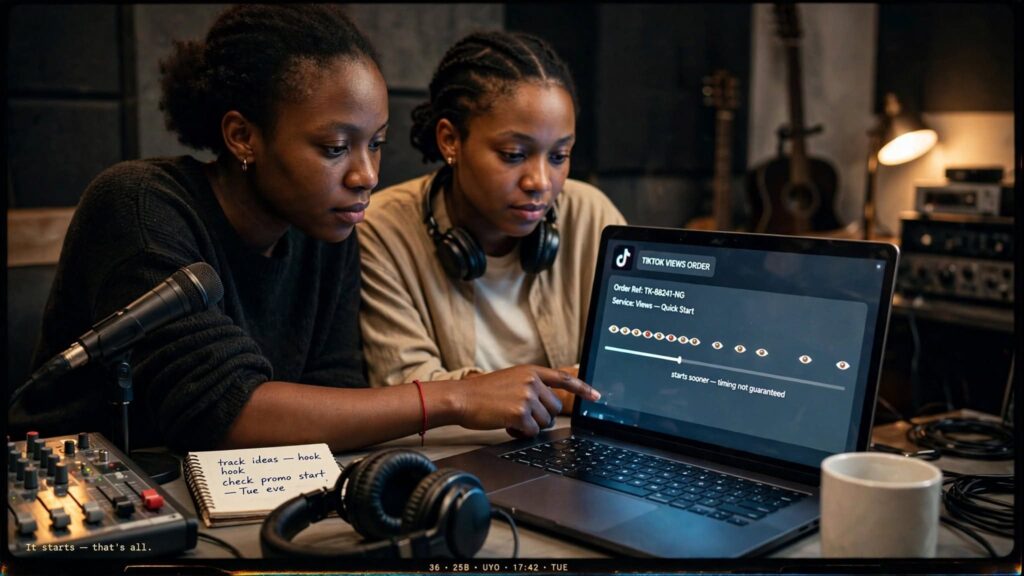
Instant delivery means the service starts sending views as soon as the order clears processing. There is no planned pause between batches. The views arrive in one fast stream, so a small order can finish in minutes and a larger one in a few hours. In common talk, “instant” really means “as fast as the system allows”, not “the same second you click pay”.
Instant delivery suits situations where timing matters more than pattern. Think of a promo video tied to a flash sale, or a clip you want to look busy before a pitch meeting. It also works for older videos that already have likes, comments, and shares, since a rise in views will not look out of place.
For example, a Lagos vendor with a six-month-old product demo can use fast delivery to refresh the count before a campaign. The video already has history, so the jump sits more comfortably beside its other numbers.
Speed has a cost. A brand-new video that gets thousands of views in minutes, with almost no likes or comments, looks odd to any careful viewer. Viewers notice such gaps, and so can the platform’s own systems. No delivery style removes the risk that TikTok may treat purchased activity as fake engagement, so speed should never be your only reason to choose.
Another problem is waste. If the video itself is weak, fast views simply expose that weakness faster. Our guide on why TikTok videos are not getting views covers the content side of the problem.
How Does Drip-Feed TikTok Views Delivery Work?
Drip-feed delivery splits one order into smaller batches. Each batch is released after a set pause, so the total builds up over hours or days. The name says it all: views fall in drop by drop, like a tap that is not fully open. This is the heart of drip feed TikTok views explained in one line.
A typical schedule has two parts: the size of each batch and the gap between batches. Together they decide the finish time. Some services set these for you, while others let you pick. Read the service description to see which applies, because the available options differ from one service to the next.
The table below is an illustration only. It is not a promise from any provider, and real timings depend on the service you choose.
| Order size | Batch size | Gap between batches | Approximate finish time |
| 1,000 views | 100 views | 30 minutes | About 5 hours |
| 5,000 views | 500 views | 1 hour | About 10 hours |
| 10,000 views | 1,000 views | 2 hours | About 20 hours |
Notice the pattern. A longer gap or a smaller batch stretches the finish time. That is why gradual TikTok views delivery time can run from several hours to several days. If you ever wonder why do TikTok views deliver slowly, check the schedule first. The slowness is often the setting working as designed.
Why Do Some TikTok Views Arrive In Batches?
Even on an instant setting, views may land in waves rather than a smooth line. A count that jumps by 300, pauses, and then jumps by 400 can look alarming. In most cases it is normal system behaviour. Understanding the reasons will save you many anxious refreshes.
Several causes can create a stepped pattern:
- Queue release: Orders are often processed in rounds, so views are released in groups.
- Server load: Busy periods slow the flow, then it catches up in a burst.
- Built-in pacing: Some services space out delivery on purpose to look more natural.
- Counter lag: TikTok may refresh the public number in jumps, even when delivery is steady.
A healthy batch pattern shows progress over time. The count may pause, but the overall line keeps rising. A worrying pattern shows no movement for a long stretch, well past the time stated on the service page. In that case, check the video link and order status, then follow the steps in the next section of this guide.
Patience helps here. Watching a counter is like watching a pot of water, and it never boils faster because you stare at it. Check at set times, such as morning and evening, and let the system work.
Is Gradual Delivery Better For New TikTok Videos?
For a brand-new video, many creators prefer gradual delivery. A slow, steady climb looks closer to how real attention behaves, with views rising as the video gets shared. A sudden spike on a fresh post stands out more. Still, “better” depends on your goal, and no setting guarantees reach, safety, or a spot on the For You page.
Choose a gradual style when the video is new, when the account is small, or when you want the numbers to rise alongside real activity. It also helps when TikTok views delivered too quickly on a new video has worried you before. Slower pacing gives the video time to collect genuine likes and comments while the view count grows.
Instant delivery is reasonable for older videos with a healthy history, or when a deadline leaves no room for waiting. Just keep the order size modest, so the jump does not look extreme next to the video’s other numbers.
Here is a quick comparison to help you decide:
| Question | Instant delivery | Gradual delivery |
| Speed | Fast, often within hours | Slower by design, hours to days |
| Best for | Older videos, urgent deadlines | New videos, small accounts |
| Pattern on the counter | Sharp rise | Steady climb |
| Main risk | Looks sudden on a new video | Longer wait, more checking |
Whichever you choose, pair the views with strong content. Our guides on promoting a TikTok video and boosting a single TikTok video show how to give a video real momentum. With the delivery styles clear, the next step is knowing how to track your order and spot trouble early.
How To Track TikTok Views Delivery With Sizzle Social
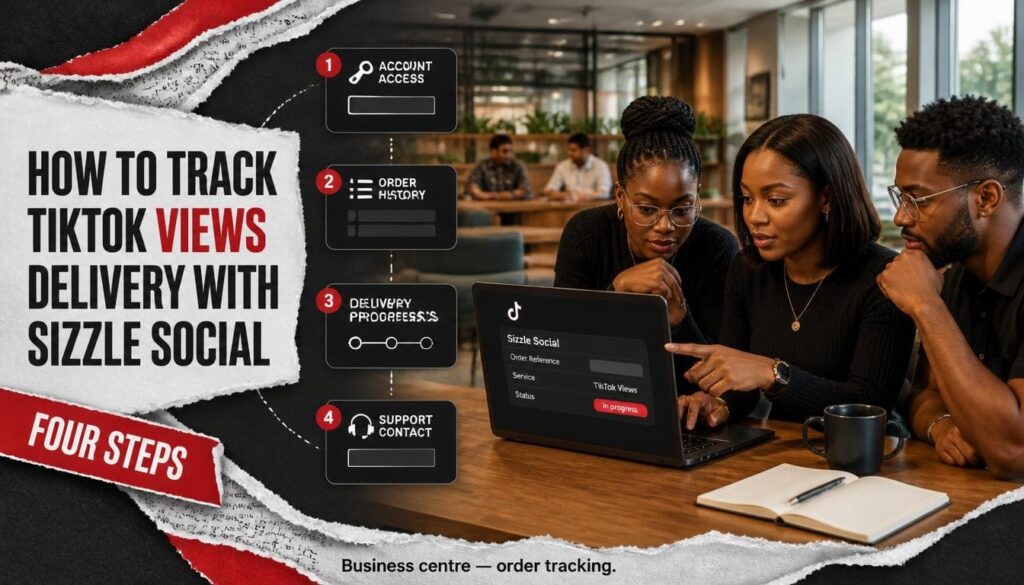
Paying for views is the easy part. The real peace of mind comes from knowing where your order stands at any hour of the day. Tracking removes guesswork, and it also gives you proof if something goes wrong. A creator who checks the right screen at the right time can tell a normal delay from a real problem in under a minute.
This section walks through the process in four clear steps, plus a guide to what support needs from you. Menu names can differ slightly from one screen to another, so the steps below stay general. Follow the idea behind each step, and you will find your way quickly.
Step 1: Log In And Check Your Sizzle Social Account
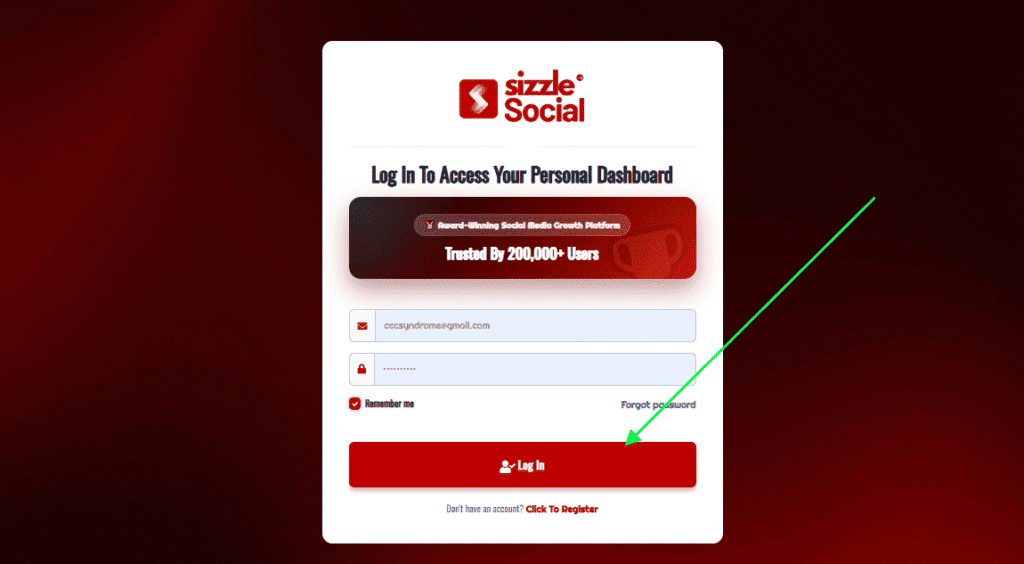
Every check begins at your account. Open the website, sign in with the details you used at registration, and land on your main dashboard. If you have not yet created an account, the Sizzle Social sign-up page is the place to begin. Use an email address you can still access, since order updates and recovery links often depend on it.
Once inside, look around before you click anything. A good dashboard usually shows your wallet balance, recent activity, and a way to reach orders. Confirm that your payment appears as expected. If you paid by bank transfer, remember that confirmation can take a few minutes, so a missing balance right after payment is not always a red flag.
Two small habits will save you stress later:
- Stay on the official website. Type the address yourself or use a trusted bookmark, rather than tapping a random link in a message.
- Never share your TikTok password. A views order needs only the public video link. Any service that asks for your TikTok login is a warning sign, and you should stop right there.
Our guide on what to check before using a legit TikTok growth website explains more about spotting safe and unsafe practices.
Step 2: Open Your Order History And Find The Views Order
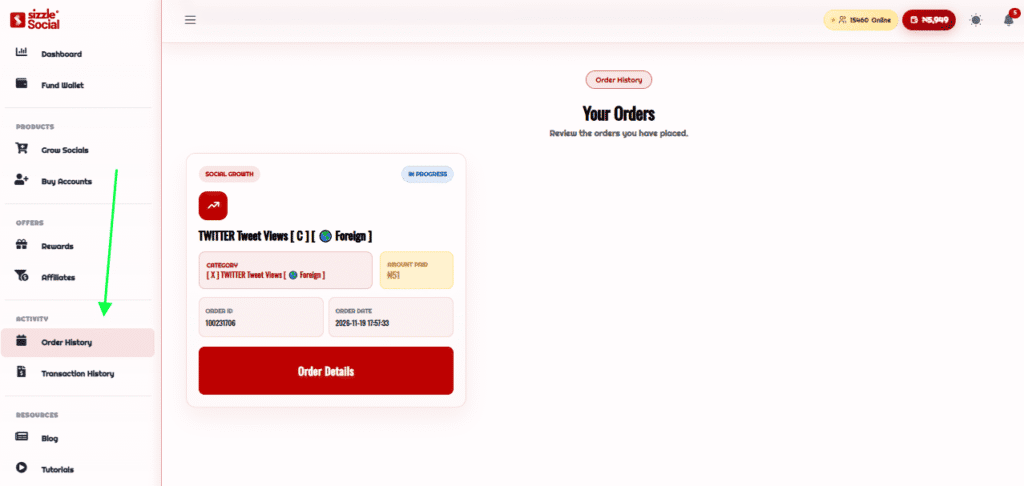
Next, move to the section that lists your past and current orders. Names vary, but you will often find it under words such as orders, order history, or my orders. This is the control room for how to check the delivery status of TikTok views.
Inside the list, find the order you want. Each entry normally carries a few identifiers: an order number, the service name, the quantity, the date, and the video link you submitted. Match these details against what you intended to buy. It sounds obvious, yet many delivery complaints begin with a small mismatch, such as the wrong quantity or an old link.
If you have placed several orders, keep a simple note on your phone. Write the order number, the video, the date, and the quantity. That way, you do not have to scroll through a long list while worried.
Check the date and time on each entry as well. An order paid for late at night may only join the queue in the morning on a busy day. Read the timeline from the moment payment cleared, not from the moment you began to worry.
A quick tip for busy creators: open the order, then open your TikTok video in a second tab. Compare the link on the order with the link in your browser. If they match, the order is pointing at the right video. If they differ even by one character, you have probably found the cause of any delay.
Step 3: Check The Order Status And Delivery Progress
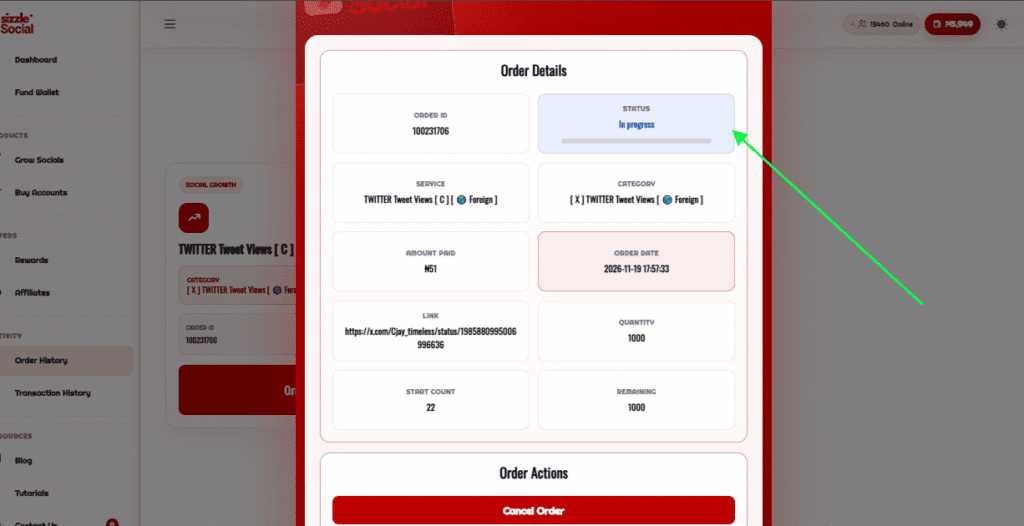
Now read the status. This single word tells you most of what you need to know. Status names differ across platforms, but the common ones follow a pattern. Use the table below as a general guide, and rely on the wording shown on your own dashboard.
| Typical status | What it usually means | What to do |
| Pending | Order received, not yet started | Wait for the time stated on the service page |
| In progress | Delivery has begun | Check back later; progress may come in batches |
| Completed | The full quantity was sent | Check TikTok; the count may lag a little |
| Partial | Only some views were delivered | Review the order details and contact support |
| Cancelled | The order did not go ahead | Check your wallet and contact support |
Many dashboards also show a start count, the remaining quantity, or both. These figures help you judge progress. If the remaining number keeps falling, delivery is alive, even when TikTok’s public counter looks slow.
Compare the dashboard with your video. Take a screenshot of the view count on TikTok now, and another later. Dated screenshots are useful evidence, and they show whether the number is truly stuck. Keep in mind that gradual orders move by design, so a slow climb alone is not a fault. When in doubt, go back to the schedule on the service page.
Here is a simple example. Say you ordered 2,000 views at 9 a.m. By noon, the dashboard shows 800 delivered and 1,200 remaining. That is steady progress, even if TikTok still shows a smaller number. Now say the remaining figure has not changed for a full day, well past the stated window. That is the moment to take screenshots and move to the next step. The difference between a slow order and a stuck order is movement, not speed.
Wondering how long should I wait before contacting support about TikTok views? A fair rule is to wait until the delivery window stated for that service has fully passed. For orders with no stated window, give it a reasonable stretch, then reach out with the details below.
Step 4: Contact Support About Delayed Or Incomplete Delivery
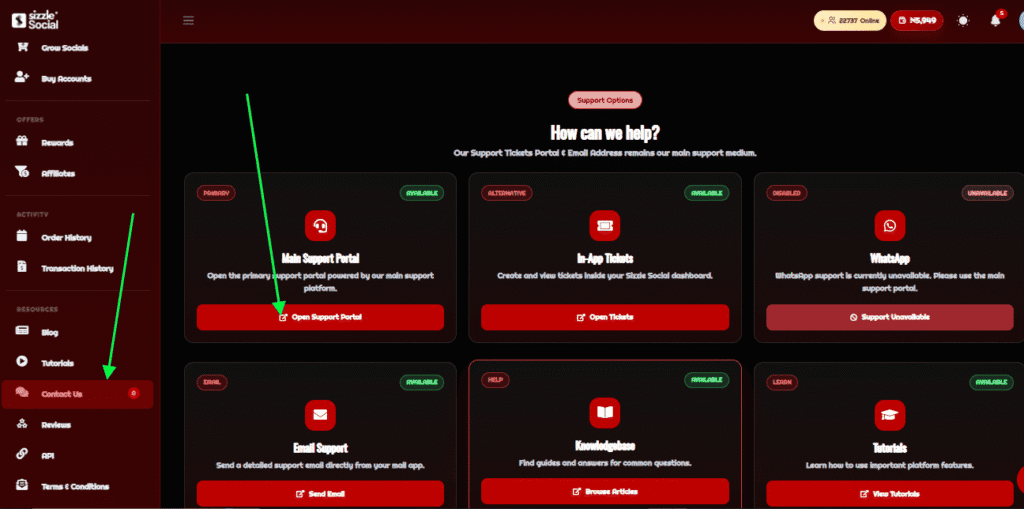
When the stated window has passed and the status has not changed, contact support. Use the support option listed on the website, and choose the channel that lets you attach screenshots. Stay calm and polite. A clear, short message usually gets a faster answer than an angry one, because the support agent can act on facts.
Open with the order number, then explain the problem in two or three sentences. Say what you expected, what you see now, and when you placed the order. Attach your screenshots, and avoid sending several messages about the same order, since duplicates can slow the reply.
Here is a sample message you can adapt:
“Hello, my order number is [order number], placed on [date] for [quantity] TikTok views. The status still shows [status], and the delivery window has passed. The video link is [link]. I have attached screenshots. Please check and advise.”
After you send it, give support reasonable time to respond. If the issue is a wrong link or a private account, they may ask you to correct it. If the order failed on their side, they can explain the options available under the service rules. Remember that outcomes depend on the policy for that service, so read the refill and refund notes before ordering.
Be honest in your report. If you edited the video, switched the account to private, or deleted the post after ordering, say so. Hidden details waste time, and the plain truth often solves the case in one reply.
Read more about safe ordering habits in our guide on choosing the right TikTok SMM panel.
What Details Should You Provide When Reporting An Issue?
Support can only fix what it can see. The more precise your report, the faster the answer. Prepare this checklist before you write:
- Order number: the main reference for your case.
- Service name and quantity: what you bought and how many views.
- Date and time of payment: this helps match your payment to the order.
- Video link: the exact public link you submitted.
- Current status: the word shown on your dashboard, exactly as it appears.
- Screenshots: the order page and the TikTok view count, ideally with dates visible.
- What you already checked: for example, that the video is public and the link is correct.
Add one more line if the payment is involved: your payment reference or proof of transfer. This is especially useful for bank transfers, where confirmation can take longer than card payments.
Leave out anything that is not needed. Do not send your TikTok password, your bank card number, or private one-time codes. No genuine support process requires them. If anyone asks, treat it as a scam attempt and walk away.
A well-prepared message saves a day or more of back and forth. It also shows that you understand how TikTok views delivery works, which makes the conversation smoother for both sides. If tracking shows a problem, the next question is why it happened. That is the focus of the next section, where we look at the most common reasons views fail to arrive.
Why Your TikTok Views May Not Arrive
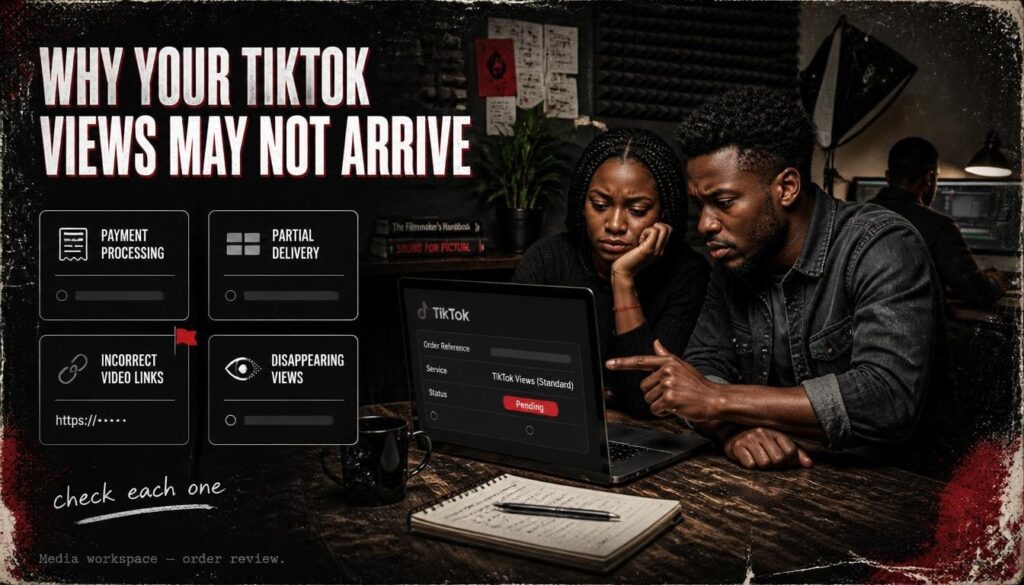
Most orders arrive without drama. A few do not, and those are the ones that cause sleepless nights. When views fail to show up, the reason is usually simple and fixable: a slow payment, a wrong link, a paused queue, or a rule you did not know about. Knowing the common causes lets you act calmly instead of panic-buying a second order.
This section covers the four most frequent TikTok views delivery problems, from orders that stay pending to views that arrive and then vanish. For each one, you will see the likely cause, a quick check, and the next step to take.
Why Are Your TikTok Views Pending After Payment?
A pending status means the order has been received but delivery has not started. It is the most common worry, and often the least serious. Before you assume the worst, run through the usual suspects.
Payment is still confirming. Card payments tend to clear quickly. Bank transfers can take longer, and the order may wait until the money is confirmed. This matters for Nigerian buyers who pay in Naira, since transfer confirmation can add several minutes.
The queue is busy. Orders are handled in turns, and busy hours create a line. Your order is simply waiting its turn, like a danfo at a loaded bus stop.
The service is scheduled to begin later. Some gradual services wait before the first batch. Check the description for a stated start time.
The link is being checked. If the link looks invalid, the order may stall until it is reviewed.
Here is a simple action plan for TikTok views not delivering after payment:
- Confirm that your payment shows as successful.
- Read the service page for a stated start time or delivery window.
- Confirm the video link is public and correct.
- Wait until the stated window has passed.
- If the status still has not changed, contact support with your order number and screenshots.
A useful rule of thumb: measure the wait from the time payment cleared, and compare it with the delivery window printed on the service page. A wait of twenty minutes on a service that lists several hours is not a delay at all. It is the service doing exactly what it said.
Please do not place a second order on the same video while the first is pending. Two active orders on one link can overlap, and they make the problem harder to untangle. Patience is boring, but it is cheaper.
Why Has Your TikTok Views Order Stopped Halfway?
A halfway stop is more upsetting than a late start. You watched the count climb, and then it froze at 40 or 60 percent. This is a TikTok views order stuck in progress, and it has several possible causes.
First, the delivery may be paused by design. A gradual order with a long gap between batches can look frozen when it is simply resting. Compare the pause with the schedule before you decide anything is wrong.
Second, something may have changed on your side. If you set the account to private, edited the video heavily, or deleted the post, delivery can stop. The service cannot send views to a video it cannot reach.
Third, a platform change or service interruption may be to blame. TikTok updates can disrupt delivery, and a service may pause while it adjusts. This is the least common cause, but it does happen.
Last, the status may read partial, which means only some views were sent. In that case, the service rules decide what happens next, and the order page or support team can explain.
What should you do? Follow this order:
- Check the status word. In progress and partial mean different things.
- Open your video. Make sure it is still live and public.
- Check the schedule. Gradual orders can pause on purpose.
- Screenshot everything. Capture the order page and the TikTok count.
- Contact support. Send the details from the checklist in the previous section.
One more tip: do not cancel and reorder in anger. A fresh order restarts the clock, and it can leave you with two half-finished orders on one video.
If you want to understand why view counts behave the way they do, our guide on TikTok likes and views explains why the two metrics should never be treated as the same thing.
Can A Wrong Video Link Affect Views Delivery?
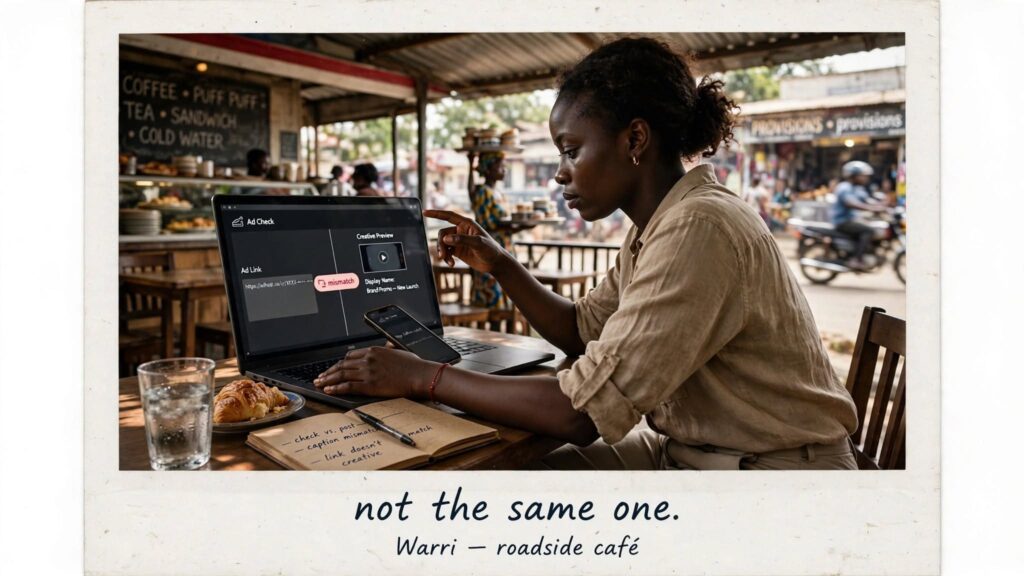
Yes, and it is one of the most common causes of failed orders. A wrong link can delay delivery, stop it, or send views to the wrong place entirely. This is the heart of the problem behind TikTok views delivered to wrong video complaints.
Here are the typical link mistakes:
- A profile link instead of a video link. A views order needs the link to one specific video.
- A private or deleted video. The service cannot reach content that is hidden or gone.
- A mistyped or partly copied link. One missing character can break the whole thing
- An old link. If you reposted the video, the original link may no longer be the one you want.
- Extra spaces or text. Pasting extra words around the link can confuse the system.
The fix starts before you pay. Open your video on TikTok, use the share option to copy the link, and paste it into the order form. Then compare the pasted link with the video in your browser. Check the service description, since some services prefer a certain link format. A short check takes thirty seconds, while fixing a wrong order can take days.
What if views already went to the wrong video? Contact support quickly, with both links and your order number. Whether anything can be done depends on the service rules, and many services cannot move views once they are delivered. That is why checking first beats fixing later.
Think of it like writing an account number on a transfer slip. One wrong digit, and the money lands somewhere else. Links work the same way, so read yours twice before you press submit.
For wider troubleshooting beyond delivery, see our post on why Nigerian creators struggle to grow on TikTok.
What Should You Do If Delivered Views Disappear?
You checked the count in the evening and it looked healthy. By morning, it had dropped. This is TikTok views disappeared after delivery, and it is a painful sight. Do not panic yet, because there are a few possible explanations.
Sometimes the drop is small and temporary. TikTok recounts and refreshes numbers, and the display can shift slightly. Other times, the drop is real. TikTok does not allow artificial engagement, and it actively cleans up activity it treats as fake. In a December 2024 update, TikTok said it removed over 207 million fake followers. That figure covers followers rather than views, yet it shows how seriously the platform treats artificial activity. A drop in views can be one result of that cleanup, and it is one reason no seller can promise that purchased views will stay.
So how do you respond? Work through these steps:
- Confirm the drop is real. Refresh the page and check again after a few hours.
- Take dated screenshots. Capture the count before and after, if you have both.
- Read the refill policy. Some services offer a refill or replacement for drops within a stated period. Others do not, and many low-cost options carry no refill at all.
- Contact support inside the window. If a refill applies, it usually has a time limit, so act quickly.
- Hold off on re-ordering. Buying again right away may repeat the same loss.
A drop after the refill period, or on a service with no refill, may not qualify for a replacement. This is why reading the service description before you pay matters so much. It is also why honest providers explain limits instead of making big promises. For a clear look at the quality gap between delivery types, read our explainer on TikTok bot followers and how they differ from real ones.
Finally, remember the bigger picture. Views help a video look active, but they cannot replace content people want to watch. Real likes, comments, and shares keep a video alive long after any delivery ends. Our guide to increasing TikTok engagement in five steps shows how to build that foundation. With the causes and fixes clear, you are ready to answer the main question: what should you realistically expect from TikTok views delivery?
What Should You Expect From TikTok Views Delivery?
Expect honesty, not magic. Small orders often finish within hours, large ones can take days, and gradual delivery is slow on purpose. So how long do TikTok views take to deliver? It depends on order size, delivery type, and a correct video link. Read the service estimate, track your order, and contact support with clear details if progress stalls. No provider can promise permanent results, so pair views with content people truly enjoy.
Ready to place your first order with clear expectations? Visit the TikTok growth service page and choose the delivery style that fits your video.
Frequently Asked Questions
There is no single fixed number, because delivery depends on the service, order size, and the delivery setting you choose. Most TikTok views orders begin delivery within minutes to a few hours after payment clears, and small orders of around 1,000 views often finish within a few hours, sometimes faster on an instant setting. Large orders of 10,000 views or more can take several hours to a few days because reputable providers spread delivery on purpose. Think of a Lagos road trip: the same distance can take twenty minutes on a quiet Sunday or two hours on a Friday evening. Delivery also involves stages, so the first few minutes can look quiet while the order is verified, queued, and passed to the delivery network. The public counter can lag behind your order page too, so a frozen screen does not always mean a failed order. Always read the estimate on the service page before paying.
Once payment clears, the order joins a queue. The system checks the video link, confirms the service type, and passes the order to the delivery network. Only after that does the view counter begin to move, which is why the first few minutes can look quiet. The usual order of events is straightforward: payment is confirmed, the order is queued, delivery begins at the pace set for that service, and the count updates on TikTok, often lagging behind the number on your order page. For Naira payments made by bank transfer, confirmation can take a few minutes longer than a card payment, so the clock really begins when the payment clears. Busy hours can lengthen the queuing stage. That final step surprises many people, because a view may be delivered while the public counter takes a while to catch up. Understanding this sequence removes most of the anxiety of refreshing your profile
For 1,000 TikTok views, many services report delivery from a few minutes to a few hours, though that range is a general pattern rather than a promise from any one provider. A small order needs little work, so there are fewer views to spread and fewer chances to hit a limit. Even so, speed depends on delivery type. An instant setting may finish within the first hour, while a gradual setting may stretch the same 1,000 views across a full day. A simple way to judge a small order is to expect the status to move from pending to in progress within the first 30 minutes, clear count movement within the first few hours, and completion by the same day unless the service states a longer window. If nothing changes after the stated time, check your video link first, then contact support with your order number and screenshots.
A package of 10,000 TikTok views can take from several hours to a few days on many services, especially when the provider spreads delivery on purpose. Ten times the views means ten times the work, and large orders are often released in steps. Splitting delivery also looks more natural on a public counter, because a video that jumps from 200 to 10,200 views in five minutes draws attention that you may not want. For large orders, plan like this. Order early, before you actually need the numbers, such as ahead of a product launch. Read the stated start time and finish window carefully. Check progress once or twice a day rather than constantly. Escalate to support only if progress stops well beyond the stated window. Creators who plan around the delivery time for large orders avoid most disappointment. Refreshing every minute changes nothing except your stress level.
Several things decide how fast views arrive, and some sit with the provider while others sit with you. Order size matters, because bigger orders take longer. Delivery type matters, because instant is faster while gradual is slower by design. Service tier matters, since some tiers run faster than others. Server load matters, because busy periods add delays. The video link is the most common culprit, because a private account, a deleted video, or a single typo can stop an order cold. Account settings matter too, since a private account blocks delivery entirely. Platform changes such as TikTok updates can pause or slow delivery while providers adapt. To set fair expectations, read the service description first, use a correct public link, switch your account to public, and order at calmer hours when possible. If a delay persists beyond the stated window, wait a bit, then contact support with your order details.
The choice depends on your video’s age and your goal. Instant delivery starts sending views as soon as the order clears processing, with no planned pause between batches, so a small order can finish in minutes and a larger one in a few hours. It suits older videos that already have likes, comments, and shares, urgent deadlines, flash sales, or a clip you want to look busy before a pitch meeting. Gradual or drip-feed delivery splits one order into smaller batches released after set pauses, so the total builds over hours or days. It suits brand-new videos, small accounts, and large orders, because a slow steady climb looks closer to how real attention behaves. A sudden spike on a fresh post stands out more. Whichever you choose, keep the order size modest relative to the video’s other numbers and pair views with strong content.
Drip-feed delivery splits one order into smaller batches, with each batch released after a set pause, so the total builds up over hours or days. A typical schedule has two parts: the size of each batch and the gap between batches, and together they decide the finish time. Some services set these for you, while others let you pick, so read the service description to see which applies. As an illustration only, 1,000 views in batches of 100 with a 30-minute gap finishes in about five hours. A 5,000-view order in batches of 500 with a one-hour gap finishes in about ten hours. A 10,000-view order in batches of 1,000 with a two-hour gap finishes in about twenty hours. A longer gap or a smaller batch stretches the finish time. That is why gradual delivery can run from several hours to several days, and the slowness is often the setting working as designed.
Even on an instant setting, views may land in waves rather than a smooth line. A count that jumps by 300, pauses, then jumps by 400 can look alarming, but it is usually normal system behavior. Several causes create a stepped pattern. Queue release means orders are processed in rounds, so views arrive in groups. Server load during busy periods slows the flow, which then catches up in a burst. Built-in pacing means some services space out delivery on purpose to look more natural. Counter lag means TikTok may refresh the public number in jumps even when delivery is steady. A healthy batch pattern shows progress over time, so the count may pause while the overall line keeps rising. A worrying pattern shows no movement for a long stretch, well past the stated service window. In that case, check your video link and order status, then contact support.
For a brand-new video, many creators prefer gradual delivery because a slow steady climb looks closer to how real attention behaves, with views rising as the video gets shared. A sudden spike on a fresh post stands out more. Gradual delivery is a good fit when the video is new, when the account is small, when you want the numbers to rise alongside real activity, or when fast delivery on a new video has worried you before. Slower pacing gives the video time to collect genuine likes and comments while the view count grows. Instant delivery is still reasonable for older videos with a healthy history or when a deadline leaves no room for waiting, but keep the order size modest so the jump does not look extreme. Whichever style you choose, pair views with strong content, because no setting guarantees reach, safety, or a spot on the For You page.
Tracking removes guesswork and gives you proof if something goes wrong. Start by logging into your account and confirming your wallet balance and payment appear as expected. Next, open your order history and find the views order by matching the order number, service name, quantity, date, and video link against what you intended to buy. Then read the status badge: Pending means received but not started, In Progress means delivery has begun, Completed means the full quantity was sent, Partial means only some views were delivered, and Canceled means the order did not go ahead. Many dashboards also show a start count and remaining quantity, so if the remaining number keeps falling, delivery is alive even when the public counter looks slow. Compare the dashboard with your video, take dated screenshots, and wait until the stated delivery window passes before contacting support.
Support can only fix what it can see, so precision speeds up the answer. Prepare a checklist before writing. Include your order number as the main reference, the service name and quantity purchased, the date and time of payment to help match your payment to the order, the exact public video link you submitted, the current status exactly as it appears on your dashboard, screenshots of the order page and the TikTok view count with dates visible, and a note of what you already checked, such as confirming the video is public and the link is correct. Add your payment reference or proof of transfer if payment is involved, which is especially useful for bank transfers. Leave out anything unnecessary, and never send your TikTok password, bank card number, or private one-time codes, because no genuine support process requires them. A well-prepared message saves a day or more of back and forth.
A pending status means the order has been received but delivery has not started, and it is often the least serious concern. Before assuming the worst, run through the usual suspects. Payment may still be confirming, since bank transfers can take longer than card payments and the order may wait until the money is confirmed. The queue may be busy, because orders are handled in turns. The service may be scheduled to begin later, since some gradual services wait before the first batch. The link may be under review if it looks invalid. Confirm that your payment shows as successful, read the service page for a stated start time, confirm the video link is public and correct, wait until the stated window passes, then contact support with your order number and screenshots if nothing changes. Never place a second order on the same video while the first is pending.
A halfway stop is upsetting, but it has several possible causes. First, the delivery may be paused by design, because a gradual order with a long gap between batches can look frozen when it is simply resting, so compare the pause with the schedule. Second, something may have changed on your side, such as setting the account to private, heavily editing the video, or deleting the post, because the service cannot send views to a video it cannot reach. Third, a platform change or service interruption may be to blame, since TikTok updates can disrupt delivery while a service adjusts. Fourth, the status may read partial, which means only some views were sent, and the service rules decide what happens next. Check the status word, confirm the video is live and public, compare with the schedule, take screenshots, then contact support. Do not cancel and reorder in anger, because a fresh order restarts the clock.
Yes, and it is one of the most common causes of failed orders. A wrong link can delay delivery, stop it, or send views to the wrong place entirely. Typical mistakes include pasting a profile link instead of a video link, submitting a private or deleted video, mistyping or partly copying the link, using an old link after reposting the video, and leaving extra spaces or text around the address. The fix starts before you pay. Open your video on TikTok, use the share option to copy the link, paste it into the order form, then compare the pasted link with the video in your browser. Check the service description too, since some services prefer a certain link format. A short 30-second check prevents days of fixing. If views already went to the wrong video, contact support quickly with both links and your order number, though many services cannot move views once delivered.
Do not panic, because there are a few possible explanations. Sometimes the drop is small and temporary, since TikTok recounts and refreshes numbers and the display can shift slightly. Other times the drop is real, because TikTok does not allow artificial engagement and actively cleans up activity it treats as fake. In a December 2024 update, TikTok said it removed over 207 million fake followers, which shows how seriously the platform treats artificial activity. Confirm the drop is real by refreshing and checking again after a few hours. Take dated screenshots of the count before and after. Read the refill policy, because some services offer replacement for drops within a stated period while many low-cost options carry no refill at all. Contact support inside the window if a refill applies, and hold off on re-ordering right away so you do not repeat the same loss.