Table of Contents
Payment hits the gateway, the bank alerts a successful transfer, and a timer starts inside your head. Every vendor, creator, and business owner knows this exact tension. Orders placed with an SMM platform carry high expectations because digital campaigns rely on speed, visible social proof, and immediate momentum.
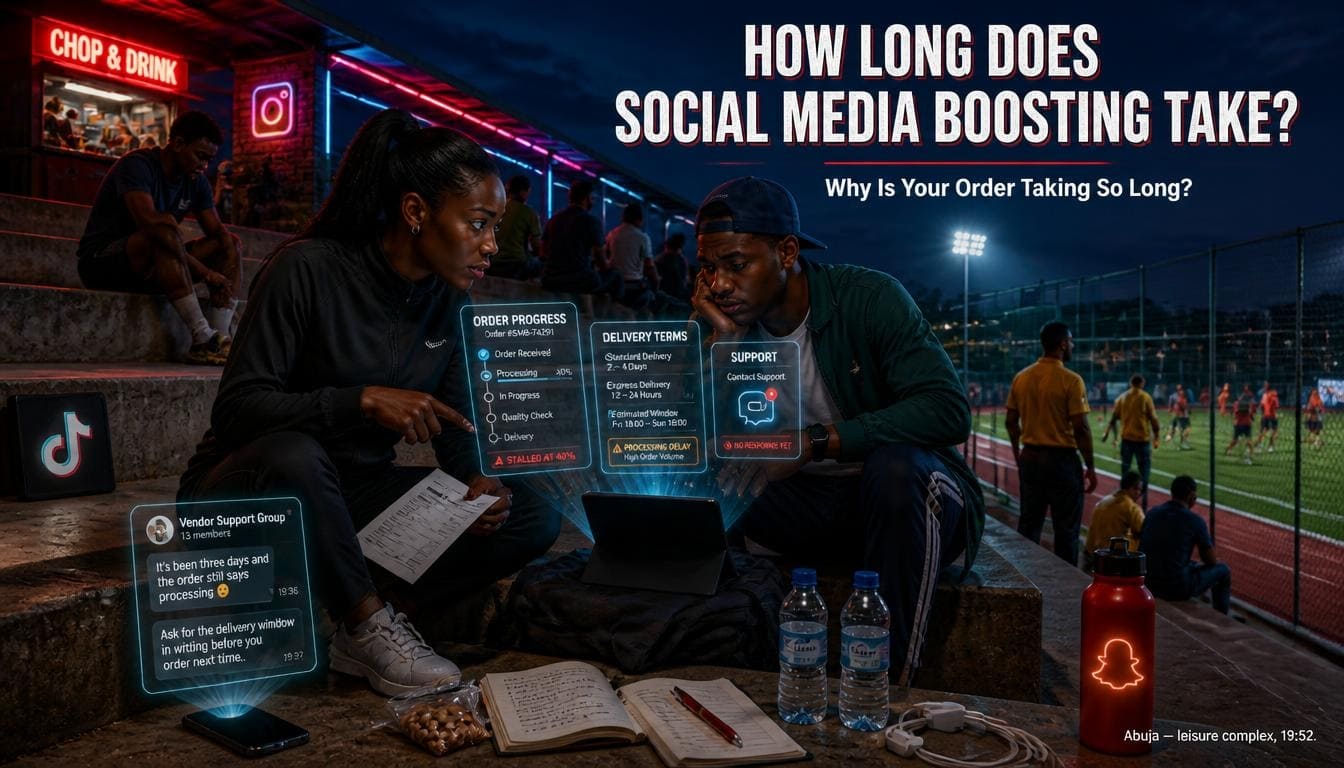
How long does social media boosting take to deliver? Delivery times vary across platforms, service categories, and order parameters. Simple metrics like post likes or video views often surface within minutes of a completed transaction. Larger follower packages or long-term engagement campaigns require controlled delivery schedules spanning several hours or days to maintain proper account safety and regular traffic flow.
Understanding the mechanics behind delivery speeds helps you select the right options for your page. Whether you run a quick flash sale on WhatsApp, launch an Instagram reel, or start a music promotion campaign on TikTok, choosing between instant and gradual options directly affects account credibility and search engine algorithm response.
How Long Does Social Media Boosting Take?

When you place an order on an SMM panel, delivery timing depends on server queues, metric types, target platforms, and profile settings. Most boosting platforms segment speed into three distinct phases: start time, speed rate per hour, and total completion time.
Data from recent global social media benchmarks reveals that platforms prioritize rapid delivery for micro-engagements, while long-term metrics undergo stricter API processing delays. According to research published by DataReportal, over 60 percent of online users form immediate opinions about brand legitimacy within seconds of viewing an account’s primary metrics, making dispatch timing a critical factor for online vendors.
| Service Type | Average Start Time | Average Delivery Speed | Estimated Completion (1,000 Units) | Server Priority Tier |
| Instagram Likes / Views | 0 – 15 Minutes | 1,000 – 5,000 per hour | 15 – 45 Minutes | High (Low Scrutiny) |
| Instagram Followers | 15 – 60 Minutes | 200 – 1,000 per day | 24 – 72 Hours (Gradual) | Medium (API Safe) |
| TikTok Views / Likes | 0 – 10 Minutes | 5,000 – 20,000 per hour | 10 – 30 Minutes | Instant (High Capacity) |
| TikTok Followers | 30 – 120 Minutes | 500 – 2,000 per day | 24 – 48 Hours | Regulated |
| Facebook Page Likes | 1 – 3 Hours | 100 – 500 per day | 2 – 5 Days | Controlled Queue |
| YouTube Views / Subscribers | 2 – 6 Hours | 500 – 2,000 per day | 2 – 4 Days | Strict Verification |
Understanding how server infrastructure handles incoming requests helps clarify why different platforms process metrics at varying rates. Modern panel networks use distributed server nodes that connect directly to automated API endpoints. When a service request passes initial validation, the assigned node allocates bandwidth based on current server availability and target platform security limits.
Target account health also plays a major role in overall execution timelines. Profiles with established history, complete biographical details, and consistent activity suffer fewer API verification pauses during metric injection. Conversely, brand-new profiles with zero prior post history may experience artificial throttling as security protocols monitor sudden influxes of interaction.
Knowing these timing variations proves essential for managing live promotion campaigns effectively. Marketers who align their posting schedules with provider execution windows routinely achieve higher retention rates and smoother algorithm distribution across all major networks.
What Is The Average Delivery Time For Social Media Boosting?
On a stable platform like Sizzle Social, order processing begins within seconds of automated payment confirmation. Most metrics reflect an average start time of 5 to 30 minutes.
However, full completion depends on total order size. Small boosts (such as 200 post likes or 500 reel views) typically finish within an hour. Larger orders (such as 10,000 page followers or 50,000 video views) take longer due to built-in system throttles designed to protect page health.
When evaluating how fast boosted followers actually arrive in Nigeria, timing patterns reveal key operational differences across service tiers:
- Micro Orders (100 to 500 units): Process almost immediately, making them ideal for short-term visibility boosts.
- Standard Orders (1,000 to 5,000 units): Spread over a window of 12 to 24 hours to ensure server equilibrium.
- Enterprise Bulk Orders (10,000+ units): Execute across structured multi-day schedules to maintain platform safety compliance.
- Seasonal Peak Volume Orders: May experience temporary queue delays of 1 to 3 hours during major holiday sales events.
- Custom Targeted Packages: Require extra routing checks, adding roughly 30 minutes to initial dispatch setup times.
System architectures prioritize high-demand services to prevent overall server congestion. Micro-transactions require minimal database validation, allowing nodes to flush requests rapidly. Multi-tier orders execute in controlled sequences, protecting target profiles from suspicious traffic flags.
Monitoring your campaign’s initial start window provides clear insights into backend performance. Most automation systems update target counters within the first fifteen minutes, confirming active node connection.
How Long Do Followers, Likes And Views Take To Arrive?
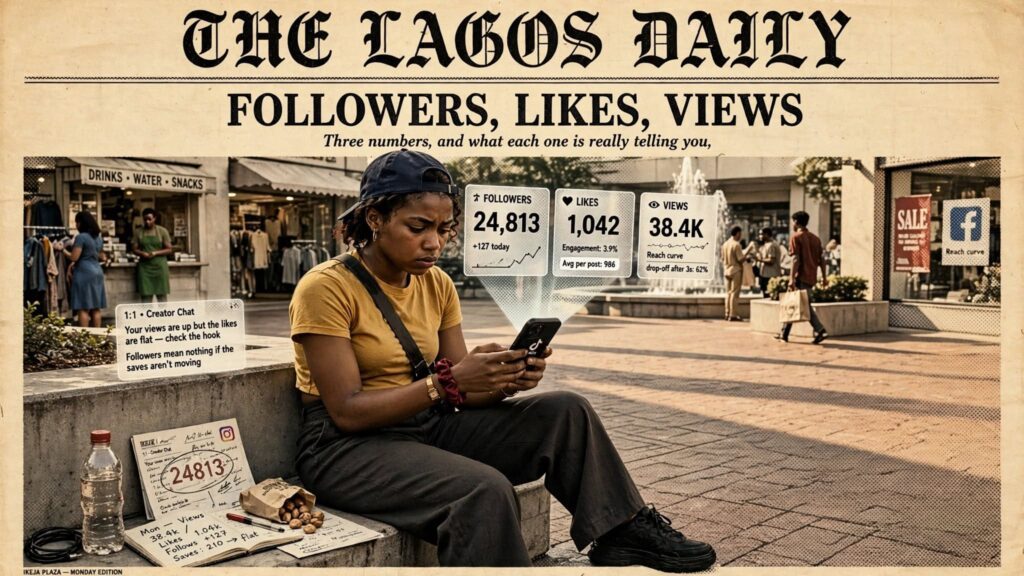
Different engagement types follow different processing speeds across major social networks:
- Likes and Reactions: Lightweight API actions; server nodes push post likes almost immediately after detection, with first arrivals landing within 2 to 10 minutes.
- Video and Story Views: Require minimal account validation from platform algorithms; TikTok views, Instagram reel plays, and YouTube short views deliver at rapid hourly rates, making them ideal for trend campaigns.
- Followers and Subscribers: Accounts undergo heavier scrutiny by platform anti-spam algorithms; safe follower delivery runs at a regulated pace, often batching profiles over hours or days to mirror natural user acquisition.
- Comments and Custom Replies: Require custom routing algorithms to prevent duplicate text patterns; delivery starts in 15 to 45 minutes, processing in steady intervals.
- Saves and Shares: High-value reach indicators log quietly in backend analytics within 30 to 90 minutes of order submission.
- Direct Profile Visits: Process steadily over a 6 to 12 hour window, driving organic impression signals without triggering bot filters.
Metric complexity directly dictates routing speed across provider databases. Simple counter updates such as video views bypass complex profile validation protocols, resulting in rapid delivery curves. Audience additions require full profile synchronization, requiring slower dispatch schedules.
Matching metric arrival speeds with your content strategy prevents artificial activity profiles. Rapidly increasing view counts alongside steady follower additions mimics authentic organic distribution trends.
What Happens Between Payment And Order Delivery?
The moment your payment clears on an SMM dashboard, several automated backend actions occur simultaneously:
- Transaction Verification: The payment gateway notifies the panel API that funds cleared your wallet balance.
- Order Validation: System scripts verify the destination URL, ensuring the profile or post link remains public and free from syntax errors.
- Server Queueing: The request joins the dispatch queue of the specific provider node assigned to that service tier.
- Action Dispatch: Automated server nodes route actions directly to your social media target link until the requested quantity logs is complete.
- Final Account Sync: Dashboard counters pull updated platform counts to confirm total fulfillment before marking status complete.
- Error Check: Backend diagnostic tools verify zero metric drop occurred during active transmission windows.
Data verification steps protect your account from invalid data submissions. Automated scripts scan submitted URLs for structural errors, missing parameters, or private profile restrictions prior to node assignment.
Once validated, provider nodes balance delivery workloads across operational database clusters. This distributed approach guarantees stable transfer speeds even during heavy system usage.
Why Do Some Boosting Orders Start Later Than Expected?
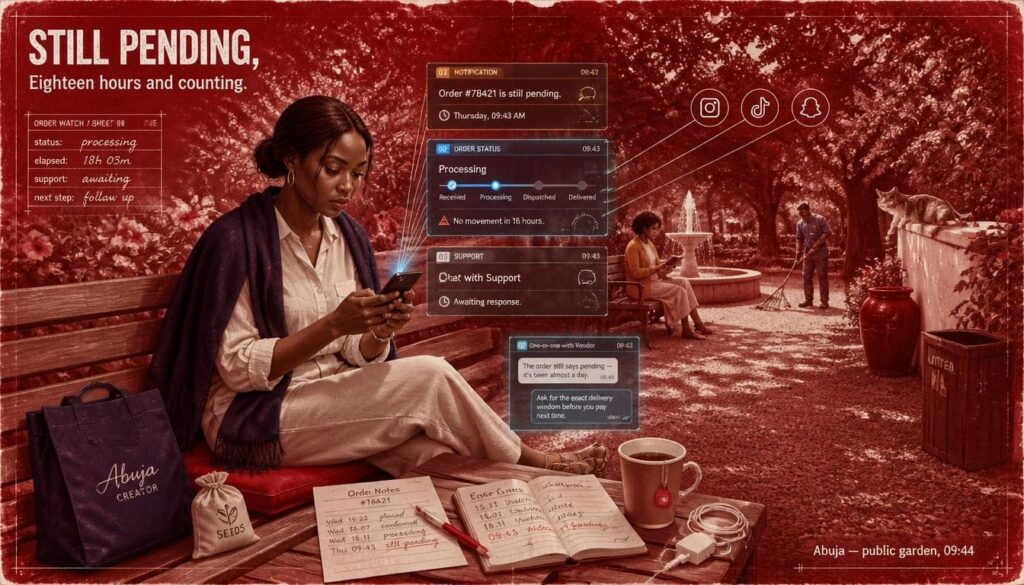
Delayed starts usually stem from minor administrative errors or system-wide updates:
- Private Account Settings: Server nodes cannot deliver metrics to locked profiles or restricted posts.
- Incorrect Link Formats: Submitting a profile handle instead of a full video link stalls automated validation tools.
- Social Media Platform Updates: When Instagram, TikTok, or X roll out backend security updates, SMM panels temporarily pause dispatch queues to adjust routing protocols and protect account safety.
- Server Maintenance Windows: Routine database cleanup sessions pause fresh order dispatches for up to two hours.
- Account Region Locks: Specific age or country restrictions placed on your social page block global delivery nodes from accessing the content.
- Database Rate Limits: Temporary API call caps imposed by social networks slow down initial batch creation times.
Resolving configuration issues prior to order placement eliminates common delays. Checking profile privacy states and verifying exact URL strings ensures immediate processing through automated queues.
System maintenance updates also cause temporary dispatch pauses. Quality platforms pause active dispatches during network updates to prevent drop spikes and protect client page integrity.
What to Compare Between Instant And Drip Feed Delivery Speeds

Selecting the right delivery speed is just as important as choosing the right metric volume. Delivery modes alter how social media algorithms analyze sudden audience activity on your account.
Industry documentation from Meta Business Help Center highlights that sudden metric surges on brand-new profiles often trigger internal reach reviews. Choosing the correct speed configuration ensures your account enjoys enhanced visibility without attracting platform penalties.
| Strategy Metric | Instant Delivery Mode | Drip Feed Delivery Mode | Strategic Recommendation |
| Initial Dispatch Speed | 1 to 5 Minutes | Scheduled Batch Windows | Use Instant for time-sensitive viral trends. |
| Algorithm Footprint | Concentrated Spike | Extended Natural Curve | Use Drip Feed for new brand profiles. |
| Delivery Pace | Unthrottled Maximum | User-Defined Intervals | Use Drip Feed to match organic promotion. |
| Ideal Content Type | Flash Sales, Live Streams | Main Profile Page, YouTube Channels | Match delivery mode to campaign goals. |
| Drop Risk Protection | Standard Server Guarantee | Refill Safety Window | Drip Feed offers higher retention stability. |
Analyzing speed configurations allows digital marketers to align growth tactics with underlying platform algorithms. Unthrottled delivery modes deliver high volume within short windows, providing immediate visual impact for promotional campaigns. Continuous delivery schedules distribute metrics across extended timelines, establishing sustainable baseline engagement patterns.
Account maturity serves as a primary decision factor when choosing dispatch speeds. Established profiles with existing engagement bases absorb rapid metric additions without triggering algorithm security checks. Newer pages benefit from gradual distribution schedules that mirror natural organic growth curves.
Selecting the optimal speed option safeguards brand reputation while maximizing campaign performance. Evaluating specific operational features reveals how each delivery method impacts profile growth trajectories.
What Is Instant Delivery And How Quickly Does It Start?
Instant delivery pushes the entire requested quantity to your target post or profile as fast as backend nodes process the requests. Start times range from instantaneous to 15 minutes, with high hourly transfer rates.
This option works exceptionally well for time-sensitive marketing campaigns, such as flash sales, live event coverage, or rapid social proof for breaking announcements. For account owners needing quick validation, cheapest SMM panels in Nigeria provide direct access to high-speed instant dispatches.
Key characteristics of instant delivery include:
- Immediate visual impact for social proof verification.
- Rapid fulfillment for short-duration promotional posts.
- Zero configuration effort beyond selecting quantity.
- Maximum boost intensity during launch hours.
- Direct integration with fast-moving viral content.
- Accelerated metric indexing for trending hashtag pushes.
High-velocity execution enables creators to capture quick algorithmic momentum during competitive content windows. Pushing engagement immediately upon posting signals strong user interest to discovery systems.
However, unthrottled distribution requires careful application. Utilizing rapid speed options on newly registered accounts without sufficient baseline content can trigger automated profile reviews.
How Does Drip Feed Delivery Work Over Several Days?
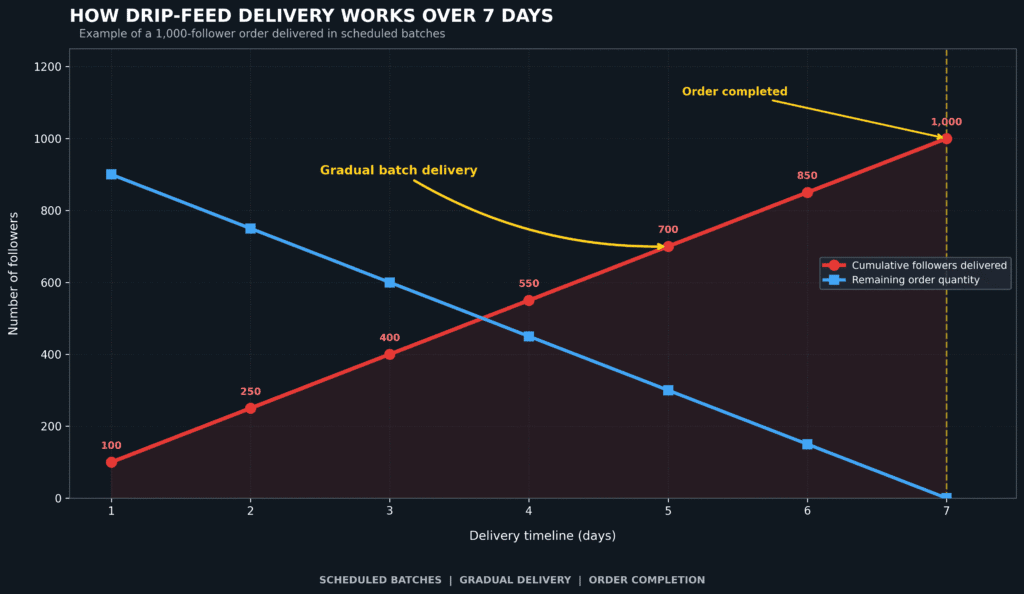
Drip feed delivery breaks down a large order into smaller, automated batches distributed over specified time intervals.
For example, instead of receiving 5,000 Instagram followers in one hour, you can set the panel to send 500 followers every 24 hours over ten days. You control the batch quantity, run frequency, and total schedule length directly from your dashboard order screen.
Using drip feed features offers major operational advantages:
- Spreads engagement metrics naturally, protecting account safety scores.
- Delivers sustained algorithmic push over an extended campaign duration.
- Automates delivery management without requiring manual repeat orders.
- Provides custom interval control tailored to account size.
- Reduces long-term drop rates through balanced network loading.
- Maintains steady engagement ratios across multiple weekly posts.
Automated batching schedules create consistent activity patterns that search engines and discovery algorithms reward. Spreading interactions over days mimics continuous audience discovery, building sustainable account authority.
Configuring interval settings allows business managers to align metric delivery with key marketing milestones. Spreading engagement across promotional weeks ensures continuous brand visibility.
Instant Versus Drip Feed: Which Option Should You Choose?
Evaluating the difference between instant and gradual follower delivery comes down to campaign objectives:
- Choose Instant Delivery If: You run a 24-hour flash sale, post a breaking news update, launch a live broadcast, or need fast social proof before a pitch.
- Choose Drip Feed Delivery If: You manage a fresh business profile, build long-term channel authority, market a service over weeks, or run continuous brand campaigns.
- Combine Both Modes If: You publish a major video campaign, using instant views for immediate reach while applying drip feed followers for steady page expansion.
- Select Instant For Short-Lived Trends: Stories and temporary posts require fast metric arrival before content expires.
- Select Drip Feed For Core Assets: Main profile pages and monetized channels benefit from gradual growth parameters.
Matching delivery options with specific content goals prevents budget waste and optimizes account reach. Immediate dispatches suit temporary content, while scheduled runs support long-term brand building.
For specialized guidance on matching delivery modes with account goals, explore the comprehensive framework on how to choose an SMM panel.
Why Can Gradual Delivery Look More Natural For Small Accounts?
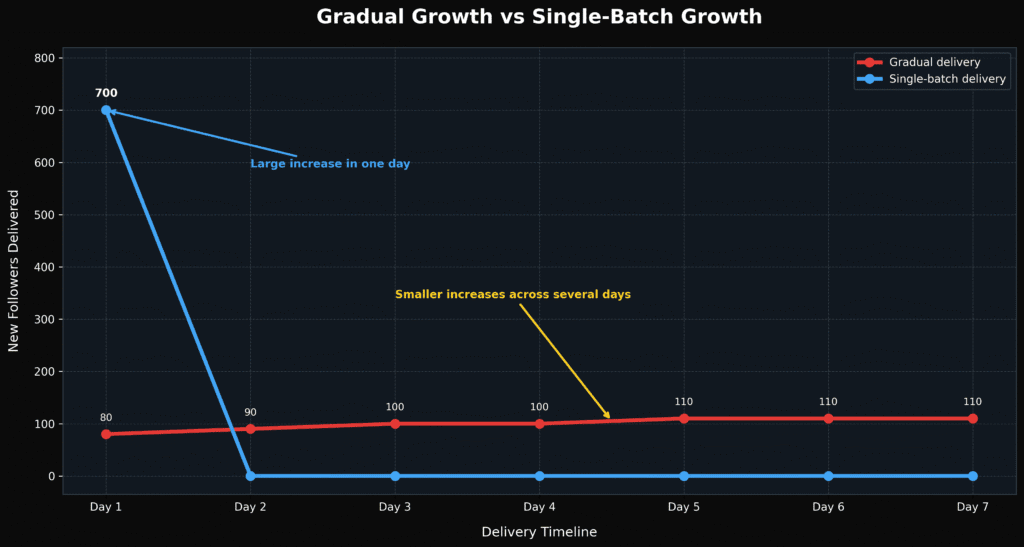
A brand-new account jumping from 20 followers to 10,000 followers in ten minutes raises immediate red flags for both profile visitors and network algorithms. Sudden metric spikes without pre-existing content history can trigger automated spam reviews.
Gradual delivery through drip-feed features allows small business pages to build credibility steadily, ensuring growth curves mirror authentic word-of-mouth expansion. Pairing gradual delivery with strategies found in our guide on organic Instagram growth strategies and paid boost methods creates a balanced growth foundation.
Consider these natural growth principles for fresh pages:
- Keep daily follower gains under ten percent of total page reach.
- Match follower increases with proportional post likes and story views.
- Maintain consistent publishing schedules alongside active orders.
- Allow engagement metrics to settle over days rather than minutes.
- Focus on building sustainable credibility for first-time profile visitors.
- Avoid sudden engagement surges on accounts with zero published content.
Strategic pace management protects nascent accounts from platform penalties while establishing genuine social proof. Spreading metric additions over weeks builds authentic profile authority.
Consistent, controlled growth builds long-term account value. Potential clients and platform algorithms view steady audience expansion as a sign of legitimate brand health.
Understand Why Social Media Boosting Orders Get Delayed
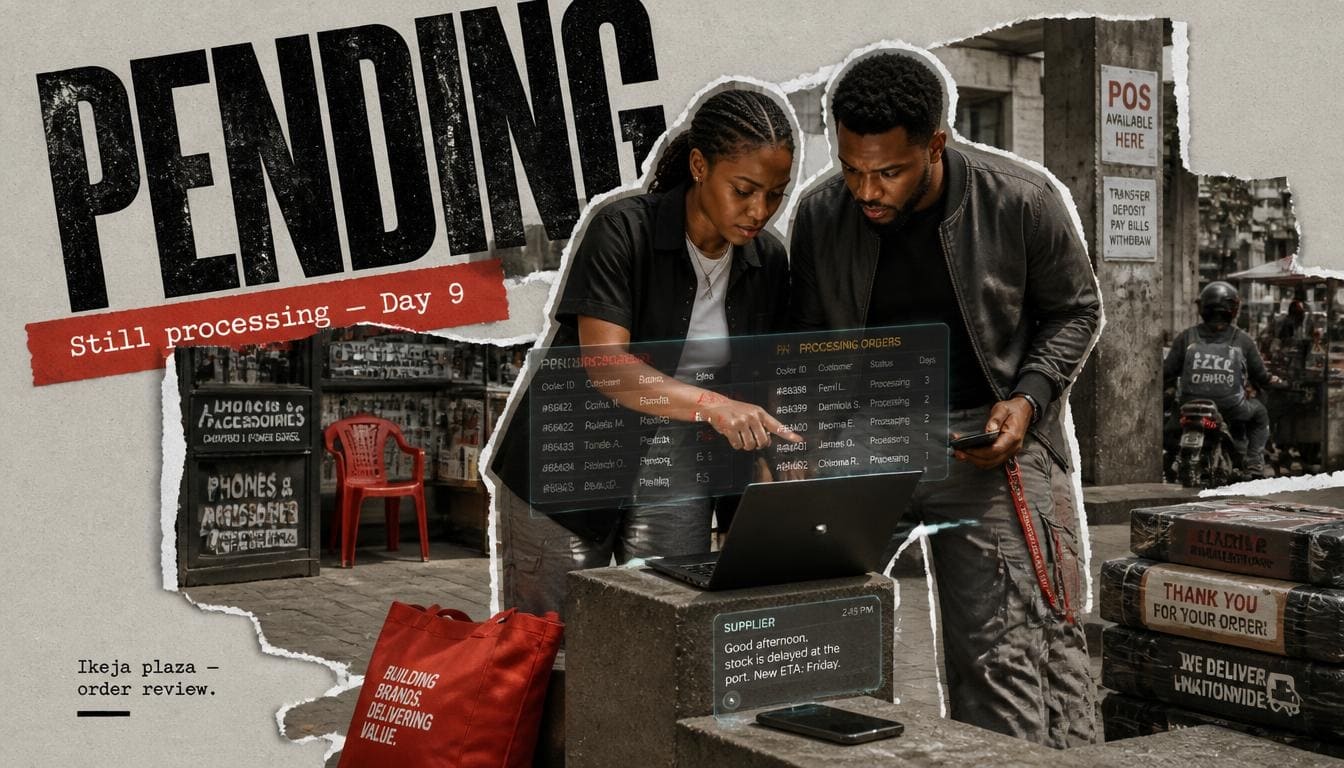
Orders occasionally slow down or halt midway through execution. Identifying the technical root cause enables fast resolution without unnecessary panic.
Analytics from Statista show that global social media data traffic experiences sudden usage spikes during evening peak hours, causing standard cloud service latency to increase by up to 35 percent. This traffic surge directly impacts dispatch timelines across automated panel networks.
Understanding operational workflows helps users diagnose delivery interruptions effectively. System queues process requests sequentially, applying diagnostic checks at each distribution stage.
When external platform algorithms adjust safety parameters, delivery networks adjust transfer rates to preserve account safety. Recognizing standard system responses prevents misinterpreting temporary delays as failed transactions.
Addressing execution issues requires systematically checking common failure points. Inspecting dashboard logs clarifies underlying system states.
Why Is Your Boosting Order Still Pending After Payment?
An order remains in “Pending” status while the panel system verifies target links and assigns server slots. During high-volume periods, requests sit in the allocation queue for 10 to 30 minutes before switching to “In Progress.”
Common reasons for extended pending status include:
- Network traffic backlogs on provider dispatch nodes.
- System re-validation of target URLs following server updates.
- Wallet payment confirmation checks during bank network maintenance.
- Server-side rate limits on targeted social media platform endpoints.
- Account link format verification protocols working through validation queues.
- Temporary API handshaking delays between dashboard interfaces and provider nodes.
Initial status delays reflect essential security and routing verification steps. Automated systems validate target links against safety databases to prevent delivery errors.
Allowing processing windows to clear naturally ensures smooth order execution. Most pending requests transition to active status without requiring manual intervention.
If an order stays pending past 6 hours on a public link, reviewing your dashboard details on Sizzle Social helps initiate rapid resolution protocols.
What Causes Slow Delivery During Peak Traffic Periods?

System speed drops during peak usage windows. When major events, holidays, or viral trends trigger massive user activity across Nigeria, panel servers process millions of concurrent requests globally. During these peak traffic windows, delivery throughput slows slightly to maintain order completion stability.
Key factors influencing traffic slowdowns include:
- Global API speed caps imposed by target social platforms.
- Server bandwidth redistribution to prevent platform connection drops.
- Regional internet infrastructure bottlenecks during prime evening hours.
- Heavy concurrent order volumes submitted across multiple marketing networks.
- Protective server throttles activated to keep account additions secure.
- Temporary queue prioritization assigned to high-priority enterprise transactions.
Network load management protects service architecture during high-volume periods. Throttling transfer rates maintains steady connection stability across all active dispatches.
Understanding peak usage patterns allows marketers to schedule campaign orders during off-peak hours. Placing orders during early morning windows yields faster initial dispatch times.
Why Do Some Orders Stop Before Full Completion?
An order that halts halfway through delivery usually points to one of three common issues:
- Link Alteration: Changing your Instagram handle or deleting the target video link while an order runs breaks the delivery pipeline.
- Duplicated Orders: Placing two identical orders for the same post link simultaneously on different servers causes metric counters to clash, stopping delivery early.
- Platform Refreshes: Social networks periodically purge inactive accounts, which can temporarily reduce recent follower additions.
- Privacy Toggles: Switching account settings from public to private during active delivery halts node access instantly.
- Post Removal: Violating social platform content guidelines leads to post deletion, stopping active metric dispatch.
- Max Cap Reach: Target accounts reaching maximum metric caps per server tier experience automatic order pauses.
Operational interruptions occur when target endpoints change during active delivery. Maintaining static account parameters during campaign runs ensures complete order execution.
System safeguards halt dispatches when connection protocols fail. Resolving target account restrictions restores automated delivery pipelines.
What Does Partial Or Completed Status Mean On Your Dashboard?

Dashboards classify order progression using standard status labels:
- Pending: Order received and undergoing link checking.
- In Progress: Server nodes actively pushing metrics to your target link.
- Completed: The system dispatched the full ordered amount.
- Partial: The system delivered a portion of the order, stopped processing, and automatically refunded the unfulfilled credit count back to your wallet.
- Canceled: The system rejected the link format or failed validation, returning all funds to your balance.
- Processing: Order assigned to an active node queue, preparing initial batch dispatch.
Status indicators communicate real-time server tracking data. Understanding these terms helps users monitor campaign budgets and delivery progress accurately.
Partial completion statuses protect unspent balance funds when backend delivery encounters roadblocks. Automated wallet credits allow immediate re-ordering using alternative server channels.
When Should You Contact Support About A Delayed Order?
Allow a minimum window of 24 hours before opening a support ticket for general follower orders.
Step-by-step checklist before reaching out to support:
- Verify account privacy settings remain completely public.
- Confirm the target URL opens directly in an incognito browser tab.
- Check your order log on the Sizzle Social login portal for partial status updates.
- Ensure no duplicate orders are running on the same link elsewhere.
- Copy your exact Order ID to include in your support ticket message.
- Verify that target account handle modifications did not occur after order submission.
Following systematic verification steps speeds up technical support resolution. Submitting accurate order data enables support staff to isolate routing issues quickly.
Direct support communication helps resolve edge-case delivery delays. Automated ticketing interfaces connect user accounts with system administrators for rapid account reviews.
Reach out to customer support immediately if your order shows “Completed” on the dashboard but your profile count remains completely unchanged, or if an order remains “Pending” past 6 hours on a public link.
How to Track Delivery And Fix Common Boosting Problems

Managing orders directly inside your dashboard ensures complete control over your marketing campaigns and budget. Proactive campaign tracking enables marketers to manage promotional budgets and timeline commitments effectively. Dashboard monitoring interfaces expose real-time metrics, node assignment states, and fulfillment counters.
Understanding system data fields simplifies identifying delivery issues early. Tracking initial start counts against current profile metrics confirms active node connection. Mastering diagnostic steps ensures seamless troubleshooting when order bottlenecks happen. Monitoring dashboard tools maintains total control over growth campaigns.
When your engagement order encounters a delay or stalls mid-delivery, taking a systematic approach helps resolve the problem quickly without unnecessary panic. Most minor fulfillment issues trace back to simple configuration errors or temporary network traffic congestion. Knowing what steps to take keeps your promotional momentum moving forward smoothly.
- Verify profile visibility settings immediately: Ensure your account or target post remains completely public, because private configurations block external traffic nodes from delivering metrics.
- Check for handle spelling errors: Confirm that the username or content link entered into the order form matches your exact live profile without accidental typos.
- Monitor initial start counts: Note your precise follower or view count before placing an order so you can accurately track incoming node connections on your dashboard.
- Avoid changing handles during delivery: Refrain from modifying your username or altering URL paths while an active order runs through the fulfillment queue, as changes break the routing connection.
- Contact support for stuck orders: Reach out to customer support immediately if your order shows completed on the dashboard but your profile count remains completely unchanged, or if an order remains pending past six hours on a public link.
Staying proactive prevents minor hiccups from disrupting your overall marketing strategy. Keeping an eye on your live metrics ensures you notice discrepancies immediately. When you understand how to diagnose and address minor delays, you can manage your growth campaigns with total confidence.
How Can You Monitor Your Order Progress On An SMM Dashboard?
Every order generates a unique Order ID in your dashboard logs. Use your dashboard order page to check real-time progress indicators, including:
- Start Count: The exact metric number logged on your page when delivery began.
- Quantity: Total units purchased.
- Remains: The leftover units yet to deliver.
- Status: Current server state (Pending, In Progress, Partial, or Completed).
- Timestamp: Exact date and time of order submission.
- Service Name: Specific server tier and metric package processing the request.
Dashboard counters provide clear, actionable insights into campaign execution dynamics. Monitoring remaining unit counts validates steady progress toward full order completion.
Comparing logged start counts with live platform counters confirms active server delivery. Real-time logging keeps marketers fully informed throughout campaign lifecycles.
To understand how tracking metrics works on specialized platforms, check out our tutorial on how to use Instagram SMM panels.
What Should You Do When Followers Do Not Appear?

Follow this diagnostic checklist when follower delivery appears stalled:
- Open your target social media application.
- Navigate to Settings > Privacy and confirm your account remains set to Public.
- Check that account restrictions (such as age or country blocks) are disabled.
- Verify the profile link submitted matches the active account handle.
- Confirm your profile has at least one active profile image and published post.
- Check your SMM dashboard to ensure the order status reads “In Progress” rather than “Canceled.”
- If settings are correct and 3 hours pass without movement, copy your Order ID and contact support.
Systematic diagnostic steps eliminate simple user configuration errors. Ensuring public account accessibility allows automated nodes to complete metric delivery smoothly.
Addressing settings errors quickly restores active order processing. Correcting link formats or privacy toggles enables server nodes to resume batch dispatches.
What Happens When Delivery Starts But Stops Halfway?
When an order stops midway, check your “Remains” count on the dashboard. If the status shifts to “Partial,” the system has already calculated the missing metrics and returned equivalent funds to your wallet balance.
Actions to take for partial completions:
- Review target post links for any accidental link modifications.
- Check whether your target social account experienced temporary security prompts.
- Select a different server tier on the panel to place a fresh order for leftover counts.
- Verify account growth limits with guidelines in our post on buying TikTok followers with Naira.
- Allow system balances to refresh before re-ordering metric packages.
- Inspect account activity logs for recent social platform security warnings.
Partial refunds protect campaign capital when delivery nodes hit endpoint limits. Re-ordering unfulfilled quantities through alternative servers completes overall campaign goals.
Understanding balance return mechanisms prevents confusion when dispatches halt unexpectedly. Automated credits maintain overall purchasing power within your platform wallet.
When Should You Request A Refill, Cancellation Or Refund?
Most high-quality follower packages include a 30-day or 60-day refill guarantee. If natural platform drops reduce your follower count below your original start-plus-quantity total within the warranty window, locate your order log and click the Refill button.
Knowing when to apply each remedy ensures efficient budget management:
- Request a Refill When: Follower counts drop below purchase start limits within the active guarantee period.
- Request a Cancellation When: Orders sit in pending status past reasonable processing windows on valid public links.
- Request a Wallet Refund When: A service tier undergoes maintenance and fails to deliver after multiple order attempts.
- Request Technical Audit When: System statuses mark completed while profile counters display zero net changes.
- Request Manual Balance Clear When: Partial order system refunds fail to update wallet totals within 6 hours.
Leveraging platform guarantee mechanisms protects your digital growth investments. Submitting timely refill requests restores target metrics without added costs.
Understanding policy conditions maintains campaign stability across promotional periods. Active account monitoring ensures full utilization of service warranty features.
For detailed service options and refill guarantees across multiple platforms, review the main list of Sizzle Social services.
How Long Should You Wait For A Social Media Boost?
Social media boosting delivery times depend directly on the metric type, order size, and delivery mode you select. Quick engagement actions like likes, post shares, and video views typically show up within minutes. Larger follower campaigns and complete channel builds require controlled drip-feed schedules over several days to protect brand reputation and maintain platform integrity.
Knowing what occurs behind the scenes prevents unnecessary delays and helps you run smoother promotional campaigns. Always verify account privacy settings, submit clean public URLs, and choose delivery speeds that mirror authentic growth patterns for your business.
Ready to scale your online presence with transparent tracking, competitive rates, and reliable execution? Create your account on Sizzle Social today to launch and monitor your next social media growth campaign with total confidence.
Frequently Asked Questions
Delivery times vary across platforms, service categories, and order parameters. Simple metrics like post likes or video views often surface within minutes of a completed transaction, while larger follower packages or long term engagement campaigns require controlled delivery schedules spanning several hours or days to maintain proper account safety and regular traffic flow. Most boosting platforms segment speed into three distinct phases: start time, speed rate per hour, and total completion time. Data from recent global social media benchmarks reveals that platforms prioritize rapid delivery for micro engagements, while long term metrics undergo stricter API processing delays. According to research published by DataReportal, over 60 percent of online users form immediate opinions about brand legitimacy within seconds of viewing an account’s primary metrics, making dispatch timing a critical factor for online vendors. Understanding how server infrastructure handles incoming requests helps clarify why different platforms process metrics at varying rates, since modern panel networks use distributed server nodes that connect directly to automated API endpoints and allocate bandwidth based on current server availability and target platform security limits.
On a stable platform, order processing begins within seconds of automated payment confirmation, and most metrics reflect an average start time of 5 to 30 minutes. However, full completion depends on total order size. Small boosts such as 200 post likes or 500 reel views typically finish within an hour, while larger orders such as 10,000 page followers or 50,000 video views take longer due to built in system throttles designed to protect page health. Timing patterns reveal key operational differences across service tiers. Micro orders of 100 to 500 units process almost immediately, making them ideal for short term visibility boosts. Standard orders of 1,000 to 5,000 units spread over a window of 12 to 24 hours to ensure server equilibrium. Enterprise bulk orders of 10,000 or more units execute across structured multi day schedules to maintain platform safety compliance. Seasonal peak volume orders may experience temporary queue delays of 1 to 3 hours during major holiday sales events. Custom targeted packages require extra routing checks, adding roughly 30 minutes to initial dispatch setup times.
Different engagement types follow different processing speeds across major social networks. Likes and reactions are lightweight API actions, so server nodes push post likes almost immediately after detection, with first arrivals landing within 2 to 10 minutes. Video and story views require minimal account validation from platform algorithms, so TikTok views, Instagram reel plays, and YouTube short views deliver at rapid hourly rates, making them ideal for trend campaigns. Followers and subscribers undergo heavier scrutiny by platform anti spam algorithms, so safe follower delivery runs at a regulated pace, often batching profiles over hours or days to mirror natural user acquisition. Comments and custom replies require custom routing algorithms to prevent duplicate text patterns, with delivery starting in 15 to 45 minutes and processing in steady intervals. Saves and shares log quietly in backend analytics within 30 to 90 minutes of order submission. Direct profile visits process steadily over a 6 to 12 hour window, driving organic impression signals without triggering bot filters. Metric complexity directly dictates routing speed across provider databases.
The moment your payment clears on an SMM dashboard, several automated backend actions occur simultaneously. Transaction verification confirms the payment gateway notified the panel API that funds cleared your wallet balance. Order validation then runs system scripts that verify the destination URL, ensuring the profile or post link remains public and free from syntax errors. Server queueing places the request into the dispatch queue of the specific provider node assigned to that service tier. Action dispatch then routes automated server nodes directly to your social media target link until the requested quantity logs complete. Final account sync pulls updated platform counts to confirm total fulfillment before marking status complete, and error check runs backend diagnostic tools to verify zero metric drop occurred during active transmission windows. Data verification steps protect your account from invalid data submissions, since automated scripts scan submitted URLs for structural errors, missing parameters, or private profile restrictions prior to node assignment. Once validated, provider nodes balance delivery workloads across operational database clusters.
Delayed starts usually stem from minor administrative errors or system wide updates. Private account settings are a common cause, since server nodes cannot deliver metrics to locked profiles or restricted posts. Incorrect link formats also stall automated validation tools, such as submitting a profile handle instead of a full video link. Social media platform updates matter too, because when Instagram, TikTok, or X roll out backend security updates, SMM panels temporarily pause dispatch queues to adjust routing protocols and protect account safety. Server maintenance windows pause fresh order dispatches for up to two hours during routine database cleanup sessions. Account region locks, including specific age or country restrictions placed on your social page, block global delivery nodes from accessing the content. Database rate limits, meaning temporary API call caps imposed by social networks, slow down initial batch creation times. Resolving configuration issues prior to order placement eliminates common delays, and checking profile privacy states and verifying exact URL strings ensures immediate processing through automated queues.
Instant delivery pushes the entire requested quantity to your target post or profile as fast as backend nodes process the requests. Start times range from instantaneous to 15 minutes, with high hourly transfer rates. This option works exceptionally well for time sensitive marketing campaigns, such as flash sales, live event coverage, or rapid social proof for breaking announcements. Key characteristics of instant delivery include immediate visual impact for social proof verification, rapid fulfillment for short duration promotional posts, zero configuration effort beyond selecting quantity, maximum boost intensity during launch hours, direct integration with fast moving viral content, and accelerated metric indexing for trending hashtag pushes. High velocity execution enables creators to capture quick algorithmic momentum during competitive content windows, since pushing engagement immediately upon posting signals strong user interest to discovery systems. However, unthrottled distribution requires careful application, because utilizing rapid speed options on newly registered accounts without sufficient baseline content can trigger automated profile reviews.
Drip feed delivery breaks down a large order into smaller, automated batches distributed over specified time intervals. For example, instead of receiving 5,000 Instagram followers in one hour, you can set the panel to send 500 followers every 24 hours over ten days, controlling the batch quantity, run frequency, and total schedule length directly from your dashboard order screen. Using drip feed features offers major operational advantages. It spreads engagement metrics naturally, protecting account safety scores. It delivers sustained algorithmic push over an extended campaign duration. It automates delivery management without requiring manual repeat orders. It provides custom interval control tailored to account size. It reduces long term drop rates through balanced network loading. It also maintains steady engagement ratios across multiple weekly posts. Automated batching schedules create consistent activity patterns that search engines and discovery algorithms reward. Spreading interactions over days mimics continuous audience discovery, building sustainable account authority. Configuring interval settings allows business managers to align metric delivery with key marketing milestones and ensure continuous brand visibility.
Evaluating the difference between instant and gradual follower delivery comes down to campaign objectives. Choose instant delivery if you run a 24 hour flash sale, post a breaking news update, launch a live broadcast, or need fast social proof before a pitch. Choose drip feed delivery if you manage a fresh business profile, build long term channel authority, market a service over weeks, or run continuous brand campaigns. You can combine both modes if you publish a major video campaign, using instant views for immediate reach while applying drip feed followers for steady page expansion. Select instant for short lived trends, since stories and temporary posts require fast metric arrival before content expires. Select drip feed for core assets, because main profile pages and monetized channels benefit from gradual growth parameters. Matching delivery options with specific content goals prevents budget waste and optimizes account reach. Immediate dispatches suit temporary content, while scheduled runs support long term brand building. Account maturity serves as a primary decision factor, since established profiles absorb rapid metric additions without triggering security checks.
A brand new account jumping from 20 followers to 10,000 followers in ten minutes raises immediate red flags for both profile visitors and network algorithms. Sudden metric spikes without pre existing content history can trigger automated spam reviews. Gradual delivery through drip feed features allows small business pages to build credibility steadily, ensuring growth curves mirror authentic word of mouth expansion. Natural growth principles for fresh pages include keeping daily follower gains under ten percent of total page reach, matching follower increases with proportional post likes and story views, maintaining consistent publishing schedules alongside active orders, allowing engagement metrics to settle over days rather than minutes, focusing on building sustainable credibility for first time profile visitors, and avoiding sudden engagement surges on accounts with zero published content. Strategic pace management protects nascent accounts from platform penalties while establishing genuine social proof. Spreading metric additions over weeks builds authentic profile authority, and consistent controlled growth builds long term account value, since potential clients and platform algorithms view steady audience expansion as a sign of legitimate brand health.
An order remains in pending status while the panel system verifies target links and assigns server slots. During high volume periods, requests sit in the allocation queue for 10 to 30 minutes before switching to in progress. Common reasons for extended pending status include network traffic backlogs on provider dispatch nodes, system re validation of target URLs following server updates, wallet payment confirmation checks during bank network maintenance, server side rate limits on targeted social media platform endpoints, account link format verification protocols working through validation queues, and temporary API handshaking delays between dashboard interfaces and provider nodes. Initial status delays reflect essential security and routing verification steps, since automated systems validate target links against safety databases to prevent delivery errors. Allowing processing windows to clear naturally ensures smooth order execution, and most pending requests transition to active status without requiring manual intervention. If an order stays pending past 6 hours on a public link, reviewing your dashboard details helps initiate rapid resolution protocols.
System speed drops during peak usage windows. When major events, holidays, or viral trends trigger massive user activity across Nigeria, panel servers process millions of concurrent requests globally, and during these peak traffic windows, delivery throughput slows slightly to maintain order completion stability. Key factors influencing traffic slows include global API speed caps imposed by target social platforms, server bandwidth redistribution to prevent platform connection drops, regional internet infrastructure bottlenecks during prime evening hours, heavy concurrent order volumes submitted across multiple marketing networks, protective server throttles activated to keep account additions secure, and temporary queue prioritization assigned to high priority enterprise transactions. Analytics from Statista show that global social media data traffic experiences sudden usage spikes during evening peak hours, causing standard cloud service latency to increase by up to 35 percent, and this traffic surge directly impacts dispatch timelines across automated panel networks. Network load management protects service architecture during high volume periods, and understanding peak usage patterns allows marketers to schedule campaign orders during off peak hours for faster dispatch.
An order that halts halfway through delivery usually points to one of several common issues. Link alteration is a frequent cause, since changing your Instagram handle or deleting the target video link while an order runs breaks the delivery pipeline. Duplicated orders also cause problems, because placing two identical orders for the same post link simultaneously on different servers causes metric counters to clash and stops delivery early. Platform refreshes matter too, since social networks periodically purge inactive accounts, which can temporarily reduce recent follower additions. Privacy toggles halt node access instantly when account settings switch from public to private during active delivery. Post removal stops active metric dispatch when violating social platform content guidelines leads to post deletion. Max cap reach occurs when target accounts reach maximum metric caps per server tier and experience automatic order pauses. Operational interruptions occur when target endpoints change during active delivery, so maintaining static account parameters during campaign runs ensures complete order execution. System safeguards halt dispatches when connection protocols fail, and resolving target account restrictions restores automated delivery pipelines.
Dashboards classify order progression using standard status labels that communicate real time server tracking data. Pending means the order is received and undergoing link checking. In progress means server nodes are actively pushing metrics to your target link. Completed means the system dispatched the full ordered amount. Partial means the system delivered a portion of the order, stopped processing, and automatically refunded the unfulfilled credit count back to your wallet. Canceled means the system rejected the link format or failed validation and returned all funds to your balance. Processing means the order is assigned to an active node queue and preparing initial batch dispatch. Understanding these terms helps users monitor campaign budgets and delivery progress accurately. Partial completion statuses protect unspent balance funds when backend delivery encounters roadblocks, and automated wallet credits allow immediate re ordering using alternative server channels. Status indicators communicate real time tracking data, so mastering these labels helps you diagnose issues quickly and maintain total control over growth campaigns.
Allow a minimum window of 24 hours before opening a support ticket for general follower orders. Before reaching out, follow a step by step checklist: verify account privacy settings remain completely public, confirm the target URL opens directly in an incognito browser tab, check your order log for partial status updates, ensure no duplicate orders are running on the same link elsewhere, copy your exact Order ID to include in your support ticket message, and verify that target account handle modifications did not occur after order submission. Following systematic verification steps speeds up technical support resolution, and submitting accurate order data enables support staff to isolate routing issues quickly. Direct support communication helps resolve edge case delivery delays, since automated ticketing interfaces connect user accounts with system administrators for rapid account reviews. Reach out to customer support immediately if your order shows completed on the dashboard but your profile count remains completely unchanged, or if an order remains pending past 6 hours on a public link
Most high quality follower packages include a 30 day or 60 day refill guarantee. If natural platform drops reduce your follower count below your original start plus quantity total within the warranty window, locate your order log and click the refill button. Knowing when to apply each remedy ensures efficient budget management. Request a refill when follower counts drop below purchase start limits within the active guarantee period. Request a cancellation when orders sit in pending status past reasonable processing windows on valid public links. Request a wallet refund when a service tier undergoes maintenance and fails to deliver after multiple order attempts. Request a technical audit when system statuses mark completed while profile counters display zero net changes. Request a manual balance clear when partial order system refunds fail to update wallet totals within 6 hours. Leveraging platform guarantee mechanisms protects your digital growth investments, and submitting timely refill requests restores target metrics without added costs. Understanding policy conditions maintains campaign stability across promotional periods, and active account monitoring ensures full utilization of service warranty features