
Table of Contents
Every video post needs reach to gain attention. Small business owners, creators, and online vendors work hard to create short videos, hoping the platform algorithm pushes their content to the right viewers. When views remain low after hours of effort, the search for a quick solution begins. A promo option promises instant visibility, but opening an unknown web page or entering account details into a random tool can lead to severe security risks.
Safe social media growth requires clarity and caution. Before clicking any web address or paying for instant views, understanding how promo tools function protects your profile while keeping your reach on track.
Building sustainable audience reach involves balancing quick visibility tactics with long-term security habits. Creators in competitive digital markets often feel pressure to achieve instant numbers, making third-party tools look attractive. Unfiltered exposure to unverified links can result in stolen credentials, shadowbans, or full profile lockouts.
This comprehensive guide breaks down the technical mechanisms, safety protocols, and corrective steps needed to use video amplification safely.
What Is A TikTok Boost Link And How Does It Work?

Understanding digital promotion tools begins with recognizing how content delivery architecture operates across web networks. A video promo address serves as a direct technical pointer connecting your published post to external traffic distribution channels. When you paste your video URL into a growth platform, the underlying system uses that specific web link to guide impressions, video plays, or profile visits toward your target content.
Legitimate video amplification relies entirely on public media links, meaning the system requires zero access to your account settings, private messages, or login tokens. External distribution systems operate externally; they read public data exposed by the platform’s media server and direct network traffic accordingly. This separation between content distribution and account authentication forms the foundational security boundary for digital creators.
When creators evaluate growth tools, distinguishing between external traffic routing and internal account modifications is essential. External networks simply increase the visibility of an already public asset. Internal access tools, conversely, ask for direct entry into your profile, creating severe vulnerabilities. Knowing this distinction enables creators to use amplification services confidently while completely blocking unauthorized access to their personal or business profiles.
Understand How TikTok Video Boost Links Work
A promo URL connects your account or specific video post to an automated delivery network. When you paste your video URL into a growth dashboard or campaign tool, the system registers the destination address to direct reach, likes, or video views to that specific post. Standard systems process this request entirely through public URLs without asking for private access details.
Digital visibility platforms operate on basic web architecture. When content creators order social amplification, server networks utilize public API endpoints to route real-time engagement traffic directly toward the targeted content asset. No deep administrative access is needed to initiate this process. The mechanism mimics organic sharing loops by exposing public media links to active content consumers across global partner sites.
Once indexed, automated distribution servers allocate engagement credits or direct real user feeds toward that link. Because public links are designed by nature to be shared across the web, sharing a video address with an external server presents no inherent security flaw. Problems arise only when malicious third parties attempt to bundle link submissions with fake verification steps requiring account logins.
Understanding the technical sequence behind external content delivery prevents account owners from falling for common phishing traps. Safe promotional channels process media addresses externally, separating profile authentication mechanisms from external promotion tasks entirely. Using external promotion services can be simple when using a dedicated TikTok Growth Platform designed around secure API architecture.
Identify Official TikTok Promote Options

The official in-app promotion feature lets creators pay to expand video reach directly inside the application. Users access this feature through the creator tools menu on their profile or by tapping the three dots on an individual video. Official campaigns run entirely within the app ecosystem, using stored app permissions and official payment methods rather than external web forms.
In-app marketing tools target native audiences directly through algorithmic placement inside the primary content feed. Account managers control daily budgets, target specific demographics, and select campaign goals such as website clicks or follower growth. Native promotion tools offer direct integration with internal account data, keeping payment processing and target configuration inside the application environment.
Inside the application ecosystem, native campaigns utilize existing user profile tokens to verify payment authorization and campaign settings. Creators select target objectives, defining whether they want more profile views, website visits, or video plays.
The application then calculates projected audience reach based on chosen budget tiers and geographical demographic filters. Because every transaction occurs within the secured software container of the mobile application, payment details remain protected by established mobile app store security protocols.
| Feature | Official In-App Promote | External Boost Links |
| Access Method | Profile Creator Menu | External Web Dashboard |
| Authentication | Native App Credentials | Public Video URL Only |
| Targeting | In-App Demographics | System Delivery Networks |
| Payment Options | In-App Coins/Cards | Local & Global Payment Gateways |
| Budget Control | Daily In-App Caps | Fixed Package Options |
While native promotion offers seamless integration, creators must evaluate cost structures against specific growth goals. Native campaigns charge based on dynamic ad bidding models, meaning advertising costs fluctuate depending on user competition, target demographic demand, and seasonal market trends.
For small businesses operating on fixed monthly marketing budgets, dynamic bidding can produce inconsistent cost-per-view metrics. Understanding native settings enables creators to decide when to deploy in-app advertising versus alternative growth channels.
Another key component of in-app promotion involves post-campaign analytics integration. Native dashboards provide granular reports showing viewer age ranges, gender breakdowns, regional distribution, and conversion rates.
These insights assist creators in refining future content strategies. Utilizing native promotion tools establishes a clear performance baseline, making it easier to evaluate external visibility solutions against official benchmark metrics.
Compare TikTok Promote With Third-Party Boost Links
Official in-app promotions offer targeted demographic options and detailed performance analytics, but campaign costs accumulate quickly. Third-party growth platforms and SMM providers deliver visibility options through external web dashboards. Trusted third-party platforms handle orders using only your public video URL, whereas unauthorized tools often attempt to mimic official pages to collect private user data.
Selecting external promotion channels requires evaluating service delivery models, system reliability, and privacy standards. Many external providers offer cost-effective alternatives for creators building audience traction without native ad accounts. Comparing service features helps account owners maintain strict profile protection while expanding content reach.
Official in-app tools operate on dynamic auction systems, meaning costs can rise quickly during peak advertising seasons. External growth panels provide fixed-rate packages, allowing vendors and creators to order specific quantities of video views, likes, or shares at predictable prices.
This cost predictability makes third-party platforms appealing for emerging online brands testing initial market interest without committing large capital reserves.
- Account Access Requirements: Native tools use built-in profile authorizations, while legitimate external services ask only for public media addresses.
- Pricing Structures: Official promotions charge on a bidding or daily budget model, whereas external panels offer flexible fixed-rate packages.
- Data Privacy: Legitimate third-party tools never ask for login tokens or password inputs to process order requests.
- Service Variety: External platforms provide targeted engagement metrics including custom views, shares, and profile visits.
- Delivery Speed: Independent platforms often provide immediate automated processing through dedicated delivery dashboards.
Evaluating performance metrics across different promotion channels reveals significant variations in reach efficiency. According to digital marketing research published by HubSpot, video content generates higher engagement rates across social platforms than any other media format, driving creators to seek efficient amplification tools.
Connecting content with trusted services ensures steady visibility without compromising profile safety. Creators looking for comprehensive social management tools can explore a versatile SMM Panel to manage multiple campaign channels efficiently.
Know What A TikTok Boost Link Should Request
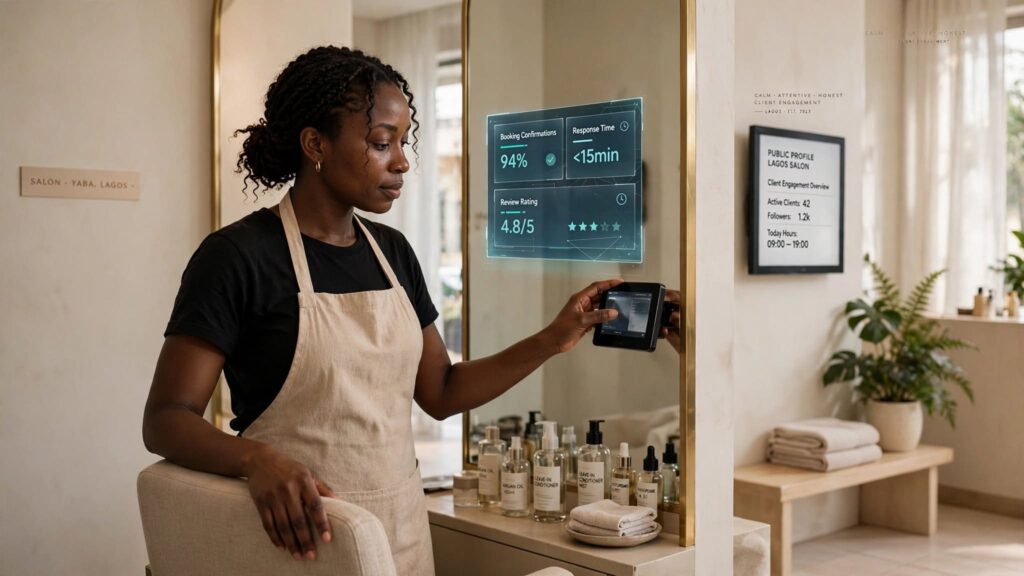
A secure promotion tool requires only public information. To deliver views, likes, or comments to a specific post, a service needs only the public URL of the video or your profile handle. Any external tool or web page that prompts you for your account password, email login credentials, or phone verification code is unsafe and should be avoided.
Recognizing safe request parameters protects creators from credential theft and phishing attacks. Legitimate automation platforms function like public search engines, needing only public web links to direct traffic. Guarding account authentication data keeps social assets safe while allowing users to build online authority.
Data safety in social media marketing centers on the principle of least privilege: granting a service only the bare minimum data necessary to complete its stated task. Because delivering engagement to a public video requires only the destination web link, asking for secondary data fields represents an immediate security threat. Trusted growth panels structure their checkout forms with minimalist input fields, asking solely for the content link, target quantity, and standard payment confirmation.
Establishing clear boundaries on what data to share maintains digital security across all web activities. When an external tool asks for sensitive account information, exit the site immediately to prevent unauthorized profile access.
Educating team members, virtual assistants, or agency staff on these request parameters prevents accidental security breaches. Many growing businesses delegate social media management to junior staff who may not recognize sophisticated phishing attempts.
Instituting strict operational guidelines, specifying that passwords are never entered into external promotion tools, safeguards the organization’s online footprint.
How To Check A TikTok Boost Link Before Use

Evaluating external links prior to interaction forms a necessary defense line against cyber threats. Malicious actors design fraudulent web destinations specifically engineered to exploit creator desire for rapid audience expansion. Performing systematic checks on web domain structures, provider reputations, landing page behaviors, and credential prompts significantly lowers security risks.
Adopting a structured verification workflow ensures every web address is audited before submitting public video content or processing payments. Developing this analytical habit protects digital assets, personal identities, and financial accounts from unauthorized exploits.
Combining technical browser checks with common-sense web evaluation methods gives creators complete control over their promotional environment. The following subsections detail practical steps for testing external links before deployment.
1. Verify The Website Domain Before Clicking
Before entering information on any web page, inspect the full address in your browser bar. Scam sites frequently copy official brand designs while using slightly altered web domains. Check for spelling errors, extra hyphens, or unusual domain extensions. If the web domain does not match the official platform domain or a verified growth provider, close the window immediately.
Cybercriminals rely heavily on domain spoofing to deceive social media users seeking fast video engagement. Typosquatting involves registering domain names that closely resemble popular brand names, changing a single character or altering the domain extension from .com to obscure top-level domains. Checking domain registration details, SSL certificate validation, and address structure prevents accidental entry into malicious web environments.
Analyzing domain authenticity requires observing specific technical details within the address bar. Secure websites employ valid HTTPS protocols with encrypted connections, indicated by a closed padlock symbol beside the web address. Inspecting these technical indicators ensures safe browsing before submitting public video links to any external growth dashboard.
Example Domain Inspection Checklist:
1. Protocol Check: Does the URL begin with “https://” instead of “http://”?
2. Domain Name Spelling: Are there subtle misspellings (e.g., “tik-tok-boost.co“)?
3. Top-Level Domain (TLD): Is the extension recognized and reputable (.ng, .com)?
4. Security Certificate: Does clicking the padlock show a valid, active SSL certificate?
Subtle domain variations can confuse even experienced internet users. Fraudulent actors often swap visually similar characters, replacing a lowercase “l” with a number “1”, or using subdomains that hide the true destination host.
For example, a web address structured as “tiktok.boost-views-service.com” is hosted on “boost-views-service.com”, not TikTok. Understanding how domain hierarchies are structured enables creators to read web addresses correctly and spot deceptive routing tricks.
Checking domain age and registration details through public WHOIS lookup tools adds another layer of security verification. Established, reliable platforms maintain domain registrations over extended periods and clearly identify their operating entities.
Malicious phishing domains, by contrast, are typically registered anonymously and operated for only a few weeks before being abandoned or flagged by security databases. Taking thirty seconds to inspect domain credentials provides long-term protection for your social profiles.
2. Check The Link Source And Provider Reputation
Consider where you received the promotional address. Direct messages, random comment sections, and unsolicited WhatsApp texts often contain dangerous web links designed to compromise accounts. Reputable platforms maintain established websites, clear service descriptions, transparent pricing, and active customer support rather than sending random direct messages.
Evaluating service provider reputation requires research before using external marketing tools. Trustworthy growth services maintain transparent operating policies, verified customer reviews, clear terms of service, and direct contact channels. According to cybersecurity findings by Statista, phishing remains one of the most common cyber threats globally, with social media accounts targeted frequently through fake promo links. Checking third-party review platforms and community forums helps identify reliable tools before initiating orders.
Digital communication channels like Telegram groups, Instagram direct messages, and automated comment bots are common vectors for unverified links. Cybercriminals utilize automated scripts to spam thousands of creators with claims of free account verification or instant follower packages. Recognizing that professional service providers operate through secure, public web platforms rather than unsolicited direct messages prevents accidental exposure to dangerous web traps.
Cross-referencing provider names across independent industry review sites, community forums, and digital marketing forums reveals operational track records. Look for feedback regarding delivery speed, customer service responsiveness, and billing transparency. Consistent positive reports across independent platforms signal a reliable service provider, whereas frequent complaints regarding missing orders or unauthorized card charges indicate an untrustworthy entity.
3. Spot Fake TikTok Promotion Pages And Redirects
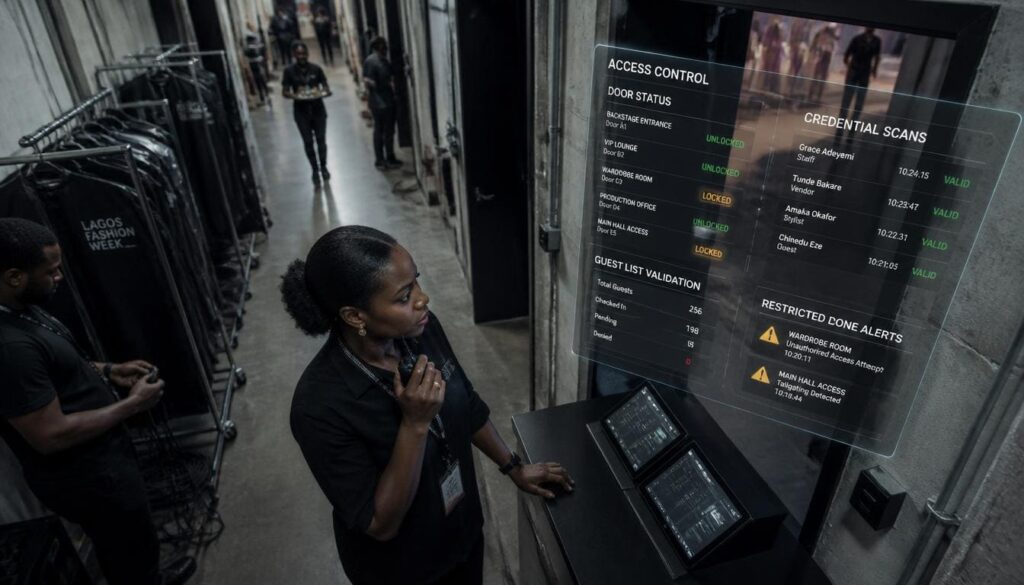
Cybercriminals build duplicate web pages that look identical to official login portals. These phishing setups redirect your browser through multiple web addresses before landing on a fake login form. If a link promises free views or viral distribution in exchange for logging into your account, close the browser tab at once.
Phishing portals copy brand logos, typography, and layout styles to trick visitors into entering private account credentials. Advanced redirect scripts often bounce user traffic across multiple server nodes, masking the final malicious destination until the page renders completely. Understanding these redirect tactics allows account managers to identify suspicious activity early.
- Multiple Page Bounces: The browser address bar rapidly cycles through several unfamiliar domain names before loading the final destination.
- Unusual URL Structures: The page URL displays complex strings of random numbers and letters rather than a clean domain path.
- Generic Branding Elements: Visual design elements appear pixelated, misaligned, or out of date compared to official brand assets.
- Forced Login Triggers: The web page immediately forces a login window before letting visitors view content or service descriptions.
- Fake Urgency Banners: Countdown timers or warning messages threaten account suspension or missing out on limited-time free offers.
Detecting fake promotion portals protects social profiles from unauthorized takeovers and credential leaks. When encountering suspicious web pages or unexpected redirects, close the browser window immediately and clear temporary cache files to maintain digital safety.
Analyzing the technical behavior of a web page reveals hidden risks before damage occurs. Fraudulent sites often disable right-click functionality, obscure browser navigation controls, or launch relentless pop-up windows designed to prevent visitors from leaving.
These coercive user-interface designs indicate malicious intent. Legitimate growth dashboards prioritize smooth navigation, allowing users to browse services, read terms, and exit without technical interference.
Modern web browsers feature built-in security tools designed to warn users when navigating toward known phishing addresses or unencrypted portals. Pay close attention to browser warnings such as “Connection Not Private” or “Deceptive Site Ahead.” Overriding these security alerts to access a promo page exposes your device and accounts to severe cyber risks. Trusting automated browser protections forms a strong defense line against sophisticated web threats.
4. Avoid Links Requesting Passwords Or Verification Codes
No legitimate promotion service or external campaign dashboard requires your account password to send views or likes to a public video. Two-factor security codes sent to your mobile phone or email address exist strictly to protect your login identity. Sharing these codes with an external website gives strangers full control over your social profile.
Authentication codes represent the final line of defense protecting digital identity. Verification codes generated by authenticator apps or SMS systems validate account access attempts during login operations. Disclosing these multi-factor security keys to external web forms bypasses profile security, granting unauthorized users full access.
Creators seeking reliable promotion without sharing credentials can explore dedicated TikTok Growth Services designed around secure public URL processing models. Safe marketing platforms operate entirely through public endpoints, keeping login passwords, recovery credentials, and two-factor codes safe.
Understand how cybercriminals exploit verification codes in real-time session hijacking attacks. When an attacker inputs your username into an official platform login screen, the system sends an automated SMS or authenticator code to your phone. The attacker’s fake promo site simultaneously prompts you to enter that exact code under the guise of “claiming free views.” When you type the code, the attacker immediately enters it into the official portal, gaining access to your profile and changing recovery details before you realize what occurred.
Never enter account access credentials, recovery codes, or verification PINs into external forms. Legitimate promotional operations do not require account access to route public video views. Maintaining strict separation between promotional activities and authentication management protects your digital presence from takeover attempts.
How To Use A TikTok Boost Link Safely

Implementing safety protocols enables creators to expand content reach without compromising account integrity. Establishing clear operational habits around link verification, campaign goal setting, budget management, and account security ensures digital growth strategies remain safe and effective.
A structured implementation plan transforms safety advice into actionable daily practices. By following systematic procedures, creators and business managers can focus on scaling video reach, engaging target audiences, and driving conversions securely.
The following subsections outline actionable procedures for executing social media growth campaigns safely.
1. Open Promotion Links Only From Trusted Sources
Keep your account secure by using established growth services with verified track records. Reliable platforms like Sizzle Social provide transparent dashboards where creators choose targeted growth packages, input public post URLs, and monitor delivery status securely without ever risking account credentials.
Working with verified service platforms ensures steady audience development without exposing sensitive data. Verified platforms maintain encrypted communication channels, transparent payment processing systems, and structured privacy policies. Choosing established growth platforms protects creators from malicious web setups while supporting sustainable social expansion.
Establishing safe browsing habits starts with managing web bookmarks. Rather than clicking external links in chat applications or social media comments, bookmark verified growth dashboards directly in your web browser. Accessing platforms via stored bookmarks ensures you land on official domains every time, eliminating risks from typosquatted URLs or deceptive search engine ad links.
A proactive approach to link safety involves verifying the source before clicking external links. Bookmark trusted promotion dashboards in your browser to avoid typing addresses manually or clicking unverified search engine links. For creators using broader social campaigns, managing reach through trusted platforms like Sizzle Social provides complete visibility and campaign control.
2. Confirm The Video And Promotion Goal
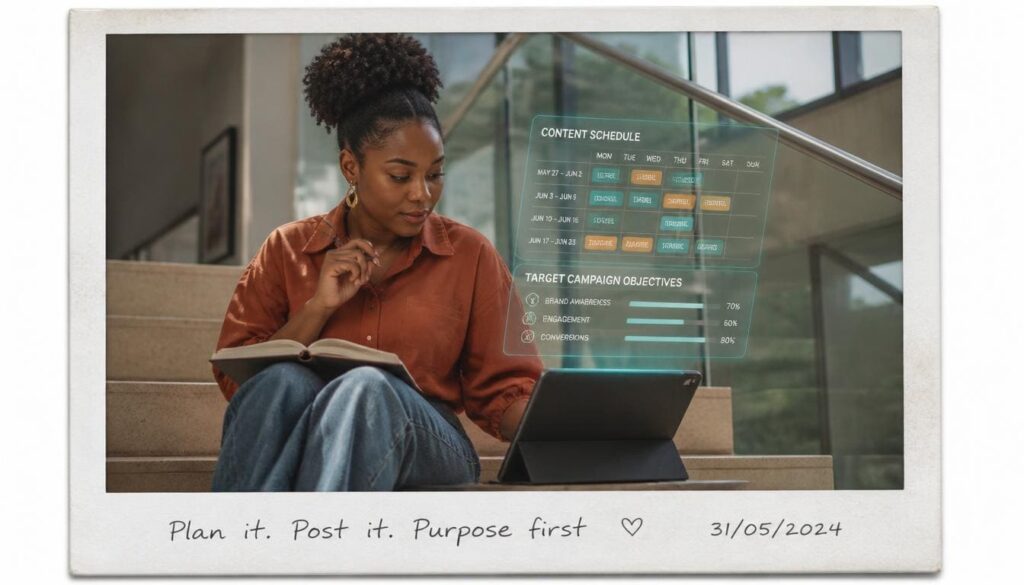
Before submitting a promotion request, verify your strategy and video settings. Confirm that your video privacy setting is set to public so the service can access the post. Determine whether your current goal is higher view counts, increased profile traffic, or broader engagement, then select the package that aligns with that objective.
Setting clear promotion targets improves marketing efficiency and campaign performance. Different content pieces serve distinct purposes within a growth funnel, such as building brand awareness, driving product inquiries, or growing follower count. Aligning promotion package selections with specific video content objectives maximizes audience engagement impact.
Reviewing video configuration parameters prior to campaign launch saves time and financial resources. Public platforms offer several privacy toggles, including settings that limit video viewing to “Friends Only” or “Private.” Submitting a private video address to an automated routing network causes delivery failures, as external traffic servers cannot access restricted media files. Verifying that public accessibility toggles are active ensures smooth delivery.
Content Readiness Audit Checklist:
1. Video Privacy Setting: Set to “Everyone” (Publicly Accessible).
2. Content Guidelines: Verified compliant with platform community standards.
3. Link Accuracy: URL copied directly from share menu without truncated parameters.
4. Objective Alignment: Metric package matches business goal (e.g., Shares for virality).
Verifying video accessibility before placing an order avoids delivery delays. If a video post is set to private or restricted to friends, automated delivery networks cannot access the content link. Ensuring public availability allows smooth processing across external growth platforms.
Strategic metric selection prevents unnatural performance ratios across your profile analytics. Ordering 100,000 video views for a post with zero likes or comments creates an obvious imbalance that can draw unwanted scrutiny from platform algorithms. Balancing video view orders with proportional like and comment ratios produces organic-looking engagement patterns, strengthening profile credibility.
3. Set A Budget That Fits Your Growth Target
Plan your campaign spending carefully to maintain steady progress. Small, consistent campaigns often deliver better long-term audience building than sudden, expensive spends. Compare package options across trusted growth platforms to maximize your visibility return while keeping campaign costs within your monthly marketing budget.
Strategic financial planning prevents unnecessary overspending while supporting continuous social growth. Distributing promotional budgets across multiple content pieces generates balanced account metrics rather than spiking single video metrics unnaturally. According to industry analysis from DataReportal, consistent video publishing combined with targeted amplification yields higher audience retention rates over time.
Constructing a sustainable promotion budget involves evaluating lifetime customer values and conversion rates. Small business owners selling physical products should calculate how much revenue a specific video view increase generates in actual website visits and completed sales. Defining clear Return on Investment (ROI) targets prevents emotional overspending on vanity metrics that do not drive practical business growth.
| Campaign Tier | Target Objective | Strategy Focus | Budget Allocation |
| Starter Tier | Profile Visibility | Content Testing & Baseline Reach | Low – Micro Packages |
| Growth Tier | Audience Expansion | Consistent Video Amplification | Moderate – Scheduled Orders |
| Scale Tier | Brand Leadership | High-Volume Multi-Post Reach | High – Custom Campaigns |
Allocating promotional funds across multiple content assets creates a diversified growth strategy. Spreading a fixed monthly budget over ten high-quality video posts reduces reliance on any single post going viral organically. Controlled, incremental amplification provides consistent algorithmic feedback to social platforms, helping your account gain steady traction over time.
Tracking promotional expenditure alongside organic metric increases helps refine future marketing allocations. Maintain a simple spreadsheet recording campaign costs, ordered metric volumes, organic follower gains, and sales conversions. Reviewing this data monthly identifies which video styles produce the highest return, allowing you to optimize your promotional spend.
4. Protect Your TikTok Login And Recovery Details
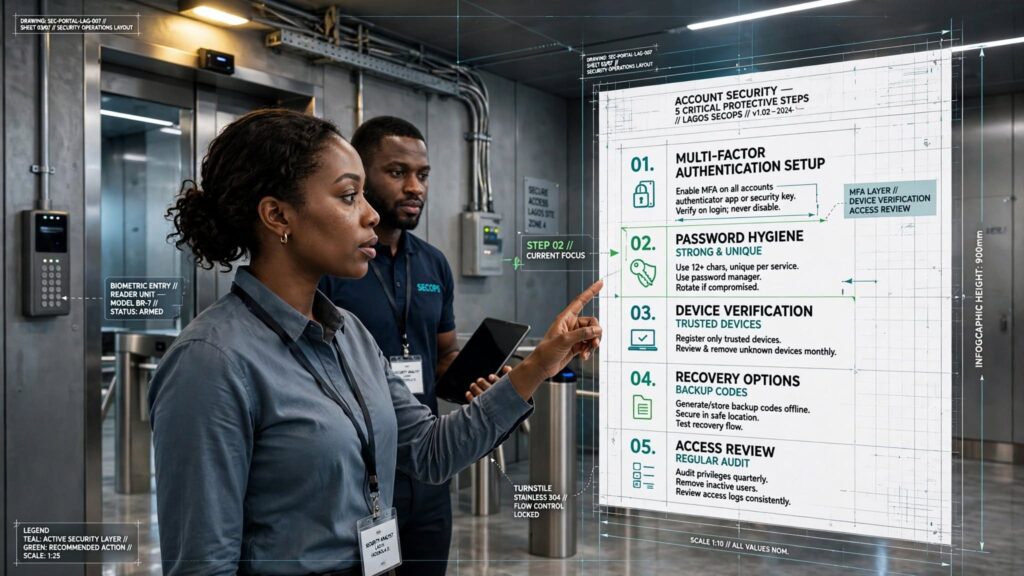
Maintain strict security habits across all social profiles. Enable two-factor authentication in your account settings, use a strong password unique to that account, and update your recovery phone number and email address regularly. Never enter these recovery details on external websites or promotion forms.
Digital security practices protect social profiles from unauthorized access and credential theft. Creating unique, complex passwords containing combinations of uppercase letters, lowercase letters, numbers, and symbols prevents brute-force login attempts. Updating login credentials regularly maintains strong account protection.
Account recovery settings provide essential backup channels if security issues arise. Ensuring recovery email addresses and mobile phone numbers remain active and accessible guarantees rapid account restoration if login problems occur.
Configuring two-factor authentication (2FA) via dedicated authenticator applications offers superior protection compared to SMS-based verification. SMS messages can be intercepted through SIM-swapping exploits, where cybercriminals persuade mobile carriers to transfer your phone number to a rogue SIM card. Authenticator apps generate time-based codes locally on your mobile device, rendering them immune to cellular interception tricks.
Essential Account Protection Steps:
1. Enable Two-Factor Authentication (2FA) via Authenticator App or SMS.
2. Create a strong, unique password using letters, numbers, and symbols.
3. Verify active recovery phone number and email address in account settings.
4. Review active login sessions regularly and revoke unfamiliar devices.
5. Never save account credentials on shared or public web browsers.
What To Do When A TikTok Boost Link Looks Suspicious

Encountering a suspicious promo link or realizing you entered credentials into an unverified web form requires rapid, decisive action. Quick intervention can prevent account hijacking, credential leaks, and financial loss. Having an emergency response protocol ensures you know exactly how to secure your account under pressure.
Treating potential security breaches with urgency minimizes overall exposure. The faster you revoke session tokens, update passwords, and notify platform support teams, the less opportunity attackers have to alter account recovery details or lock you out permanently.
The following subsections outline corrective steps to execute immediately upon encountering suspicious links or potential credential exposure.
Close Pages That Request Sensitive Account Details

If a web page asks for your account password, security questions, or phone verification code, exit the page immediately. Do not click any confirmation buttons or secondary pop-ups on the page. Clearing your browser cache after closing the suspicious tab adds an extra layer of safety.
Recognizing early warning signs on untrusted web pages prevents account compromise. Malicious websites often use deceptive pop-up windows or fake browser alerts designed to trigger panic and prompt fast password submission. Exiting the browser tab immediately cuts off active web scripts from collecting sensitive user inputs.
When encountering an aggressive phishing landing page that attempts to block normal tab closure, force-close the entire browser application through your device’s task manager. On desktop systems, open your system activity manager to terminate browser processes immediately.
On mobile devices, swipe away the browser application from your recent apps screen. Force-closing prevents malicious scripts from executing background downloads or persistent cookie installations.
- Exit Immediately: Close the suspicious browser tab without clicking secondary links or pop-up prompts.
- Clear Cache Data: Delete temporary browser history, cookies, and cached web assets.
- Run Antivirus Scans: Execute system security software to detect and remove potential tracking scripts.
- Avoid Download Links: Never download or install third-party files or browser extensions prompted by unknown sites.
- Report Web Addresses: Flag malicious web addresses to browser security databases to protect other web users.
Encountering suspicious link requests serves as an important reminder to use verified channels for social growth. Users looking for reliable, password-free growth services can explore established platforms via the main Sizzle Social Blog for safe, practical social media growth strategies.
Following tab closure, perform a quick audit of your browser extensions and recently downloaded files. Cybercriminals occasionally bundle phishing pages with browser hijacking scripts or malicious extensions designed to record keystrokes. Deleting unfamiliar extensions and running an antivirus scan helps maintain device integrity.
Change Your Password After Sharing Login Information
If you accidentally enter your login details on an unverified website, act quickly. Open the official TikTok application immediately, navigate to security settings, and update your password. Choose a complex combination of letters, numbers, and symbols that you do not use on any other online platform.
Rapid response minimizes potential security damage when credentials are exposed on phishing pages. Automated password harvesters often process stolen login details within minutes to access accounts. Updating your password immediately invalidates compromised credentials and protects your digital profile.
When generating a new password during an emergency reset, avoid using simple variations of your old password, such as appending a single digit or special character to an existing string. Automated credential-cracking scripts test common variations of leaked passwords first. Creating a brand-new passphrase comprised of four random, unrelated words separated by special characters creates a secure login key.
Secure Your Account And Review Active Sessions
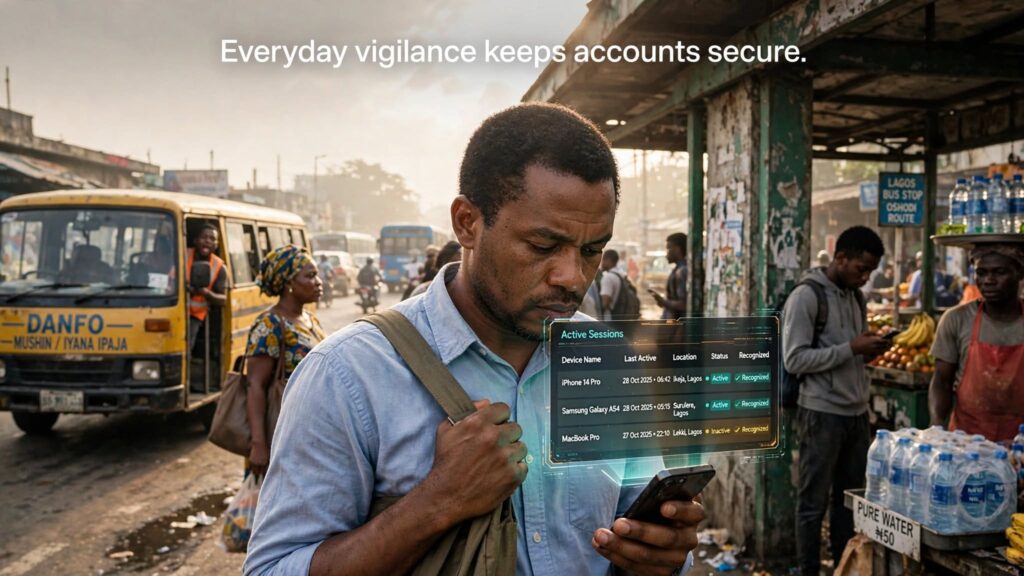
After updating your password, check your active account sessions inside the app settings menu. Review the list of devices currently logged into your profile and revoke access for any unfamiliar phone, tablet, or web browser. This action immediately disconnects any unauthorized user who gained access to your profile.
Auditing active device sessions confirms that only authorized hardware retains access to your social media account. Session tokens allow logged-in devices to bypass password entries on subsequent app launches. Revoking unrecognized sessions terminates active authorization tokens immediately across all remote hardware.
Modern social applications maintain detailed session logs recording hardware model names, operating system versions, IP addresses, and approximate login locations for every active session.
Navigating to your account security menu displays this detailed list. If you identify a device model you do not own or a geographic location you have not visited, tap the revoke access button next to that entry immediately.
| Device Session Parameter | Inspection Guidance | Action Required |
| Unrecognized Device Models | Hardware names you do not own | Terminate Session Instantly |
| Unfamiliar Geographic Locations | IP locations outside your operating region | Revoke Access & Reset Password |
| Outdated App Connections | Old devices no longer in daily use | Remove Permission Tokens |
| Active Web Browser Logins | Unchecked desktop browser sessions | Log Out Remotely |
Executing a global session termination, often labeled “Log Out Of All Other Devices,” forces every active session except your current phone to re-authenticate using the new password. This sweeping action ensures that even if an attacker successfully established a background session token, their access is revoked instantly.
Following session revocation, re-examine your account recovery details inside the settings menu. Verify that your registered phone number and email address remain unaltered.
Attackers who gain brief profile access often add secondary recovery channels under their control, allowing them to initiate password resets later. Confirming that recovery channels remain strictly yours secures your account against future entry attempts.
Contact TikTok Support About Possible Phishing
If you notice unauthorized edits to your profile, unexpected posts, or loss of access, submit an urgent report through the official in-app help center or account support page. Detail the incident clearly so the support team can assist you in securing and recovering your profile.
Reporting security incidents helps platform administrators identify malicious domain networks and prevent automated phishing attacks across the user base. Documenting incident timelines, suspicious web addresses, and unexpected account changes provides support teams with actionable details during recovery investigations.
When compiling a security ticket for platform support, maintain a concise, factual record of events. Include specific details such as the exact date and time credential exposure occurred, the web domain address visited, any unexpected changes made to your profile handle or bio, and proof of account ownership such as registered email records or original account creation dates. Clear documentation accelerates support verification processes.
Be cautious of third-party recovery scams operating on social media comments or forums. Unscrupulous individuals frequently claim they can “hack back” or instantly restore compromised accounts for an upfront fee. These offers are fraudulent. Only official support channels possess the administrative tools necessary to restore account ownership safely.
Is Your TikTok Boost Link Safe Enough To Trust?
Protecting your online presence requires continuous awareness. A valid promotion strategy helps creators reach wider audiences, but safety must always remain the main priority. Remember the standard security rule: legitimate promotional services need only your public post URL to deliver reach.
Avoid any link that demands passwords, security codes, or private login access. By double-checking website domains, relying on verified platforms like Sizzle Social, and securing your profile settings, you can scale your audience visibility with complete confidence.
Frequently Asked Questions
A TikTok boost link is a direct technical pointer that connects your published video post to external traffic distribution channels. When you paste your video URL into a growth platform, the underlying system uses that specific web link to guide impressions, video plays, or profile visits toward your target content. Legitimate video amplification relies entirely on public media links, meaning the system requires zero access to your account settings, private messages, or login tokens. External distribution systems operate externally by reading public data exposed by the platform’s media server and directing network traffic accordingly. This separation between content distribution and account authentication forms the foundational security boundary for digital creators. Every public post on a video platform possesses a unique URL identifier containing specific alphanumeric strings that pinpoint the exact video asset on central servers. Growth platforms take this public link and index it within their order routing queues. Once indexed, automated distribution servers allocate engagement credits or direct real user feeds toward that link. Because public links are designed by nature to be shared across the web, sharing a video address with an external server presents no inherent security flaw. Problems arise only when malicious third parties attempt to bundle link submissions with fake verification steps requiring account logins.
A safe TikTok boost link should only request your public video URL or profile handle. Any external tool or web page that prompts you for your account password, email login credentials, or phone verification code is unsafe and should be avoided immediately. Legitimate automation platforms function like public search engines, needing only public web links to direct traffic. Data safety in social media marketing centers on the principle of least privilege: granting a service only the bare minimum data necessary to complete its stated task. Because delivering engagement to a public video requires only the destination web link, asking for secondary data fields represents an immediate security threat. Trusted growth panels structure their checkout forms with minimalist input fields, asking solely for the content link, target quantity, and standard payment confirmation. Phishing portals exploit lack of technical knowledge by claiming password authentication is necessary to verify account ownership before sending traffic. This claim is false. External web traffic can be directed toward any public link on the internet without owner verification. Recognizing that ownership verification is unnecessary for receiving public views helps creators spot malicious web sites instantly. When an external tool asks for sensitive account information, exit the site immediately to prevent unauthorized profile access.
A legitimate TikTok boost link should request only safe, public information to complete its task. The safe items to share include your public video URL, your public profile username or handle, the targeted metric quantity you wish to order, and standard billing information for payment processing. Dangerous items that should never be shared include your account password, your email address password, SMS verification codes, and two-factor authentication security app tokens. Recognizing safe request parameters protects creators from credential theft and phishing attacks. Legitimate automation platforms function like public search engines, needing only public web links to direct traffic. Guarding account authentication data keeps social assets safe while allowing users to build online authority. Trusted growth panels structure their checkout forms with minimalist input fields, asking solely for the content link, target quantity, and standard payment confirmation. Phishing portals exploit lack of technical knowledge by claiming password authentication is necessary to verify account ownership before sending traffic. Establishing clear boundaries on what data to share maintains digital security across all web activities. Educating team members, virtual assistants, or agency staff on these request parameters prevents accidental security breaches. Instituting strict operational guidelines, specifying that passwords are never entered into external promotion tools, safeguards the organization’s online footprint.
Evaluating external links prior to interaction forms a necessary defense line against cyber threats. Before entering information on any web page, inspect the full address in your browser bar. Scam sites frequently copy official brand designs while using slightly altered web domains. Check for spelling errors, extra hyphens, or unusual domain extensions. If the web domain does not match the official platform domain or a verified growth provider, close the window immediately. Verify that the URL begins with “https://” instead of “http://” and check that the domain name spelling is correct. Confirm that the top-level domain extension is recognized and reputable, such as .ng or .com. Click the padlock symbol to verify a valid, active SSL certificate. Subtle domain variations can confuse even experienced internet users. Fraudulent actors often swap visually similar characters, replacing a lowercase “l” with a number “1”, or using subdomains that hide the true destination host. For example, a web address structured as “tiktok.boost-views-service.com” is hosted on “boost-views-service.com“, not TikTok. Understanding how domain hierarchies are structured enables creators to read web addresses correctly and spot deceptive routing tricks. Checking domain age and registration details through public WHOIS lookup tools adds another layer of security verification.
Cybercriminals build duplicate web pages that look identical to official login portals. These phishing setups redirect your browser through multiple web addresses before landing on a fake login form. If a link promises free views or viral distribution in exchange for logging into your account, close the browser tab at once. Common signs of fake promotion pages include multiple page bounces where the browser address bar rapidly cycles through several unfamiliar domain names before loading the final destination. Unusual URL structures displaying complex strings of random numbers and letters rather than a clean domain path are another warning sign. Generic branding elements that appear pixelated, misaligned, or out of date compared to official brand assets indicate a fake page. Forced login triggers that immediately demand a login window before letting visitors view content or service descriptions should raise suspicion. Fake urgency banners with countdown timers or warning messages that threaten account suspension or missing out on limited-time free offers are common tactics. Fraudulent sites often disable right-click functionality, obscure browser navigation controls, or launch relentless pop-up windows designed to prevent visitors from leaving. These coercive user-interface designs indicate malicious intent. Pay close attention to browser warnings such as “Connection Not Private” or “Deceptive Site Ahead.” Overriding these security alerts to access a promo page exposes your device and accounts to severe cyber risks.
No legitimate promotion service or external campaign dashboard requires your account password to send views or likes to a public video. Two-factor security codes sent to your mobile phone or email address exist strictly to protect your login identity. Sharing these codes with an external website gives strangers full control over your social profile. Authentication codes represent the final line of defense protecting digital identity. Verification codes generated by authenticator apps or SMS systems validate account access attempts during login operations. Disclosing these multi-factor security keys to external web forms bypasses profile security, granting unauthorized users full access. Cybercriminals exploit verification codes in real-time session hijacking attacks. When an attacker inputs your username into an official platform login screen, the system sends an automated SMS or authenticator code to your phone. The attacker’s fake promo site simultaneously prompts you to enter that exact code under the guise of claiming free views. When you type the code, the attacker immediately enters it into the official portal, gaining access to your profile and changing recovery details before you realize what occurred. Never enter account access credentials, recovery codes, or verification pins into external forms. Legitimate promotional operations do not require account access to route public video views.
The official in-app promotion feature lets creators pay to expand video reach directly inside the application. Users access this feature through the creator tools menu on their profile or by tapping the three dots on an individual video. Official campaigns run entirely within the app ecosystem, using stored app permissions and official payment methods rather than external web forms. Official in-app tools operate on dynamic auction systems, meaning costs can rise quickly during peak advertising seasons. External growth panels provide fixed-rate packages, allowing vendors and creators to order specific quantities of video views, likes, or shares at predictable prices. This cost predictability makes third-party platforms appealing for emerging online brands testing initial market interest without committing large capital reserves. Account access requirements differ significantly: native tools use built-in profile authorizations, while legitimate external services ask only for public media addresses. Pricing structures vary as official promotions charge on a bidding or daily budget model, whereas external panels offer flexible fixed-rate packages. Data privacy remains paramount because legitimate third-party tools never ask for login tokens or password inputs to process order requests. Service variety also differs since external platforms provide targeted engagement metrics including custom views, shares, and profile visits. Delivery speed favors independent platforms that often provide immediate automated processing through dedicated delivery dashboards. Operational differences extend into campaign approval times, as native in-app campaigns undergo manual or algorithmic ad review processes that can delay campaign launching.
Encountering a suspicious promo link requires rapid, decisive action. If a web page asks for your account password, security questions, or phone verification code, exit the page immediately. Do not click any confirmation buttons or secondary pop-ups on the page. Clearing your browser cache after closing the suspicious tab adds an extra layer of safety. Recognizing early warning signs on untrusted web pages prevents account compromise. Malicious websites often use deceptive pop-up windows or fake browser alerts designed to trigger panic and prompt fast password submission. Exiting the browser tab immediately cuts off active web scripts from collecting sensitive user inputs. When encountering an aggressive phishing landing page that attempts to block normal tab closure, force-close the entire browser application through your device’s task manager. On desktop systems, open your system activity manager to terminate browser processes immediately. On mobile devices, swipe away the browser application from your recent apps screen. Force-closing prevents malicious scripts from executing background downloads or persistent cookie installations. Following tab closure, perform a quick audit of your browser extensions and recently downloaded files. Cybercriminals occasionally bundle phishing pages with browser hijacking scripts or malicious extensions designed to record keystrokes. Deleting unfamiliar extensions and running an antivirus scan helps maintain device integrity.
If you accidentally enter your login details on an unverified website, act quickly. Open the official TikTok application immediately, navigate to security settings, and update your password. Choose a complex combination of letters, numbers, and symbols that you do not use on any other online platform. Rapid response minimizes potential security damage when credentials are exposed on phishing pages. Automated password harvesters often process stolen login details within minutes to access accounts. Updating your password immediately invalidates compromised credentials and protects your digital profile. When generating a new password during an emergency reset, avoid using simple variations of your old password, such as appending a single digit or special character to an existing string. Automated credential-cracking scripts test common variations of leaked passwords first. Creating a brand-new passphrase comprised of four random, unrelated words separated by special characters creates a secure login key. If you re-used the compromised password across other online accounts, such as your recovery email, online banking, or secondary social media profiles, update those accounts immediately as well. Attackers systematically test harvested credential pairs across dozens of major web platforms in automated credential-stuffing attacks. Updating shared passwords prevents a single exposure event from compromising your broader digital presence.
After updating your password, check your active account sessions inside the app settings menu. Review the list of devices currently logged into your profile and revoke access for any unfamiliar phone, tablet, or web browser. This action immediately disconnects any unauthorized user who gained access to your profile. Auditing active device sessions confirms that only authorized hardware retains access to your social media account. Session tokens allow logged-in devices to bypass password entries on subsequent app launches. Revoking unrecognized sessions terminates active authorization tokens immediately across all remote hardware. Modern social applications maintain detailed session logs recording hardware model names, operating system versions, IP addresses, and approximate login locations for every active session. Navigating to your account security menu displays this detailed list. If you identify a device model you do not own or a geographic location you have not visited, tap the revoke access button next to that entry immediately. Executing a global session termination, often labeled “Log Out Of All Other Devices,” forces every active session except your current phone to re-authenticate using the new password. Following session revocation, re-examine your account recovery details inside the settings menu. Verify that your registered phone number and email address remain unaltered. Attackers who gain brief profile access often add secondary recovery channels under their control.
If you notice unauthorized edits to your profile, unexpected posts, or loss of access, submit an urgent report through the official in-app help center or account support page. Detail the incident clearly so the support team can assist you in securing and recovering your profile. Reporting security incidents helps platform administrators identify malicious domain networks and prevent automated phishing attacks across the user base. Documenting incident timelines, suspicious web addresses, and unexpected account changes provides support teams with actionable details during recovery investigations. When compiling a security ticket for platform support, maintain a concise, factual record of events. Include specific details such as the exact date and time credential exposure occurred, the web domain address visited, any unexpected changes made to your profile handle or bio, and proof of account ownership such as registered email records or original account creation dates. Clear documentation accelerates support verification processes. Be cautious of third-party recovery scams operating on social media comments or forums. Unscrupulous individuals frequently claim they can hack back or instantly restore compromised accounts for an upfront fee. These offers are fraudulent. Only official support channels possess the administrative tools necessary to restore account ownership safely. Maintaining official communication channels guarantees proper account assistance without risking further credential exposure.
Plan your campaign spending carefully to maintain steady progress. Small, consistent campaigns often deliver better long-term audience building than sudden, expensive spends. Compare package options across trusted growth platforms to maximize your visibility return while keeping campaign costs within your monthly marketing budget. Strategic financial planning prevents unnecessary overspending while supporting continuous social growth. Distributing promotional budgets across multiple content pieces generates balanced account metrics rather than spiking single video metrics unnaturally. According to industry analysis from DataReporter, consistent video publishing combined with targeted amplification yields higher audience retention rates over time. Constructing a sustainable promotion budget involves evaluating lifetime customer values and conversion rates. Small business owners selling physical products should calculate how much revenue a specific video view increase generates in actual website visits and completed sales. Defining clear Return on Investment targets prevents emotional overspending on vanity metrics that do not drive practical business growth. Allocating promotional funds across multiple content assets creates a diversified growth strategy. Spreading a fixed monthly budget over ten high-quality video posts reduces reliance on any single post going viral organically. Controlled, incremental amplification provides consistent algorithmic feedback to social platforms, helping your account gain steady traction over time. Tracking promotional expenditure alongside organic metric increases helps refine future marketing allocations.
Before submitting a promotion request, verify your strategy and video settings. Confirm that your video privacy setting is set to public so the service can access the post. Determine whether your current goal is higher view counts, increased profile traffic, or broader engagement, then select the package that aligns with that objective. Setting clear promotion targets improves marketing efficiency and campaign performance. Different content pieces serve distinct purposes within a growth funnel, such as building brand awareness, driving product inquiries, or growing follower count. Aligning promotion package selections with specific video content objectives maximizes audience engagement impact. Reviewing video configuration parameters prior to campaign launch saves time and financial resources. Public platforms offer several privacy toggles, including settings that limit video viewing to Friends Only or Private. Submitting a private video address to an automated routing network causes delivery failures, as external traffic servers cannot access restricted media files. Verifying that public accessibility toggles are active ensures smooth delivery. Strategic metric selection prevents unnatural performance ratios across your profile analytics. Ordering 100,000 video views for a post with zero likes or comments creates an obvious imbalance that can draw unwanted scrutiny from platform algorithms. Balancing video view orders with proportional like and comment ratios produces organic-looking engagement patterns, strengthening profile credibility.
Unsolicited messages offering free engagement or viral distribution usually contain hidden malware or credential harvesters. Legitimate platforms never send unsolicited direct messages asking for personal information or offering unrealistically high engagement metrics for free. Digital communication channels like Telegram groups, Instagram direct messages, and automated comment bots are common vectors for unverified links. Cybercriminals utilize automated scripts to spam thousands of creators with claims of free account verification or instant follower packages. Recognizing that professional service providers operate through secure, public web platforms rather than unsolicited direct messages prevents accidental exposure to dangerous web traps. Consider where you received the promotion address. Direct messages, random comment sections, and unsolicited WhatsApp texts often contain dangerous web links designed to compromise accounts. Reputable platforms maintain established websites, clear service descriptions, transparent pricing, and active customer support rather than sending random direct messages. Evaluating service provider reputation requires research before using external marketing tools. Trustworthy growth services maintain transparent operating policies, verified customer reviews, clear terms of service, and direct contact channels. According to cybersecurity findings by Statista, phishing remains one of the most common cyber threats globally, with social media accounts targeted frequently through fake promo links. Cross-referencing provider names across independent industry review sites, community forums, and digital marketing forums reveals operational track records. Consistent positive reports across independent platforms signal a reliable service provider, whereas frequent complaints regarding missing orders or unauthorized card charges indicate an untrustworthy entity.
Reliable platforms like Sizzle Social provide transparent dashboards where creators choose targeted growth packages, input public post URLs, and monitor delivery status securely without ever risking account credentials. Working with verified service platforms ensures steady audience development without exposing sensitive data. Verified platforms maintain encrypted communication channels, transparent payment processing systems, and structured privacy policies. Choosing established growth platforms protects creators from malicious web setups while supporting sustainable social expansion. Establishing safe browsing habits starts with managing web bookmarks. Rather than clicking external links in chat applications or social media comments, bookmark verified growth dashboards directly in your web browser. Accessing platforms via stored bookmarks ensures you land on official domains every time, eliminating risks from typosquatted URLs or deceptive search engine ad links. Sizzle Social operates entirely through password-free protocols, processing orders using only public profile handles or video links. This eliminates account compromise risks while allowing creators and business owners to increase content visibility while maintaining absolute control over login credentials. By providing controlled engagement amplification, Sizzle Social helps new accounts overcome initial distribution hurdles. Increased visibility signals quality to platform algorithms, helping top-performing videos land on discovery feeds where real human viewers interact with the content. This hybrid approach combines safe promotional amplification with organic content distribution, accelerating channel growth while protecting brand safety. Streamlined campaign processing requires only public profile handle inputs, and customizable service tiers support video views, likes, and profile additions. Secure payment channels tailored for smooth local transactions and dedicated customer support systems assist with order tracking and account questions.