Table of Contents
You pay for a service, refresh your screen twice, and expect instant results. That urge feels familiar from Lagos to Abuja. When you buy fuel at the station, the meter moves right away. When you pay for data, your bundle lands in seconds. Yet online account promotion works on a different clock. You place an order, check your profile, and ask, “Why is my TikTok follower order still pending?” A frozen number on your screen tests your patience, especially after you spend hard-earned money on your page.
You want your audience count higher so new visitors trust your brand, buy your products, or watch your skits. Instead, the dashboard shows a status that refuses to budge. Before you panic or assume your money vanished, take a deep breath. A delayed order rarely means a lost order. Most packages simply sit in an automated queue or wait for a quick profile check. Inside this guide, you will learn what that status truly means, why delays happen, and the exact steps that get your followers delivered fast.
Why Is Your TikTok Follower Order Still Pending?
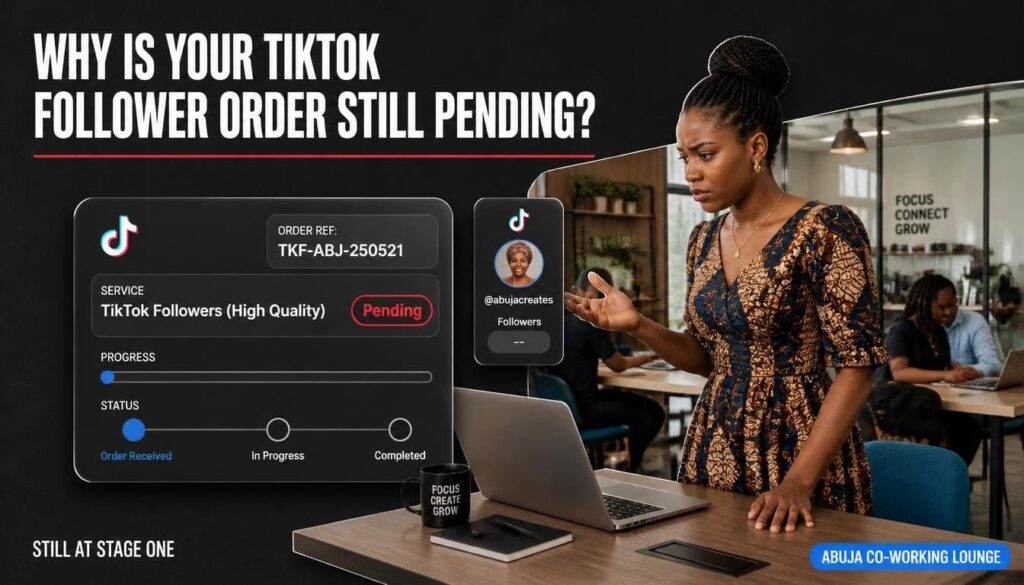
When you place an order for followers, your request enters an automated delivery network rather than an instant file download. A pending status simply means the platform has received your payment and logged your request inside its dispatch queue, even though the followers have not reached your profile yet. Understanding how these automated delivery systems process requests will save you from unnecessary worry and help you avoid costly mistakes, such as placing duplicate orders on the same link.
According to DataReportal’s Digital 2024 Nigeria report, TikTok reached 23.84 million adult users in Nigeria alone, making it one of the busiest social platforms for local creators, skit makers, and online vendors. With millions of accounts active every hour across the country, backend delivery servers handle massive request volumes daily. Every campaign goes through automated validation checks, server routing, and batch scheduling before any new follower appears on your bio.
Think of this backend workflow like a busy logistics hub in Ikeja or Alaba Market during peak commercial hours. Your package is scanned, weighed, and assigned a waybill number the moment you pay at the counter, yet the delivery van only departs once the loading bay finishes sorting earlier dispatches. Your order is safe, recorded, and moving forward through the pipeline even while the public counter on your phone screen still shows your starting number.
Behind every order submission lies a multi-layered routing architecture that connects your front-end dashboard with specialized fulfillment servers. Once your request passes initial wallet verification, an automated API call transmits your target link, package ID, and requested quantity across encrypted channels.
That downstream node then evaluates live server capacity, checks whether your target profile is reachable, and places your campaign inside a priority-weighted dispatch lane. Because thousands of creators across West Africa, Europe, and North America submit requests simultaneously, these dispatch lanes operate strictly on a first-in, first-out basis unless a server undergoes scheduled calibration. Examining each stage of this delivery lifecycle makes it much easier for you to track your campaign with confidence.
What Does Pending Mean On A TikTok Follower Order?
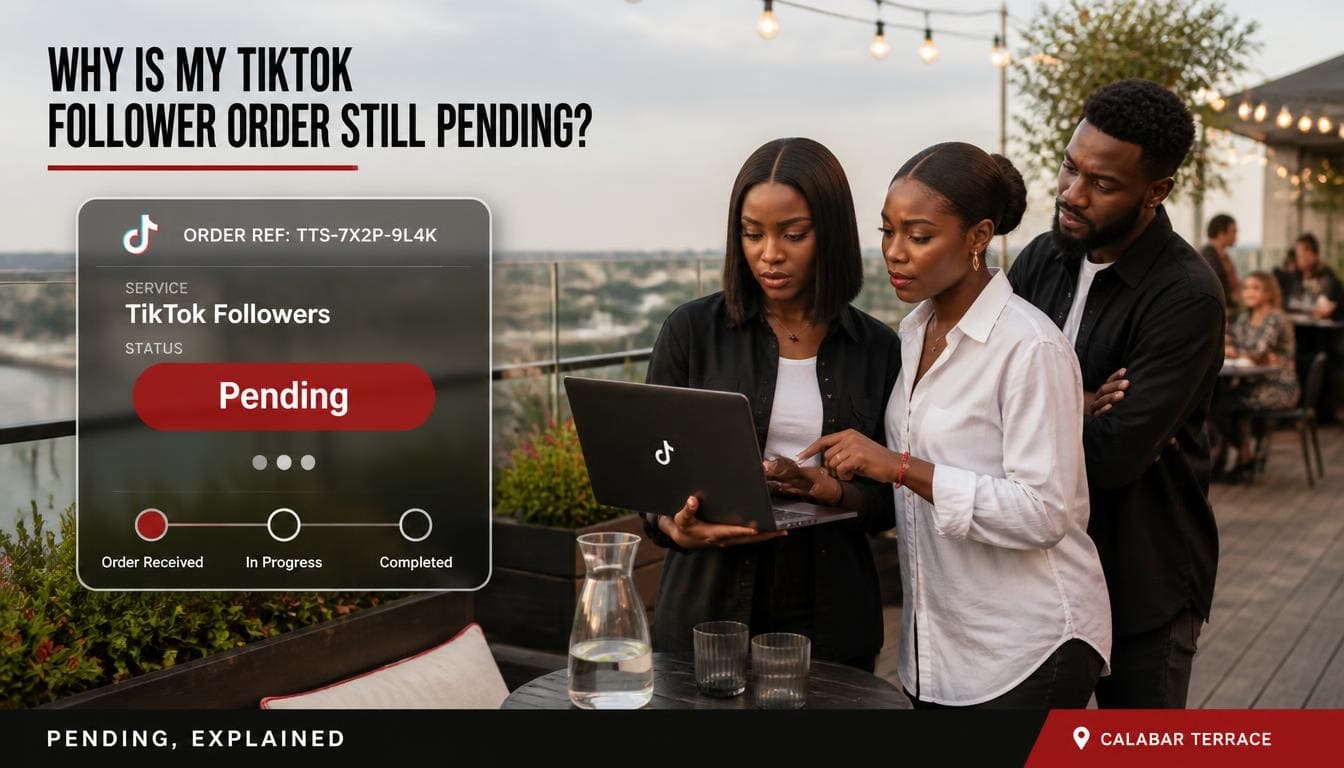
A “Pending” status indicates that your order is valid, paid for, and sitting in the system queue ready for server dispatch. It does not mean your transaction failed, nor does it mean the system ignored your request or lost your money.
When you click submit on a growth platform, the software performs three rapid checks behind the scenes. First, it verifies that your wallet balance covered the exact cost of the package and deducts those funds securely. Second, it assigns a unique numeric Order ID so both you and the support team can trace the request. Third, it pushes your TikTok profile link and requested quantity into the active fulfillment queue.
Compare this stage with a bank transfer made during peak afternoon hours in Lagos or Port Harcourt. The money leaves your account immediately, and your banking app records a successful debit receipt, even if the recipient bank takes ten or twenty minutes before sending a credit alert. Similarly, when a TikTok follower order is stuck on pending, the server is simply preparing the batch of profiles assigned alongside your link.
During this pending phase, the fulfillment engine also records your baseline profile metrics. It queries TikTok’s public web interface so it can capture your exact starting follower count at the precise second your order enters the queue.
Logging this starting number is vital because automated systems calculate completion targets by adding your purchased quantity onto that initial figure. If you began with 420 followers and ordered 1,000 more, the server sets a completion target of 1,420 followers.
While the system locks in this baseline and assigns worker threads for your link, the visible label on your dashboard remains Pending. Once the system clears the queue ahead of you and dispatches the first wave of accounts, the status shifts into “In Progress” or “Processing,” and your follower count begins rising steadily.
How Long Does A TikTok Follower Order Usually Take To Start?
Most orders begin within a few minutes or a couple of hours after payment confirmation. However, the exact TikTok follower order processing time depends heavily on the specific package you select, current server load, and the total quantity requested.
Small packages of 100 or 500 followers often start within 5 and 30 minutes because the server only needs a single small batch for fulfillment. Medium packages of 1,000 or 2,500 followers typically start within 30 minutes and 3 hours. Larger packages, such as 5,000 or 10,000 followers, require a much safer, staggered approach. Reputable platforms spread large deliveries over several hours or multiple days so your account looks completely natural when evaluated by TikTok’s automated monitoring systems.
If a brand-new fashion vendor page in Lekki jumped from 120 followers to 10,120 followers within sixty seconds, that sudden spike would look unnatural and invite unnecessary scrutiny. Gradual pacing protects your profile integrity while ensuring long-term retention. Service tier selection also plays a major role in expected start windows. Economy packages generally rely on standard server queues that batch orders together every hour, whereas high-retention or priority packages utilize dedicated server pools that initiate delivery much sooner.
Time of day and global traffic surges influence processing periods as well. Friday evenings, weekend promotional rushes, and major cultural events in Nigeria often create spikes in campaign submissions as musicians drop new singles and retail vendors launch weekend flash sales. During these busy windows, start times naturally stretch toward the upper end of the stated estimate. Always read the service description box carefully before checkout, or review our detailed breakdown on how to get 1K followers on TikTok in 5 minutes so you know which delivery speeds are realistic for your specific campaign goals.
Why Has Your Follower Count Not Changed After Ordering?
Seeing zero movement on your profile after checkout can feel frustrating, especially when you want quick social proof for an upcoming product launch, comedy skit, or music release. Several technical factors explain why your follower count has not changed yet even after the server begins working on your request.
One common culprit is mobile app caching. The TikTok mobile app stores old profile numbers locally on your phone so it can save mobile data and load screens faster on slower 3G or 4G connections. Even when 200 new followers have already followed your page, your screen might still display the old number until you force-close the TikTok app completely and reopen it. Checking your profile from a mobile web browser in incognito mode or a second device often reveals the updated count immediately.
Another frequent reason is server sync lag on TikTok’s own infrastructure. TikTok operates distributed content delivery networks across multiple global regions, and public profile counters update in periodic intervals rather than millisecond-by-millisecond. Newly added followers can take 10 or 15 minutes before propagating across all regional servers and showing up on your main bio screen. You can often confirm that delivery has already started by tapping your Inbox or Activity tab inside TikTok; new follow notifications frequently appear inside your activity feed several minutes before the main profile counter refreshes.
Additionally, if you selected a drip-feed service or ordered a high-retention package, the system intentionally paces follower arrival rates in small waves separated by cooling intervals. Instead of sending 500 followers all at once, the server might deliver 40 followers every twenty minutes. If you check your profile during one of those cooling intervals, the number looks static even though the campaign is progressing smoothly behind the scenes.
How Can You Tell If Your Order Is Pending Or Failed?
Knowing the difference between a slow order and a failed order helps you decide whether you should wait patiently or take immediate corrective action. Open your order history dashboard and inspect the exact status label displayed next to your campaign.
| Status Label | What It Means For Your Campaign | Recommended Action |
| Pending | Your order is validated and waiting in line for server dispatch. | Wait for the stated start window without placing duplicate orders. |
| In Progress | Followers are actively arriving on your profile right now. | Refresh your TikTok app periodically and let delivery finish. |
| Completed | All ordered followers have reached your profile link. | Verify your final count against your initial start count. |
| Partial | Part of your order delivered, and the rest was refunded. | Check your wallet for the automatic refund on undelivered units. |
| Canceled | The server could not start the order due to a link or privacy issue. | Fix your profile settings or URL and place a fresh order. |
Beyond reading the status label, inspect two numeric indicators right next to it: the Start Count and the Remains column. When an order is genuinely pending in the queue, the Start Count displays your baseline follower figure and the Remains column equals your exact ordered quantity. Once delivery begins, the Remains figure starts dropping steadily even if the main label takes a few minutes to switch from Pending to In Progress.
Conversely, a failed or canceled order stops deducting from the Remains column, resets the status label to Canceled or Partial, and triggers an automatic credit back into your wallet balance. If your dashboard reads Pending, Processing, or In Progress, your order is active and healthy. Never place a second order for the same link while the first one remains active. Overlapping orders create conflicting start counts and completion targets, which confuses the automated tracking counter and slows down both campaigns.
Common Reasons TikTok Follower Orders Get Delayed
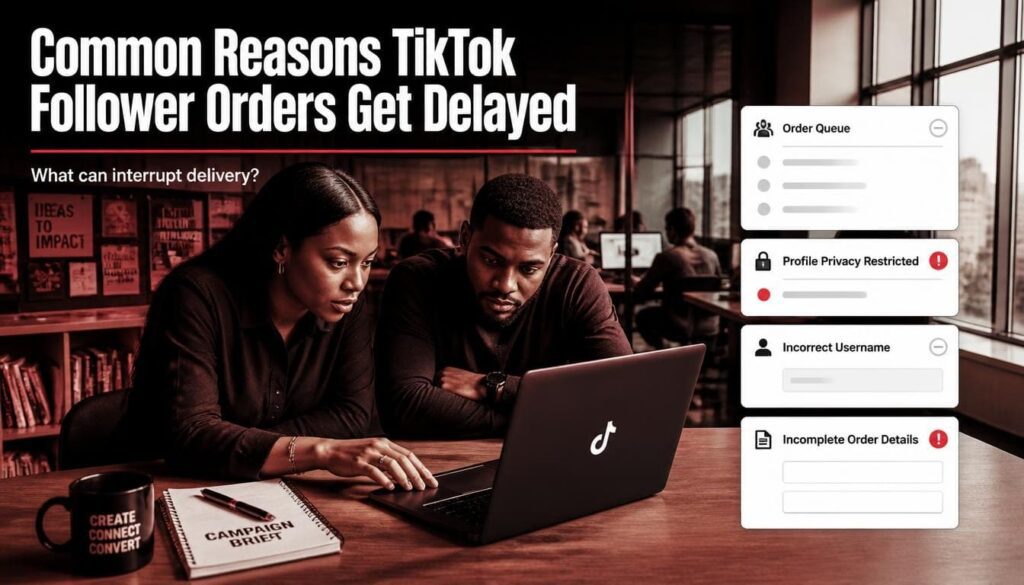
Even the best automated delivery networks run into roadblocks when external factors or minor input errors interfere with fulfillment. Recognizing these common triggers helps you prevent bottlenecks before you spend a single Naira on your next campaign.
Many delays happen because users rush through checkout on their smartphones while multitasking, missing small settings on their TikTok profiles or overlooking package rules. Other delays stem from platform-wide adjustments on TikTok’s side that require delivery servers to recalibrate their speed. Understanding the mechanics behind both user-side mistakes and network-level slowdowns puts you in full control of your campaign schedule.
When an automated fulfillment engine encounters an obstacle, it is programmed with safety protocols that pause execution rather than forcing broken requests through. Forcing delivery onto an unreachable link or ignoring platform rate limits would waste server resources and compromise account safety.
Consequently, the system places the order on hold or slows down the queue until conditions stabilize. For deeper context on how local platforms handle these technical challenges, explore our full review of the best TikTok SMM panel in Nigeria. Below are the four primary reasons TikTok follower orders get delayed.
1. Order Queue Causes Delivery Delays?
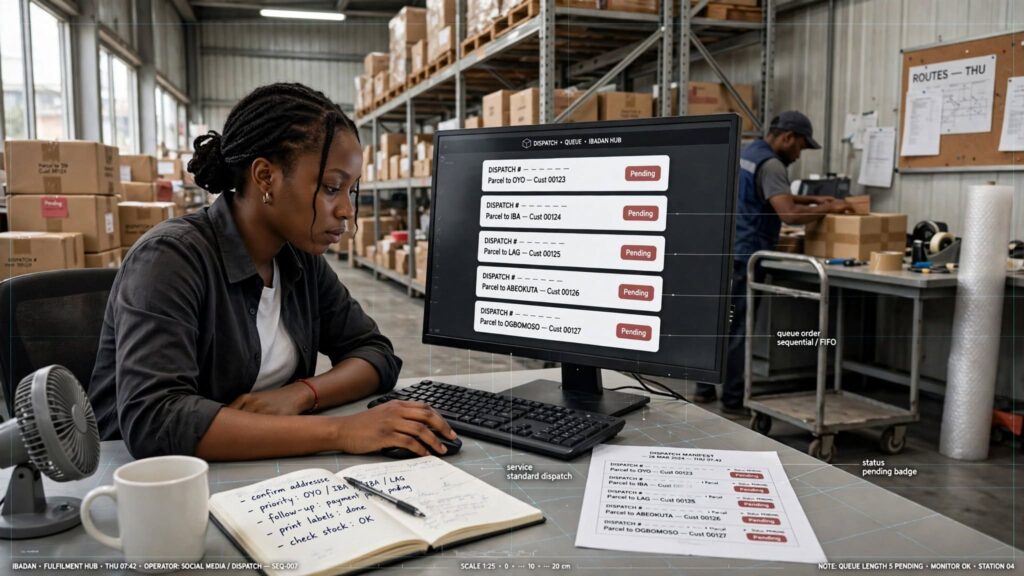
Server queues are the number one reason TikTok follower delivery is slow. Every time TikTok releases a major app update, modifies its API endpoints, or tightens its security filters, delivery networks adjust their systems so user accounts stay protected.
During these platform updates, servers process orders at a more cautious, measured pace. Instead of pushing thousands of followers per minute across all active campaigns, the network slows down the dispatch rate and spaces out individual follow actions. While this creates a temporary TikTok order pending due to the provider queue, it shields your profile from sudden algorithm flags or unnecessary follower drops.
According to Statista’s global TikTok usage data, TikTok consistently ranks among the most downloaded and actively used mobile apps worldwide, and its engineering team updates anti-spam filters frequently. Whenever those filters update, reputable growth panels recalibrate their delivery nodes, test new connection parameters, and verify retention stability before resuming full dispatch speed.
Backlogs also build up during peak promotional seasons, such as December festivities, Valentine sales campaigns, or major music release weekends in Nigeria. During those periods, thousands of creators, skit makers, and e-commerce brands submit orders within the same few hours. Because responsible servers cap daily throughput per node so network quality stays high, incoming requests line up sequentially inside the dispatch queue. Waiting out a queue delay is far better than using an unsafe provider that ignores platform updates and puts your account at risk.
2. Private TikTok Account Prevent Follower Delivery?
A private profile will completely stop your order from starting. Automated delivery systems cannot add followers onto an account that requires manual approval for every incoming follow request.
When you submit a link for a private profile, the delivery server attempts to connect with your page, hits a privacy wall, and stalls immediately. Because the automated nodes cannot bypass privacy locks or click approve inside your private notifications tab, your order will remain stuck on pending until the system times out and cancels the request.
Some users accidentally leave their account on private after testing new content ideas, while others switch their page back on private midway through a campaign because they want privacy from acquaintances.
Switching your privacy toggle mid-delivery is just as disruptive as ordering on a private page from the start. As soon as your account turns private, any remaining followers in the queue bounce off the privacy barrier, forcing the server to halt fulfillment and mark the remaining units as undelivered.
Always switch your TikTok profile to Public before you place any order, and keep it public until the full quantity arrives and your dashboard status changes to Completed. You can verify your public visibility by opening your profile URL inside a logged-out mobile browser; if your bio, follower count, and public videos load without asking visitors to log in and request access, your account is ready for smooth delivery.
If you run a business page, online store, or personal brand, keeping your profile public also ensures organic visitors discovering your videos on the For You Page can follow you right away without friction.
3. Wrong Profile Links Or Usernames Affect Orders?
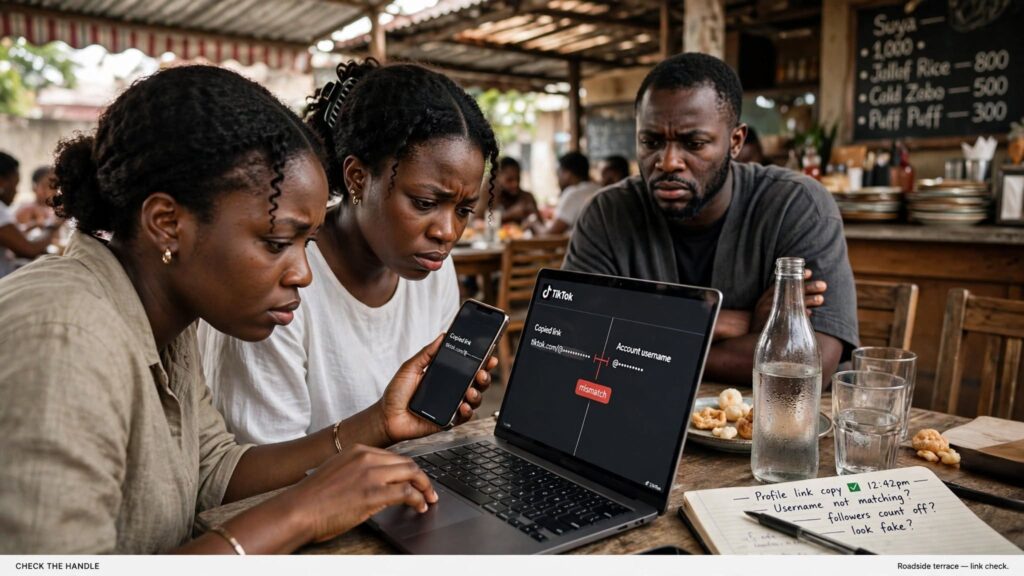
Entering an incorrect link or mistyping your handle is another major cause of TikTok profile link errors. Automated systems rely on exact URLs or usernames so they can locate your page accurately among millions of active accounts.
Many link errors happen when copying text on mobile keyboards. Users sometimes leave accidental blank spaces before or after their handle, paste a link for a single TikTok video instead of their main profile page, or misspell a single character in a complicated username. Pasting a video link when ordering followers is one of the most frequent mistakes; follower servers expect a profile endpoint rather than a specific video post ID, so submitting a video URL causes the parser to reject or stall the task.
Another frequent mistake occurs when creators edit their TikTok username while an order is still active. Changing your handle mid-campaign breaks the connection between your profile and the delivery server, causing the remaining followers to bounce or stall because the original URL now leads to a non-existent page. Even subtle changes, such as swapping an underscore for a period or adding a trailing number, invalidate the active routing path.
Mobile share links can also cause confusion if copied from certain in-app menus that attach extra tracking parameters or shortened redirect strings. Before clicking checkout, copy your profile link directly from your TikTok profile share menu and clean off any unnecessary query strings after your username so it matches the exact format requested in the service description, such as https://www.tiktok.com/@yourusername. Never change your username, alter your privacy settings, or deactivate your account while a campaign is still active.
4. Incorrect Order Details Stop TikTok Follower Delivery?
Every growth package comes with specific operational rules regarding minimum and maximum order quantities, link formats, and refill terms. Submitting an order that violates these rules will halt delivery immediately or cause the server to reject the batch.
Each server tier enforces strict thresholds based on its capacity and source pool. For example, if a specific package requires a minimum order of 100 followers and a maximum limit of 10,000 followers per link, entering 50 or 25,000 will trigger an automatic system hold. Similarly, placing two separate orders for the exact same profile link simultaneously prevents the second order from starting until the first one finishes, because both orders share the same starting follower count and target metric.
Suppose your account has 800 followers and you submit two separate orders of 1,000 followers each within five minutes. Both orders record 800 as their Start Count and aim for a completion target of 1,800. As soon as the first order delivers 1,000 followers and your profile hits 1,800, the second order’s tracking monitor sees 1,800 on your bio and mistakenly assumes its own target has already been met, or else the queue holds the second order in a deadlock state.
If you plan on running a large promotional push and read our guide on what to know before ordering 10K TikTok followers, you will see why matching your order size with the right server tier matters so much. Always read the package rules inside the service description box, respect minimum and maximum limits, and wait for an active order to reach Completed status before placing another follower order on that exact same profile link.
How to Fix A TikTok Follower Order Still Pending
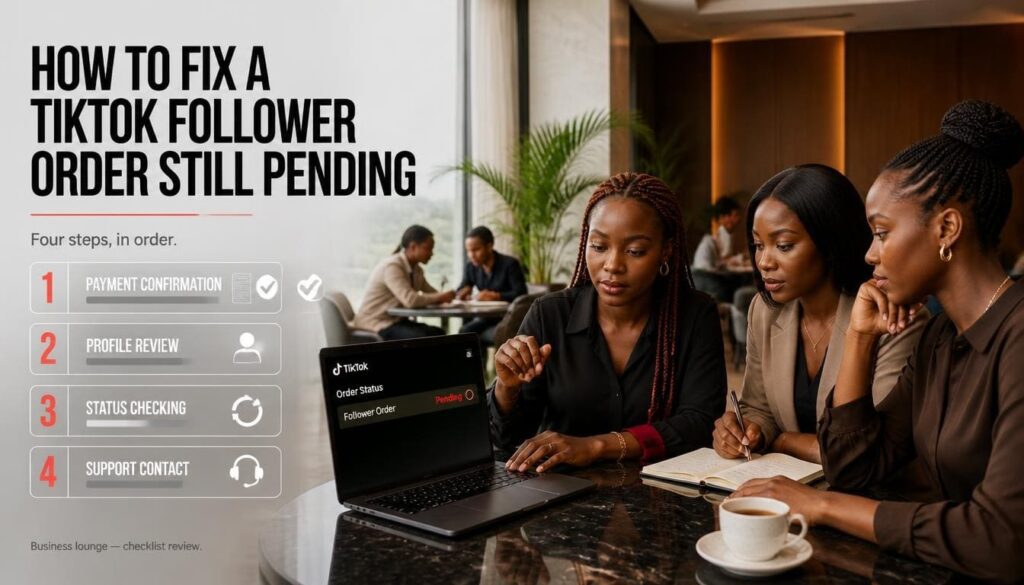
When your order sits idle past the expected start time, taking methodical troubleshooting steps saves you time and protects your wallet balance. Panicking and placing multiple duplicate orders only creates bigger delays and complicates tracking.
Many users react to a slow order by immediately submitting the same link two or three more times, hoping at least one order pushes through quickly. In reality, stacking identical requests on the same URL forces the fulfillment software to lock secondary orders in queue until the first one resolves, multiplying your wait time and tying up your wallet funds unnecessarily.
Rather than guessing what went wrong or creating overlapping orders, follow this four-step diagnostic process so you can pinpoint the exact bottleneck and resolve it quickly. Each step checks a critical link in the chain, starting from your payment confirmation and moving through your account settings, dashboard metrics, and direct support escalation.
Step 1: Check Your Payment Confirmation And Order ID
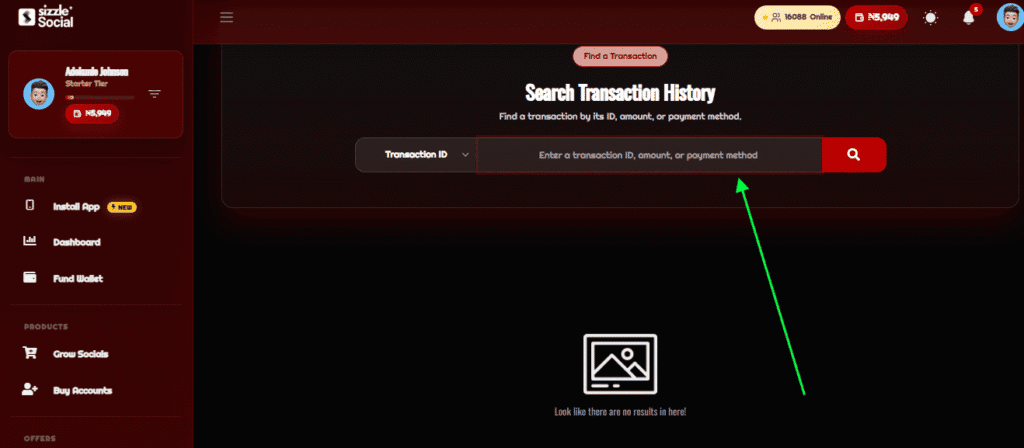
First, verify that your transaction actually went through and generated a valid Order ID. Sometimes a weak mobile data connection, network switch between Wi-Fi and mobile data, or brief browser timeout interrupts checkout right before the system logs your request properly.
Open your account dashboard and look directly inside your Order History or Transactions tab. Locate the specific numeric Order ID assigned for your TikTok boost, alongside the exact timestamp, service name, and deducted Naira amount. Check whether your main wallet balance decreased by the exact price of that package.
If your wallet balance did not drop and no Order ID appears inside your order table, your submission never reached the fulfillment queue. In that scenario, you can safely refresh the page, confirm your internet connection is stable, and submit the order again without risking a duplicate charge.
On the other hand, if a valid Order ID is visible and your wallet was debited, your order is officially registered in the system. Taking a quick screenshot of your Order ID and payment log right away makes any future follow-up with customer support effortless.
Step 2: Review Your TikTok Profile Link And Privacy Settings
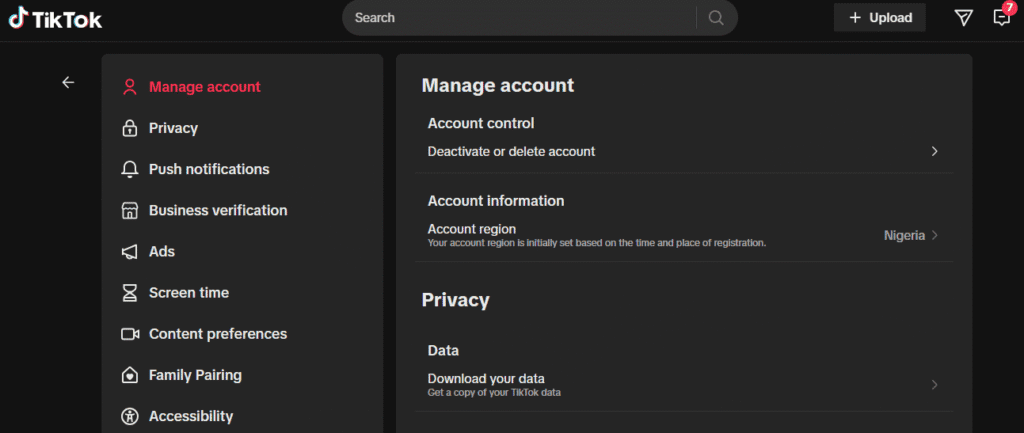
Next, audit your TikTok account so nothing on your profile blocks incoming followers. Open your TikTok app, tap Profile at the bottom right, select the top-right three-line menu icon, and open Settings and privacy, followed by Privacy.
Confirm that the Private account toggle is switched completely off. While inside your privacy menu, also verify that your account is active and free from temporary restrictions or age-gate locks that hide your profile from public search. Afterward, return onto your main profile screen, tap Share profile, and select Copy link.
Paste that copied link into your phone’s notes app and compare it character-by-character against the link recorded inside your order history details. Look closely for common slip-ups: a missing @ symbol if the service requires one, a typo in a double letter inside your username, or a link pointing toward a single video instead of your main profile page. Also confirm that you have not changed your TikTok username since placing the order.
If you spot a spelling mistake, realize you pasted a video link instead of a profile link, or notice your account was private during checkout, contact support right away so an agent can cancel the stuck order and credit your wallet for a fresh, accurate order. You can also read our guide on how to promote a TikTok account for practical tips on optimizing your bio and content before launching any campaign.
Step 3: Check Your Order Status And Expected Delivery Time
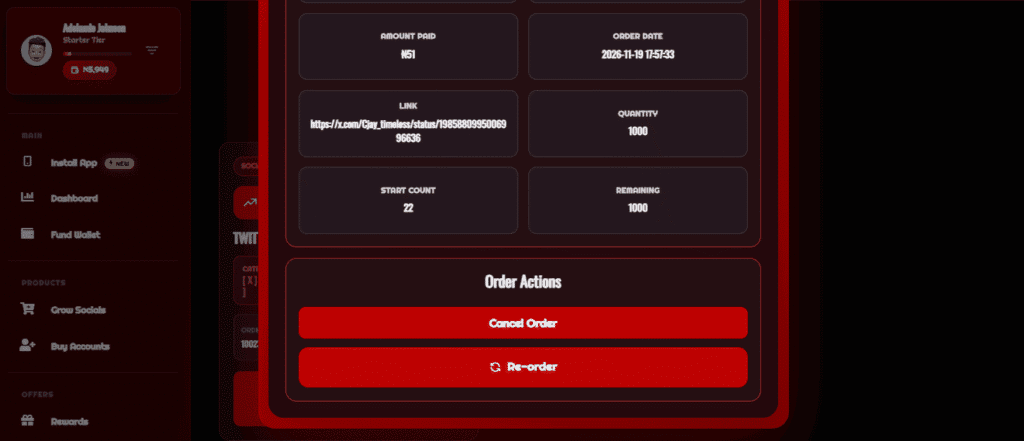
Before reaching out for manual help, compare your order timestamp against the service’s stated delivery window. Many creators grow anxious after 15 or 20 minutes when the package description clearly specifies a 1-to-6-hour start window or gradual drip-feed pacing.
Inspect the service ID you selected and read its delivery speed notes carefully. Calculate the exact number of hours elapsed since your Order ID was created, then compare your live TikTok follower count against the Start Count logged on your dashboard. Force-close your TikTok app completely, clear its temporary cache if needed, and reopen your profile so you see the true live number rather than an outdated cached figure.
Sometimes new followers arrive on your profile even before the dashboard table refreshes its visual status label. Also check the Remains column on your dashboard; if that number has started counting down from your original order quantity, your order is actively delivering and needs no manual intervention. Let the automated system finish its scheduled batches undisturbed so your final count reaches its exact target.
Step 4: Contact The Sizzle Social Support With Your Order Details
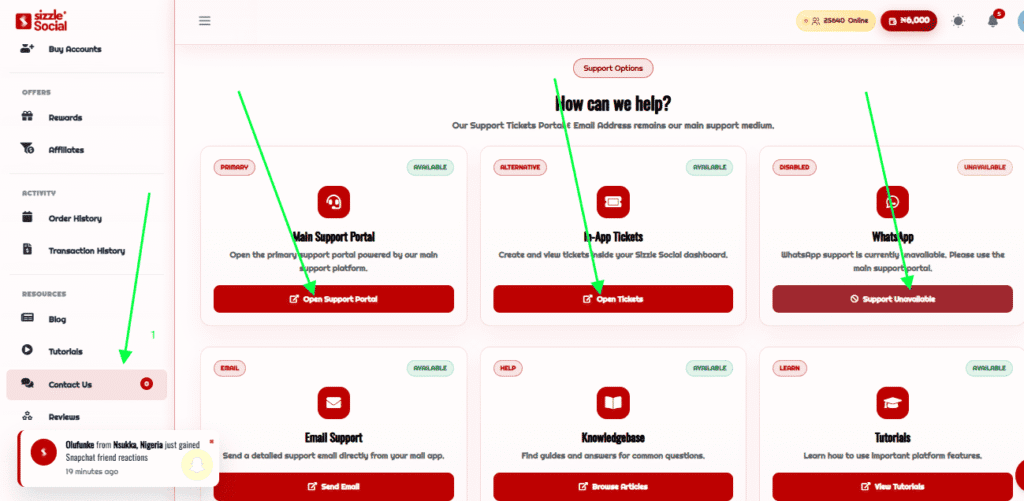
If the expected start time has fully passed, your profile is confirmed public, and your submitted URL is completely accurate, reach out for human assistance. Sending a clear, detailed message through the Sizzle Social Contact Portal lets a support agent inspect the backend server queue manually, identify any stalled routing node, and push your order through or reroute it onto an active server.
Should You Wait, Cancel Or Request A Refund?
Your next move depends on how long the order has been pending and whether an input error occurred during checkout. Use this decision framework so you choose the smartest action:
| Campaign Scenario | Recommended Decision | Why This Choice Works Best |
| Order is within the stated start window (such as under 2 hours) | Wait patiently | The automated queue is processing earlier requests ahead of yours safely. |
| Profile was set on Private or URL had a spelling mistake | Request cancellation | Automated servers cannot bypass privacy walls or broken profile links. |
| Order has remained at 0% progress for over 24 hours | Contact support for a speed-up or refund | An agent can reroute your order onto a faster server or credit your wallet. |
| Followers started arriving, then paused halfway | Wait 6 to 12 hours, then request a refill or check | Staggered servers pause between batches so your audience increase looks organic. |
Making the right call at each stage prevents wasted time and keeps your budget intact. When an order sits inside its normal start window, patience allows the automated routing engine to deliver safely without manual disruption. When a link error or privacy lock blocks the server, requesting a prompt cancellation frees up your wallet funds immediately so you can submit a clean order. And whenever an unexplained delay stretches past 24 hours with zero progress, escalating with your Order ID ensures either a swift server reroute or a full wallet credit.
How to Check Your Sizzle Social TikTok Follower Order
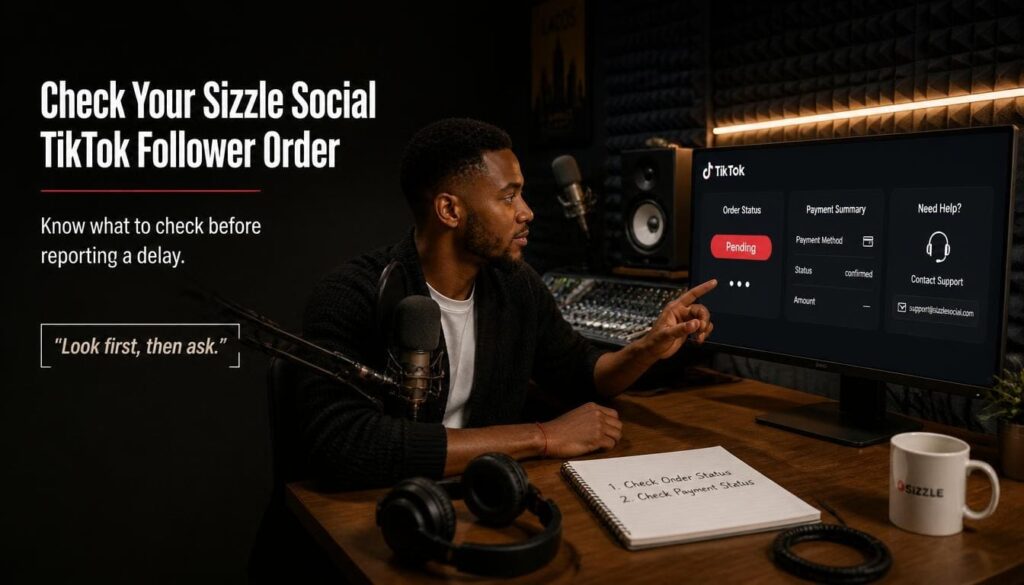
When you place your order through Sizzle Social, you gain complete visibility over your campaign progress from a single, easy-to-use dashboard. You never have to guess where your money went, send screenshots into unverified WhatsApp DMs, or wonder whether a vendor actually submitted your link.
Everything updates transparently in real time, giving Nigerian creators, online store owners, and digital agencies full control over their budgets and delivery timelines. Unlike informal middlemen who take payments manually and leave buyers waiting hours for basic updates, a dedicated self-service dashboard logs every transaction, tracks every delivered follower, and automates wallet protection.
Whether you manage one personal creator account in Surulere or oversee twenty client brand pages across Abuja and Port Harcourt, structured order tracking keeps every campaign accountable. For creators comparing local payment methods and campaign tracking tools across Nigeria, our article on buying TikTok followers with Naira explains how Naira wallet funding and automated tracking work together seamlessly.
Where Can You Find Your Sizzle Social Order Status?
Tracking your campaign takes less than thirty seconds once you log into your Sizzle Social account from your phone or laptop. Open the Orders section from your main dashboard navigation menu, where every past and active campaign appears in a clean, searchable table.
You can filter your orders by status tabs such as All, Pending, In Progress, Completed, Partial, or Canceled, or search directly using your numeric Order ID or TikTok username. Each row displays six essential data points that tell you the exact state of your order at a glance:
- Order ID: Your unique numeric reference code used for tracking and customer support inquiries.
- Link: The exact TikTok profile URL or handle you submitted during checkout.
- Start Count: Your exact follower count recorded at the exact moment the server logged your order.
- Quantity: The total number of followers you purchased in that specific package.
- Remains: The exact number of followers still waiting for delivery before the order finishes.
- Status: Your live campaign stage, labeled clearly as Pending, Processing, In Progress, Completed, Partial, or Canceled.
Checking the Start Count alongside the Remains column gives you total mathematical transparency, letting you verify every single follower delivered against your initial baseline. Even if you gain organic followers while your paid order is running, the dashboard records your exact starting baseline so you always know how the campaign performed.
How Can You Confirm That Your Wallet Was Charged?
Checking your accounts after making a purchase or funding a digital balance can sometimes cause a moment of doubt, especially if the notification does not pop up right away. You want absolute certainty that your money went through before you panic or try the transaction again. Knowing the reliable ways to verify a charge keeps you calm and ensures your financial safety without any unnecessary guesswork.
When you need to confirm that your wallet was successfully charged, checking the right sources makes all the difference.
- Check your online banking app or digital wallet dashboard to see if a pending transaction or instant debit has been recorded.
- Look for an email receipt or text message notification sent directly by your bank, payment gateway, or the specific platform you used.
- Review the transaction history section inside the app or website where you funded your wallet to see if the balance updated instantly.
- Check for authorization holds which might appear as temporary pending charges before the final amount clears your account.
- Contact customer support if the funds left your bank account but fail to reflect in your wallet after a reasonable waiting period.
Taking a few seconds to look at these details prevents duplicate payments and saves you from dealing with charge disputes later. Most platforms process payments immediately, but minor network delays can occasionally cause a brief lag between your bank debit and your wallet display.
Staying patient during minor delays is usually the best approach, but keeping a close eye on your transaction logs ensures you always stay in control of your money.
What Should You Include When Reporting A Pending Order?
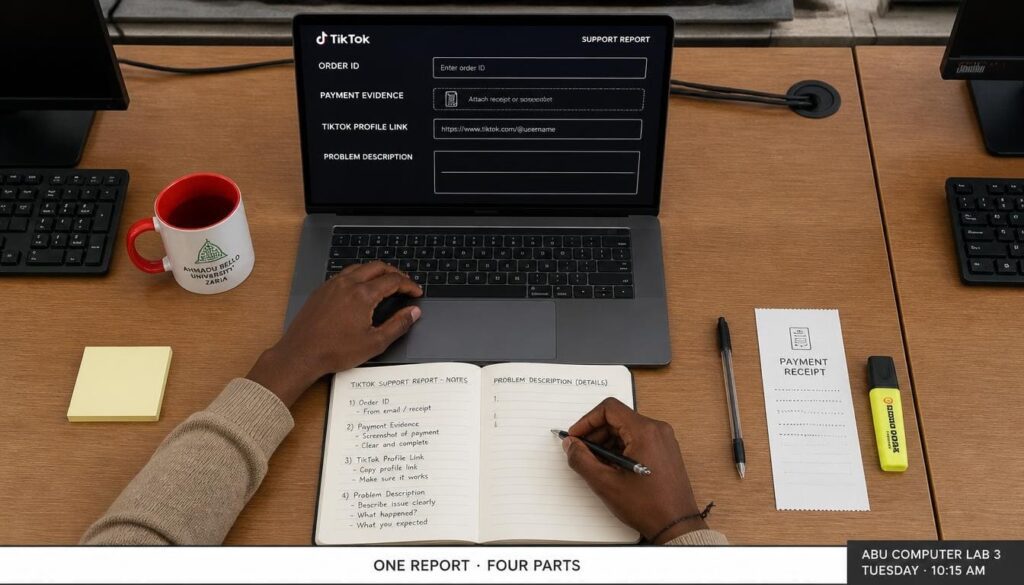
Providing complete, accurate information in your very first support message helps the team resolve delays without unnecessary back-and-forth questions. Avoid sending vague messages such as “My followers haven’t arrived” or “Please check my TikTok order.”
When an agent receives a vague message without an Order ID, they must first reply asking for your account email or order number before they can even open your file, adding avoidable hours to your wait time.
Instead, include five clear details in your support request: your exact Sizzle Social Order ID (such as #458920), the exact TikTok profile link or username shown in your order history, confirmation that you verified your TikTok privacy toggle is turned off, the exact number of hours elapsed since checkout, and a quick screenshot of your current TikTok profile bio if your follower count has not moved at all. Giving an agent these five facts upfront allows them to inspect your server route, verify the target URL, and diagnose or fix the issue within minutes.
How Can You Contact Sizzle Social Support About Delays?
Sizzle Social operates responsive customer support built specifically for Nigerian creators, small businesses, musicians, and social media agencies. Whenever you need assistance with a delayed order, you can submit a support ticket directly from your account dashboard, message the team through the live chat widget on the website, or send an email to contact@sizzlesocial.ng.
Submitting an in-dashboard support ticket is usually the fastest route for order-specific troubleshooting because the ticket attaches directly onto your logged-in profile. Support agents can immediately pull up your recent Order IDs, inspect the backend server logs, check provider queue health, and give you a clear, honest status update without making you repeat your account details. Whether you need a stuck order pushed through, a broken link canceled so you can reorder properly, or clarification on a specific package’s drip-feed speed, the support team guides you step by step until your issue is resolved.
What Happens If Your Order Remains Undelivered?
Your funds stay completely protected on Sizzle Social even if a delivery server experiences unexpected downtime or maintenance. According to industry research, transparent customer service and reliable fulfillment remain primary drivers of long-term trust and repeat engagement for digital service platforms.
Under Sizzle Social’s clear wallet refund policy, if a TikTok follower order cannot be completed due to a server outage, platform update, or accidental link error, the system cancels the request and credits the exact cost right back into your Sizzle Social Wallet. If an order completes partially, such as delivering 700 followers out of a 1,000-follower package, you receive an automatic wallet refund for the remaining 300 undelivered followers. Those returned funds appear in your wallet balance immediately so you can select an alternative package or launch a fresh campaign without losing a single Naira.
Dealing with a delayed order can be stressful, but submitting an in-dashboard support ticket is usually the fastest route for order-specific troubleshooting because the ticket attaches directly onto your logged-in profile. Support agents can immediately pull up your recent Order IDs, inspect the backend server logs, check proxy queue health, and give you a clear, honest status update without making you repeat your account details. Whether you need a stuck order pushed through, a broken link canceled so you can reorder properly, or clarification on a specific package’s drip-feed speed, the support team guides you step by step until your issue is resolved.
What Should You Do If Your TikTok Follower Order Stays Pending?
A pending TikTok follower order is almost always a temporary queue pause rather than a permanent problem or lost payment. Server traffic, app cache delays, staggered delivery pacing, and account privacy settings explain nearly every stalled campaign. Checking your Order ID, confirming your TikTok profile is set on Public, verifying your exact profile link, and letting the automated queue finish its batch will protect you from placing duplicate orders or losing track of your campaign metrics.
Building lasting momentum on TikTok works best when you pair smart audience boosts with consistent, engaging videos, clear profile branding, and steady community interaction. Whenever a campaign experiences a brief queue pause, staying calm and running through the simple verification steps inside this guide ensures your profile stays safe and your wallet balance remains completely protected.
Whenever you want reliable audience boosts backed by real-time dashboard tracking, local Naira payments, automatic partial refunds, and responsive Nigerian support, create your free Sizzle Social account or explore our TikTok Growth Services so you can launch your next campaign with complete confidence.
Frequently Asked Questions
A pending status means your order is valid, paid for, and sitting in the delivery queue waiting for server dispatch. It does not mean your payment failed or your money disappeared. When you submit an order, the platform verifies your wallet balance, deducts the cost, assigns a unique Order ID, and pushes your profile link into the fulfillment queue. The system then records your starting follower count, for example 420 followers, and sets a completion target of 1,420 if you ordered 1,000. While the server clears earlier requests ahead of yours and assigns worker threads to your link, your dashboard label remains Pending. Think of it like a logistics hub during peak hours: your package is scanned and assigned a waybill the moment you pay, but the delivery van only departs after earlier dispatches are sorted. Most pending orders are healthy and simply waiting their turn. The key is to avoid placing duplicate orders on the same link while the first one is still active, because that creates conflicting start counts and slows everything down.
Pending confirms three things: your order passed wallet verification, it received a unique numeric Order ID for tracking, and it entered the active fulfillment queue. It does not indicate a failed transaction or a lost payment. During this phase, the delivery engine queries TikTok’s public interface to capture your exact starting follower count at the moment your order entered the queue. That baseline matters because completion is calculated by adding your purchased quantity to your initial figure. Once the queue ahead of you clears and the first batch of accounts is dispatched, the status shifts to In Progress or Processing, and your follower count begins rising. You can compare it to a bank transfer during a busy afternoon: your app shows a successful debit immediately, even if the recipient bank takes some minutes to send a credit alert. Reading the Start Count and Remains columns alongside the status label gives you a clearer picture than the label alone.
Most orders begin within a few minutes to a couple of hours after payment confirmation, but the exact processing time depends on your package, current server load, and the quantity requested. Small packages of 100 to 500 followers often start within 5 to 30 minutes because they need only a single small batch. Medium packages of 1,000 to 2,500 followers typically start within 30 minutes to 3 hours. Larger packages of 5,000 to 10,000 followers use a staggered approach, spreading delivery over several hours or days so your growth looks natural. A sudden jump from 120 to 10,120 followers in one minute would invite scrutiny, so gradual pacing protects your profile. Service tier also matters: economy packages batch orders hourly, while priority packages use dedicated server pools. Time of day affects start times too, since Friday evenings, weekend sales, and music release weekends create submission spikes across Nigeria. Always read the delivery window in the service description before checkout so your expectations match reality.
Several technical factors explain a static count even when delivery has started. The most common culprit is mobile app caching: TikTok stores old profile numbers locally to save data, so your screen may show the old figure until you force-close and reopen the app. Checking your profile in an incognito browser or on a second device often reveals the updated count immediately. Another reason is TikTok’s own server sync lag, since profile counters update in intervals across regional servers rather than instantly, and new followers can take 10 to 15 minutes to appear. You can often confirm delivery has begun by checking your Inbox or Activity tab, where follow notifications frequently appear before the main counter refreshes. Finally, if you chose a drip-feed or high-retention package, the system intentionally delivers in small waves with cooling intervals, such as 40 followers every twenty minutes. If you check during a pause, the number looks frozen even though the campaign is progressing normally.
Open your order history dashboard and read the exact status label next to your campaign. Pending means your order is validated and waiting for dispatch, so wait for the stated start window without placing duplicates. In Progress means followers are actively arriving, so refresh periodically and let it finish. Completed means all ordered followers reached your link, so verify your final count against your start count. Partial means part of the order delivered and the rest was refunded, so check your wallet for the automatic credit. Canceled means the server could not start due to a link or privacy issue, so fix the problem and place a fresh order. Beyond the label, inspect two numbers: the Start Count and the Remains column. A healthy pending order shows your baseline count with Remains equal to your full quantity. Once delivery begins, Remains drops steadily. A failed order stops deducting from Remains, switches to Canceled or Partial, and triggers a wallet credit.
Server queues are the number one cause. When TikTok releases app updates or tightens anti-spam filters, reputable delivery networks slow their dispatch rate and space out follow actions to protect user accounts, which creates temporary pending periods. Backlogs also build during peak seasons such as December festivities, Valentine campaigns, or major music release weekends, when thousands of Nigerian creators submit orders within the same few hours. A private profile is the second major cause, because automated systems cannot send follow requests to an account that requires manual approval, so the order stalls until it times out. Wrong links and usernames come third: extra spaces, a misspelled handle, or pasting a video URL instead of a profile URL causes the parser to reject or stall the task. Changing your username mid-campaign breaks the routing path entirely. Finally, incorrect order details such as violating minimum or maximum quantity limits, or stacking duplicate orders on the same link, trigger automatic holds.
Yes, a private profile will completely stop your order from starting. Automated delivery systems cannot add followers to an account that requires manual approval for every incoming follow request. When you submit a link for a private profile, the server attempts to connect, hits the privacy wall, and stalls immediately. Because automated nodes cannot bypass privacy locks or tap approve inside your notifications tab, the order remains stuck on pending until the system times out and cancels it. Switching your account to private midway through a campaign is just as disruptive, because any remaining followers in the queue bounce off the barrier and the server halts fulfillment. Always switch your profile to Public before ordering and keep it public until the status shows Completed. You can verify visibility by opening your profile URL in a logged-out browser: if your bio, follower count, and videos load without a login request, your account is ready for smooth delivery.
Automated systems rely on exact URLs or usernames to locate your page among millions of accounts, so small errors cause big delays. Common mistakes include accidental blank spaces before or after your handle from mobile copying, a single misspelled character in a complicated username, or pasting a link to one video instead of your main profile page. Follower servers expect a profile endpoint, so a video URL causes the parser to reject or stall the task. Another frequent error is editing your TikTok username while an order is active, because changing your handle breaks the connection between your profile and the delivery server, and the original URL now leads nowhere. Even swapping an underscore for a period or adding a trailing number invalidates the routing path. Before checkout, copy your profile link directly from the Share Profile menu, remove any extra query strings, and confirm the format matches the service description exactly, such as the standard tiktok.com profile address with your username.
Every growth package enforces specific rules on minimum and maximum quantities, link formats, and refill terms, and violating them halts delivery or causes rejection. If a package requires a minimum of 100 followers and a maximum of 10,000 per link, entering 50 or 25,000 triggers an automatic hold. Stacking duplicate orders on the same link is another common mistake. Suppose your account has 800 followers and you submit two separate orders of 1,000 within five minutes. Both record 800 as the Start Count and aim for 1,800. Once the first order delivers and your profile hits 1,800, the second order’s monitor sees the target already met, or the queue holds it in a deadlock. The result is multiplied waiting time and tied-up wallet funds. Always read the package rules inside the service description, respect the limits, and wait for an active order to reach Completed before placing another follower order on that same profile link
Follow a four-step diagnostic process instead of placing duplicate orders. First, check your payment confirmation and Order ID in your Order History or Transactions tab. Confirm your wallet balance decreased by the exact package price and a numeric Order ID exists. If no Order ID appears and no debit occurred, your submission never reached the queue, so refresh and resubmit safely. Second, review your TikTok profile link and privacy settings. Confirm the Private account toggle is off, copy your profile link fresh from Share Profile, and compare it character by character against the link in your order details. Third, check your order status against the stated delivery window, force-close the TikTok app to clear cache, and watch the Remains column for signs of active delivery. Fourth, if the expected start time has fully passed and everything checks out, contact Sizzle Social support through the Contact Portal with your Order ID so an agent can inspect the backend queue and reroute your order.
Your next move depends on how long the order has been pending and whether an input error occurred. If your order is still within the stated start window, such as under two hours, wait patiently, because the automated queue is processing earlier requests ahead of yours safely. If your profile was set to Private or your URL had a spelling mistake, request cancellation right away, since automated servers cannot bypass privacy walls or broken links, and a cancellation frees your wallet funds for a clean order. If the order has remained at zero percent progress for over 24 hours, contact support for a speed-up or refund so an agent can reroute your order or credit your wallet. If followers started arriving and then paused halfway, wait 6 to 12 hours before requesting a refill or check, because staggered servers pause between batches to make your growth look organic. Making the right call at each stage protects both your time and your budget.
Log into your Sizzle Social account from your phone or laptop and open the Orders section from the main dashboard navigation menu. Every past and active campaign appears in a clean, searchable table. You can filter by status tabs such as All, Pending, In Progress, Completed, Partial, or Canceled, or search directly using your numeric Order ID or TikTok username. Each row displays six essential data points: the Order ID for tracking and support inquiries, the exact TikTok profile URL or handle you submitted, the Start Count recorded at the moment the server logged your order, the Quantity purchased, the Remains figure showing followers still awaiting delivery, and the live Status label. Checking the Start Count alongside the Remains column gives you full mathematical transparency, letting you verify every delivered follower against your baseline. Even if you gain organic followers while your paid order runs, the dashboard preserves your exact starting figure so you always know how the campaign performed.
Open the Wallet or Transactions history tab inside your Sizzle Social dashboard to view a detailed, timestamped ledger of every deposit and deduction. You will see deposits made via Nigerian bank transfer, debit card, USSD, or cryptocurrency, alongside the exact Naira deduction tied to your specific Order ID. Each ledger entry displays your previous balance, the amount credited or debited, the resulting new balance, and the reference ID for the event. This log protects you from double spending and helps you manage multiple campaigns across client accounts. If an interbank transfer experienced a temporary network delay before crediting your wallet, your payment reference and transaction log give you instant verification of when funds cleared and when your order went live. For agency owners and social media managers, this audit trail also makes reconciling client campaign budgets effortless, since every Naira spent is tied to a traceable order record you can export or review at any time.
Include five clear details in your very first support message so an agent can act without back-and-forth questions. First, your exact Sizzle Social Order ID, such as the numeric reference shown in your order history. Second, the exact TikTok profile link or username recorded in your order details. Third, confirmation that you verified your TikTok privacy toggle is switched off. Fourth, the exact number of hours elapsed since checkout. Fifth, a quick screenshot of your current TikTok profile bio if your follower count has not moved at all. Vague messages such as my followers have not arrived force an agent to ask for your account email or order number before they can even open your file, which adds avoidable hours to your wait. With these five facts upfront, support can inspect your server route, verify the target URL, identify any stalled routing node, and diagnose or fix the issue within minutes instead of days.
Your funds stay protected on Sizzle Social even if an external delivery server experiences downtime or maintenance. Under the wallet refund policy, if a follower order cannot be completed due to a server outage, platform update, or accidental link error, the system cancels the request and credits the exact cost back into your Sizzle Social Wallet. If an order completes partially, such as delivering 700 followers out of a 1,000-follower package, you receive an automatic wallet refund for the remaining 300 undelivered followers. Those returned funds appear in your balance immediately so you can choose an alternative package or launch a fresh campaign without losing a single Naira. To keep this protection working, always confirm your profile is public and your link is accurate before ordering, avoid duplicate orders on the same link, and keep your Order ID handy when contacting support. With transparent tracking and automatic refunds, a delayed order never becomes a lost payment.