Table of Contents
- Why Are Your TikTok Followers Not Updating After An Order?
- Common Reasons Your TikTok Follower Count Is Not Changing
- How to Fix TikTok Followers Not Updating After An Order
- How to Check Missing TikTok Followers Through Sizzle Social
- What Should You Do When TikTok Followers Do Not Update?
- Frequently Asked Questions
You just sent money for a service, received a debit alert on your phone, and opened your profile to see the result. Instead of a fresh wave of fans, the number on your screen refuses to budge. That sudden drop in your stomach feels just like a bank transfer stuck in limbo on a Friday evening in Lagos, or a dispatch rider who claims he arrived at your gate when the street outside sits completely empty. For skit makers in Lekki, fashion vendors in Aba, and afrobeats artists in Port Harcourt, every single kobo spent on visibility matters.
When you face TikTok Followers Not Updating After an Order, frustration sets in fast because your content plans and brand pitches depend on visible momentum. You want clear answers, not technical excuses or radio silence from a vendor. Most of the time, a static number does not mean your money vanished into thin air.
Behind the scenes, app caches, gradual delivery schedules, and platform sync delays often hold back the visible update. Below, we break down the exact reasons your numbers freeze and show you simple, practical steps to verify your delivery and get your count back on track.
Why Are Your TikTok Followers Not Updating After An Order?
Paying for a follower boost creates an immediate expectation that the digits on your profile page will climb right before your eyes. Yet a noticeable gap often separates the moment an automated order enters a provider’s system and the moment TikTok displays the updated figure on your mobile screen. Understanding how external delivery infrastructure communicates with TikTok’s global data centers removes unnecessary panic and equips you with the clarity needed for separating normal technical lag from genuine service failure.
According to DataReportal’s Digital 2024 Global Overview Report, TikTok reaches over 1.56 billion active users worldwide, processing massive volumes of profile updates, follows, and engagement actions every single second. Because TikTok distributes user records across thousands of regional content delivery servers, a follow action triggered in one server cluster does not always propagate instantaneously onto your local handset in Abuja, Enugu, or Kano. The platform prioritizes smooth video playback and live stream stability over instant counter recalculations during heavy usage hours.
Even more importantly, modern social networks use asynchronous database updates for handling public metrics. When an account taps the follow button on your profile, TikTok registers that connection inside its primary relationship graph first. The public counter displayed beneath your bio relies on a secondary caching layer that refreshes on scheduled intervals rather than millisecond by millisecond. Consequently, your actual audience list can already contain dozens of new followers while your main profile badge continues showing yesterday’s tally.
Recognizing these technical layers helps Nigerian creators and business owners stay calm when an order begins rolling out. Rather than repeatedly refreshing the app every five seconds or placing duplicate orders out of anxiety, you can evaluate the delivery window objectively and monitor the backend metrics that truly govern order progress.
How Long Does It Take For New TikTok Followers To Appear?
Delivery speed varies significantly based on the specific service tier selected at checkout, the total quantity requested, and real-time network traffic across TikTok’s authentication servers. Some high-speed packages initiate within five to fifteen minutes of payment confirmation, whereas high-retention or regionally filtered packages require several hours before the initial wave of accounts begins following your profile.
Ordering a modest package of 100 or 500 followers usually produces a relatively short turnaround because the dispatch system can route that volume safely without alerting TikTok’s automated velocity monitors. Conversely, larger packages of 5,000 or 10,000 followers demand wider distribution schedules so your creator profile avoids triggering sudden spike warnings or temporary action blocks. Reviewing the typical delivery timelines across different package sizes prevents premature worry whenever you encounter a TikTok follower count delayed after ordering:
| Package Size | Expected Start Time | Full Completion Window | Recommended Delivery Pace | Primary Operational Reason |
| 100 – 500 Followers | 5 – 30 minutes | 1 – 6 hours | Standard or Instant Batch | Low volume clears quickly without triggering velocity filters |
| 500 – 2,000 Followers | 15 – 60 minutes | 6 – 24 hours | Gradual Rollout | Moderate spacing mimics organic discovery after a popular video |
| 2,000 – 5,000 Followers | 1 – 3 hours | 24 – 72 hours | Multi-Batch Drip | Staggered waves protect account health and reduce drop rates |
| 5,000 – 10,000+ Followers | 2 – 6 hours | 3 – 7 days | Extended Drip-Feed | Controlled daily quotas ensure long-term stability on TikTok |
Beyond package volume, server queue congestion plays a practical role in start times. During weekends, major music releases, or viral challenge seasons in Nigeria, thousands of creators submit campaigns simultaneously. When global order volume surges, automated dispatch queues process requests sequentially in the exact order received.
Planning a major milestone campaign becomes much easier once you study a detailed breakdown on what happens when you buy 10k TikTok followers, as realistic expectations protect both your budget and your peace of mind. Checking the estimated start time printed inside each service description before placing an order gives you an accurate benchmark for measuring performance.
What Does A Completed TikTok Follower Order Mean?
Seeing a “Completed” badge inside your service dashboard indicates that the provider’s fulfillment engine finished dispatching the full requested quantity of follow actions toward the profile URL submitted at checkout. In technical terms, it confirms that every outgoing task left the dispatch server, connected with TikTok’s endpoint, and executed without returning a hard rejection or invalid link error.
However, a completed status on an order tracking portal does not guarantee that the TikTok application installed on your smartphone has refreshed its local interface. A helpful comparison is making an instant bank transfer in Nigeria: your banking app generates a successful transaction receipt immediately, yet the recipient’s mobile app occasionally takes ten or fifteen minutes before reflecting the updated ledger balance. Both systems recorded the event, but front-end display synchronization lags behind backend execution.
Additionally, automated fulfillment systems calculate completion using mathematical start-count tracking. The moment you submit an order, the server queries TikTok’s public API or web endpoint for recording your exact baseline follower figure, known as the Start Count. As follow tasks execute, the server monitors your public count until it reaches the sum of your Start Count plus your ordered quantity.
Once that mathematical threshold registers on the server’s side, the system closes the ticket and marks the order Completed. Exploring how SMM panels and social media boosting websites differ clarifies why automated dashboards rely on server-side count verification rather than manual visual checks on individual phones.
Why Can Your Order Show Completed While Your Count Stays The Same?
Discovering a TikTok follower order completed but count unchanged feels puzzling, especially when your dashboard insists the job finished without errors. Several distinct technical and account-level factors explain why your public number can appear frozen despite full backend execution.
First, TikTok edge server caching frequently delays public counter refreshes across specific geographic regions. When TikTok’s servers experience heavy video streaming demand, the platform temporarily serves cached profile pages to mobile users while queuing counter updates in the background. Your newly delivered followers already sit inside your follower list, yet the bold headline number beneath your profile picture remains stuck on the older cached value for several hours.
Second, placing overlapping orders on the exact same profile link creates a classic start-count collision. Suppose you order 1,000 followers on Platform A while an earlier order of 1,000 followers on Platform B is still running. Both systems record nearly identical Start Counts and watch your profile climb toward 2,000. Once your account gains 1,000 combined followers from both sources, each system assumes its own delivery goal has been met and marks its order Completed prematurely, leaving you short of the combined 2,000 target.
Third, simultaneous organic unfollows can mask incoming delivery. If your account previously participated in follow-for-follow groups or attracted temporary trend viewers who unfollowed your page during the exact window your new order arrived, the outgoing losses cancel out the incoming gains. For instance, gaining 500 ordered followers while losing 480 older inactive followers leaves your net public tally almost unchanged even though every ordered unit arrived safely.
Fourth, public counter rounding hides smaller increases once an account passes the 10,000 follower milestone. TikTok abbreviates five-digit and six-digit follower counts into single decimal increments such as 10.1K or 24.5K. If your profile sits at 10,110 followers and you purchase 70 followers, your real total climbs to 10,180, yet TikTok continues displaying 10.1K until your count crosses 10,200.
Fifth, submitting an incorrect link format or switching your account to Private mid-campaign disrupts proper attachment. Pasting a single video URL instead of your main profile handle causes scripts to execute against a post link that cannot hold followers, while enabling privacy restrictions blocks incoming follows from converting into public profile totals.
How Can You Tell If Followers Are Missing Or Still Processing?
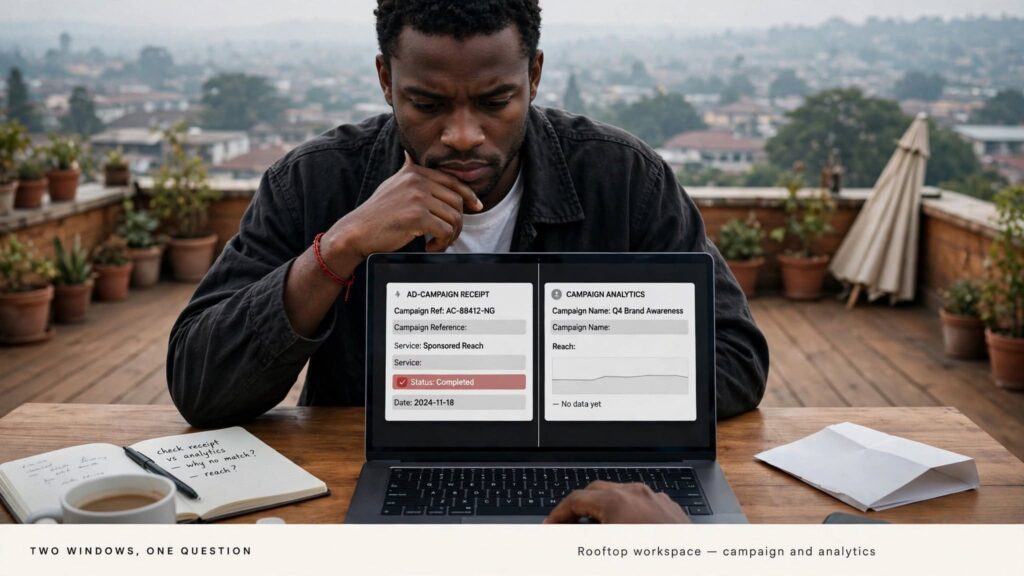
Separating an active delivery from a genuine shortfall requires examining three exact metrics recorded inside your order history log: Start Count, Quantity, and Remains. Relying purely on memory or quick glances at your phone screen introduces avoidable confusion, whereas simple arithmetic provides undeniable proof.
Your Start Count captures the exact number of followers displayed on your TikTok profile the second your order entered the queue. Your Quantity represents the exact volume of followers paid for during checkout. Your Remains figure tracks how many units are still pending dispatch from the provider’s server.
Whenever your order status reads “In Progress” and the Remains number continues decreasing every hour, your TikTok follower delivery in progress is functioning normally. Give the system space until Remains reaches zero. On the other hand, if Remains hits zero, your status switches to “Completed,” and your verified live profile count after clearing cache still falls short of Start Count + Quantity, you have documented evidence of a partial delivery or drop that qualifies for support intervention.
Common Reasons Your TikTok Follower Count Is Not Changing
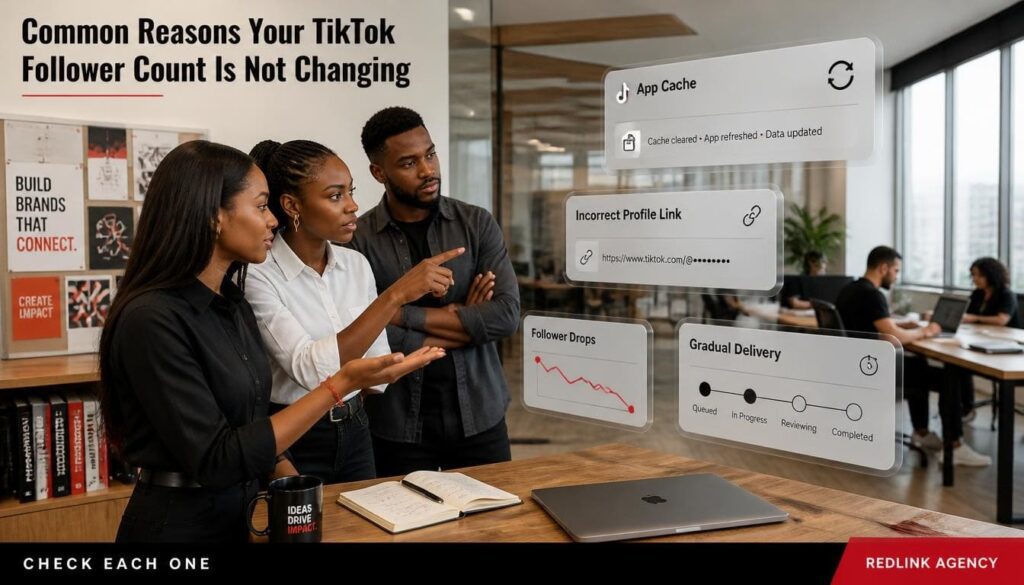
Even when you paste your profile link carefully and complete payment smoothly, routine smartphone behavior and strict platform filtering rules can hold back visible progress. Examining the four most frequent technical roadblocks reveals why your TikTok follower count is not changing after ordering and prevents you from repeating avoidable setup mistakes on future campaigns.
- Local mobile app caching often traps your profile screen on an outdated snapshot, meaning TikTok’s live servers show your updated count to outside visitors while your personal device stubbornly displays the pre-order total.
- Strict platform verification filters automatically screen incoming profiles for security anomalies, occasionally pausing rapid growth curves until automated security checks confirm your account adheres to community guidelines.
- Incorrect link formatting or private account settings will completely block incoming deliveries because external delivery systems cannot securely locate or access restricted user profiles.
- Network queue congestion during peak hours can temporarily delay processing times across external provider networks, pushing back the exact moment your follower count begins to tick upward.
Testing whether your settings or cache are the main culprit takes less than a minute. Open a mobile web browser like Chrome or Safari in private browsing mode, visit your public TikTok profile URL directly, and check if the numbers match what outside visitors see. If the web browser displays the updated total while your mobile app remains stuck, clearing your app storage or simply waiting for a fresh background sync will quickly resolve the mismatch.
Understanding these routine delays helps you distinguish between normal platform buffering and actual technical errors. Keeping your profile public and double-checking your link inputs before checkout ensures your campaigns always run smoothly from start to finish.
Can TikTok App Cache Prevent Your Follower Count From Refreshing?

Mobile applications rely heavily on local storage files known as app cache for loading screens faster and conserving cellular data. For Nigerian creators, online store owners, and students managing daily data bundles across MTN, Airtel, Glo, or 9mobile, aggressive app caching keeps video feeds smooth without draining megabytes on every screen refresh. However, that exact same efficiency feature often traps your profile screen on an outdated snapshot.
When you open your own TikTok profile repeatedly while waiting for an order, the app frequently pulls the header statistics from your phone’s local cache instead of querying TikTok’s central database anew. As a result, TikTok’s live servers may already display your updated follower count to outside visitors while your personal device stubbornly shows the pre-order number.
Testing whether TikTok cache affecting follower count is the culprit takes less than twenty seconds. Open a mobile web browser such as Google Chrome or Safari in private incognito mode, type https://www.tiktok.com/@yourusername into the address bar, and load your public page without signing in. Because an incognito browser session holds zero cached TikTok app data, it fetches the freshest public counter directly from TikTok’s web servers. If the browser displays your new followers while your app does not, your delivery succeeded and your phone simply needs a quick cache purge.
Can A Wrong Profile Link Affect Follower Delivery?
Automated fulfillment systems operate with literal precision: they route follow requests strictly toward the exact web address pasted into the order box. Unlike a human assistant who can search your brand name and figure out which account belongs to you, an automated server script cannot correct typos, broken handles, or mismatched links.
Pasting a video share link instead of a profile link ranks as the single most common input error among first-time buyers. When a user taps the share arrow on one of their own TikTok videos and copies the link, TikTok generates a short URL formatted like https://vm.tiktok.com/ZM6… or https://www.tiktok.com/@username/video/734…. Submitting that link instructs the delivery system to send followers toward a video object rather than a user profile, causing the order either to stall in pending status or complete without increasing your profile follower count.
Changing your TikTok username while an order is active creates a similar breakdown. If your handle was @lagosthriftstore when you paid and you edit it to @lagosluxuryhub thirty minutes later, incoming requests aimed at the old URL hit a dead page. Likewise, switching your profile from Public to Private locks new followers inside a manual approval queue, preventing them from adding to your public tally. Taking sixty seconds to review a practical guide on what to look for before you use a TikTok boosting link ensures your URL format and privacy toggles match delivery requirements before you spend a single Naira.
Why Do Some TikTok Followers Disappear After An Order?
Watching your follower counter climb by 800 on Tuesday evening only to drop back by 300 on Wednesday morning feels discouraging, yet this pattern stems directly from TikTok’s automated platform enforcement. TikTok deploys continuous machine-learning sweeps designed to identify and purge inactive profiles, incomplete accounts, and suspicious engagement clusters across its network.
In its Q4 2023 Community Guidelines Enforcement Report, TikTok disclosed removing millions of fake accounts and spam-driven engagements globally as part of ongoing platform integrity sweeps. Whenever a creator purchases low-cost, low-retention followers sourced from poorly maintained account pools, TikTok’s security filters frequently detect and remove those accounts within 24 to 72 hours. If a routine platform sweep overlaps with the final hours of your delivery window, newly removed accounts offset newly arriving accounts, creating the illusion that your count never moved at all.
Choosing higher-tier, profile-complete follower packages dramatically reduces post-order drops because credible accounts with profile photos, bios, and normal activity patterns survive platform audits far better than empty profiles. Reading an honest comparison of how TikTok bot followers differ from real followers helps you weigh upfront package pricing against long-term retention so your numbers hold steady when brand managers inspect your page.
Can Drip-Feed Delivery Make Your Follower Count Update Gradually?
Drip-feed delivery is a deliberate pacing feature that breaks a single large follower order into smaller, scheduled micro-batches distributed evenly across several hours or days. Instead of pushing 4,000 new followers onto a small business account inside five minutes, the server dispatches 250 followers every six hours until the entire quantity lands safely.
This gradual rollout protects creator accounts from unnatural velocity spikes. TikTok’s recommendation algorithm evaluates engagement ratios alongside follower growth rates; when an account suddenly gains thousands of followers in seconds without a corresponding viral video, automated quality filters may temporarily throttle reach or flag the sudden jump. Drip-feed pacing mirrors natural audience discovery, allowing your profile statistics to expand smoothly while you continue publishing fresh content.
When you select a service labeled with drip-feed pacing or order a large package that activates gradual delivery automatically, seeing your TikTok profile follower number stuck for a few hours between scheduled batches is completely normal. Checking the Remains column inside your order history confirms that the next scheduled wave is queued and waiting for its release interval.
How to Fix TikTok Followers Not Updating After An Order
Working through a clear, logical diagnostic routine saves you from unnecessary stress and prevents accidental double-ordering. Rather than guessing which setting went wrong, follow these four sequential troubleshooting checks in exact order so you can isolate display glitches, verify live server figures, and gather accurate proof if support intervention becomes necessary.
Every effective check starts at the source of the transaction. Log into your growth dashboard and verify first that your Naira deposit cleared successfully and deducted the exact package price from your available wallet balance. Occasionally, bank network delays or incomplete payment gateway redirects leave an order sitting as an unpaid draft rather than an active queued job.
Once payment deduction is confirmed, navigate to your order history log and inspect the exact status badge assigned to your Order ID. Understanding what each status label represents on the backend tells you immediately whether patience or action is required:
- Processing status confirms the system accepted your link and queued it safely into the live delivery network.
- Completed status means the target follower count was delivered successfully to your specified profile URL.
- Canceled status indicates the system stopped the run due to a broken link or private profile setting, returning your funds automatically.
- Partial status signals that an order finished part of its delivery before hitting an account restriction, triggering an automatic wallet refund for the remaining balance.
- On-hold status means a manual review flag triggered on the backend, requiring a quick support ticket to clear up any routing issues.
If your dashboard shows a completed order but your mobile application stubbornly displays old numbers, the issue is almost always a local client-side display lag rather than a failed delivery. TikTok apps cache profile data heavily to save mobile data, which often prevents your personal screen from syncing with live servers immediately. Opening your account inside an external web browser or logging out and back into your mobile app forces a complete cache refresh, revealing your actual follower count instantly.
Step 1: Check Your Order Status And Payment Confirmation
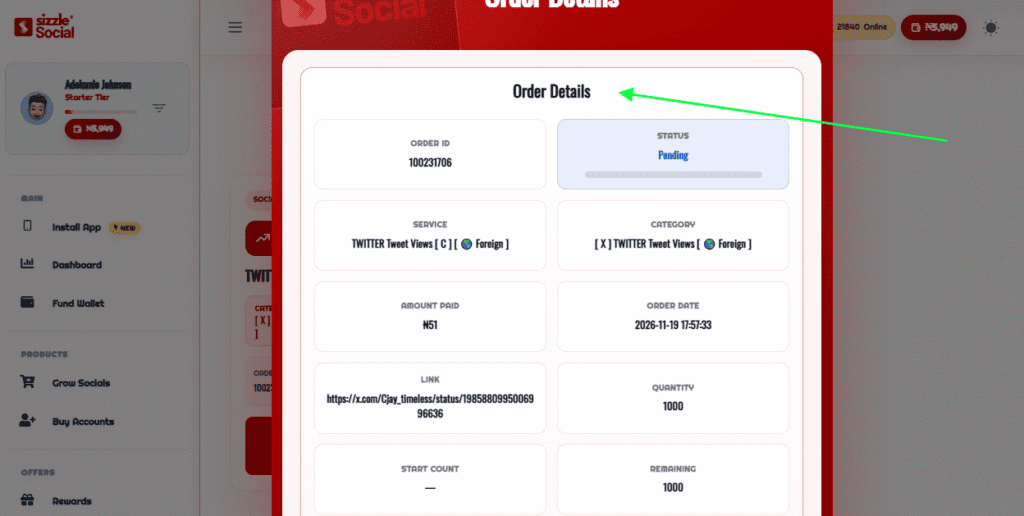
Every effective check starts at the source of the transaction. Log into your growth dashboard and verify first that your Naira deposit cleared successfully and deducted the exact package price from your available wallet balance. Occasionally, bank network delays or incomplete payment gateway redirects leave an order sitting as an unpaid draft rather than an active queued job.
Once payment deduction is confirmed, navigate to your order history log and inspect the exact status badge assigned to your Order ID. Understanding what each status label represents on the backend tells you immediately whether patience or action is required:
| Order Status Badge | Backend Server Meaning | Impact on Your TikTok Profile | Recommended Next Step |
| Pending | Payment cleared and the order is queued for an available server slot. | Zero followers dispatched yet; count remains at Start Count. | Wait through the stated start window; do not place duplicate orders. |
| In Progress | Automated delivery is actively sending followers in scheduled batches. | Follower count rises gradually until Remains reaches zero. | Keep profile Public and allow the full completion window to pass. |
| Completed | Every requested follow task finished dispatching from the server. | Full quantity should appear once app cache refreshes. | Clear TikTok app cache and compare live count against Start Count. |
| Partial | Part of the order delivered; remaining units were canceled and refunded. | Count increased by the delivered portion only; wallet credited for rest. | Check wallet balance for the automatic refund and verify profile settings. |
| Canceled | Server could not deliver due to a private profile or an invalid link; full refund issued. | Zero followers delivered; full order cost returned to wallet. | Correct your profile URL or privacy toggle and submit a new order. |
Step 2: Refresh Your TikTok Profile And Check Again
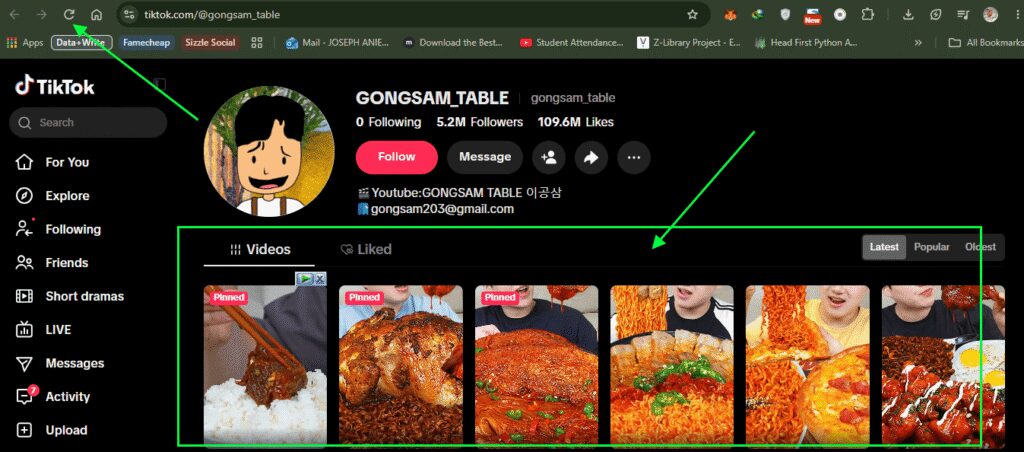
If your order status reads In Progress or Completed yet your smartphone screen refuses to budge, force your TikTok application to purge stale local files and pull fresh data directly from TikTok’s servers. Execute these steps carefully on your mobile device:
- Launch the TikTok app and tap the Profile icon in the bottom-right corner of your navigation bar.
- Tap the Menu button (three horizontal lines) at the top-right corner and select Settings and privacy.
- Scroll down toward the Cache & Cellular section and tap Free up space.
- Tap Clear next to Cache while leaving your Downloads and Drafts untouched so you do not lose saved video projects.
- Close the TikTok app completely by swiping it away from your phone’s active background apps tray, enable Airplane Mode for ten seconds to reset your cellular IP session, switch mobile data back on, and reopen your profile.
After completing this reset, open an incognito browser tab and check your public profile URL (https://www.tiktok.com/@yourusername) as a secondary cross-check. Comparing the cleared app view against the incognito web view confirms beyond doubt whether local caching caused the delay.
Step 3: Verify Your Profile Link And Privacy Settings
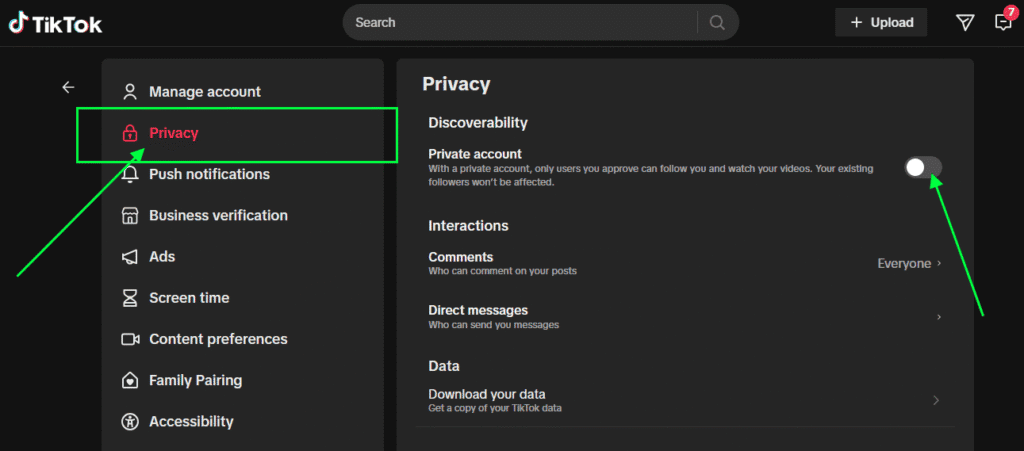
When a cleared cache still reveals an unchanged count, audit your TikTok account settings to verify that nothing on your profile is actively blocking incoming follow requests. Open Settings and privacy, tap Privacy, and confirm that the Private account toggle is switched Off. Even a temporary switch to Private mode prevents external delivery accounts from completing public follows.
Next, return to your main TikTok profile page, tap Share profile, and select Copy link. Paste that copied text into your phone’s notes app and inspect the structure carefully. Ensure it points directly to your main profile handle (https://www.tiktok.com/@yourusername) rather than a specific video post, and confirm that your username matches the exact handle recorded in your order receipt. Whenever you plan on buying TikTok followers with Naira for upcoming product launches or music promotions, locking in your final username and public privacy setting prior to checkout eliminates the biggest causes of failed delivery.
Step 4: Contact Your Provider With Your Order ID
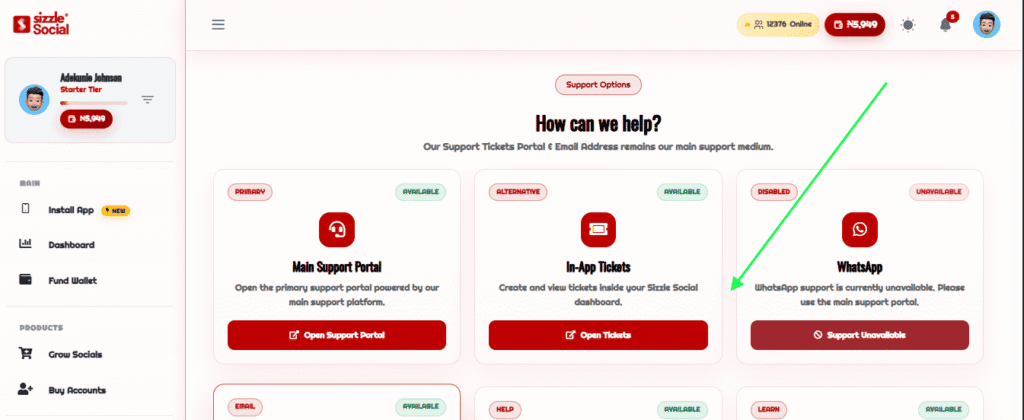
If your profile is Public, your submitted URL matches your active handle, your app cache is clean, and the maximum delivery timeframe listed in the service description has expired, reach out to customer support for a manual server audit. Writing clear, complete details in your opening ticket speeds up resolution dramatically compared to sending short messages without context.
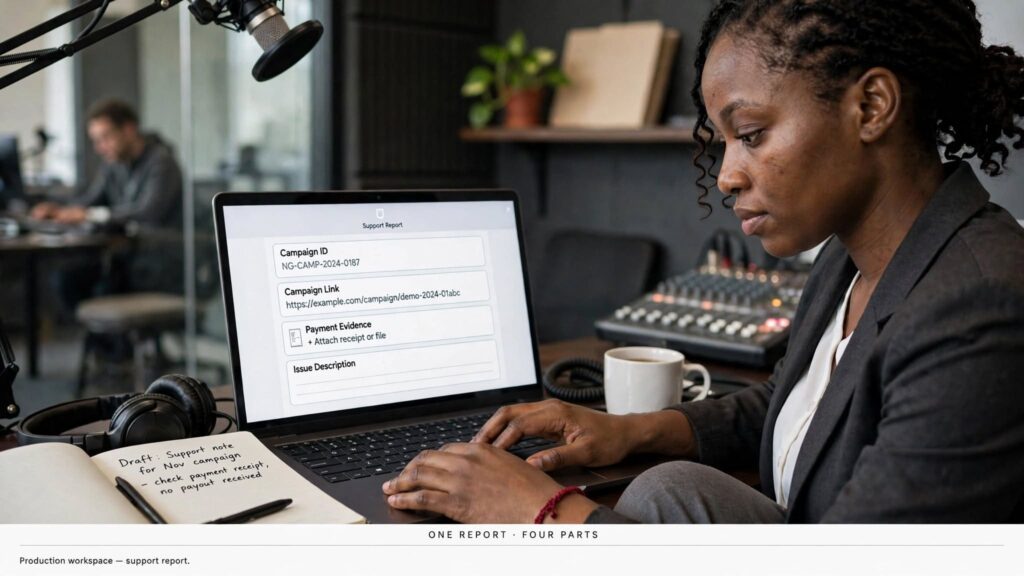
Prepare and include these four items in your support request:
- Your exact numeric Order ID from your order history table.
- The exact TikTok profile URL or username submitted at checkout.
- Your recorded Start Count alongside your verified current follower count.
- A recent, uncropped screenshot of your TikTok profile screen showing your handle and current total clearly.
Providing these four data points allows support engineers to compare server dispatch logs against TikTok’s live API response immediately without wasting hours asking follow-up questions.
When Should You Request A Refill Or Refund?
Understanding the operational difference between a refill and a refund ensures you ask for the right solution and receive faster assistance from support teams.
A refill applies after an order reaches “Completed” status and successfully delivers your followers, but a subsequent TikTok platform sweep causes your count to dip below your expected target within the package’s stated guarantee period, such as a 30-day or 60-day refill window. Requesting a refill instructs the provider to dispatch replacement followers at zero additional charge so your count returns to its promised level.
A refund applies when an order fails to start within its maximum delivery window, gets stuck in “Pending” due to upstream server maintenance, or terminates in “Partial” status where undelivered units remain unfulfilled. Reputable platforms return refunded funds directly to your internal wallet balance so you can immediately select an alternative active service tier. Reviewing practical benchmarks on how to spot legit social media boosting sites helps you verify transparent refill and wallet refund policies before committing larger campaign budgets.
How to Check Missing TikTok Followers Through Sizzle Social
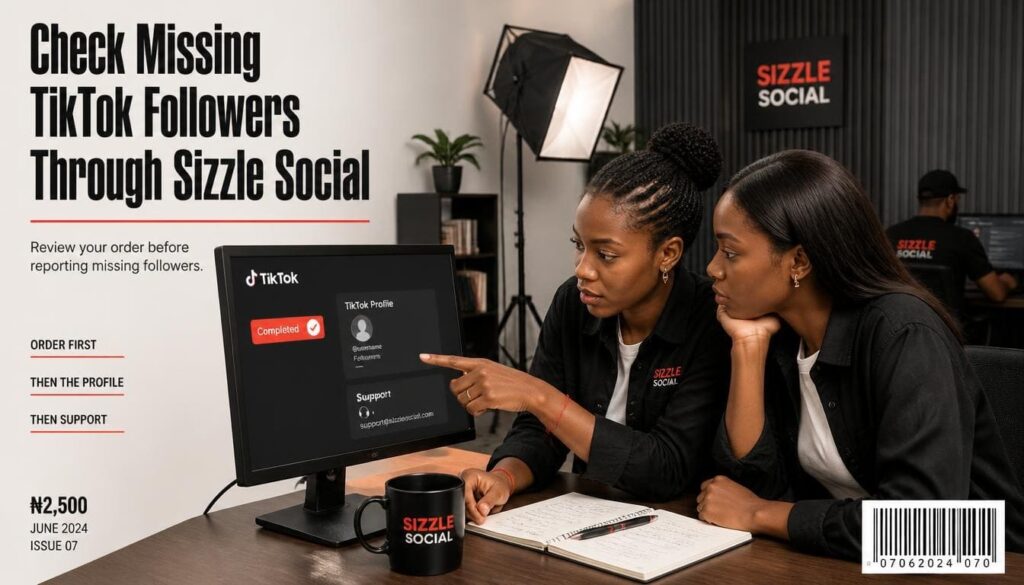
Working with a structured platform removes the uncertainty that frustrates creators dealing with informal social media resellers. On Sizzle Social, every TikTok order generates automated start-count logs, real-time remaining quantity counters, and direct ticket escalation tools tailored specifically for Nigerian creators, business owners, and digital agencies.
Checking whether any followers fell short of your order target takes only a few seconds when you look at the right dashboard metrics. Every active order comes paired with a transparent start count recorded the moment our servers accept your profile link. Comparing that original baseline against your current live follower count gives you the exact math needed to spot any delivery discrepancies instantly.
When your dashboard indicates a completed status but your numbers do not quite match up, you can easily verify the breakdown using built-in panel metrics.
- Check your order logs to review the exact start count recorded by our system when your campaign first began processing.
- Inspect the completed quantity indicator to confirm whether the system delivered your full package or closed out with a partial status.
- Open your account analytics on TikTok to review your follower growth history and see if organic fluctuations occurred simultaneously with your boost.
- Copy your unique Order ID directly from your activity history table if you notice a clear numerical shortage that needs investigation.
- Submit an instant support ticket right from your dashboard to have our team review your backend logs and verify network routing performance.
Having these metrics readily available ensures you never have to guess whether your campaign delivered as promised. Automated tracking keeps everything transparent, giving you absolute clarity from the moment you place an order until the final follower lands on your profile.
How Can You Check Your Sizzle Social Order History?
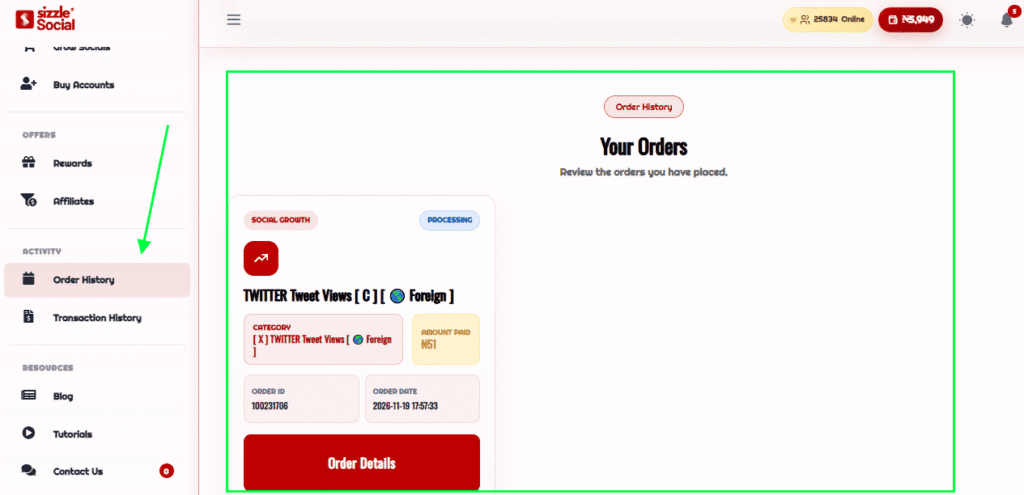
Monitoring the live status of any TikTok campaign inside your Sizzle Social account takes under thirty seconds from any smartphone or computer browser:
- Log into your Sizzle Social user dashboard at app.sizzlesocial.ng.
- Tap the main navigation menu icon and open the Orders page.
- Use the search bar or platform filter to locate your specific Order ID.
- Read across the row to compare Start Count, Quantity, Remains, and Status.
- Check whether Remains is actively counting down or has already reached zero.
If you are navigating the order table for the first time, exploring the visual walkthroughs inside our Sizzle Social tutorials explains every dashboard metric, service ID, and status badge in plain language.
What Should You Do If Your Order Shows Completed?
Seeing your dashboard flash that a growth package has reached its finished milestone brings instant relief, but when your mobile numbers refuse to match up, a quick verification routine prevents unnecessary panic. Because this specific heading includes the word what, a structured breakdown of immediate actions helps you confirm delivery accuracy, spot local app caching delays, and know precisely when to reach out for customer assistance.
When your dashboard updates to show a completed status, running a simple mathematical calculation gives you the exact baseline to check against your actual profile numbers. Add your recorded start count to your ordered quantity to determine your expected post-delivery total. For instance, if your account held two thousand followers when you placed an order for one thousand more, your target total should sit right around three thousand.
- Clear your TikTok application cache to force your mobile device to download fresh profile data directly from live remote servers rather than displaying an outdated local snapshot.
- Open an incognito web browser tab and visit your public profile link directly to verify whether outside visitors see the fully updated follower count.
- Inspect your transaction history to ensure you did not run simultaneous overlapping campaigns on external websites that might distort your start count tracking.
- Review your notification logs to check for any sudden account security pauses or community guideline warning flags that might temporarily freeze your engagement metrics.
- Copy your unique Order ID directly from your dashboard history if your verified live count remains noticeably below your expected mathematical target.
- Submit a support ticket through your dashboard if a genuine shortage exists, allowing agents to inspect backend routing logs and resolve any discrepancies quickly.
Walking through these steps protects you from misinterpreting a simple app caching glitch as a missing delivery. Most mobile applications store profile data aggressively to save data usage, which often creates a temporary visual lag between external server updates and what appears on your personal screen.
Taking thirty seconds to verify your live count in an external browser clears up confusion instantly and ensures you always stay completely informed about your campaign progress. If a rare shortfall does happen, having your order details ready makes the resolution process smooth and effortless.
How Can You Report Missing Followers To Sizzle Social Support?
Sizzle Social provides dedicated Nigerian support channels so you never feel ignored when an order needs manual inspection. Whenever you notice a discrepancy in your TikTok follower order delivery status, escalate your Order ID through any of our official support paths:
- In-Dashboard Support Ticket: Open the Support or Tickets menu inside your dashboard, select the Orders category, paste your Order ID, and list your Start Count alongside your current live follower count.
- Web Ticket Submission Portal: Visit the Sizzle Social ticket submission page to log your Order ID, describe the shortfall clearly, and upload a screenshot of your current TikTok profile.
- Official WhatsApp Support Desk: Connect through the verified WhatsApp support link on the website with your Order ID ready for quick status checks during active support hours.
Once your ticket arrives, our technical team audits the delivery logs against your account’s start count and triggers either a manual completion push or an instant wallet credit adjustment for any verified gap.
When Can You Request A Refill For Lost Followers?
Several TikTok follower packages inside Sizzle Social feature clear Refill Guarantees directly inside the service title and description, such as 30-Day Refill or 60-Day Refill. According to HubSpot’s Social Media Marketing Report, consistent audience credibility and authentic engagement signals remain top priorities for marketers evaluating creator partnerships, making stable follower retention essential for long-term brand collaborations.
Whenever you spot a post-delivery drop inside your guarantee period, follow these exact rules for triggering a smooth refill:
- Verify Your Baseline Floor: Confirm that your current follower count sits above your original Start Count, because refill guarantees cover drops affecting the followers delivered under that specific Order ID rather than older organic followers lost separately.
- Use the Dashboard Refill Button: Navigate to your Orders history list and click the Refill button next to your eligible Order ID once the standard post-completion cooldown period passes.
- Open a Refill Ticket if Needed: If your order sits inside its active guarantee window yet the automated refill button appears disabled, submit your Order ID via support ticket with the subject “Refill Request”.
- Keep Your Profile Public: Maintain your TikTok privacy setting on Public until all replacement followers finish arriving on your profile.
Selecting guaranteed tiers from our dedicated TikTok growth platform in Nigeria ensures you always know your exact refill coverage and delivery pacing before funding a campaign.
What Should You Do When TikTok Followers Do Not Update?
Watching a static follower number right after paying for visibility tests anyone’s patience, yet calm, structured verification always beats guesswork. In the vast majority of cases, TikTok Followers Not Updating After an Order stems from local mobile app caching, gradual drip-feed delivery schedules, five-digit counter rounding, or routine TikTok server synchronization lag rather than a lost payment.
Managing your campaigns through a transparent Nigerian platform offering straightforward Naira deposits, live order tracking, and documented refill guarantees keeps you in complete control of your marketing budget and creator credibility. Create your free Sizzle Social account today or explore our full range of Sizzle Social services to support your next TikTok milestone with confidence.
Frequently Asked Questions
A static follower number after ordering usually reflects normal technical lag rather than a lost payment. TikTok reaches over 1.56 billion active users worldwide and distributes user records across thousands of regional servers, so a follow action triggered in one server cluster does not always appear instantly on your phone in Abuja, Enugu, or Kano. The platform prioritizes smooth video playback over instant counter recalculations, and public counters rely on a secondary caching layer that refreshes on scheduled intervals rather than every second. That means your follower list can already contain dozens of new followers while your profile badge still shows yesterday’s tally. Local app cache, gradual delivery schedules, and platform sync delays also hold back the visible update. Rather than refreshing every five seconds or placing duplicate orders out of anxiety, evaluate the delivery window objectively and monitor the backend metrics inside your order dashboard that truly govern progress.
Delivery speed depends on your service tier, quantity requested, and real-time traffic on TikTok’s servers. High-speed packages often start within 5 to 15 minutes of payment confirmation, while high-retention or regionally filtered packages can take several hours before the first wave begins. A modest package of 100 to 500 followers usually starts within 5 to 30 minutes and completes within 1 to 6 hours. A package of 500 to 2,000 followers typically starts within 15 to 60 minutes and completes within 6 to 24 hours with gradual rollout. Orders of 2,000 to 5,000 followers start in 1 to 3 hours and complete within 24 to 72 hours using multi-batch drip delivery. Larger orders of 5,000 to 10,000 or more start in 2 to 6 hours and finish over 3 to 7 days with extended drip-feed pacing. Weekend surges, music releases, and viral challenge seasons can push start times toward the upper end of these ranges.
A Completed badge means the provider’s fulfillment engine finished dispatching the full requested quantity of follow actions toward the profile URL you submitted, with no hard rejection or invalid link error. It does not guarantee that the TikTok app on your phone has refreshed its local interface. A useful comparison is an instant bank transfer in Nigeria: your banking app generates a successful receipt immediately, yet the recipient’s app sometimes takes ten or fifteen minutes to reflect the new balance. Both systems recorded the event, but front-end display synchronization lags behind backend execution. Completion is calculated using start-count tracking. The server records your exact baseline follower figure when you order, monitors your public count as tasks execute, and closes the ticket once the count reaches your start count plus your ordered quantity. Once that threshold registers server-side, the order is marked Completed even if your phone still shows an older cached figure.
Several technical factors explain this. First, TikTok edge server caching delays public counter refreshes in specific regions, so new followers already sit in your follower list while the headline number stays stuck on an older cached value for hours. Second, overlapping orders on the same profile create a start-count collision: if two systems each record a similar baseline and watch for the same growth, both can mark complete prematurely once combined deliveries arrive. Third, simultaneous organic unfollows can mask incoming delivery, so gaining 500 ordered followers while losing 480 older inactive ones leaves your net tally almost unchanged. Fourth, counter rounding hides small increases once you pass 10,000 followers, since TikTok abbreviates counts as 10.1K or 24.5K until the total crosses the next threshold. Fifth, an incorrect link format or switching to Private mid-campaign disrupts attachment, because video URLs cannot hold followers and privacy restrictions block incoming follows from converting into public totals.
Check three exact metrics in your order history: Start Count, Quantity, and Remains. Start Count captures the exact follower number displayed when your order entered the queue. Quantity is the volume you paid for at checkout. Remains tracks how many units are still pending dispatch. If your status reads In Progress and Remains keeps decreasing every hour, delivery is functioning normally, so give it space until Remains reaches zero. If Remains hits zero, the status switches to Completed, and your verified live count after clearing cache still falls short of Start Count plus Quantity, you have documented evidence of a partial delivery or drop that qualifies for support intervention. Relying on memory or quick glances at your phone screen introduces confusion, while simple arithmetic gives you undeniable proof of what was delivered and what is still owed to you.
Yes, app cache is one of the most common culprits. Mobile apps store local files to load screens faster and save cellular data, which matters for Nigerian users managing daily bundles across MTN, Airtel, Glo, or 9mobile. However, that same efficiency feature often traps your profile screen on an outdated snapshot, so TikTok’s live servers may already show your updated count to outside visitors while your device shows the pre-order number. Testing takes about twenty seconds. Open Chrome or Safari in private incognito mode, type your public profile address into the bar, and load your page without signing in. Because an incognito session holds zero cached app data, it fetches the freshest counter from TikTok’s web servers. If the browser shows your new followers while the app does not, delivery succeeded and your phone simply needs a cache purge through Settings, then Cache and Cellular, then Free up space, clearing cache only.
Yes, because automated systems route follow requests strictly toward the exact address pasted into the order box. Unlike a human assistant who can search your brand name, a server script cannot correct typos or mismatched links. Pasting a video share link instead of a profile link is the single most common input error among first-time buyers. When you tap Share on one of your own videos, TikTok generates a short URL pointing to a video object rather than a user profile, so the order either stalls in pending status or completes without increasing your profile follower count. Changing your username while an order is active creates a similar breakdown, because requests aimed at the old URL hit a dead page. Switching from Public to Private locks new followers inside a manual approval queue. Always copy your link from the Share Profile menu and confirm the format before checkout.
TikTok deploys continuous machine-learning sweeps designed to purge inactive profiles, incomplete accounts, and suspicious engagement clusters. In its Q4 2023 Community Guidelines Enforcement Report, TikTok disclosed removing millions of fake accounts and spam-driven engagements globally as part of ongoing integrity sweeps. When creators purchase low-cost, low-retention followers sourced from poorly maintained account pools, those accounts are frequently detected and removed within 24 to 72 hours. If a routine sweep overlaps with the final hours of your delivery window, newly removed accounts offset newly arriving accounts, creating the illusion that your count never moved. Choosing higher-tier, profile-complete follower packages dramatically reduces post-order drops, because credible accounts with photos, bios, and normal activity patterns survive audits far better than empty profiles. Weighing upfront pricing against long-term retention helps your numbers hold steady when brand managers inspect your page.
Yes, and that is intentional. Drip-feed delivery breaks a single large order into smaller scheduled micro-batches distributed across hours or days. Instead of pushing 4,000 followers onto a small business account in five minutes, the server might dispatch 250 followers every six hours until the full quantity lands. This protects accounts from unnatural velocity spikes, because TikTok’s recommendation algorithm evaluates engagement ratios alongside follower growth rates. When an account suddenly gains thousands of followers in seconds without a corresponding viral video, automated quality filters may throttle reach or flag the jump. Drip-feed pacing mirrors natural audience discovery, letting your statistics expand smoothly while you keep publishing fresh content. If you selected a drip-feed service or ordered a large package that activates gradual delivery automatically, seeing the number stuck for a few hours between batches is completely normal. Checking the Remains column confirms the next wave is queued and waiting for its release interval.
Follow four sequential checks. First, verify your order status and payment confirmation by logging into your dashboard and confirming the exact package price was deducted from your wallet. Then read the status badge: Pending means queued with zero dispatched, In Progress means batches are actively sending, Completed means all tasks left the server, Partial means some units were refunded, and Canceled means a privacy or link issue triggered a full refund. Second, refresh your TikTok profile by clearing cache, force-closing the app, toggling Airplane Mode for ten seconds, then reopening and cross-checking in an incognito browser. Third, verify your link and privacy settings, confirming the Private toggle is off and your copied link points to your main profile rather than a single video. Fourth, if the maximum delivery window has expired and everything checks out, contact support with your Order ID, submitted URL, Start Count, current count, and an uncropped screenshot.
A refill applies after an order reaches Completed and successfully delivers your followers, but a later TikTok platform sweep causes your count to dip below the expected target within the package’s guarantee period, such as 30 or 60 days. Requesting a refill instructs the provider to dispatch replacement followers at no extra charge so your count returns to the promised level. A refund applies when an order fails to start within its maximum delivery window, gets stuck in Pending due to upstream maintenance, or terminates in Partial status with undelivered units. Reputable platforms return refunded funds directly to your internal wallet balance so you can immediately choose another active service tier. Before committing a larger budget, verify that the platform publishes transparent refill and wallet refund policies, and confirm your current count sits above your original Start Count, since refill guarantees cover drops affecting followers delivered under that specific Order ID rather than older organic followers.
Log into your Sizzle Social dashboard from any smartphone or computer browser, tap the main navigation menu icon, and open the Orders page. Use the search bar or platform filter to locate your specific Order ID. Read across the row to compare four values: Start Count, Quantity, Remains, and Status. Check whether Remains is actively counting down or has already reached zero. Start Count shows your follower number at the moment the server logged your order, Quantity shows what you purchased, Remains shows what is still awaiting delivery, and Status shows the live campaign stage. If Remains is dropping, delivery is working. If Remains is zero and Status reads Completed, clear your app cache and verify your live public count. Filter tabs for All, Pending, In Progress, Completed, Partial, and Canceled make it easy to find any order quickly, and searching by TikTok username works if you misplaced the Order ID.
Begin with a simple baseline calculation: add your recorded Start Count to your ordered Quantity. For example, if your account held 2,150 followers at purchase and you ordered 1,500, your expected post-delivery total is 3,650. Clear your TikTok app cache and load your profile in an incognito web browser to verify the live public number. Confirm that you did not run simultaneous follower orders on external websites during the same period, because overlapping campaigns distort start-count tracking across platforms. Also account for organic unfollows and five-digit counter rounding, since both can make a complete delivery look smaller than it is. If your verified live count remains noticeably below your calculated target after clearing cache and checking a logged-out browser, copy your Order ID and proceed directly to support verification so an agent can audit the delivery logs against your baseline.
Sizzle Social provides dedicated Nigerian support channels so you are never ignored when an order needs manual inspection. You can escalate your Order ID through three official paths. Use the in-dashboard support ticket by opening the Support or Tickets menu, selecting the Orders category, pasting your Order ID, and listing your Start Count alongside your current live follower count. Alternatively, visit the web ticket submission portal to log your Order ID, describe the shortfall clearly, and upload a screenshot of your current TikTok profile. You can also connect through the verified WhatsApp support desk on the website with your Order ID ready for quick status checks during active support hours. Including your submitted URL, Start Count, verified current count, and an uncropped screenshot in your first message saves hours of back-and-forth. Once your ticket arrives, the technical team audits delivery logs against your start count and triggers either a manual completion push or an instant wallet credit for any verified gap.
Several Sizzle Social packages include clear refill guarantees directly in the service title and description, such as 30-Day Refill or 60-Day Refill. When you notice a post-delivery drop inside your guarantee period, follow four rules. First, verify your baseline floor by confirming your current count sits above your original Start Count, since refills cover drops affecting followers delivered under that specific Order ID rather than older organic followers. Second, use the dashboard refill button next to your eligible Order ID once the standard post-completion cooldown passes. Third, if your order sits inside its active guarantee window but the automated button appears disabled, submit a support ticket with the subject Refill Request. Fourth, keep your TikTok profile set to Public until all replacement followers arrive. Stable follower retention matters for brand credibility and partnership evaluations, so selecting guaranteed tiers and understanding your exact coverage before funding a campaign protects both your budget and your page reputation.